
Муқаддима
The ADATA S102PRO is a high-performance USB 3.0 flash drive designed for fast and reliable data storage and transfer. Its durable design and high-speed interface make it ideal for everyday use, allowing you to carry important files, documents, photos, and videos with ease.
Ташкил кардан
Follow these steps to begin using your ADATA S102PRO USB Flash Drive:
- Порти USB-ро муайян кунед: Locate an available USB port on your computer. For optimal performance, use a USB 3.0 port (often colored blue internally). The ADATA S102PRO is backward compatible with USB 2.0 ports, but data transfer speeds will be limited to USB 2.0 rates.
- Сарпӯшро хориҷ кунед: Carefully remove the protective cap from the USB flash drive to expose the USB connector.
- Дискро ворид кунед: Insert the USB connector firmly into the USB port on your computer. Ensure it is inserted correctly; do not force it.
- Шинохти система: Your operating system (Windows, macOS, Linux) should automatically detect and install the necessary drivers. A notification may appear indicating that the device is ready for use. The drive will typically appear as a removable disk or volume in your file муҳаққиқ.
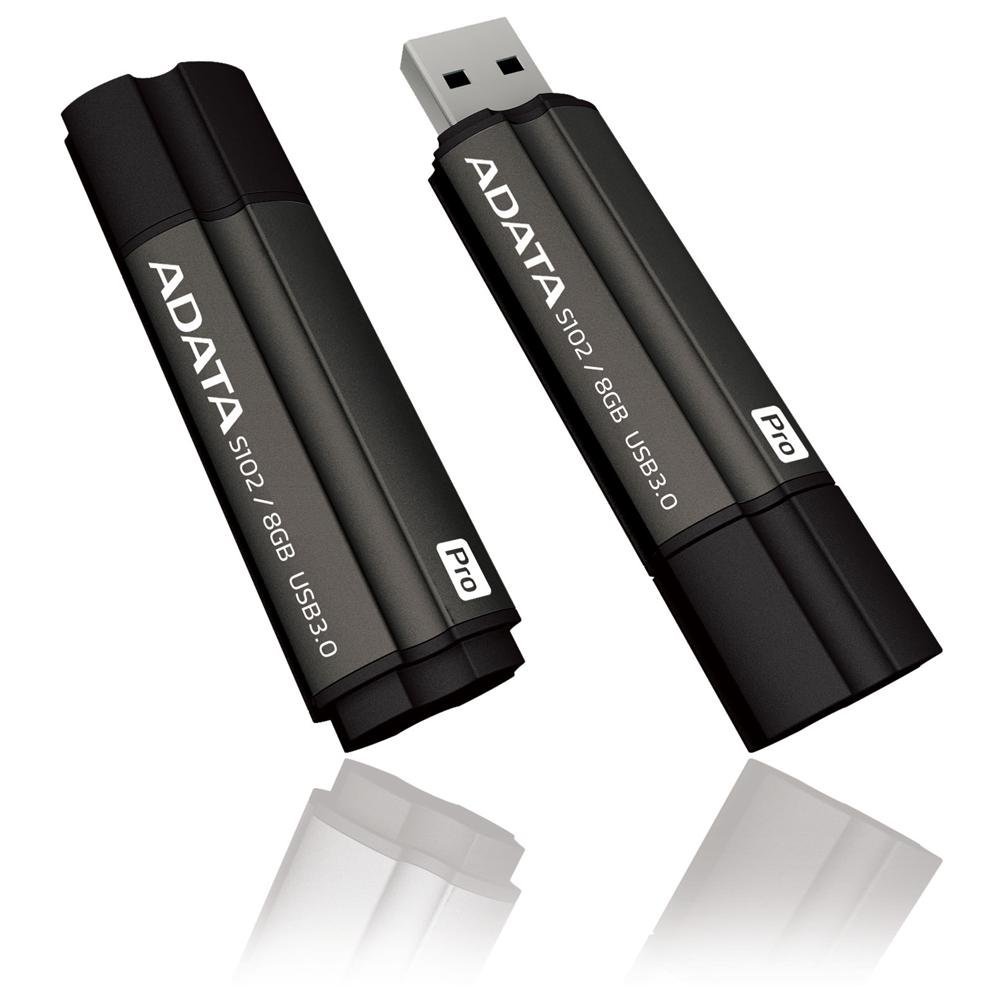
Image: The ADATA S102PRO USB Flash Drive shown with its protective cap on and with the cap removed, revealing the USB 3.0 connector. This illustrates the physical appearance and how to prepare the drive for insertion.
Фаъолият
Once the ADATA S102PRO is recognized by your computer, you can begin transferring files:
- Дастрасӣ ба диск:
- Windows: Open "This PC" or "My Computer" and locate the drive listed under "Devices and drives" (e.g., "Removable Disk" or a drive letter like E:).
- macOS: The drive icon will appear on your desktop or in the Finder sidebar under "Locations."
- Интиқол Files:
- Барои нусхабардорӣ files ба the flash drive, drag and drop them from your computer's folders into the flash drive's window.
- Барои нусхабардорӣ files аз the flash drive, drag and drop them from the flash drive's window to a folder on your computer.
- You can also use the standard copy (Ctrl+C / Command+C) and paste (Ctrl+V / Command+V) functions.
- Бехатар хориҷ кардани диск: It is crucial to safely eject the flash drive before physically removing it to prevent data corruption.
- Windows: Click the "Safely Remove Hardware and Eject Media" icon in the system tray (bottom-right corner), then select your flash drive and click "Eject." Wait for the "Safe to Remove Hardware" message.
- macOS: Drag the drive icon from the desktop to the Trash, or click the Eject button next to the drive name in the Finder sidebar. Wait for the icon to disappear before removing the drive.
Нигоҳдорӣ
Proper care will help ensure the longevity and reliability of your ADATA S102PRO USB Flash Drive:
- Protect the Connector: Always keep the protective cap on the USB connector when the drive is not in use to prevent dust, dirt, and physical damage.
- Аз ҳолатҳои шадид канорагирӣ кунед: Do not expose the drive to extreme temperatures, direct sunlight, high humidity, or strong magnetic fields.
- Бо эҳтиёт муносибат кунед: Аз афтидани гардонанда ё зери таъсири зарбаҳои сахт худдорӣ кунед.
- Do Not Remove During Transfer: Never unplug the drive while data is being read from or written to it. Always follow the safe removal procedure.
- Нусхаҳои мунтазам: While flash drives are reliable, it is always recommended to back up critical data to another storage device or cloud service.
Мушкилкушо
If you encounter issues with your ADATA S102PRO, try the following solutions:
- Драйв шинохта нашудааст:
- Боварӣ ҳосил кунед, ки диск ба порти USB пурра ворид карда шудааст.
- Дар компютери худ порти USB-и дигарро санҷед.
- Дискро дар компютери дигар санҷед, то мушкилоти мушаххаси компютерро истисно кунед.
- Менеҷери дастгоҳи компютери шумо (Windows) ё Маълумоти система (macOS) -ро санҷед, то бубинед, ки диск дар рӯйхат мавҷуд аст ё не, ҳатто агар он дар он пайдо нашавад File Explorer/Finder.
- Суръати интиқоли суст:
- Ensure you are connected to a USB 3.0 port for optimal performance. USB 2.0 ports will limit speeds.
- Интиқоли бисёр хурд files метавонад нисбат ба интиқоли чанд калон сусттар бошад files.
- Close other applications that might be using system resources or performing disk operations.
- Cannot Write Files to Drive:
- Check if the drive is full. Delete unnecessary files or transfer them to another location.
- Таъмин кунед file system (e.g., FAT32, NTFS, exFAT) is compatible with your operating system and allows writing. If formatted as NTFS on macOS, you may only have read access without third-party software.
- Check for any software-based write protection or permissions issues on your computer.
Мушаххасоти
| Бренд | ADATA |
| Номи модел | S102PRO |
| Рақами модел | AT806-4G-CPK |
| Иқтидори нигаҳдории хотира | 4 ГБ |
| Интерфейси сахтафзор | USB 3.0 (бо USB 2.0 мувофиқ аст) |
| Истеҳсолкунанда | A-DATA TECHNOLOGY (USA) CO. L |
| UPC | 842243005080 |
| ASIN | B004AVOGW8 |
Кафолат ва дастгирӣ
For detailed warranty information, product registration, and technical support, please visit the official ADATA webсомона. Шумо одатан метавонед захираҳои дастгирӣ, саволҳои зуд-зуд додашаванда ва маълумоти тамосро барои хидматрасонии муштариён дар он ҷо пайдо кунед.
Расмии ADATA Webсайт: www.adata.com