
1. Маҳсулот ба охир расидview
The Force1 U34W Dragonfly is a compact, high-definition FPV mini drone designed for beginners and indoor flying. It features a 720p HD camera for live video streaming and photo capture, offering an immersive First-Person View (FPV) experience. Its small size and stable flight characteristics make it ideal for learning drone piloting.

Image: The Force1 U34W Dragonfly Mini Drone, showcasing its compact design and integrated camera.
Хусусиятҳои асосӣ:
- 720p HD Camera: Records crisp 720p HD video and captures high-resolution photos.
- WiFi FPV Capability: Connects to a mobile app for live video streaming and FPV flying.
- Нигоҳ доштани баландӣ: Maintains a consistent altitude for stable flight.
- Ҳолати бе сар: Simplifies controls by eliminating the need to adjust drone orientation.
- Ҳолати вазнинӣ: Он имкон медиҳад, ки смартфони худро бо гардондан идора кунед.
- 1-Key Lift/Land: Simplifies takeoff and landing with a single button press.
- 360 гардиш: Performs aerial stunts with ease.
- Гвардияи пропеллер: Integrated guards protect propellers during indoor flight.
2. Дар қуттӣ чӣ мавҷуд аст
Before starting, please ensure all components are present in the package:
- U34W Dragonfly Wi-Fi FPV RC Quadcopter Drone
- 720p HD Drone Camera (integrated)
- 2.4Ghz Transmitter (Remote Control)
- Extra Propellers (4)
- 7.4v 350mAh Li-Po Battery (2)
- Пуркунандаи USB
- Отвертка
- Дастури корбар (ин ҳуҷҷат)
3. Дастури насб
3.1 Пур кардани батарея
- Connect the Li-Po battery to the provided USB charger.
- Plug the USB charger into a compatible USB power source (e.g., computer, USB wall adapter).
- The indicator light on the charger will show the charging status. Refer to the charger's specific instructions for light indications (typically red for charging, green for fully charged).
- Вақти пуркунӣ тақрибан 60-90 дақиқа аст. Батареяро аз ҳад зиёд пур накунед.
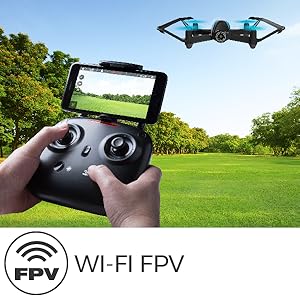
Image: The drone battery, highlighting the importance of charging for extended flight time.
3.2 Насби батареяи дрон
- Ensure the drone's power switch is in the OFF position.
- Carefully insert the fully charged Li-Po battery into the drone's battery compartment.
- Сарпӯши қисмати батареяро маҳкам кунед.
3.3 Танзими интиқолдиҳанда
- Install 4 AA batteries (not included) into the 2.4Ghz transmitter. Ensure correct polarity.
- Сарпӯши батареяро пӯшед.
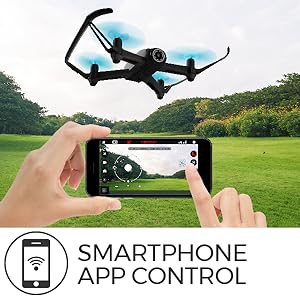
Image: The U34W Dragonfly drone alongside its 2.4 GHz transmitter, ready for control.
3.4 Pairing Drone and Transmitter
- Дронро ба сатҳи ҳамвор ва ҳамвор ҷойгир кунед.
- Тугмаи барқи дронро фаъол созед. Чароғҳои нишондиҳандаи дрон милт-милт мекунанд.
- Интиқолдиҳандаро даргиронед.
- Ҷойстики чапро (дроссел) ба боло ва сипас ба поён тела диҳед. Чароғҳои дрон милт-милт карданро қатъ мекунанд ва яксон мешаванд, ки ин нишонаи ҷуфтшавии бомуваффақият аст.
3.5 Mobile App Installation (for FPV and VR)
- Scan the QR code in the quick start guide or search for the "UDIRC FPV" app in your smartphone's app store (iOS/Android).
- Барномаро зеркашӣ ва насб кунед.
- Turn on the drone and connect your smartphone to the drone's Wi-Fi network (usually named "UDIRC-XXXXXX").
- Open the app to access live FPV feed and advanced controls.
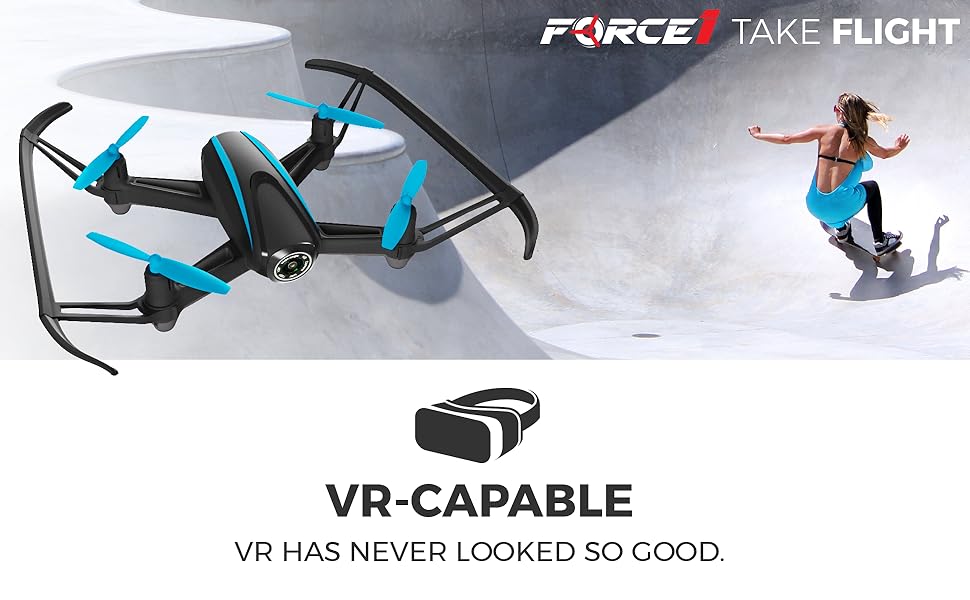
Image: A father and son enjoying live video feed from the drone on a smartphone, demonstrating the FPV feature.
4. Дастурҳои истифодабарӣ
4.1 Усулҳои асосии идоракунии парвоз
- Парвоз / фуруд: Press the 1-Key Lift/Land button on the transmitter or app. Alternatively, push both joysticks down and out to start motors, then slowly push the left joystick up to ascend.
- Ба боло/фуромадан: Use the left joystick (throttle) up or down.
- Ба пеш/қафо: Use the right joystick up or down.
- Left/Right Sideways Flight: Use the right joystick left or right.
- Ба чап/рост гардиш кунед (яв): Use the left joystick left or right.
4.2 Ҳолатҳои махсуси парвоз
- Нигоҳ доштани баландӣ: The drone automatically maintains its current altitude. Use the left joystick only for ascending/descending.
- Ҳолати бе сар: Press the Headless Mode button. The drone will orient itself relative to the pilot, regardless of its actual front direction. Press again to exit.
- Gravity Mode (via App): In the app, select Gravity Mode. Tilt your smartphone to control the drone's direction.
- Path Mode (via App): In the app, draw a flight path on your screen, and the drone will follow it automatically.
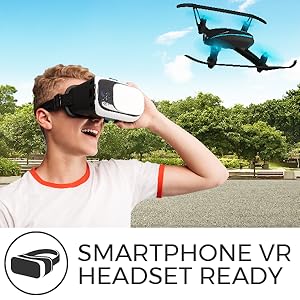
Image: A smartphone screen displaying the 'Path Mode' feature, allowing users to draw a flight path for the drone.
4.3 Амали камера
- Аксбардорӣ: Press the photo button on the transmitter or in the app.
- Сабти видео: Press the video button on the transmitter or in the app to start/stop recording.
- FPV Viewing: Ensure your smartphone is connected to the drone's Wi-Fi and the app is open for live video feed.
- VR Capability: For an immersive experience, place your smartphone into a compatible VR headset while using the FPV app.
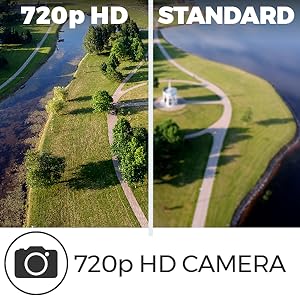
Image: A person wearing a VR headset, experiencing real-time FPV flight with the U34W Dragonfly drone.
4.4 Flight Safety Tips
- Always fly in open areas, away from people, animals, and obstacles.
- Дар шамолҳои сахт ё шароити номусоиди обу ҳаво парвоз накунед.
- Ҳамеша нуқтаи назарро бо дрон нигоҳ доред.
- Пеш аз ҳар парвоз, боварӣ ҳосил кунед, ки батареяҳо пурра пур карда шудаанд.
- Respect local drone regulations and privacy laws.
Видео: Ба охир расидview of the Force1 U34W Dragonfly Drone's features, including Altitude Hold, 1-Key Lift/Land, and its 720p HD camera.
5. Нигоҳдорӣ
5.1 Иваз кардани пропеллер
If a propeller is damaged, replace it with a new one from the spare parts kit. Ensure the correct propeller (A or B) is installed on the corresponding motor. Use the included screwdriver for removal and installation.
5.2 Тозакунӣ
Use a soft, dry cloth to clean the drone. Avoid using water or harsh chemicals, which can damage electronic components.
5.3 Нигоҳубини батарея
- Батареяҳоро дар ҷои хунук ва хушк нигоҳ доред.
- Батареяҳоро муддати тӯлонӣ пурра холӣ ё пурра пуркардашуда нагузоред.
- If the drone will not be used for a long time, remove the batteries from both the drone and the transmitter.
6. Баррасии мушкилот
| Мушкилот | Сабаби эҳтимолӣ | Ҳалли |
|---|---|---|
| Drone does not respond to transmitter. | Not paired; low battery in drone or transmitter. | Re-pair the drone and transmitter. Charge drone battery; replace transmitter batteries. |
| Дрон номунтазам парвоз мекунад ё дрейф мекунад. | Uncalibrated gyroscope; damaged propeller. | Calibrate the gyroscope (refer to quick start guide). Replace damaged propellers. |
| No FPV video feed. | Not connected to drone's Wi-Fi; app not open. | Ensure phone is connected to drone's Wi-Fi. Open the UDIRC FPV app. |
| Вақти кӯтоҳи парвоз. | Батарея пурра пур карда нашудааст; батареяи кӯҳна. | Fully charge the battery. Consider replacing old batteries. |
7. Мушаххасоти
| Хусусият | Тафсилот |
|---|---|
| Бренд | Қувваи 1 |
| Номи модел | Dragonfly (U34W) |
| Хусусиятҳои махсус | App-controlled, FPV-capable, Integrated-camera, Wi-Fi |
| Давраи синну сол (Тавсиф) | Бача |
| Ранги | Сиёҳ |
| Қарори сабти видео | 720p (1280x720 пиксел) |
| Технологияи пайвастшавӣ | USB, Wi-Fi |
| Сатҳи маҳорат | Саркор |
| Вазни ашё | 1.6 фунт |
| Иқтидори батарея | 350 миллионamp Hours (7.4v Li-Po) |
| Формати сабти видео | MP4 |
| Навъи назорат | Назорати дурдаст, Назорати барнома |
| Технологияи алоқаи бесим | Вай-фай |
| Таркиби ҳуҷайраҳои батарея | Полимери литий |
| Формати тасвир дастгирӣ карда мешавад | JPEG |
| Технологияи сенсорҳои оптикӣ | CMOS |
| Материал | Нейлон, пластикӣ |