
1. Маҳсулот ба охир расидview
The ADATA HD710 Pro is a ruggedized 1TB external hard drive designed for extreme mobile data protection. It features a durable, triple-layered construction that makes it waterproof, dustproof, and military-grade shockproof. This device is ideal for users requiring robust storage on the go, compatible with Mac, PC, and Linux systems.
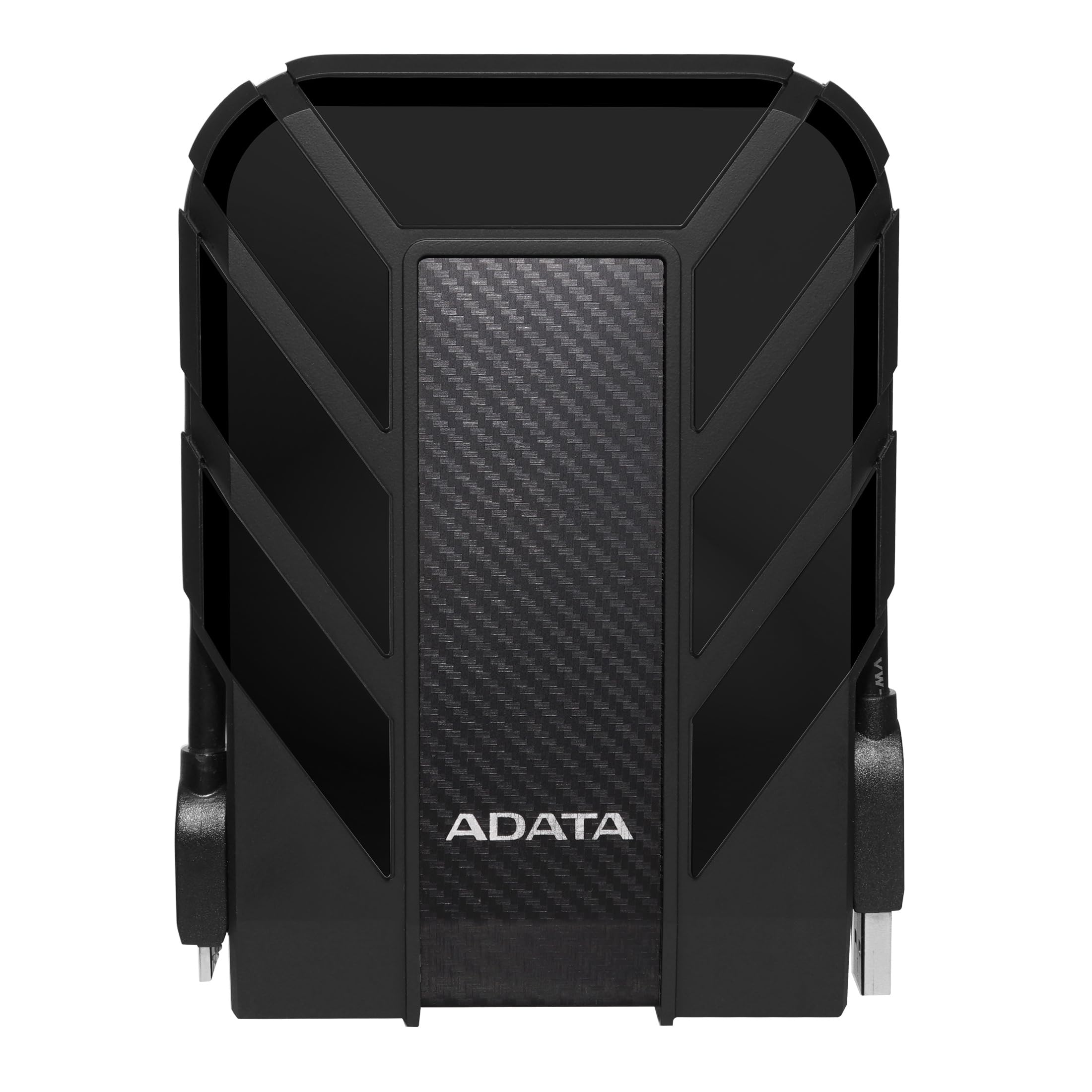
Figure 1: ADATA HD710 Pro 1TB External Hard Drive (Black)
2. Хусусиятҳои асосӣ
- IP68 Waterproof and IP6X Dustproof: Certified to exceed stringent International Electrotechnical Commission (IEC) standards, offering protection against water immersion and total dust ingress.
- Military-Grade Shockproof (MIL-STD-810G 516.6): Designed to withstand drops from up to 1.5 meters, ensuring data safety even in challenging environments.
- Triple-Layered Protection: Features a tough silicone outer layer, a shock-absorbing buffer, and a robust plastic shell for enhanced durability.
- Интерфейси USB 3.1: Provides ultra-fast data transfer rates of up to 5 gigabits per second.
- Идоракунии ҳамгирошудаи кабел: A convenient groove around the drive allows for neat storage of the USB cable, preventing loss and tangles.
- Не қувваи беруна лозим нест: Powered directly via the USB connection, enhancing portability.

Figure 2: Illustration of the HD710 Pro's triple-layered protective design.
3. Танзимот
- Дастгоҳро кушоед: Carefully remove the ADATA HD710 Pro from its packaging.
- Locate the USB Cable: The integrated USB 3.1 cable is wrapped around the drive's casing. Gently unwrap it.
- Ба компютер пайваст шавед: Plug the USB connector into an available USB port on your computer (PC, Mac, or Linux). For optimal performance, use a USB 3.0/3.1 port.
- Шиносоии аввалия: Your operating system should automatically detect the drive. A blue LED indicator on the drive will illuminate, signifying power and activity.
- Formatting (If Needed): The drive comes pre-formatted for general use. If you encounter issues or wish to change the file system (e.g., for specific operating system compatibility or larger file support), you may need to format the drive. Refer to your operating system's documentation for instructions on how to format an external drive. Warning: Formatting will erase all data on the drive. Back up any important files пеш аз идома додан.

Figure 3: The HD710 Pro is compatible with PC, Mac, and Linux systems.
4. Амалиёт
- Дастрасӣ ба диск: Once connected and recognized, the drive will appear as a removable storage device in your computer's file explorer (Windows), Finder (macOS), or file manager (Linux).
- Интиқол Files: Шумо метавонед кашола карда партоед files or folders to and from the HD710 Pro just like any other storage device.
- Хориҷкунии бехатар: To prevent data corruption, always safely eject the drive before disconnecting it.
- Windows: Right-click the drive icon in 'This PC' or the system tray and select 'Eject'.
- macOS: Нишони дискро ба сабад кашед ё тугмаи "Ирсол"-ро дар паҳлӯи номи диск дар Finder клик кунед.
- Linux: Right-click the drive icon in your file manager and select 'Eject' or 'Unmount'.
- Нишондиҳандаи LED: The blue LED light indicates the drive's status:
- Кабуди сахт: Драйвер фаъол ва дар ҳолати бекорӣ қарор дорад.
- Дурахши кабуд: Интиқоли маълумот идома дорад.
Видео 1: Ба охир расидview of the ADATA External Hard Drive, demonstrating its features and usage.
5. Нигоҳдорӣ
- Keep Ports Sealed: Ensure the rubber flap covering the USB port is securely closed when the drive is not in use to maintain its waterproof and dustproof integrity.
- Бо нарм тоза кунед: Use a soft, dry cloth to clean the exterior of the drive. Avoid harsh chemicals or abrasive materials.
- Аз ҳолатҳои шадид канорагирӣ кунед: While rugged, prolonged exposure to extreme temperatures, direct sunlight, or corrosive substances should be avoided.
- Бо эҳтиёт муносибат кунед: Despite its shockproof design, avoid intentionally dropping or subjecting the drive to excessive force.

Figure 4: The HD710 Pro offers IP68 waterproof, IP6X dustproof, and military-grade shock resistance.
6. Баррасии мушкилот
- Драйв шинохта нашудааст:
- Боварӣ ҳосил кунед, ки сими USB ҳам ба диск ва ҳам ба компютер боэътимод пайваст шудааст.
- Кӯшиш кунед, ки ба порти дигари USB дар компютери худ пайваст шавед.
- Дискро дар компютери дигар санҷед, то мушкилоти мушаххаси компютерро истисно кунед.
- Check your computer's Disk Management (Windows) or Disk Utility (macOS) to see if the drive is detected but unformatted or has a partition issue.
- Суръати интиқоли суст:
- Ensure you are using a USB 3.0/3.1 port on your computer for maximum speed. Connecting to a USB 2.0 port will result in slower speeds.
- Санҷед, ки драйверҳои компютери шумо навсозӣ шудаанд.
- Шумораи зиёди хурд files can transfer slower than fewer large files.
- Фасод дар маълумот:
- Always safely eject the drive before disconnecting to prevent data loss or corruption.
- If data corruption occurs, data recovery software may be an option, but success is not guaranteed.
7. Мушаххасоти
| Хусусият | Тафсилот |
|---|---|
| Иқтидори нигаҳдории рақамӣ | 1 ТБ |
| Интерфейси диски сахт | USB 3.2 |
| Технологияи пайвастшавӣ | USB |
| Бренд | ADATA |
| Хусусияти махсус | Портатив |
| Омили формати диски сахт | 2.5 инч |
| Тавсифи диски сахт | Диски сахти механикӣ |
| Дастгоҳҳои мувофиқ | Ноутбук, компютер |
| Навъи насб | Диски сахти беруна |
| Ранги | BLACK PRO |
| Хусусиятҳои иловагӣ | Портатив |
| Суръати гардиши диски сахт | 5400 чархзании |
| Истифодаи мушаххас барои маҳсулот | personal, gaming, business |
| Суръат хонед | 90 Мегабайт дар як сония |
| Суръати медиа | 90 Мегабайт дар як сония |
| Cache Memory Installed Size | 1 |
| Меъёри интиқоли маълумот | 5000 Мегабит дар як сония |
| Формаи форма | Портатив |
| Пайвасти сахтафзор | USB 3.0 |
| Маводи баста | Алюминий |
| Рақами модел | AHD710P-1TU31-CBK |
| Медиа дарунсохт | External HDD, Quick start guide |
| Номи модел | HD 710 Pro |
| Истеҳсолкунанда | ADATA |
| Рақами мушаххаси тиҷорати ҷаҳонӣ | 04713218460394 |
| Номи навъи ашё | ADATA USB 3.1 IP68 Waterproof/Shockproof/Dustproof Ruggedized External Hard Drive, Black (AHD710P-1TU31-CBK) |
| Тавсифи кафолат | 3 сол кафолат |
| Рейтинги беҳтарин фурӯшандагон | #35 in External Hard Drives |
| ASIN | B0744NWZTM |
| Hard-Drive Size | 1000 ГБ |
| Вазни ашё | 9.6 унция |
| Item Dimensions L x W x Thickness | 5.2"L x 3.8"W x 0.8"Th |
| Шумораи ашё | 1 |
| Шумораи воҳид | 1.0 ҳисоб |
| Навъи бастаи муштарӣ | Бастаи стандартӣ |
8. Кафолат
The ADATA HD710 Pro comes with a Кафолати маҳдуди 3 сол. This warranty covers defects in materials and workmanship under normal use. For specific terms and conditions, please refer to the official ADATA webсайт ё корти кафолат, ки ба маҳсулоти шумо дохил карда шудааст.
9. Дастгирӣ
For further assistance, technical support, or to download the latest drivers and software, please visit the official ADATA webсайт:
You may also find helpful resources and FAQs on the ADATA support pages.