
1. Муқаддима
Thank you for choosing the ARCTIC BioniX P140 PC Fan. This 140mm fan is engineered for high static pressure, making it ideal for use on heatsinks, radiators, and as a case fan where focused airflow is crucial. It features PWM Sharing Technology (PST) for synchronized fan speed control and a newly developed motor for quiet operation and extended lifespan. This manual provides essential information for the proper installation, operation, maintenance, and troubleshooting of your BioniX P140 fan.
2. Маҳсулот ба охир расидview
The ARCTIC BioniX P140 fan combines innovative design with advanced technology to deliver efficient cooling performance.
- Optimized Fan Design: Specifically designed for high static pressure, ensuring effective airflow through restrictive environments.
- PWM Sharing Technology (PST): Allows for synchronous control of fan speed with other connected fans, simplifying system management.
- Амалиёти ором: The advanced motor design significantly reduces commutation vibrations, eliminating the need for rubber buffers and ensuring minimal noise.
- Давомнокии умри дароз: Features a low coil temperature motor, which contributes to a significantly longer operational life.
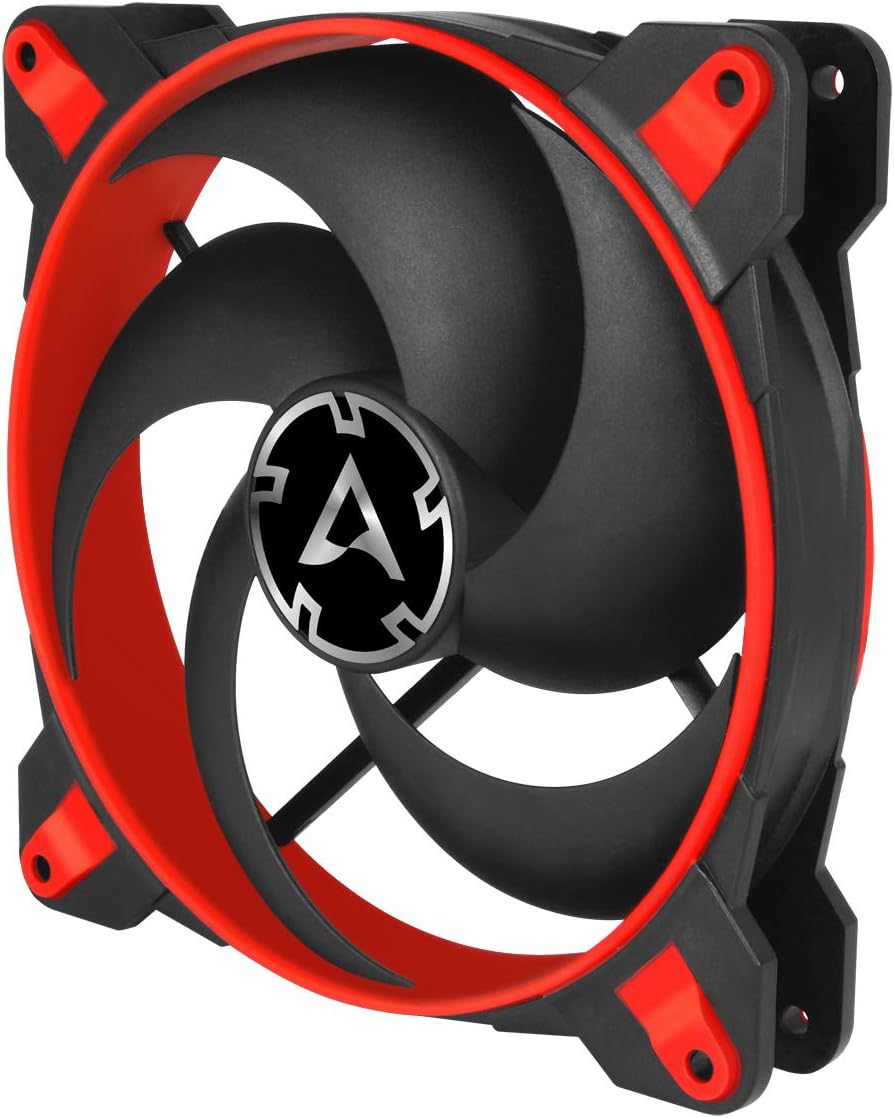
Расми 2.1: кунҷӣ view of the ARCTIC BioniX P140 fan, showcasing its red and black design.

Расми 2.2: Пеш view of the ARCTIC BioniX P140 fan, highlighting the blade design.
3. Мундариҷаи баста
Боварӣ ҳосил кунед, ки ҳама ҷузъҳо дар баста мавҷуданд:
- 1x ARCTIC BioniX P140 Fan
- 4x винтҳои васлкунӣ
- 1x Manual Card

Расми 3.1: Қафо view of the BioniX P140 packaging, detailing package contents and specifications.
4. Насбкунӣ
Follow these steps to properly install your ARCTIC BioniX P140 fan:
- Системаи худро омода кунед: Пеш аз оғози насб, боварӣ ҳосил кунед, ки компютери шумо хомӯш аст ва аз васлаки деворӣ ҷудо карда шудааст.
- Identify mounting location: Determine where you will install the fan (e.g., case intake/exhaust, CPU cooler radiator, liquid cooler radiator).
- Check fan dimensions: The BioniX P140 has a thickness of 28mm. Ensure there is adequate clearance in your chosen mounting location, as this is slightly thicker than standard 25mm fans. You may require longer mounting screws depending on your radiator or case design.
- Orient the fan: Observe the arrows on the side of the fan frame. One arrow indicates the direction of airflow, and the other indicates the direction of blade rotation. Install the fan to achieve your desired airflow direction (e.g., into the case for intake, out of the case for exhaust).

Figure 4.1: Airflow direction is indicated by an arrow on the fan frame.
- Mount the fan: Use the provided screws to secure the fan to your chosen mounting point. Do not overtighten the screws, as this can potentially warp the fan frame and affect balance, leading to increased noise or vibrations.
- Connect the fan: Plug the 4-pin PWM connector into an available 4-pin fan header on your motherboard or fan controller. The BioniX P140 also features a PST (PWM Sharing Technology) connector, allowing you to daisy-chain multiple fans for synchronized speed control from a single motherboard header.

Figure 4.2: The 4-pin PWM PST connector allows for daisy-chaining multiple fans.
- Идоракунии кабел: Route the fan cable neatly to avoid interference with other components or airflow.
5. Амалиёт
The ARCTIC BioniX P140 fan operates within a speed range of 200 to 1950 RPM, controlled via Pulse Width Modulation (PWM). This allows your motherboard or fan controller to dynamically adjust the fan speed based on system temperature, providing optimal cooling performance while minimizing noise.
- Назорати PWM: The 4-pin connector enables precise speed control, allowing the fan to spin down to very low RPMs for silent operation during light loads and ramp up for maximum cooling under heavy loads.
- Quiet Motor Technology: The fan's motor is designed to produce minimal vibration, contributing to its exceptionally quiet performance even at higher speeds.
- Fluid Dynamic Bearing: Equipped with a high-quality fluid dynamic bearing for smooth, quiet operation and extended reliability.

Расми 5.1: Дохилӣ view of the fan motor, illustrating the fluid dynamic bearing for quiet and durable operation.
6. Нигоҳдорӣ
Нигоҳубини мунтазам барои таъмини кори беҳтарин ва дарозумрии вентиляторатон кӯмак мекунад:
- Тоза кардани хок: Periodically clean dust accumulation from the fan blades and frame using compressed air or a soft brush. Ensure the fan is powered off and stationary before cleaning.
- Кабелҳоро тафтиш кунед: Check fan cables for any signs of wear or damage.
- Санҷиши васлкунӣ: Ensure mounting screws remain secure. Loose screws can lead to vibrations and increased noise.
7. Баррасии мушкилот
If you encounter issues with your BioniX P140 fan, refer to the following common problems and solutions:
- Мухлиси чарх намезанад:
- Ensure the 4-pin connector is securely plugged into a functional fan header on the motherboard.
- Check BIOS/UEFI settings or fan control software to ensure the fan header is enabled and configured correctly (e.g., not set to 0% PWM).
- Verify that the power supply is providing adequate power to the motherboard.
- Садо ё ларзишҳои аз ҳад зиёд:
- Check that the fan is securely mounted and screws are not overtightened. Overtightening can cause frame distortion and imbalance.
- Ensure no cables or other components are touching the fan blades.
- Ҳама гуна чанг ё партовҳоро аз теғҳои вентилятор, ки метавонанд боиси номутавозинӣ шаванд, тоза кунед.
- If multiple fans are daisy-chained, temporarily disconnect them one by one to isolate the source of noise.
- Fan Not Reaching Max Speed:
- Verify that the fan header in BIOS/UEFI or fan control software is set to a performance profile or manual 100% PWM.
- Ensure the system temperature is high enough to trigger higher fan speeds if using an automatic PWM curve.
8. Мушаххасоти техникӣ
| Хусусият | Мушаххасоти |
|---|---|
| Суръати мухлиси | 200 - 1950 RPM (Назорати PWM) |
| Равиши ҳаво | 77.6 CFM | 131.92 m³/h |
| Фишори статикӣ | 2.85 ммH₂O |
| Сатҳи садо | 0.45 ягона |
| Подшипник | Селексионҳои обкашӣ |
| Пайвасткунак | 4-pin PWM + 4-pin PST Socket |
| Ҷилдиtage | 12 В DC |
| Current/Wattage | 0.15 A / 1.8 Watts |
| Андозаҳо (L x W x H) | 140 x 140 x 28 мм (5.51" x 5.51" x 1.1") |
| Вазн | 181 г (6.4 унсия) |
| Материал | Поликарбонат |
| Дастгоҳҳои мувофиқ | Мизи кории |
9. Кафолат ва дастгирӣ
The ARCTIC BioniX P140 fan comes with a Кафолати 6 сол from the date of purchase, covering manufacturing defects and material flaws. Please retain your proof of purchase for warranty claims.
For further support, technical assistance, or to view detailed product information, please visit the official ARCTIC product page:
ARCTIC BioniX P140 Product Page
You can also find additional resources and contact customer support through the main ARCTIC webсайт.