
Муқаддима
Thank you for choosing the JBL Tune 225 TWS Wireless In-Ear Headphones. This manual provides essential information for setting up, operating, and maintaining your device. Please read it carefully to ensure optimal performance and longevity of your headphones.
Дар қуттӣ чӣ ҳаст
Your JBL Tune 225 TWS package includes the following items:
- JBL Tune 225 TWS Wireless In-Ear Headphones (Left and Right earbuds)
- Қуттии пуркунандаи пуркунанда
- Сими пуркунандаи USB-C

Image: JBL Tune 225 TWS earbuds and their charging case, showing the components included in the package.
Ташкил кардан
1. Пур кардани гӯшмонакҳо ва корпус
Before first use, fully charge both the earbuds and the charging case. Connect the provided USB-C cable to the charging case and a power source. The LED indicators on the case will show the charging status. A full charge typically takes approximately 2 hours.
- Ҳаёти батареяи пуркунандаи барқ: Up to 20 hours capacity, providing an average of 25 hours of combined playtime with the earbuds.
- Муҳлати батареяи гӯшмонак: Бо як заряд то 5 соат.

Image: JBL Tune 225 TWS earbuds placed inside their open charging case, showing the LED battery indicators.
2. Ҷуфти Bluetooth
- Қуттии барқро кушоед. Гӯшмонакҳо ба таври худкор ба ҳолати пайвастшавӣ ворид мешаванд.
- Дар дастгоҳи худ (смартфон, планшет ва ғайра) ба танзимоти Bluetooth гузаред.
- Select "JBL Tune 225 TWS" from the list of available devices.
- Пас аз пайвастшавӣ, шумо тасдиқи садоӣ мешунавед ва чароғаки LED дар гӯшмонакҳо пайвасти бомуваффақиятро нишон медиҳад.
The JBL Tune 225 TWS uses Bluetooth version 5.0 for a stable connection up to 10 meters (33 feet).
Истифода бурдани гӯшмонакҳо
Назорати ламс
The JBL Tune 225 TWS features touch controls on each earbud for managing audio playback and calls.
| Амал | Гӯшмонаки чап | Гӯшӣ рост |
|---|---|---|
| Бозӣ/Таваққуф | Н/А | Як зарба |
| Треки навбатӣ | Ду маротиба клик кунед | Н/А |
| Треки қаблӣ | Сегона ламс кунед | Н/А |
| Ҷавоб додан/Ба занг задан | Як зарба | Як зарба |
| Рад кардани занг | Пахш кунед ва нигоҳ доред (2 сония) | Пахш кунед ва нигоҳ доред (2 сония) |
| Ёрдамчии овозиро фаъол созед | Н/А | Ду маротиба клик кунед |
Note: Volume control is not directly available on the earbuds and must be adjusted via your connected device.
Истифодаи гӯшмонакҳои якка ё дугона
The JBL Tune 225 TWS allows for flexible use of either a single earbud or both earbuds simultaneously. Simply remove one or both from the charging case, and they will automatically connect to your paired device. If you place one earbud back into the case, the other will continue to play.

Тасвир: Наздик view of the left and right JBL Tune 225 TWS earbuds, highlighting their individual design.
Нигоҳдорӣ
Тозакунӣ
Regular cleaning helps maintain sound quality and hygiene. Use a soft, dry, lint-free cloth to wipe the earbuds and charging case. Do not use harsh chemicals or abrasive materials. For earbud grilles, gently use a dry cotton swab to remove any debris.
Нигоҳдорӣ
When not in use, always store the earbuds in their charging case to protect them and keep them charged. Store the case in a cool, dry place, away from extreme temperatures and direct sunlight.
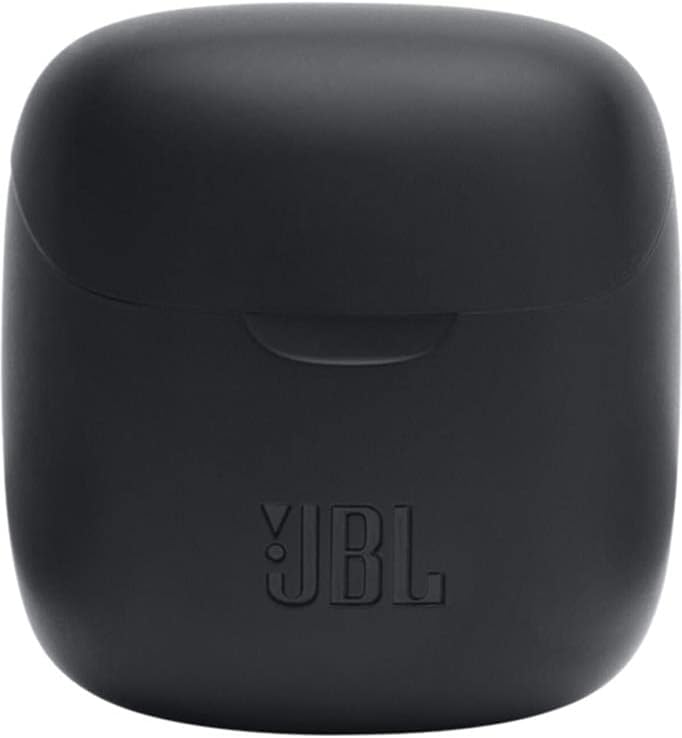
Image: The closed charging case for the JBL Tune 225 TWS, ready for storage or transport.
Мушкилкушо
- Масъалаи садо/пайваст нест: Ensure both earbuds are charged. Place them back in the case, close it, then reopen to re-initiate pairing. Check your device's Bluetooth settings to ensure "JBL Tune 225 TWS" is connected. Try forgetting the device and re-pairing.
- Як гӯшмонак кор намекунад: Ensure both earbuds are charged. Try placing both back in the case, closing it, and then taking them out again. Sometimes a simple reset by placing them in the case can resolve this.
- Мушкилоти пуркунии барқ: Ensure the USB-C cable is securely connected to both the case and the power source. Check if the charging port is clean and free of debris. Try a different USB-C cable or power adapter.
- Ҳаҷми паст: Adjust the volume on your connected device. Ensure the earbuds are properly seated in your ears.
Мушаххасоти
| Хусусият | Тафсилот |
|---|---|
| Бренд | JBL |
| Номи модел | Танзими 225TWS |
| Рақами модел | Танзими 225TWS |
| Ранги | Сиёҳ |
| Ҷойгиркунии гӯш | Дар-гӯш |
| Формаи форма | Дар-гӯш |
| Импеданс | 32 Ом |
| Навъи ронанда | Ронандаи динамикӣ |
| Андозаи ронанда | 12.5 мм |
| Диапазони басомад | 20 Гц - 20000 Гц |
| Ҳассосият | 105 дБ |
| Технологияи пайвастшавӣ | Бесимӣ (Bluetooth) |
| Версияи Bluetooth | 5.0 |
| Диапазони Bluetooth | 10 метр |
| Усули назорат | ламс кунед |
| Муҳлати батареяи гӯшмонак | 5 соат |
| Ҳолати батареяи пуркунандаи барқ | То 20 соат (иловагӣ) |
| Total Combined Playtime | То 25 соат |
| Вақти пуркунии барқ | 2 соат |
| Сатҳи муқовимат ба об | Обногузар |
| Вазни маҳсулот | 57 грамм |
| Вазни қуттии пуркунандаи барқ | 100 грамм |
| UPC | 050036374019 |
Кафолат ва дастгирӣ
Барои гирифтани маълумот дар бораи кафолат ва дастгирии муштариён, лутфан ба JBL-и расмӣ муроҷиат кунед website or contact your local JBL authorized dealer. Keep your proof of purchase for warranty claims.
Нусхаи рақамии дастури корбар барои зеркашӣ дастрас аст: JBL Tune 225 TWS User Manual (PDF)