
Муқаддима
Ташаккур ба шумо барои харидasing the MIPOW Mini Electric USB Fan F01. This portable and rechargeable fan is designed to provide personal cooling with adjustable airflow and angle. Please read this manual carefully before use to ensure proper operation and maintenance.
Мундариҷаи баста
- MIPOW Mini Electric USB Fan F01
- Сими пуркунандаи USB
- Дастури корбар
Дастурҳои бехатарӣ
To prevent injury or damage to the product, please observe the following safety precautions:
- вентиляторро ба об ё дигар моеъ ғарқ накунед.
- Keep the fan away from open flames, heat sources, and direct sunlight.
- Ангуштон ё ашёи бегонаро ба панҷараи вентилятор нагузоред.
- Ин таҷҳизот барои истифода аз ҷониби ашхоси (аз ҷумла кӯдакон) дорои қобилиятҳои ҷисмонӣ, эҳсосӣ ё ақлӣ, ё таҷриба ва дониш надоштан пешбинӣ нашудааст, ба истиснои ҳолатҳое, ки онҳо аз ҷониби шахси масъул барои бехатарии онҳо назорат ё дастур оид ба истифодабарии дастгоҳ дода нашудаанд.
- Танҳо сими пуркунандаи USB-и додашуда ё сими муодили тасдиқшударо истифода баред.
- Кӯшиш накунед, ки вентиляторро қисм-қисм кунед, таъмир кунед ё тағйир диҳед. Агар ба шумо хидмат лозим бошад, бо хадамоти дастгирии муштариён тамос гиред.
- Ensure the fan is placed on a stable, flat surface during operation.
Маҳсулот ба охир расидview
Familiarize yourself with the components of your MIPOW Mini Electric USB Fan F01.
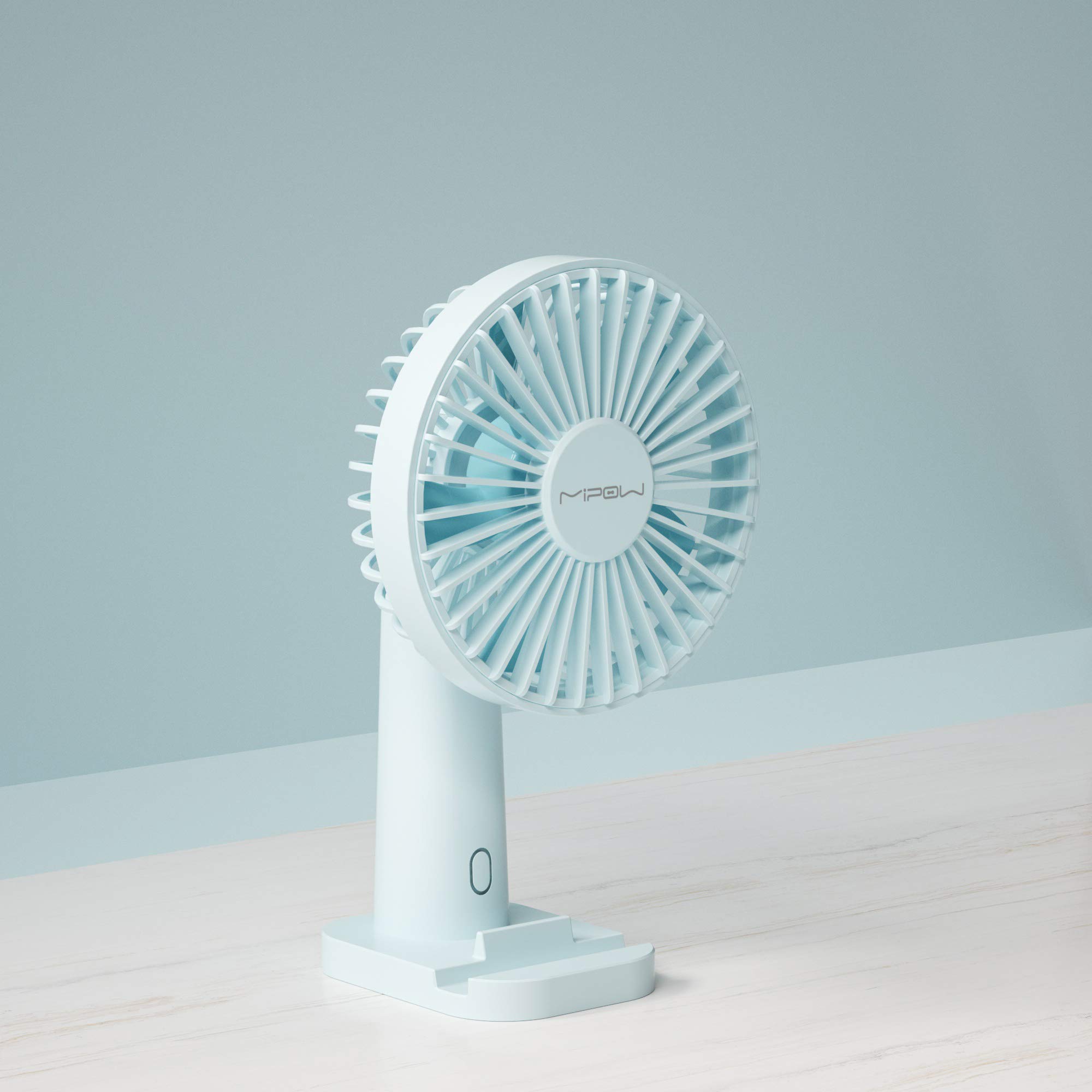
Тасвири 1: Пеш view of the MIPOW Mini Electric USB Fan F01. This image displays the fan's compact design, the protective grille covering the fan blades, and the stable base. The fan is shown in a Tiffany Blue color.
- Панҷараи мухлиси: Protective cover for the fan blades.
- Шабакаҳои вентилятор: Generate airflow.
- Тугмаи назорат: Powers the fan on/off and adjusts speed settings.
- Асос: Барои вентилятор устуворӣ фароҳам меорад.
- Порти пуркунандаи барқ (USB): Located on the back or side of the base, used for charging the internal battery.
- Нури нишондиҳанда: Shows charging status or power status.
Ташкил кардан
1. Пур кардани вентилятор
- Connect the small end of the USB charging cable to the charging port on the fan.
- Connect the larger end of the USB cable to a USB power adapter (not included), computer USB port, or power bank.
- The indicator light will illuminate (e.g., red) during charging and turn off or change color (e.g., blue) when fully charged.
- Барои пур кардани барқ тақрибан 2-3 соат вақт диҳед.
2. Ҷойгиршавӣ
- Place the fan on a flat, stable surface to prevent it from tipping over.
- Ensure there are no obstructions to the airflow around the fan.
Дастурҳои амалиётӣ
Фаъолкунӣ/хомӯшкунӣ ва танзими суръат
- Барои фаъол кардан: Press the control button once. The fan will start at Speed 1 (low).
- Барои танзим кардани суръат: Press the control button repeatedly to cycle through the speed settings:
- First press: Speed 1 (Low)
- Second press: Speed 2 (Medium)
- Third press: Speed 3 (High)
- Барои хомӯш кардани барқ: After Speed 3, press the control button a fourth time to turn the fan off.
Танзими кунҷи вентилятор
The fan head can be manually tilted up or down to direct the airflow as desired. Gently hold the base and adjust the fan head to your preferred angle.
Нигоҳдорӣ
Тозакунӣ
- Боварӣ ҳосил кунед, ки пеш аз тоза кардани вентилятор хомӯш карда шудааст ва аз сими барқ ҷудо карда шудааст.
- Қисми берунии вентиляторро бо матои нарм ва хушк пок кунед.
- Тозакунандаҳои абразивӣ, ҳалкунандаҳоро истифода набаред ва вентиляторро ба об нағӯтонед.
- For dust accumulation on the grille, use a soft brush or compressed air to gently remove it.
Нигоҳдорӣ
- When not in use for an extended period, store the fan in a cool, dry place.
- It is recommended to fully charge the fan before storing and recharge it every 3 months to maintain battery health.
Мушкилкушо
| Мушкилот | Сабаби эҳтимолӣ | Ҳалли |
|---|---|---|
| Вентектор фаъол намешавад. | Батарея тамом шудааст. | Бо истифода аз сими USB-и додашуда мухлисро пур кунед. |
| Fan airflow is weak. | Фан дар суръати паст қарор дорад. | Press the control button to increase the speed. |
| Fan is not charging. | USB cable or power adapter is faulty; connection is loose. | Ensure the USB cable is securely connected. Try a different USB port or power adapter. |
| Садои ғайриоддӣ ҳангоми кор. | Монеа дар вентиляторҳо; вентилятор дар сатҳи устувор нест. | Turn off and unplug the fan. Carefully check for any obstructions and remove them. Place the fan on a stable surface. |
Мушаххасоти
| Бренд | MIPOW |
| Рақами модел | F01 |
| Манбаи нерӯ | Батареяе, ки бо барқ таъмин карда мешавад |
| Шумораи суръатҳо | 3 |
| Усули назорат | Назорати тугма |
| Хусусияти махсус | Портатив |
| Вазни ашё | 172 грамм |
| Маводҳои пиёз | Пластмасса |
| Ранги | Tiffany Blue |
Кафолат ва дастгирӣ
MIPOW products are manufactured to high-quality standards. For information regarding warranty coverage, technical support, or service inquiries, please refer to the warranty card included with your purchase or visit the official MIPOW webсайт. Лутфан далели хариди худро барои даъвоҳои кафолат нигоҳ доред.