
1. Маҳсулот ба охир расидview
The Oladance OWS1 Open Ear Headphones offer a unique open-ear design for comfort and situational awareness. These wireless Bluetooth 5.2 headphones feature dual 16.5mm drivers for high-quality sound and extended battery life, making them suitable for various activities.
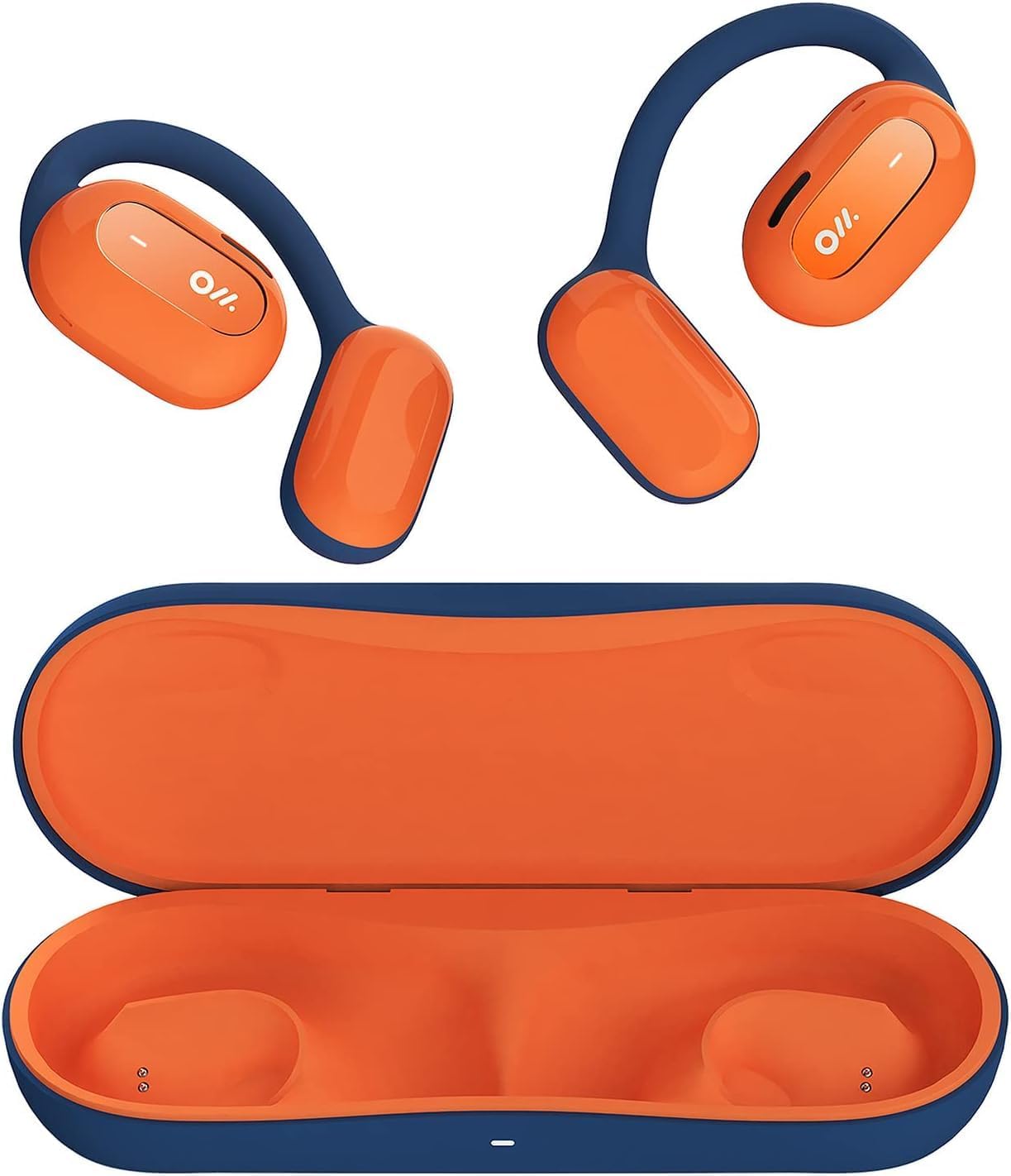
Image 1: Oladance OWS1 Open Ear Headphones and their carry case.
2. Дар қуттӣ чӣ мавҷуд аст
- 1 × Oladance Wearable Stereo (Pair of Open Ear Headphones)
- 1 × Non-charging Carry Case
- 1 × Кабели Type-C
- 1 × Дастури корбар
3. Хусусиятҳои асосӣ
- Тарроҳии воқеии гӯши кушода: Earbuds rest gently on top of the ear, avoiding insertion into the ear canal for enhanced comfort and situational awareness.
- 360° Superior Sound: Equipped with dual powerful 16.5mm dynamic drivers and bio-diaphragm technology for rich, clear audio across all volume levels.
- Anti-Hearing Loss Focus: Designed to prevent common health issues associated with traditional earbuds by not blocking the ear canal, reducing pressure and potential hearing damage.
- Extended 16-Hour Playtime: Features a built-in 160mAh battery and low-consumption algorithms, providing up to 16 hours of continuous playback on a single charge. Note: A separate charging case is required for extended playtime beyond the included carry case.
- Муносибати бехатар ва бароҳат: Multi-point support system distributes weight evenly across the ear, ensuring a stable and comfortable fit for various activities.

Image 2: The Oladance OWS1 headphones are designed for a secure and comfortable fit, ideal for activities like yoga.
4. Дастури насб
4.1 Пуркунии ибтидоӣ
Before first use, fully charge your Oladance OWS1 headphones. Connect the provided Type-C cable to the charging port on the headphones and a compatible USB power source. The LED indicator will show charging status.
4.2 Фурӯзон/хомӯш кардан
- Барои фаъол кардан: Press and hold the power button (location typically on one of the earbud units) for approximately 2-3 seconds until you hear an audible prompt or see an LED indicator light up.
- Барои хомӯш кардани барқ: Press and hold the power button for approximately 3-5 seconds until you hear an audible prompt or the LED indicator turns off.
4.3 Пайвасткунии Bluetooth
- Боварӣ ҳосил кунед, ки гӯшмонакҳо хомӯш карда шудаанд.
- Press and hold the power button for approximately 5-7 seconds until the LED indicator flashes red and blue alternately. This indicates the headphones are in pairing mode.
- Дар дастгоҳи худ (смартфон, планшет, компютер) ба танзимоти Bluetooth гузаред.
- Ҷустуҷӯ "Oladance OWS1" in the list of available devices.
- Select "Oladance OWS1" to connect. Once connected, the LED indicator will typically flash blue slowly or turn off, and you will hear a confirmation tone.

Image 3: The Oladance OWS1 headphones are designed for an ergonomic and stable fit during various activities.
5. Дастурҳои истифодабарӣ
5.1 Идоракунии асосӣ
| Функсия | Амал |
|---|---|
| Мусиқиро навозед/таваффақ кунед | Тугмаи бисёрфунксионалиро як маротиба пахш кунед. |
| Треки навбатӣ | Тугмаи бисёрфунксияро ду маротиба пахш кунед. |
| Треки қаблӣ | Тугмаи бисёрфунксионалиро се маротиба пахш кунед. |
| Баланд бардоштани овоз | Single press the Volume + button. |
| Паст кардани овоз | Single press the Volume - button. |
| Ҷавоб додан/Ба занг задан | Single press the Multi-function button during an incoming call or active call. |
| Рад кардани занг | Ҳангоми занги даромад тугмаи бисёрфунксионалиро барои 2 сония пахш карда нигоҳ доред. |
| Ёрдамчии овозиро фаъол созед | Тугмаи бисёрфунксияро барои 2 сония пахш карда нигоҳ доред. |
5.2 Пайвасти бисёрнуқтаҳо
The Oladance OWS1 headphones support multi-point connection, allowing them to be connected to two Bluetooth devices simultaneously. This enables seamless switching between devices without re-pairing.
- Ensure the headphones are paired with the first device.
- Put the headphones into pairing mode again (usually by holding the power button until the LED flashes red and blue).
- On the second device, search for "Oladance OWS1" in the Bluetooth settings and connect.
- The headphones should now be connected to both devices. Audio will automatically switch to the device playing content or receiving a call.

Image 4: The open-ear design allows for comfortable extended wear, even during work or calls.
6. Нигоҳубин ва нигоҳдорӣ
- Тозакунӣ: Барои тоза кардани гӯшмонакҳо матои мулоими хушкро истифода баред. Аз истифодаи кимиёвии сахт ё маводи абразивӣ худдорӣ намоед.
- Нигоҳдорӣ: Store the headphones in their provided non-charging carry case when not in use to protect them from dust and damage.
- Муқовимат ба об: The headphones are water-resistant (IPX4 rated). Avoid submerging them in water or exposing them to high-pressure water jets. Dry thoroughly if they get wet.
- Ҳарорат: Нашавед, ки гӯшмонакҳоро ба ҳарорати шадид (гарм ё хунук) ё намии баланд дучор кунед.

Image 5: The included carry case protects your Oladance OWS1 headphones during transport and storage.
7. Баррасии мушкилот
- Фаъол кардан мумкин нест
- Боварӣ ҳосил кунед, ки гӯшмонакҳо пурра пур карда шудаанд. Онҳоро бо истифода аз сими Type-C ба манбаи барқ пайваст кунед.
- Бо дастгоҳ пайваст карда намешавад
- Боварӣ ҳосил кунед, ки гӯшмонакҳо дар ҳолати ҷуфтшавӣ қарор доранд (LED сурх ва кабуд милт-милт мекунад).
- Bluetooth-и дастгоҳи худро хомӯш ва фаъол созед.
- Пайвастҳои қаблии Bluetooth-ро дар дастгоҳи худ тоза кунед.
- Гӯшмонакҳоро ба дастгоҳи худ наздиктар кунед.
- Овоз нест ё садои паст
- Сатҳҳои баландии овозро ҳам дар гӯшмонакҳо ва ҳам дар дастгоҳи пайвастшуда санҷед.
- Боварӣ ҳосил кунед, ки гӯшмонакҳо ба дастгоҳи шумо дуруст пайваст шудаанд.
- Кӯшиш кунед, ки аудио аз барнома ё манбаи дигар навозед.
- Пайвастагии фосилавӣ
- Боварӣ ҳосил кунед, ки байни гӯшмонакҳо ва дастгоҳи шумо монеа вуҷуд надорад.
- Аз дахолати сахти электромагнитӣ худдорӣ намоед.
- Keep the headphones within the effective Bluetooth range (typically 10 meters).
8. Мушаххасоти маҳсулот
| Хусусият | Тафсилот |
|---|---|
| Рақами модел | OLA02 |
| Бренд | Оладанс |
| Технологияи пайвастшавӣ | Бесимӣ (Bluetooth 5.2) |
| Ҷойгиркунии гӯш | Гӯши кушода |
| Формаи форма | Гӯши кушода |
| Андозаи ронанда | Драйверҳои динамикии дугонаи 16.5 мм |
| Мӯҳлати батарея (миёна) | То 16 соат |
| Вақти пуркунии барқ | Тақрибан 2 соат |
| Сатҳи муқовимат ба об | Ба об тобовар (IPX4) |
| Формати микрофон | Дохилшуда |
| Навъи назорат | Media Control (Buttons) |
| Материал | Пластмасса |
| Андозаҳои маҳсулот | 13 х 11 х 457.2 см |
| Вазни ашё | 260 гр |

Image 6: A close-up of the Oladance OWS1 headphones, highlighting their design and color.
9. Кафолат ва дастгирӣ
Oladance products are covered by a limited warranty. For detailed warranty information, product support, or service inquiries, please refer to the official Oladance webсайт ё бевосита бо хадамоти муштариёни худ тамос гиред. Барои даъвоҳои кафолат далели хариди худро нигоҳ доред.
Барои кӯмаки иловагӣ лутфан ба зер муроҷиат кунед: www.oladance.com