
Муқаддима
This manual provides detailed instructions for the installation, operation, and maintenance of your Fodsports F2 Motorcycle Helmet Intercom Headset. The F2 system is designed to enhance your riding experience with Bluetooth 5.0 connectivity, enabling two-rider intercom communication, hands-free calls, and high-quality audio for music and GPS navigation.
Хусусиятҳои маҳсулот
- Технологияи Bluetooth 5.0: Equipped with advanced Bluetooth 5.0 for high compatibility and stable connections with all Bluetooth-enabled smart devices.
- 2-Системаи интеркоми савора: Supports communication between two riders with an intercom distance of up to 1000 meters.
- Кам кардани садои CVC: Advanced CVC noise reduction technology and a professional wind-proof microphone ensure clear call quality.
- Муоширати бедаст: Automatically answers incoming calls within 10 seconds. Supports rejecting calls, hanging up, and last number redial.
- Фармони овозӣ: Activate intelligent voice commands (e.g., Siri, Google Assistant) for hands-free control of calls, music, and GPS navigation.
- Аудио-сифати баланд: Features 40mm high-power stereo speakers for clear and loud sound quality.
- Муҳлати батареяи устувор: Integrated 400mAh rechargeable Li-ion battery provides up to 10 hours of intercom time, 12 hours of talk/music playback, and 300 hours of standby time. Charging time is approximately 3 hours.
- Тарҳрезии обногузар: IP67 dustproof and waterproof rating with Nano coating technology protects the headset in outdoor conditions.
- Charge While Working: The device can be used while charging, though it is recommended to charge fully before initial use.
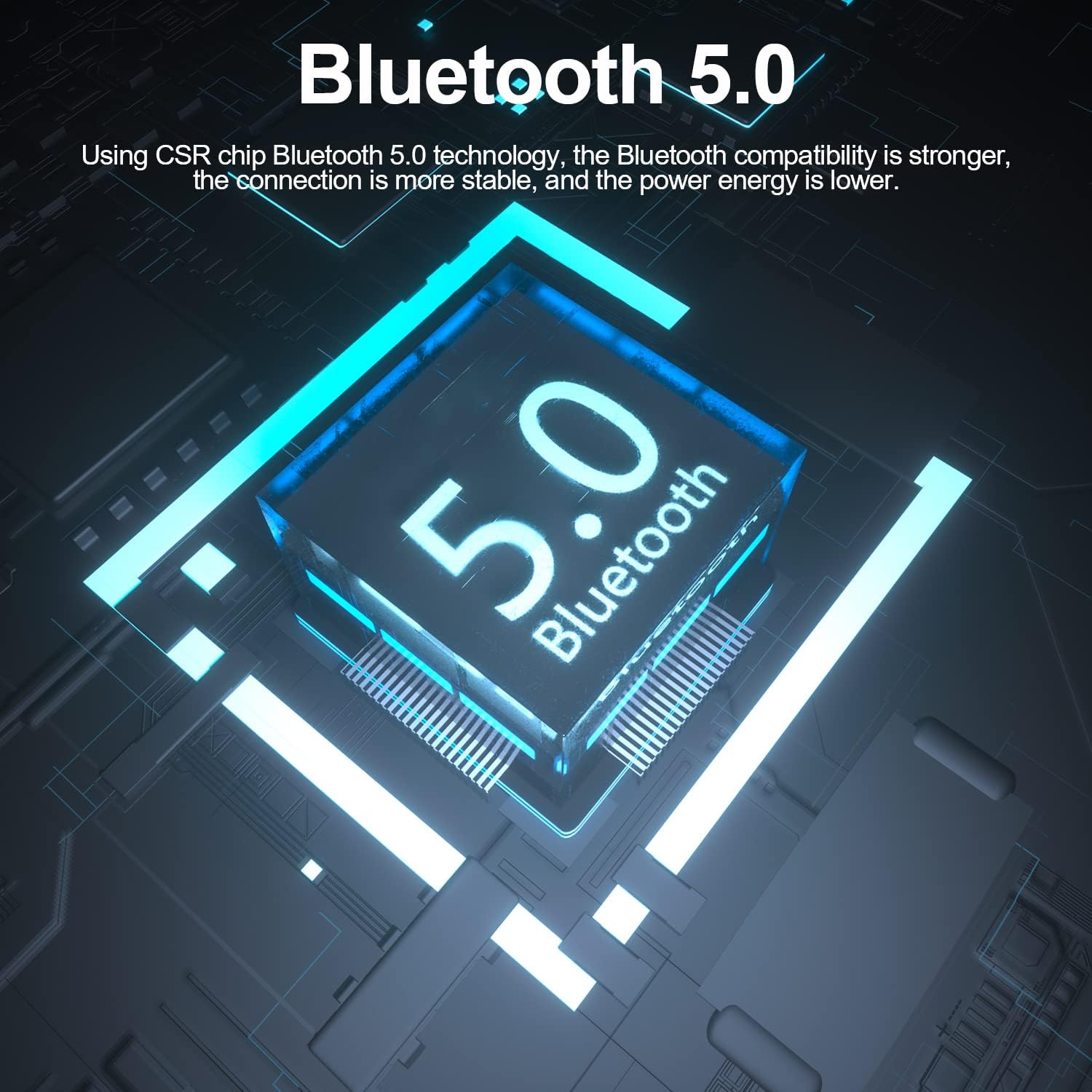
Image: The Fodsports F2 utilizes a Bluetooth 5.0 chip for stable and efficient wireless connections.

Image: Illustration of the CVC noise reduction technology in the Fodsports F2, showing how it clarifies call audio by reducing ambient noise.

Тасвир: таркида view of the Fodsports F2 speaker, highlighting its components for HiFi stereo sound quality.
Мундариҷаи баста
Upon opening your Fodsports F2 package, please ensure all items are present:
- Fodsports F2 Intercom Unit
- Microphone (suitable for full-face and half-face helmets)
- 40mm Stereo Speakers
- Сими пуркунандаи USB
- Helmet Mounting Bracket (with detachable Velcro)
- Дастури корбар (ин ҳуҷҷат)
Насб ва насб
1. Пуркунии дастгоҳ
Before first use, fully charge the Fodsports F2 unit. Connect the provided USB charging cable to the device's charging port and to a standard USB power source. The charging indicator will show the charging status. A full charge takes approximately 3 hours.

Image: The Fodsports F2 unit connected to a power bank via USB cable, illustrating that the device can be charged while in use.
2. Installing into Helmet
The F2 is designed for easy installation in most full-face, open-face, and half-helmets using its detachable Velcro design.
- Attach the Intercom Unit: Secure the F2 intercom unit to the side of your helmet using the provided mounting bracket and Velcro. Ensure it is firmly attached and does not obstruct your vision or helmet functionality.
- Мавқеи баромадкунандагон: Place the 40mm stereo speakers inside the helmet's ear pockets. Ensure they are aligned with your ears for optimal sound quality.
- Микрофони насб: Attach the microphone to a suitable position inside the helmet, ensuring it is close to your mouth but not directly in front to avoid wind noise. The flexible microphone arm allows for adjustment.
- Кабелҳои пайвастшавӣ: Connect the speaker and microphone cables to the corresponding ports on the F2 intercom unit. Route the cables neatly within the helmet padding to avoid discomfort or interference.
Дастурҳои амалиётӣ
1. Фаъол/хомӯш
- Фаъол: Press and hold the Power button for approximately 3 seconds until the indicator light illuminates and you hear a voice prompt.
- Хомӯш: Press and hold the Power button for approximately 3 seconds until the indicator light turns off and you hear a voice prompt.
2. Ҷуфт кардани Bluetooth бо телефони мобилӣ
- Ensure the F2 unit is powered off.
- Press and hold the Power button for about 5-7 seconds until the indicator light flashes red and blue alternately, indicating pairing mode.
- Дар телефони мобилии худ Bluetooth-ро фаъол созед ва дастгоҳҳои дастрасро ҷустуҷӯ кунед.
- Select "Fodsports F2" from the list of devices.
- Once paired, the indicator light will flash blue slowly, and you will hear a confirmation tone.
3. Intercom Pairing (2 Riders)
To establish a 2-rider intercom connection:
- Ensure both F2 units are powered off.
- On both units, press and hold the Power button for about 5-7 seconds until the indicator lights flash red and blue alternately, entering pairing mode.
- Briefly press the Intercom button on one of the units. It will search for the other unit.
- Once connected, both units will show a slow blue light, and you will hear a confirmation tone.
4. Вазифаҳои занги телефонӣ
- Ҷавоб ба занг: Incoming calls will be automatically answered within 10 seconds if no action is taken. Alternatively, briefly press the Phone button to answer.
- Рад кардани занг: Press and hold the Phone button for 2 seconds to reject an incoming call.
- Партофтан: Briefly press the Phone button during a call to end it.
- Рақами охирини такрорӣ: Double-press the Phone button to redial the last dialed number.
5. Бозикунии мусиқӣ
- Бозӣ/Таваққуф: Briefly press the Play/Pause button to play or pause music.
- Танзими садо: Барои танзими баландии садо, тугмаҳои Баланд бардоштани овоз (+) ва Паст кардани овоз (-)-ро истифода баред.
- Треки навбатӣ: Press and hold the Volume Up (+) button for 2 seconds to skip to the next song.
- Track гузашта: Press and hold the Volume Down (-) button for 2 seconds to go to the previous song.
6. Voice Command Activation
To activate your phone's voice assistant (e.g., Siri, Google Assistant), double-tap the 'A' key on the F2 unit.

Image: Diagram showing how to double-tap the 'A' key on the Fodsports F2 unit to activate voice commands like "Hey Siri" or "Hi Galaxy" for phone control.
Нигоҳдорӣ
- Тозакунӣ: Агрегатро бо нарм пок кунед, гamp матоъ. Моддаҳои кимиёвии сахт ё тозакунандаи абразивиро истифода набаред.
- Муқовимат ба об: The F2 unit is IP67 waterproof. While it can withstand rain and splashes, avoid submerging it in water for extended periods. Ensure the charging port cover is securely closed when not charging.
- Нигоҳдорӣ: Дастгоҳро дар ҷои хунук ва хушк нигоҳ доред, вақте ки истифода намешаванд. Аз ҳарорати аз ҳад зиёд канорагирӣ кунед.
- Нигоҳубини батарея: To prolong battery life, avoid fully discharging the battery frequently. Charge the device regularly, even if not in use for long periods.
Мушкилкушо
- Дастгоҳ фаъол нест:
- Ensure the battery is charged. Connect the device to a charger and try powering it on after a few minutes.
- Бо телефон/интерком пайваст кардан мумкин нест:
- Ensure the device is in pairing mode (red and blue flashing light). Make sure other Bluetooth devices are not interfering. Try restarting both the F2 unit and your phone/second F2 unit.
- Овоз нест ё садои паст:
- Check the volume settings on both the F2 unit and your connected phone. Ensure speakers are correctly positioned and connected. Verify that the cables are securely plugged in.
- Intercom connection drops frequently:
- Ensure both units are within the 1000m range and have a clear line of sight. Obstacles can reduce range. Check for low battery on either unit.
- Poor call quality/excessive wind noise:
- Ensure the microphone is positioned correctly, close to your mouth but not directly exposed to strong airflow. The CVC noise reduction works best when the microphone is optimally placed.
Мушаххасоти
| Хусусият | Тафсилот |
|---|---|
| Модели | F2 |
| Версияи Bluetooth | 5.0 |
| Диапазони интерком | Up to 1000m (2 riders) |
| Иқтидори батарея | 400 мАч |
| Вақти интерком | 10 соат |
| Talk/Music Playback Time | То 12 соат |
| Вақти интизорӣ | 300 соат |
| Вақти пуркунии барқ | 3 соат |
| Технологияи паст кардани садо | CVC |
| Сатҳи муқовимат ба об | IP67 |
| Диаметри баландгӯяк | 40мм |
| Усули назорат | Овоз, Тугмаҳо |
| Материал | Пластмасса |
| Вазни ашё | 170 грамм |
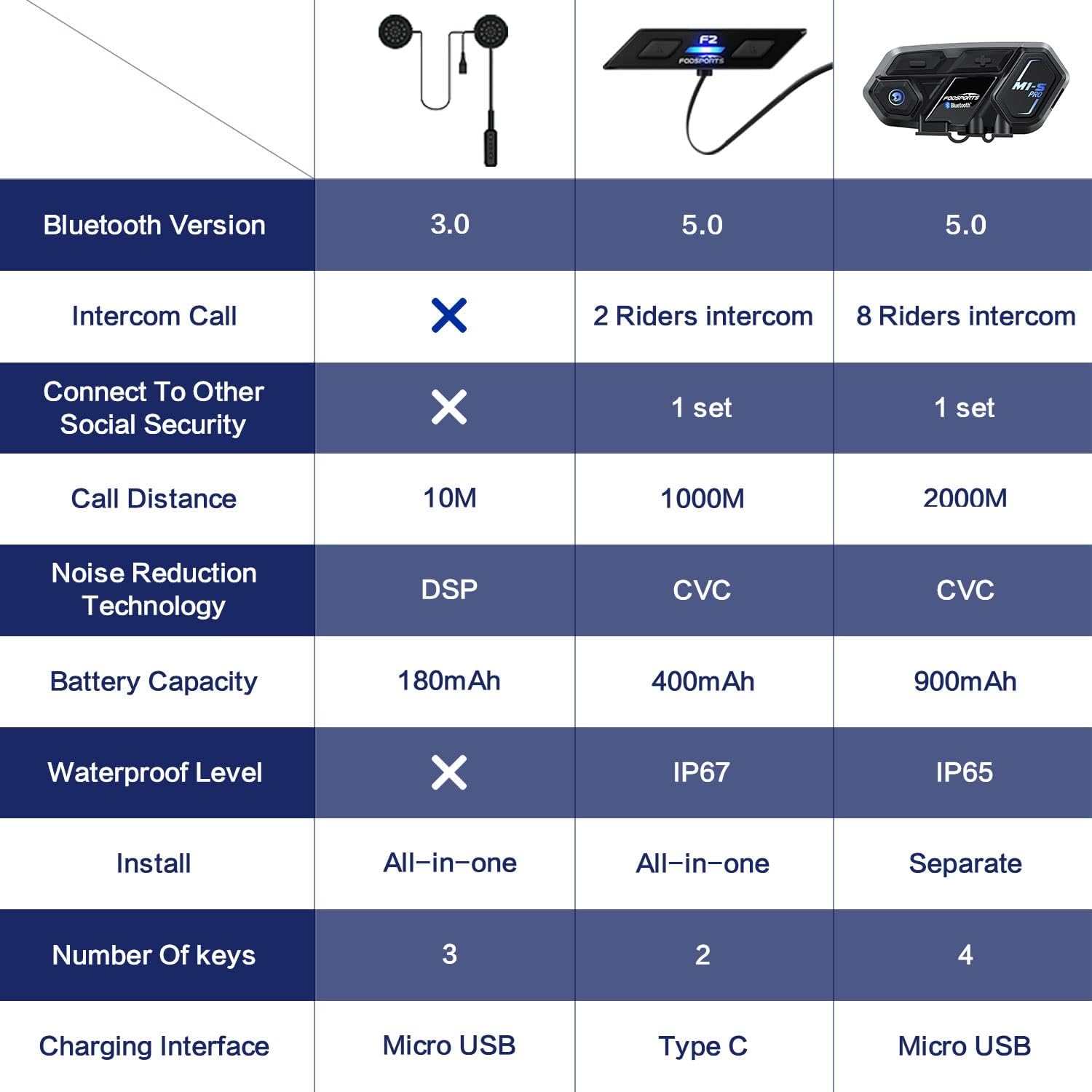
Image: A comparison table highlighting key specifications of the Fodsports F2 alongside other models, detailing Bluetooth version, intercom capabilities, battery, noise reduction, and waterproof level.
Кафолат ва дастгирӣ
For warranty information, technical support, or any inquiries regarding your Fodsports F2 Motorcycle Helmet Intercom Headset, please contact Fodsports customer service through their official website or the retailer from whom you purchased the product. Please have your purchase receipt and product model number (F2) ready when contacting support.
Эзоҳ: Шартҳои мушаххаси кафолат вобаста ба минтақа ва фурӯшанда метавонанд фарқ кунанд.