
1. Муқаддима
Welcome to the RovyVon A28 Gen 2 Pocket Flashlight user manual. This guide provides detailed instructions on how to operate, maintain, and troubleshoot your new flashlight. Please read this manual thoroughly before using the product to ensure safe and optimal performance.
2. Мундариҷаи баста
The RovyVon A28 Gen 2 package includes:
- RovyVon A28 Gen 2 Pocket Flashlight (with built-in 850mAh Lithium Polymer battery)
- Сими пуркунандаи USB-C
- Two-way Magnetic Pocket Clip (pre-installed or included separately)
- Ҳалқаи калид
3. Мушаххасоти
| Бренд | Ровивон |
| Модели | A28-G2 |
| Main Light Brightness | То 1000 люмен (турбо) |
| Ҳарорати ранги чароғи асосӣ | 6500К Сафеди хунук |
| Чароғҳои канорӣ | 5000K Warm White, 625nm Red Light, 365nm UV Black Light |
| Батарея | Дарунсохти 850 мАч литий полимер |
| Порти пуркунандаи барқ | USB-C |
| Вақти ҳадди аксар | 152 соат (реҷаи нури моҳтоб) |
| Материал | Polycarbonate case |
| Андозаҳо (L x D) | 2.99" x 0.85" (76мм x 21.5мм) |
| Вазн | 1.77 унс (50 грамм) |
| Муқовимат ба об | IP68 |
| Муқовимат ба таъсир | 1.5 метр |
For more detailed energy information, please refer to the Махзани маълумотҳои EU EPREL.
4. Хусусиятҳои асосӣ
- Чароғи асосии пурқувват: 6500K cool white emitter with up to 1000 lumens (Turbo mode, 180 meters beam distance). Five lighting modes from 0.5 lumens (Moonlight) to 1000 lumens (Turbo), plus Strobe and SOS emergency modes.
- Нурҳои амалӣ: Three side emitters including a 5000K warm white light for reading and camping, a 625nm red light for signaling and night vision protection, and a 365nm UV black light for various detection purposes.
- Intuitive Dual-Switch User Interface: Button 1 controls the main light, and Button 2 operates the sidelights for user-friendly operation.
- Сабук ва устувор: Constructed from polycarbonate, weighing only 1.77 oz (50g). IP68 water-resistant and 1.5 meters impact-resistant.
- Батареяи дарозмуддат: Built-in 850mAh battery provides a maximum runtime of 152 hours in Moonlight mode and fully charges in 1 hour via USB-C.
- Клипи ҷайбии бисёрҷониба: Includes a two-way magnetic pocket clip for attachment to hat brims (for hands-free use) or metal surfaces.
5. Танзимот
5.1 Пардохти ибтидоӣ
Before first use, fully charge your RovyVon A28 Gen 2 flashlight. The built-in 850mAh Lithium Polymer battery can be fully charged in approximately 1 hour using the provided USB-C cable.
- Порти пуркунии USB-C-ро дар қафои чароғак ҷойгир кунед.
- Connect the USB-C cable to the flashlight and a compatible USB power source (e.g., wall adapter, computer USB port).
- The charging indicator will illuminate blue while charging and turn green when fully charged.

Figure 1: RovyVon A28 Gen 2 Flashlight. This image displays the compact design of the flashlight, highlighting its transparent body and dual control buttons.

Figure 2: USB-C Charging Port. The image shows the flashlight connected to a USB-C cable, illustrating the charging process.
5.2 Часпондани клипи ҷайбӣ
The two-way magnetic pocket clip can be attached or removed as needed for versatile carrying options.
- Align the clip with the designated grooves on the flashlight body.
- Клипро оҳиста ба ҷои худ лағжонед ё часпонед, то он даме ки он мустаҳкам мустаҳкам шавад.
- The clip allows for attachment to pockets, hat brims, or magnetic surfaces for hands-free illumination.
6. Дастурҳои истифодабарӣ
The RovyVon A28 Gen 2 features a dual-switch interface for easy control of the main light and sidelights.
6.1 Main Light Operation (Button 1)
- Momentary Turbo: From OFF, press and hold Button 1 for instant 1000 lumen output. Release to turn off.
- Фурӯзон/хомӯш кардан: Double-click Button 1 to turn the main light ON. Double-click again to turn OFF.
- Усулҳои сикли: When the main light is ON, single-click Button 1 to cycle through Low, Medium, and High brightness levels.
- Реҷаи нури моҳ: From OFF, press and hold Button 1 for approximately 1 second to activate Moonlight mode (0.5 lumens).
- Ҳолатҳои фавқулодда (Strobe/SOS): From OFF, triple-click Button 1 to activate Strobe mode. Triple-click again to cycle to SOS mode. Single-click to turn off.

Figure 3: Main Light Illumination. A person is shown using the powerful cool white main light to illuminate an outdoor area at night.
6.2 Идоракунии чароғҳои паҳлӯӣ (Тугмаи 2)
- Фурӯзон/хомӯш кардан: Single-click Button 2 to turn the sidelights ON. Single-click again to turn OFF.
- Усулҳои сикли: When sidelights are ON, single-click Button 2 to cycle through Warm White, Red Light, and UV Black Light modes.
- Red Sidelight Beacon/Flash: When the Red Light sidelight is active, double-click Button 2 to activate the Red Beacon mode. Double-click again for a faster Red Flash mode. Single-click to turn off.

Figure 4: Sidelight Functions. An illustration showing the warm white reading light, red signal light, and UV blacklight features.
Figure 5: Warm White Sidelight. A person uses the warm white sidelight for close-up illumination in a dark environment.
6.3 Функсияи қулфкунӣ
To prevent accidental activation and conserve battery life, use the lockout function:
- Қулф: From OFF, press and hold Button 1 for approximately 5 seconds. The main light will blink twice to indicate it is locked.
- Қулф: From locked state, press and hold Button 1. The main light will blink three times to indicate it is unlocked and ready for use.
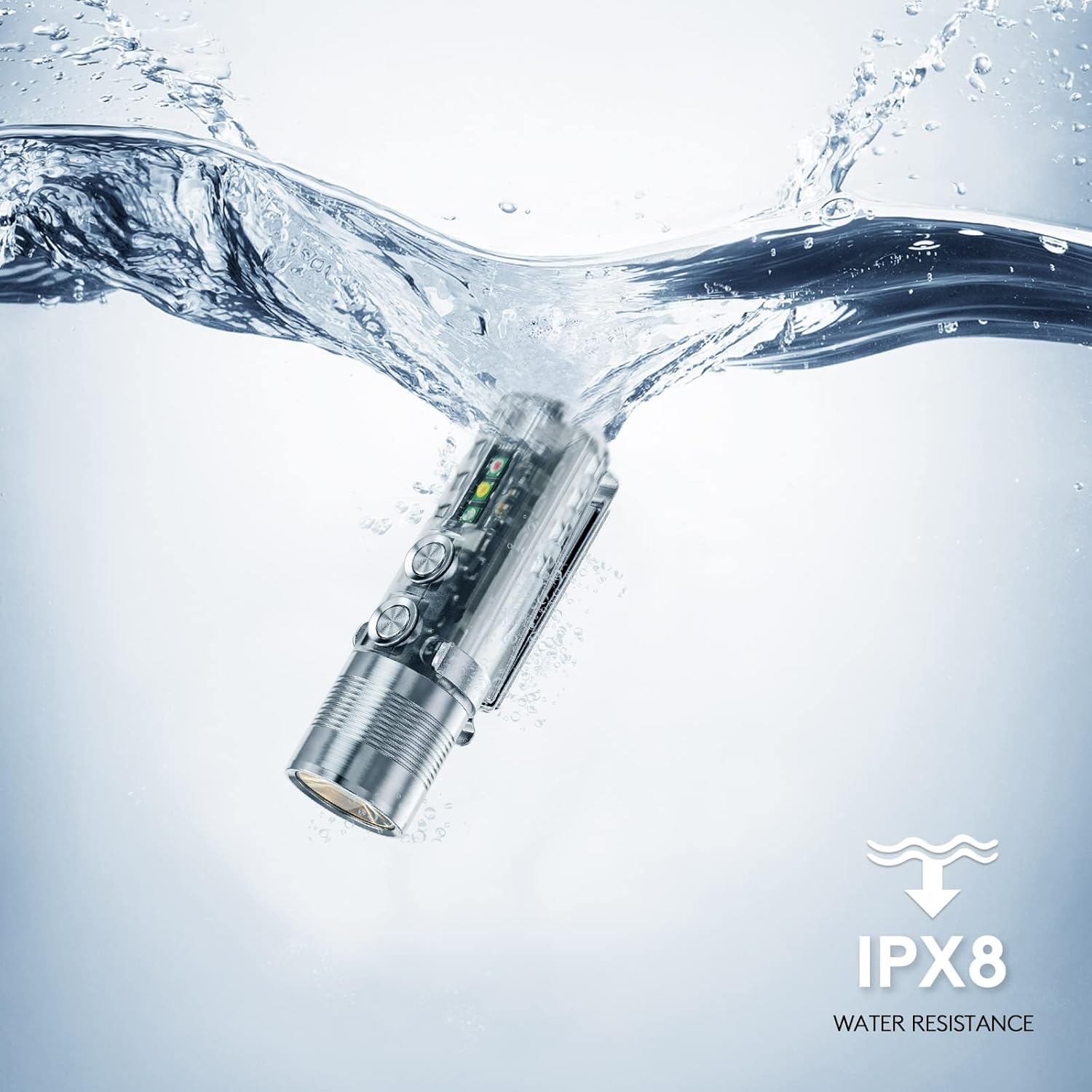
Figure 6: Lockout Mode. The image shows the flashlight being placed into a pocket, illustrating the importance of the lockout feature to prevent accidental activation.
7. Нигоҳдорӣ
- Тозакунӣ: Regularly wipe the flashlight body with a soft, damp матоъ барои тоза кардани лой ва хошок. Аз истифодаи кимиёвии сахт ё маводи абразивӣ худдорӣ намоед.
- Пур кардан: Charge the battery regularly, even if the flashlight is not in frequent use, to maintain battery health.
- Нигоҳдорӣ: Дурахшро дар ҷои хунук ва хушк аз нури бевоситаи офтоб ва ҳарорати аз ҳад зиёд дур нигоҳ доред.
8. Баррасии мушкилот
| Мушкилот | Сабаби эҳтимолӣ | Ҳалли |
|---|---|---|
| Дурахш фурӯзон намешавад | Low battery; Lockout mode active | Charge the battery; Unlock the flashlight (press and hold Button 1 until it blinks 3 times) |
| Баромади нур кам аст | Low battery; Incorrect mode selected | Charge the battery; Cycle through brightness modes (single-click Button 1) |
| Sidelights not working | Low battery; Incorrect mode selected | Charge the battery; Cycle through sidelight modes (single-click Button 2) |
9. Кафолат ва дастгирӣ
9.1 Маълумот дар бораи кафолат
The RovyVon A28 Gen 2 Pocket Flashlight comes with a Кафолати маҳдуди 2-сола аз санаи харид. Ин кафолат камбудиҳои истеҳсолӣ ва кориро ҳангоми истифодаи муқаррарӣ фаро мегирад. Лутфан, далели хариди худро барои даъвоҳои кафолат нигоҳ доред.
9.2 Дастгирии муштариён
For technical assistance, warranty claims, or any other inquiries, please contact RovyVon customer support directly. You can find contact information on the official RovyVon webсайт ё тавассути фурӯшандаи худ.