
TECWARE TWKB-P87PZT-WBR
Дастури корбарии клавиатураи бозикунии механикии 87-калидии TECWARE Phantom+
Model: TWKB-P87PZT-WBR
Муқаддима
This manual provides detailed instructions for the setup, operation, maintenance, and troubleshooting of your TECWARE Phantom+ 87 Key Mechanical Gaming Keyboard. Designed for a premium typing experience, this keyboard features customizable RGB lighting, durable PBT keycaps, and hot-swappable switches.

Чӣ дар бар мегирад
Боварӣ ҳосил кунед, ки ҳамаи ашёҳои зерин дар бастаи шумо мавҷуданд:
- TECWARE Phantom+ 87 Key Mechanical Gaming Keyboard
- Сими бофташудаи ҷудошавандаи 1.8 метрии USB-C
- Воситаи интиқолдиҳанда
- Асбоби кашандаи клавиатура
- 4 Spare Switches

Ташкил кардан
Follow these steps to set up your TECWARE Phantom+ keyboard:
- Сими USB-C-ро пайваст кунед: Insert the USB-C end of the braided cable into the port located on the back of the keyboard.
- Ба компютер пайваст шавед: Нӯги USB-A-ро ба порти USB дастраси компютери худ пайваст кунед.
- Танзими пойҳои клавиатура: Барои ба даст овардани кунҷи чопкунии дилхоҳатон, пойҳои танзимшавандаи қисми поёнии клавиатураро гардонед.
- Насби драйвер: The keyboard is plug-and-play. Your operating system (Windows 10 or later recommended) will automatically detect and install the necessary drivers.

Дастурҳои амалиётӣ
Амалиёти асосӣ
The TECWARE Phantom+ functions as a standard 87-key keyboard for typing and gaming. It features N-Key Rollover, ensuring all keystrokes are registered accurately, even during rapid input.
Назорати равшании RGB
The keyboard features 16.8 million color RGB lighting with 18 pre-set lighting modes. These modes can be cycled through directly on the keyboard using function key combinations (refer to the keyboard's printed legends for specific shortcuts). You can also adjust brightness and speed.

Хусусиятҳои нармафзор
For advanced customization, the Phantom+ supports dedicated software. This software allows for:
- Macro Recording and Assignment
- То 3 корбар Profiles
- Customizable Per-Key RGB Lighting
- Adjustable USB Report Rate (up to 1000Hz)

Хусусиятҳои калидӣview
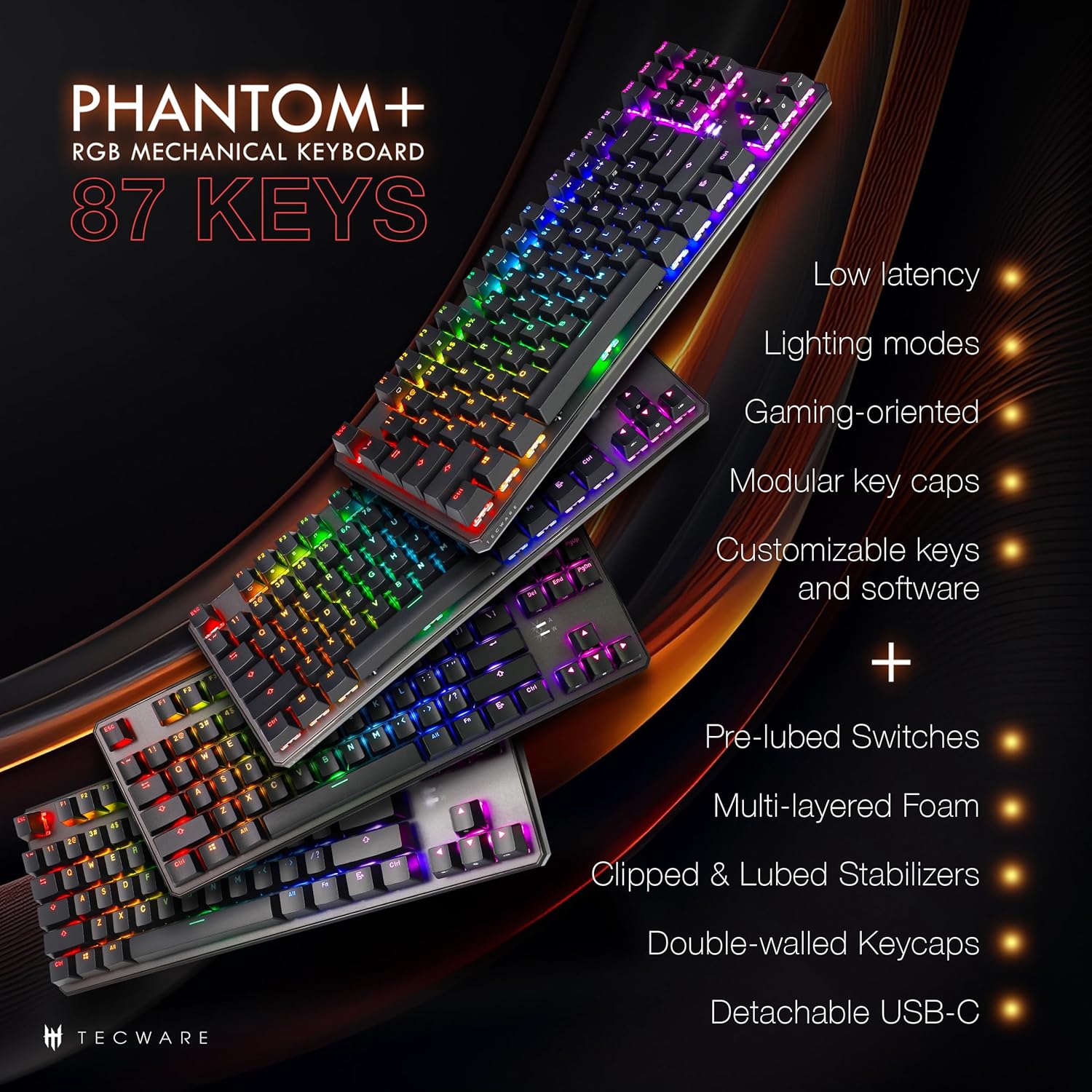
The Phantom+ keyboard incorporates several design and engineering features for enhanced performance and durability:
- Double-Shot PBT Keycaps: Resistant to wear and fading, providing long-lasting legends.
- V3 Stabilizers: Clipped and lubed for enhanced stability and smoother keystrokes on larger keys.
- Садо Дampening Technology: Reduces keyboard noise for a more pleasant typing experience.
- Суръати овоздиҳӣ 1000Hz: Ensures rapid response times for gaming.
- Хусусияти қулфи Windows: Prevents accidental presses of the Windows key during gaming.

Нигоҳдорӣ
Тозакунӣ
To clean your keyboard, disconnect it from your computer. Use a soft, dry cloth to wipe down the keycaps and chassis. For deeper cleaning, you may carefully remove keycaps using the provided keycap puller and use compressed air to clear debris from underneath.
Иваз кардани коммутатор (гарм ивазшаванда)
The TECWARE Phantom+ features hot-swappable switches, allowing you to replace individual switches without soldering. This is useful for customizing your typing feel or replacing a faulty switch.
- Сарпӯши клавиатураро тоза кунед: Use the keycap puller to gently remove the keycap from the switch you wish to replace.
- Калидро хориҷ кунед: Use the switch puller tool to grasp the top and bottom clips of the switch. Apply gentle pressure and pull the switch straight up to remove it from the PCB.
- Гузариши навро ворид кунед: Align the pins of the new switch with the holes on the PCB. Gently push the switch down until it clicks into place. Ensure the pins are not bent.
- Иваз кардани сарпӯши клавиатура: Press the keycap onto the new switch until it is firmly seated.

Мушкилкушо
If you encounter issues with your TECWARE Phantom+ keyboard, refer to the table below for common problems and solutions:
| Мушкилот | Сабаби эҳтимолӣ | Ҳалли |
|---|---|---|
| Клавиатура ҷавоб намедиҳад | Loose USB connection, faulty cable, driver issue. | Ensure USB cable is securely connected. Try a different USB port or cable. Restart your computer. |
| RGB lighting not working or inconsistent | Lighting mode disabled, software conflict, power issue. | Check keyboard lighting controls (Fn + keys). Ensure software is running correctly. Try reconnecting the keyboard. |
| Тугмаҳои мушаххас кор намекунанд | Калиди нодуруст, партовҳо дар зери сарпӯши клавиатура. | Remove keycap and check for debris. If hot-swappable, try replacing the switch with a spare. |
| Нармафзор клавиатураро муайян намекунад | Software not installed correctly, USB connection issue. | Reinstall the TECWARE software. Ensure the keyboard is directly connected to a USB port (avoiding hubs if possible). Run software as administrator. |
Мушаххасоти
| Хусусият | Тафсилот |
|---|---|
| Модели | TWKB-P87PZT-WBR |
| Калидҳо | 87-Key (Tenkeyless) |
| Навъи гузариш | Wraith Brown (Tactile) - Hot-swappable |
| Клавиатура | Double-Shot PBT |
| Равшанӣ | RGB (16.8 миллион ранг, 18 режими пешакӣ танзимшуда) |
| Пайвастшавӣ | Detachable USB-C |
| Меъёри овоздиҳӣ | То 1000 Гц |
| Н-Калиди Оғози | Дастгир карда шудааст |
| Стабилизаторхо | V3 (Clipped & Lubed) |
| Андозаҳо (LxWxH) | 14.21 x 5.2 x 1.65 инч |
| Вазн | 2.71 фунт |
| OS мувофиқ | Windows 10 (PC, Laptop, Tablet) |
Wraith Switch Specifications
The Phantom+ keyboard comes pre-installed with TECWARE Wraith switches. The specifications for various Wraith switch types are detailed below:

Кафолат ва дастгирӣ
For warranty information, technical support, or to access the latest software and drivers for your TECWARE Phantom+ keyboard, please visit the official TECWARE webсайт ё бо хидмати мизоҷони худ тамос гиред.
Шумо метавонед маълумоти бештар ва захираҳои дастгирӣ тавассути боздид аз сайт пайдо кунед Official TECWARE Store on Amazon.
Ask a question about this manual
Ask about setup, troubleshooting, compatibility, parts, safety, or missing instructions. Manuals+ will review the question and use this page’s manual context to help answer it.