
1. Муқаддима
Welcome to the user manual for your Havit Gaming Mouse MS1032. This document provides essential information for setting up, operating, maintaining, and troubleshooting your device. Please read it carefully to ensure optimal performance and longevity of your mouse.
The Havit MS1032 is a gaming mouse featuring six adjustable DPI settings, a comfortable ergonomic design, and a non-slip surface. It is engineered for smooth and quiet operation, aiming to reduce fatigue during extended use.
2. Танзимот
2.1 Мундариҷаи баста
- Havit Gaming Mouse MS1032
- Дастури корбар
2.2 Талаботи система
- Operating System: Windows XP, Windows 7, Linux
- Порти USB дастрас
2.3 Пайваст кардани муш
- Unpack the Havit Gaming Mouse MS1032 from its packaging.
- Дар компютери шумо порти USB дастрасро ҷойгир кунед.
- Пайвасткунаки USB-и мушро ба порти USB гузоред.
- Системаи оператсионии шумо бояд драйверҳои заруриро ба таври худкор муайян ва насб кунад. Ин раванд метавонад чанд лаҳзаро дар бар гирад.
- Once installation is complete, the mouse is ready for use.
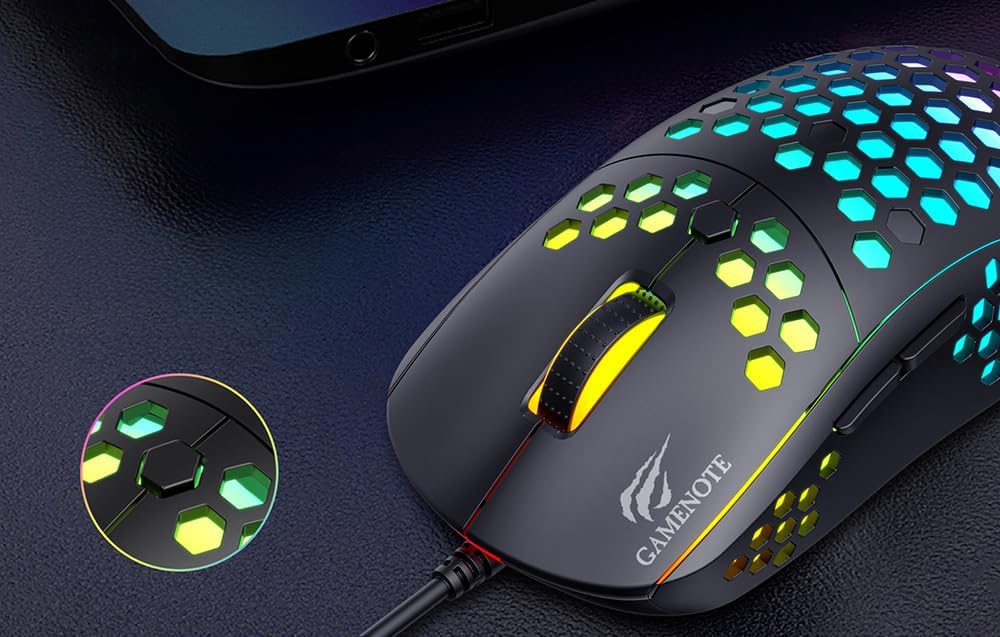
Figure 1: Havit MS1032 Gaming Mouse connected via USB.
3. Дастурҳои истифодабарӣ
3.1 Вазифаҳои асосӣ
- Клики чап: Амали ибтидоӣ, интихоб, фаъолсозӣ.
- Клики рост: Opens context menus, performs secondary actions.
- Чархи ҳаракат: Scrolls up/down documents or web саҳифаҳо. Инчунин барои функсияи клики миёна пахш кардан мумкин аст.
- Тугмаҳои тарафӣ: Typically used for forward/backward navigation in web browsers or custom functions in games.
3.2 Танзими DPI
The Havit MS1032 features six adjustable DPI (Dots Per Inch) settings, allowing you to change the mouse sensitivity on the fly. This is useful for adapting to different tasks, such as precise aiming in games or fast navigation across multiple monitors.
To adjust the DPI, locate the DPI button, typically positioned behind the scroll wheel. Press this button to cycle through the available DPI settings. The LED lighting on the mouse may change to indicate the current DPI level, providing visual feedback for your selection.
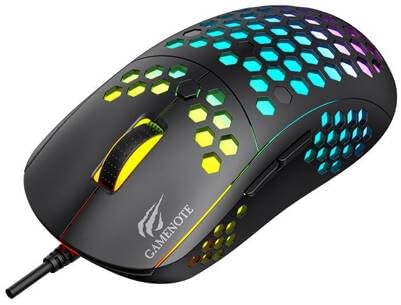
Figure 2: Location of the DPI button (behind the scroll wheel).
4. Нигоҳдорӣ
4.1 Тозакунӣ
Барои нигоҳ доштани самаранокӣ ва намуди зоҳирии беҳтарин, муши худро мунтазам тоза кунед:
- Пеш аз тоза кардан, мушро аз компютери худ ҷудо кунед.
- Аз матои мулоим ва матои пок каме истифода баред гampбо об ё маҳлули мулоими тозакунандаи ғайриоддӣ.
- Сатҳи мушро бо нармӣ пок кунед.
- For crevices and the optical sensor, use a cotton swab or compressed air to remove dust and debris.
- Avoid using harsh chemicals, abrasive cleaners, or excessive moisture, as these can damage the mouse's finish or internal components.
4.2 Нигоҳдорӣ
When not in use, store the mouse in a clean, dry environment away from direct sunlight and extreme temperatures to prevent damage.
4.3 Нигоҳубини умумӣ
- Аз афтондани муш ё дучор шудан ба зарбаҳои сахт худдорӣ кунед.
- Do not attempt to disassemble the mouse, as this will void the warranty and may cause irreparable damage.
- Keep the mouse away from liquids to prevent electrical damage.
5. Баррасии мушкилот
If you encounter issues with your Havit Gaming Mouse MS1032, please refer to the following common solutions:
5.1 Муш ҷавоб намедиҳад
- Пайвасти USB-ро тафтиш кунед: Боварӣ ҳосил кунед, ки сими USB ба порти USB коркунандаи компютери шумо боэътимод васл шудааст. Порти дигари USB-ро санҷед.
- Компютерро бозоғоз намоед: Баъзан бозоғозкунии оддии компютер метавонад мушкилоти пайвастшавиро ҳал кунад.
- Санҷиш дар компютери дигар: Агар имконпазир бошад, мушро дар компютери дигар санҷед, то муайян кунед, ки мушкилот бо муш ё насби компютери шумо аст.
5.2 Ҳаракати курсор номунтазам ё ҷаҳишнок аст
- Сенсори тоза: Боварӣ ҳосил кунед, ки сенсори оптикии поёни муш тоза ва аз чангу хошок пок аст.
- Тафтиши сатҳи: Мушро дар сатҳи тоза, инъикоснашаванда ва якранг (масалан, тахтаи муш) истифода баред. Аз шиша ё сатҳи хеле инъикоскунанда худдорӣ кунед.
- Танзими DPI: If the cursor is too fast or too slow, adjust the DPI setting using the DPI button.
5.3 Тугмаҳо кор намекунанд
- Монеаҳоро тафтиш кунед: Боварӣ ҳосил кунед, ки ягон партов дар зери тугмаҳо ҷойгир нашудааст.
- Мушкилоти нармафзор: If you have custom mouse software installed, try uninstalling it temporarily to see if it resolves the issue.
Чароғҳои 5.4 LED кор намекунанд
- Пайвастшавиро тафтиш кунед: Ensure the mouse is properly connected to the computer.
- Сикли барқ: Disconnect and reconnect the mouse to reset its power.
6. Мушаххасоти

Figure 3: Havit MS1032 Gaming Mouse design overview.
| Хусусият | Тафсилот |
|---|---|
| Модели | MS1032 |
| Бренд | Хавит |
| Андозаҳо | 15 х 8 х 5.2 см |
| Вазн | 200г |
| Танзимоти DPI | 6 сатҳи танзимшаванда |
| Системаҳои оператсионӣ | Linux, Windows 7, Windows XP |
| Пайвастшавӣ | USB сими |
| Батареяҳо лозиманд | Не |
7. Кафолат ва дастгирӣ
For detailed warranty information and technical support, please refer to the official Havit website or contact your local retailer where the product was purchased. It is recommended to keep your purchase receipt as proof of purchase for any warranty claims.
Истеҳсолкунанда: Хавит
Рақами модел: MS1032