
Luoran M4 Pro
Luoran M4 Pro MP3 Player User Manual
Модел: M4 Pro
Бренд: Луоран
Муқаддима
This manual provides comprehensive instructions for the operation and maintenance of your Luoran M4 Pro MP3 Player. Designed for a rich audio-visual experience, this device combines advanced features with a user-friendly interface. Please read this manual thoroughly to ensure proper usage and to maximize the performance of your device.
Дар қуттӣ чӣ ҳаст
Ҳангоми кушодани қуттӣ, лутфан тафтиш кунед, ки ҳамаи ҷузъҳои зерин дохил карда шудаанд:
- Luoran M4 Pro MP3 Player
- Сими пуркунандаи USB-C
- Адаптер OTG
- Screensaver Film (2 pieces)
- Гӯшмонакҳои симдор
- Дастурҳо (ин дастур)
Маҳсулот ба охир расидview
Familiarize yourself with the physical components and design of your Luoran M4 Pro MP3 Player.

Расми 1: Пеш view of the Luoran M4 Pro MP3 Player, showcasing its 4.0-inch IPS full touchscreen display with various application icons.

Figure 2: Illustrates the sleek design of the player, highlighting its arc metal frame and tempered glass front and rear covers for durability and aesthetic appeal.

Figure 3: Close-up of the 4.0-inch IPS full touchscreen, emphasizing high color accuracy, large viewing angle, and fast response times for an enhanced visual experience.
The device features a durable arc metal frame with tempered glass on both the front and rear. It includes a USB-C charging port and two 3.5mm headphone jacks, allowing two users to listen simultaneously. A built-in speaker is also integrated for direct audio playback.
Дастури насб
1. Пуркунии дастгоҳ
Before first use, fully charge your MP3 player. Connect the provided USB-C cable to the device's USB-C port and the other end to a compatible USB power adapter (not included) or a computer's USB port. A full charge takes approximately 2.5 hours.

Figure 4: Depicts the 2000mAh battery capacity, indicating long battery life for extended music playback and standby time.
2. Фаъол/хомӯш
- To Power On: Press and hold the Power button located on the side of the device until the screen illuminates.
- To Power Off: Press and hold the Power button until a power-off menu appears. Select "Power Off" to shut down the device.
3. Пайвастшавӣ ба Wi-Fi
To access online streaming services and transfer files wirelessly, connect your device to a Wi-Fi network:
- From the home screen, tap the "Settings" icon.
- Select "Network & Internet" and then "Wi-Fi".
- Wi-Fi-ро ба ҳолати "Фаъол" иваз кунед.
- Аз рӯйхат шабакаи дилхоҳи Wi-Fi-ро интихоб кунед.
- Агар пароли шабака дархост карда шавад, онро ворид кунед ва "Пайвастшавӣ" -ро клик кунед.

Figure 5: Highlights the device's Bluetooth V4.2 and Wi-Fi capabilities, enabling wireless file transfer and connectivity with Bluetooth headphones, speakers, and car stereos.
4. Интиқол Files
You can transfer music and other files to your device via USB or Wi-Fi:
- Интиқоли USB: Connect the device to your computer using the USB-C cable. The device will appear as a removable storage drive. Drag and drop your files into the appropriate folders (e.g., "Music", "Videos").
- Wi-Fi Transfer: Utilize the pre-installed "MiniShare" or similar file transfer application on the device to share or receive files wirelessly from other Wi-Fi enabled devices.
5. Installing and Updating Applications
The Luoran M4 Pro comes with pre-installed applications such as Spotify, Audible, Pandora, Amazon Music, and Apple Music. Due to the Android 8.1 system version, some newer applications may not be compatible or require specific APK files for installation. For app updates or new installations, you may need to download APK files from trusted sources and install them manually.

Figure 6: Displays various pre-installed online streaming applications, including Spotify, Kindle, Audible, Deezer, Kobo books, iHeartRadio, Apple Music, Tidal, Podcasts Tracker, Pandora, and Amazon Music.

Figure 7: Shows the interface for managing installed applications, including options to uninstall them.
6. Ворид кардани корти Micro SD
The device supports Micro SD cards up to 1TB for expanded storage. Locate the Micro SD card slot on the side of the device. Gently insert the card until it clicks into place. To remove, push the card inward until it springs out.

Figure 8: Illustrates the Micro SD card slot, indicating support for up to 1TB of expandable storage.
Дастурҳои амалиётӣ
1. Навигатсия дар интерфейс
The Luoran M4 Pro features a full touchscreen for intuitive navigation. Swipe left or right to browse through app pages, tap icons to open applications, and use the navigation buttons at the bottom of the screen (Back, Home, Recent Apps) to control your experience.
2. Playing Music and Videos
The device supports a wide range of audio and video formats. Use the pre-installed music and video players to enjoy your media:
- Форматҳои аудио: MP3, OGG, APE, FLAC, WAV, AAC, M4A, M4R, MP2, AMR, ACELP.
- Форматҳои видео: AVI, MKV, MPG, MPEG, RM, RMVB, VOB, MOV, FLV, ASF, DAT, MP4, 3GP.

Figure 9: Shows the music playback interface, indicating support for various audio formats and controls.

Figure 10: Displays the video playback interface, demonstrating the device's capability to play 720P and 1080P videos.
3. Пайвасти Bluetooth
The device features Bluetooth V4.2 for connecting to wireless headphones, speakers, or car stereos. To pair a Bluetooth device:
- Go to "Settings" > "Connected devices" > "Bluetooth".
- Bluetooth-ро ба ҳолати "Фаъол" иваз кунед.
- Select "Pair new device" and choose your Bluetooth accessory from the list of available devices.
- Агар дархост карда шавад, ҷуфтшавии ҳарду дастгоҳро тасдиқ кунед.
4. Using Dual Headphone Jacks
The Luoran M4 Pro is equipped with two 3.5mm headphone jacks, allowing two individuals to listen to audio simultaneously from the same device. Simply plug in two sets of wired headphones into the available ports.
5. Built-in Speaker and Equalizer
For convenient audio playback without headphones, use the built-in speaker. The device also includes an equalizer function to customize your audio experience, allowing adjustments for sweet treble, accurate mid-range, and deep bass.
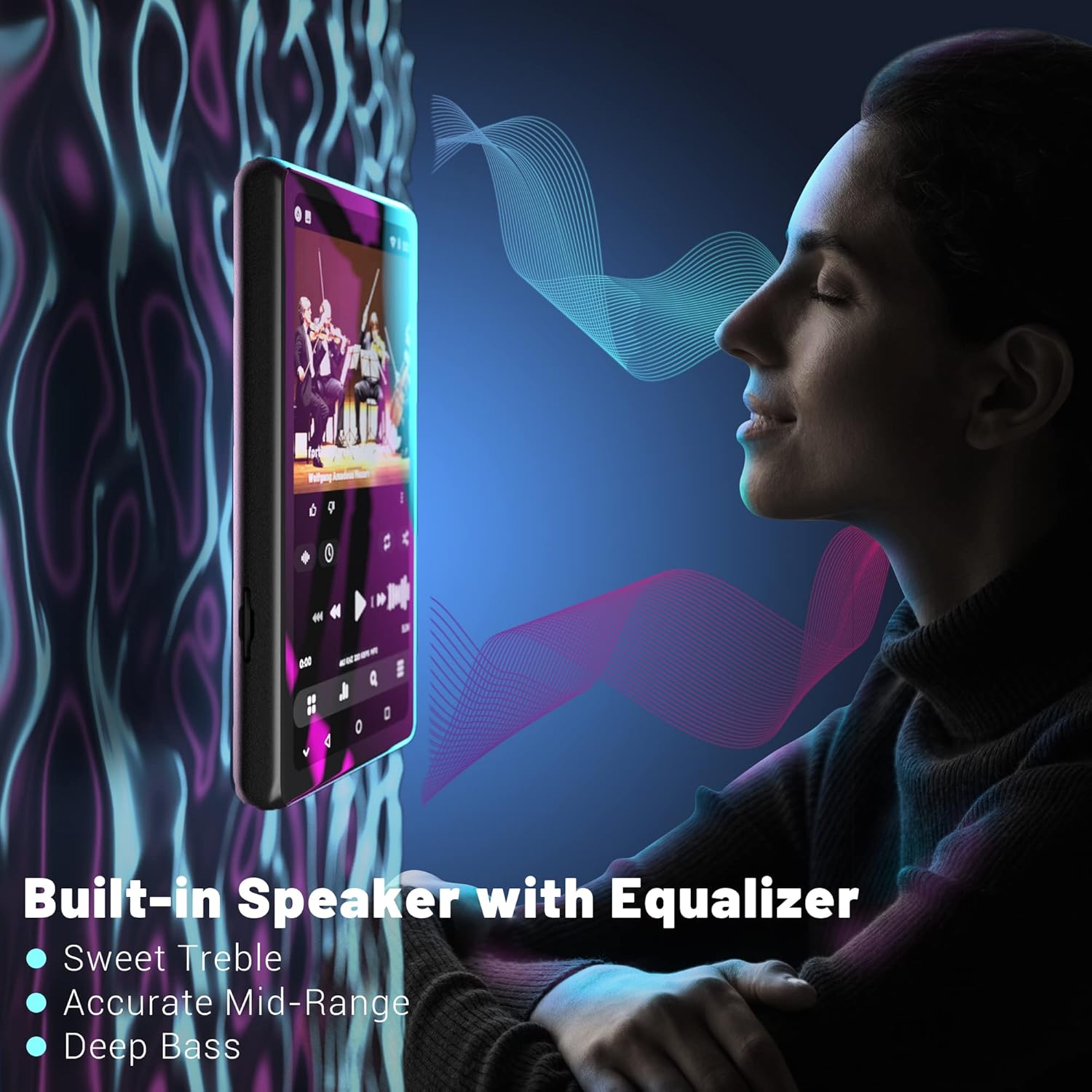
Figure 11: Illustrates the built-in speaker and its equalizer capabilities, offering enhanced audio quality with adjustable treble, mid-range, and bass.
Нигоҳдорӣ
1. Нигоҳубини батарея
To prolong battery life, avoid fully discharging the device frequently. Charge the device regularly, especially if it will be stored for an extended period. The 2000mAh battery provides ampқувва барои истифодаи ҳаррӯза.
2. Идоракунии нигаҳдорӣ
Regularly manage your device's storage. Delete unnecessary files and applications to free up the 16GB internal memory. Utilize a Micro SD card (up to 1TB) for large media libraries to ensure optimal performance.
3. Тоза кардани дастгоҳи худ
Use a soft, lint-free cloth to clean the screen and body of the device. Avoid using abrasive cleaners or solvents, as these can damage the screen and finish. Keep the ports free of dust and debris.
Мушкилкушо
| Мушкилот | Сабаби эҳтимолӣ | Ҳалли |
|---|---|---|
| Дастгоҳ фаъол намешавад. | Батареяи кам ё тамомшуда. | Пеш аз кӯшиши дубора фурӯзон кардан, дастгоҳро ҳадди аққал 30 дақиқа пур кунед. |
| Ба Wi-Fi пайваст шуда наметавонад. | Пароли нодуруст, берун аз доираи ё мушкилоти шабака. | Verify password, move closer to the router, or restart the router. |
| Apps not installing/updating. | Android 8.1 compatibility issues, insufficient storage. | Ensure the APK is compatible with Android 8.1. Clear storage or use an SD card. Contact Luoran support for specific app issues. |
| Пайвасти Bluetooth ноустувор аст. | Interference, distance from paired device. | Reduce distance between devices, avoid obstacles, or try re-pairing. |
| Screen appears pixelated. | Display resolution characteristics. | This is a characteristic of the display and not a defect. It does not affect core functionality. |
Мушаххасоти
| Хусусият | Тафсилот |
|---|---|
| Андозаҳои маҳсулот | 3.15 x 1.57 x 0.39 инч |
| Вазни ашё | 10.2 унция |
| Низоми амал | Android 8.1 |
| Протсессор | 8-core MTK chip |
| Андозаи экран | 4.0 Inches IPS Full Touchscreen |
| Хотираи дохилӣ | 16 ГБ |
| Захираи васеъшаванда | То 1 ТБ тавассути корти Micro SD |
| Иқтидори батарея | 2000 мАч |
| Порти пуркунандаи барқ | USB-C |
| Версияи Bluetooth | V4.2 |
| Пайвастшавӣ | Bluetooth, USB, Wi-Fi |
| Форматҳои аудио | MP3, OGG, APE, FLAC, WAV, AAC, M4A, M4R, MP2, AMR, ACELP |
| Форматҳои видео | AVI, MKV, MPG, MPEG, RM, RMVB, VOB, MOV, FLV, ASF, DAT, MP4, 3GP |
| Хусусиятҳои махсус | FM Radio, Touch Screen, Built-in Speaker, Dual Headphone Jacks |
Кафолат ва дастгирӣ
Luoran is committed to providing high-quality audio devices and stands behind its products. For any questions, technical assistance, or support inquiries regarding your Luoran M4 Pro MP3 Player, please refer to the contact information provided on the product packaging or the official Luoran webсомона. Гурӯҳи хидматрасонии муштариёни мо барои кӯмак ба шумо омода аст.
Please retain your proof of purchase for warranty claims. Specific warranty terms and conditions may vary by region and are detailed on the official Luoran support channels.
Ask a question about this manual
Ask about setup, troubleshooting, compatibility, parts, safety, or missing instructions. Manuals+ will review the question and use this page’s manual context to help answer it.