
1. Маълумоти муҳим оид ба бехатарӣ
Please read all safety instructions carefully before using the BYINTEK P70 Smart WiFi Projector. Keep this manual for future reference.
- Манбаи нерӯ: Танҳо адаптери барқро истифода баред. Боварӣ ҳосил кунед, ки ҷtage ба талаботи проектор мувофиқат мекунад.
- Бехатарии батарея: The projector contains a built-in lithium-ion battery. Do not expose to extreme temperatures, puncture, or disassemble.
- Вентилятсия: Барои пешгирӣ аз гармшавии аз ҳад зиёд, вентилятсияи дурусти атрофи проекторро таъмин кунед. Сӯрохиҳои вентилятсияро набандед.
- Гармӣ: The projector may become warm during operation. This is normal. Avoid touching the lens or vents immediately after use.
- Гӯшдории нур: Оё бевосита ба линзаи проектор нигоҳ накунед, вақте ки лamp is on, as the bright light can cause eye strain or damage.
- Об ва намӣ: Keep the projector away from water, rain, and excessive humidity. Do not operate with wet hands.
- Тозакунӣ: Пеш аз тоза кардан, барқро ҷудо кунед. Аз матои мулоим ва хушк истифода баред. Моеъ ё тозакунандаи аэрозолро истифода набаред.
- Кӯдакон: Проектор ва лавозимоти онро аз дастрасии кӯдакон дур нигоҳ доред.
2. Маҳсулот ба охир расидview
The BYINTEK P70 is a portable smart DLP projector designed for versatile entertainment and presentation needs. It features an 8000mAh built-in battery, Android 9.0 operating system, auto-focus, and 3D support.
2.1 Мундариҷаи баста
- BYINTEK P70 Projector x 1
- Идоракунии дурдаст x 1
- Адаптери барқ x 1
- Мини штатив x 1
- Халтаи нигаҳдорӣ x 1
- Дастури корбар x 1
2.2 Хусусиятҳои асосӣ
- Тарҳрезии сайёр: Компакт ва сабук барои интиқоли осон.
- Батареяи дохилӣ: 8000mAh battery provides 1.5 to 3 hours of playback.
- Smart Android OS: Android 9.0 for app downloads, online streaming, and gaming.
- Автофокус: Automatic focus adjustment for clear images.
- Ислоҳи санги 6D: Advanced keystone correction for flexible placement.
- Дастгирии 3D: Enjoy immersive 3D content.
- Пайвасти бесим: Supports wireless screen mirroring from Android, iOS, and PC devices.
- Пайвасти симӣ: USB data cable sync for iOS and select Android devices.
- Андозаи проексияи калон: Up to 200 inches.
- 4K Playback: Supports up to 4K video input.
- Long LED Lamp Ҳаёт: 30,000 соат.
- Баландгӯякҳои дугонаи стерео: Integrated 2x5W speakers for clear audio.

Image: Infographic detailing the BYINTEK P70's features including 4K support, DLP display, 6D keystone, 8000mAh battery, 3D, Type-C charge, 2G+32G memory, Android OS, and stereo speakers.
3. Танзимот
3.1 Charging the Projector
Before first use, fully charge the projector. Connect the provided power adapter to the projector's Type-C port and plug it into a power outlet. The charging indicator will show the charging status.

Image: The BYINTEK P70 projector connected to a power bank via a Type-C cable, illustrating its portable charging capability.
3.2 Ҷойгиркунии ибтидоӣ
Проекторро дар сатҳи устувор ва ҳамвор ҷойгир кунед. Барои оптималӣ viewing, position it directly in front of your projection screen or wall. The included mini tripod can be used for angle adjustments.
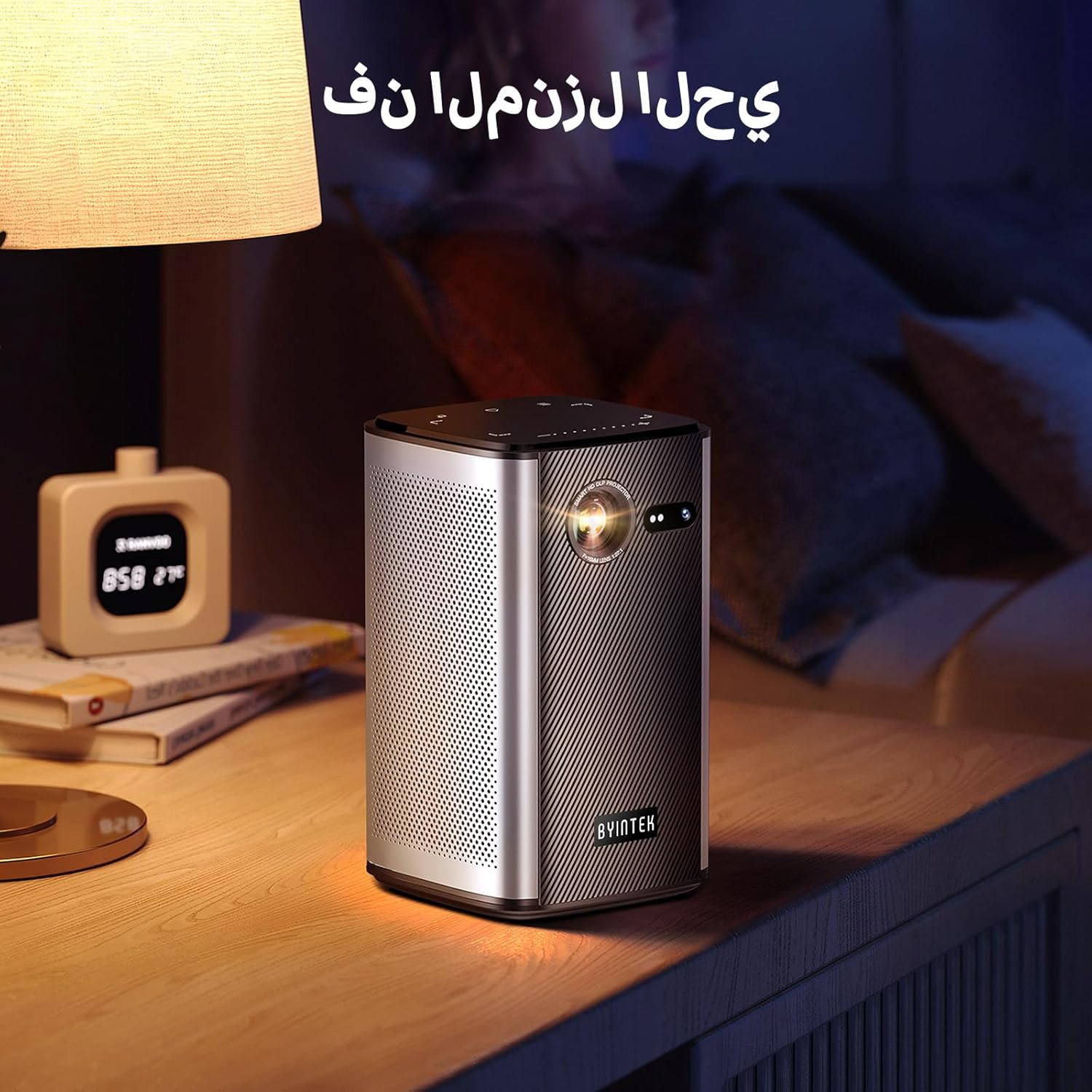
Image: The BYINTEK P70 projector placed on a bedside table, ready for indoor use.
3.3 Фурӯзон/хомӯш кардан
Press and hold the power button on the projector or remote control to turn the device on or off.
3.4 Тамаркуз ва ислоҳи калидӣ
The BYINTEK P70 features automatic focus. For keystone correction, navigate to the settings menu using the remote control. The 6D keystone correction allows for precise image adjustment, even with side projection.

Image: A visual representation of the projector's auto-focus feature, showing a clear image projected onto a wall.
4. Дастурҳои истифодабарӣ
4.1 Паймоиш дар системаи амалиётии Android
Use the remote control to navigate the Android 9.0 interface. The home screen provides access to pre-installed apps and settings. You can download additional applications from the app store.

Image: The projector displaying its Android operating system interface with various application icons like Miracast, Settings, AirPlay, Market, File Explorer, YouTube, and Netflix.
4.2 Оинаи экрани бесим
The projector supports wireless screen mirroring for Android, iOS, and PC devices. Access the 'Miracast' or 'AirPlay' app on the projector's home screen and follow the on-screen instructions to connect your device.
4.3 Wired Screen Mirroring
For iOS devices and some Android devices, you can use a USB data cable for wired screen synchronization. Connect your device to the projector's USB port using its original data cable.
4.4 Бознавозиши 3D
The BYINTEK P70 supports 3D content. To enjoy 3D movies, ensure your media file is in a compatible 3D format (e.g., Blu-ray 3D, SBS, TNB) and use active shutter 3D glasses (sold separately).

Image: A family wearing 3D glasses, enjoying a 3D movie projected by the BYINTEK P70, showcasing its 3D capability.
4.5 Масъулияти рақамӣ
Adjust the image size from 50% to 100% using the digital zoom function on the remote control. This allows you to fit the image perfectly to your screen without moving the projector.
5. Нигоҳдорӣ
5.1 Тоза кардани линза
Барои тоза кардани линзаи проектор аз матои нарм ва бепахта, ки махсус барои линзаҳои оптикӣ тарҳрезӣ шудааст, истифода баред. Аз истифодаи маводҳои абразивӣ ё маводи кимиёвии сахт худдорӣ кунед.
5.2 Тозакунии берун
Қисми берунии проекторро бо матои нарм ва хушк пок кунед. Аз тозакунандаҳои моеъ ё дорупошакҳо мустақиман ба дастгоҳ истифода набаред.
5.3 Нигоҳдорӣ
When not in use, store the projector in a cool, dry place, away from direct sunlight and extreme temperatures. Use the provided storage bag to protect it from dust and scratches.
5.4 Нигоҳубини батарея
Барои дароз кардани мӯҳлати хизмати батарея, аз холӣ кардани пурраи батарея зуд-зуд худдорӣ кунед. Агар шумо муддати тӯлонӣ нигоҳ доред, батареяро то 50% пур кунед ва ҳар чанд моҳ пур кунед.
6. Баррасии мушкилот
| Мушкилот | Сабаби эҳтимолӣ | Ҳалли |
|---|---|---|
| Ягон тасвир пешбинӣ нашудааст | Projector not powered on; input source not selected; cable not connected. | Ensure projector is on. Select correct input source (HDMI, USB, Wireless). Check cable connections. |
| Тасвир норавшан аст | Out of focus; projector too close/far from screen; lens dirty. | Allow auto-focus to adjust. Adjust projector distance. Clean the lens. |
| Правленияи дурдаст кор намекунад | Batteries low/dead; remote not paired; obstruction. | Replace remote batteries. Ensure line of sight to projector's IR receiver. Re-pair remote if necessary (refer to specific pairing instructions in the full manual). |
| Садо нест | Volume too low; external audio device connected; audio format not supported. | Increase projector volume. Disconnect external audio devices. Check audio format compatibility. |
| Wireless mirroring issues | Poor Wi-Fi signal; device compatibility; firewall settings. | Ensure strong Wi-Fi signal. Check device compatibility with Miracast/AirPlay. Disable firewalls temporarily for testing. |
| Проектор аз ҳад зиёд гарм мешавад | Blocked ventilation; prolonged use in hot environment. | Ensure vents are clear. Operate in a well-ventilated area. Allow projector to cool down. |
7. Мушаххасоти
| Хусусият | Мушаххасоти |
|---|---|
| Бренд | BYINTEK |
| Рақами модел | P70 |
| Андозаҳои маҳсулот | 8.2 х 8.2 х 14.2 см |
| Вазни ашё | 1.58 килограмм |
| Батарея | 1 Lithium Ion battery (included), 8000mAh, 29.6 Wh |
| Низоми амал | Android |
| Ҳалли намоиш | 960 х 540 |
| Қарори максималии намоиш | 4K Ultra HD Megapixel |
| Технологияи пайвастшавӣ | Вай-фай |
| Хусусиятҳои махсус | Auto-focus, 3D Ready, Built-in Wi-Fi Receiver |
| Истифодаи тавсияшаванда | Кинотеатри хонагй |
| Навъи намоиш | DLP |
| Формаи форма | Портатив |
| Навъи васлкунӣ | Монтажи штатив |
| Портҳои USB 3.0 | 1 |
| Портҳои HDMI | 1 |
| Ҷилдиtage | 12 вольт |
| Ватtage | 25 Ватт |
| Манбаи нерӯ | AC & Батарея |
8. Кафолат ва дастгирӣ
The BYINTEK P70 Smart WiFi Projector comes with a standard manufacturer's warranty. For specific warranty details, please refer to the warranty card included in your product packaging or contact BYINTEK customer support.
If you encounter any issues or have questions regarding your projector, please contact BYINTEK customer support through their official website or the contact information provided in your product documentation. Please have your model number (P70) and purchase details ready when contacting support.