
Муқаддима
This manual provides detailed instructions for the EKSA H1 Plus Bluetooth Trucker Headset. Please read thoroughly to ensure proper setup, operation, and maintenance of your device. This headset is designed for clear communication in various environments, featuring advanced noise-cancelling technology and versatile connectivity options.
Мундариҷаи баста
- H1 Plus Headset
- Парвандаи муҳофизатӣ
- Replacement Ear Pad (Mesh breathable)
- Сими барқи Type-C
- USB Dongle (PC Adapter)
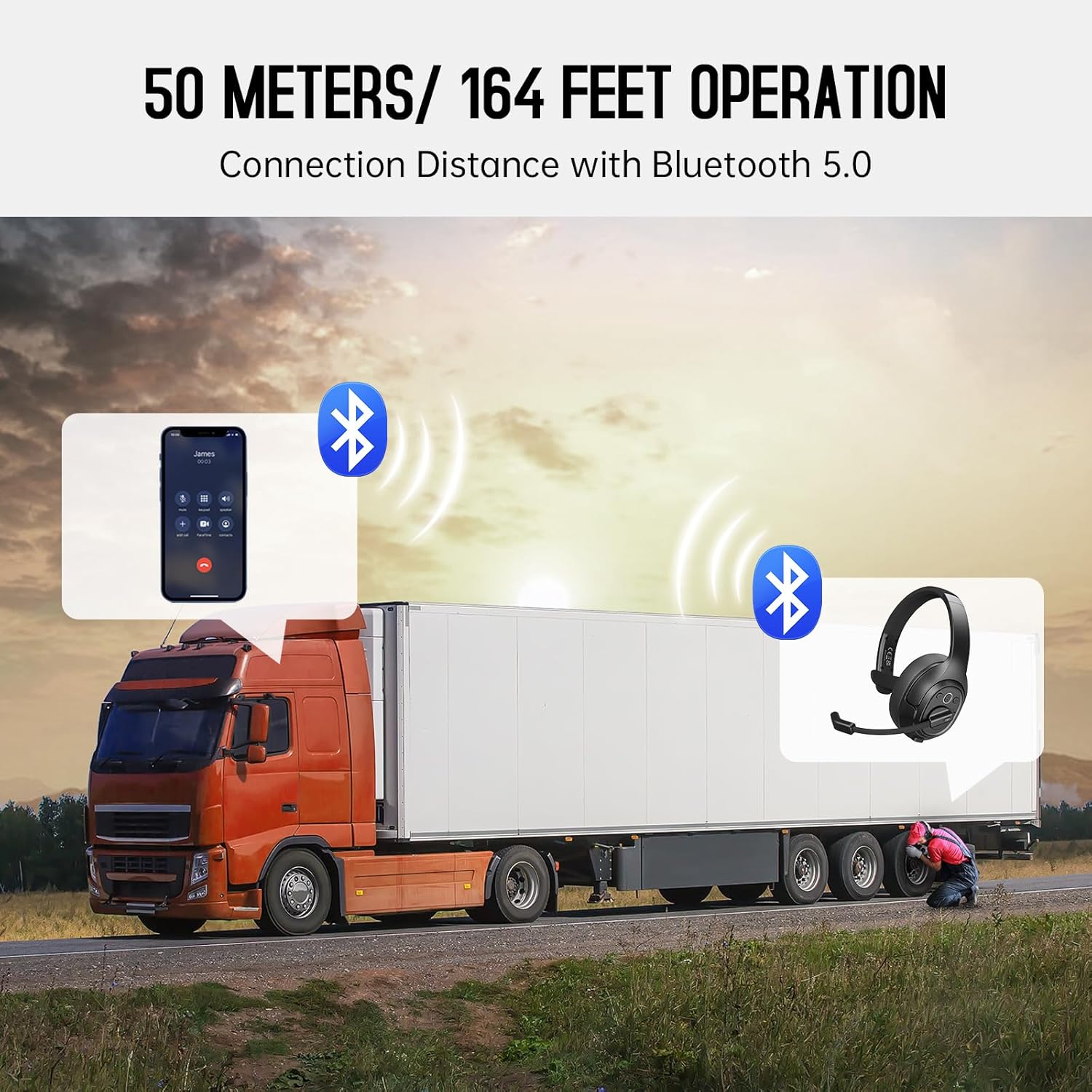
Image: The EKSA H1 Plus headset, USB dongle, and charging cable as typically found in the product packaging.
Ташкил кардан
1. Пур кардани гӯшмонак
Before first use, fully charge the headset. Connect the provided Type-C charging cable to the headset's charging port and the other end to a USB power source. The charging indicator will show the charging status. A full charge takes approximately 1.5 hours.

Image: Visual representation of the headset's battery life and charging duration.
2. Фурӯзон/хомӯшкунӣ
Press and hold the Multi-Function Button (MFB) for 3 seconds to power on or off the headset. A voice prompt will indicate the status.
3. Bluetooth Pairing (for Mobile Devices)
- Гӯшмонакро хомӯш кунед.
- Press and hold the MFB for 5-7 seconds until the LED indicator flashes blue and red alternately, indicating pairing mode.
- On your mobile device, enable Bluetooth and search for "EKSA-H1PLUS".
- Select "EKSA-H1PLUS" to connect. The LED will turn solid blue once connected.
4. Connecting with USB Dongle (for PC/Mac without Bluetooth)
- Дастгоҳи USB-ро ба порти дастраси USB дар компютери худ пайваст кунед.
- Қувваи барқ дар гӯшмонак. Он ба таври худкор кӯшиш мекунад, ки ба dongle пайваст шавад.
- The LED on the dongle and headset will turn solid blue when connected.
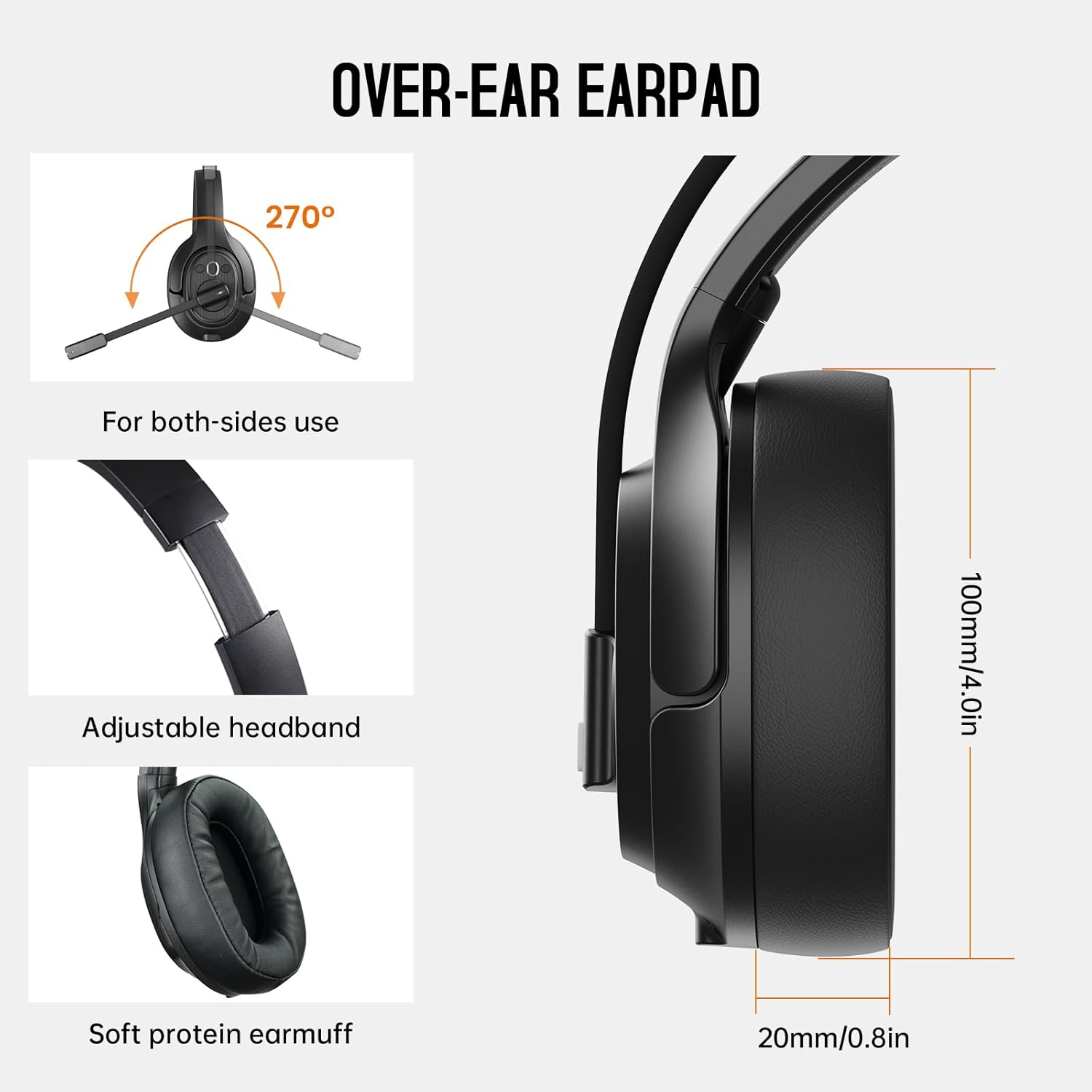
Image: The headset demonstrating simultaneous connection to a phone via Bluetooth and a laptop via USB dongle.
Дастурҳои амалиётӣ
1. Назорат аз болоиview
The headset features intuitive controls located on the earcup:
- Тугмаи бисёрфунксионалӣ (MFB): Фурӯзон/хомӯш кардан, гӯш кардан/таваққуф кардани мусиқӣ, посух додан/анҷом додани зангҳо.
- Баланд бардоштани овоз (+): Ҳаҷмро зиёд кунед.
- Паст кардани овоз (-): Кам кардани ҳаҷми.
- Тугмаи хомӯш: Ҳангоми зангҳо садои микрофонро хомӯш кунед/кушед.
- AI Assistant Button: Ёрдамчии овозии дастгоҳи худро фаъол созед.

Тасвир: Наздик view of the headset's control buttons and ports.
2. Зангҳо ва қабули зангҳо
- Ҷавоб додан/Занги хотимавӣ: MFB-ро кӯтоҳ пахш кунед.
- Рад кардани занг: MFB-ро 2 сония пахш карда нигоҳ доред.
- Рақами охирини такрорӣ: MFB-ро ду маротиба пахш кунед.
- Микрофонро хомӯш кардан/кушода кардан: Short press the dedicated mute button on the microphone arm.
3. Microphone and Wearing Adjustments
The headset is designed for comfort and versatility:
- Сарбанди танзимшаванда: Тасмаи сарро дароз ё кашед, то ба сари шумо бароҳат мувофиқат кунад.
- Микрофони чархзананда: The microphone arm can rotate 270 degrees, allowing it to be worn on either the left or right ear. Position the microphone close to your mouth for optimal voice pickup.
- Гӯшмонакҳои бароҳат: The over-ear design with soft ear pads ensures comfort during extended use.

Image: Features illustrating the ergonomic design of the headset, including adjustable headband and rotatable microphone.
4. Environmental Noise Cancelling (ENC) Microphone
The AI-Powered ENC microphone filters out up to 99.8% of ambient noise, ensuring your voice is transmitted clearly even in noisy environments like call centers, construction sites, or trucks.

Image: A visual explanation of the ENC microphone's function, demonstrating noise reduction.
5. Пайвасти бисёрдастгоҳӣ
The headset supports simultaneous connection to two different devices, such as a smartphone and a computer, allowing seamless switching between calls and other audio sources.

Image: Illustration of the headset's ability to connect to two devices concurrently.
6. Extended Wireless Range
Utilizing Bluetooth 5.0 technology, the headset offers a stable wireless connection up to 30 meters (99 feet). In unobstructed environments, the range can extend up to 50 meters (164 feet).

Image: Visualizing the headset's long-range wireless capabilities in an outdoor setting.
Нигоҳдорӣ
- Тозакунӣ: Барои тоза кардани гӯшмонак матои мулоим ва хушкро истифода баред. Аз истифодаи кимиёвии сахт ё маводи абразивӣ худдорӣ намоед.
- Ear Pad Replacement: The headset comes with a replacement mesh breathable ear pad. To replace, gently twist and pull off the existing ear pad, then align and press the new ear pad into place.
- Нигоҳдорӣ: Гӯшмонакро ҳангоми истифода нашудан дар қуттии муҳофизатиаш нигоҳ доред, то аз вайроншавӣ пешгирӣ кунед.

Image: Demonstrating the detachable ear pads and the two types included for different comfort levels.
Мушкилкушо
| Мушкилот | Ҳалли |
|---|---|
| Гӯшмонак фаъол нест. | Ensure the headset is fully charged. Press and hold the MFB for 3 seconds. |
| Тавассути Bluetooth пайваст карда намешавад. | Ensure the headset is in pairing mode (flashing blue/red LED). Turn off and on Bluetooth on your device. Move closer to the device. |
| Садо нест ё сифати садо паст аст. | Check volume levels on both the headset and connected device. Ensure the headset is selected as the audio output device. Re-pair the headset. |
| Микрофон кор намекунад. | Ensure the microphone is not muted. Check microphone settings on your connected device. Adjust microphone position. |
| USB донгл пайваст намешавад. | Боварӣ ҳосил кунед, ки донгл пурра ворид шудааст. Порти дигари USB-ро санҷед. Компютери худро аз нав фаъол кунед. |
Мушаххасоти
| Хусусият | Тафсилот |
|---|---|
| Номи модел | EKSA-H1PLUS |
| Технологияи пайвастшавӣ | Бесимӣ (Bluetooth 5.0) |
| Версияи Bluetooth | 5.0 |
| Диапазони Bluetooth | 30 Meters (99 feet), up to 50 Meters (164 feet) unobstructed |
| Микрофон | AI-Powered Environmental Noise Cancelling (ENC) |
| Муҳлати батарея (Вақти гуфтугӯ) | То 30 соат |
| Мӯҳлати кори батарея (вақти мусиқӣ) | То 57 соат |
| Вақти пуркунии барқ | тахминан. 1.5 соат |
| Шакли гӯшмонак | Дар болои гӯш |
| Навъи назорат | Volume Control, Mute, AI Assistant |
| Вазн | 1.01 фунт (тақрибан 458 г) |
Видеоҳои расмии маҳсулот
EKSA H1 Plus Wireless Bluetooth Headset Overview
Видео: Як мансабдор тамом шудview of the EKSA H1 Plus Wireless Bluetooth Headset, highlighting its key features and design.
EKSA H1Plus Bluetooth Trucker Headset Features
Video: A detailed look at the features and benefits of the EKSA H1Plus Bluetooth Trucker Headset.
Кафолат ва дастгирӣ
EKSA products are designed for durability and performance. For warranty information and customer support, please refer to the official EKSA website or contact their customer service directly. Optional protection plans are available for extended coverage.
Барои кӯмаки иловагӣ, боздид кунед: www.eksa.net