
Муқаддима
This manual provides detailed instructions for setting up, operating, maintaining, and troubleshooting your Amazon Kindle Paperwhite Signature Edition 32GB. Please read this guide thoroughly to ensure optimal use of your device.
1. Танзимот
1.1 Кушодани қуттӣ ва пардохти ибтидоӣ
Upon unboxing, locate the Kindle Paperwhite Signature Edition device and the included USB-C charging cable. It is recommended to fully charge your device before first use.
- Ба қуттӣ дохил карда шудааст: Kindle Paperwhite Signature Edition, сими пуркунандаи USB-C, Дастури оғози зуд.
- Пур кардан: Connect the USB-C cable to the Kindle and a compatible USB power adapter (9W adapter recommended, sold separately). A full charge takes less than 2.5 hours.
- Пуркунии бесим: The Signature Edition supports wireless charging. Place the device on a compatible wireless charging dock (sold separately).

Image: Kindle Paperwhite Signature Edition charging wirelessly on a dock. The device can be charged via USB-C or wirelessly for extended battery life.
1.2 Фаъол кардан/хомӯш кардан
- Барои фаъол кардан: Тугмаи барқро, ки дар канори поёни дастгоҳ ҷойгир аст, то он даме ки экран равшан шавад, пахш карда нигоҳ доред.
- Барои хомӯш кардани барқ: Press and hold the power button until a power dialog appears, then select 'Power Off'. A short press will put the device to sleep.
1.3 Пайвастшавӣ ба Wi-Fi
To access the Kindle Store and download content, connect your device to a Wi-Fi network.
- Аз экрани асосӣ, -ро пахш кунед Танзимотҳо icon (gear icon) or swipe down from the top of the screen and tap Ҳамаи Танзимотҳо.
- Интихоб кунед Wi-Fi ва Bluetooth, пас Шабакаҳои Wi-Fi.
- Аз рӯйхат шабакаи дилхоҳатонро интихоб кунед ва агар дархост карда шавад, паролро ворид кунед.
The device supports 2.4 GHz and 5.0 GHz networks with WEP, WPA, WPA2, WPA3, and OWE security.
1.4 Танзимоти ҳисоб
Register your Kindle to your Amazon account to access your content library and the Kindle Store.
- After connecting to Wi-Fi, follow the on-screen prompts to sign in with your Amazon account credentials.
- If you do not have an Amazon account, you can create one during this process.
2. Идоракунии Kindle-и шумо
2.1 Basic Navigation and Page Turns
The Kindle Paperwhite Signature Edition features a 7-inch glare-free display designed for comfortable reading.
- Гардиши саҳифаҳо: Tap the right side of the screen to turn to the next page, or the left side to go back. Swiping left or right also turns pages.
- Экрани асосӣ: Tap the top of the screen to reveal the navigation bar, then tap the Хона icon to return to your library.

Image: A hand holding the Kindle Paperwhite, displaying a book page. The 7-inch Paperwhite display offers fast page turns for an enhanced reading experience.
2.2 Хусусиятҳои хониш
Customize your reading experience with various display and font settings.
- Adjusting Front Light: The Signature Edition features an auto-adjusting front light. You can also manually adjust the brightness by tapping the top of the screen while reading and using the brightness slider.
- Нури гарм: Adjust the warmth of the screen light for comfortable reading in different environments.
- Ҳолати торик: Invert screen colors for white text on a black background, ideal for low-light conditions. Access this from the quick settings menu.
- Танзимоти шрифт: While reading, tap the top of the screen, then select the Aa нишона барои танзими андозаи шрифт, намуди шрифт, фосилаи сатрҳо ва ҳошияҳо.
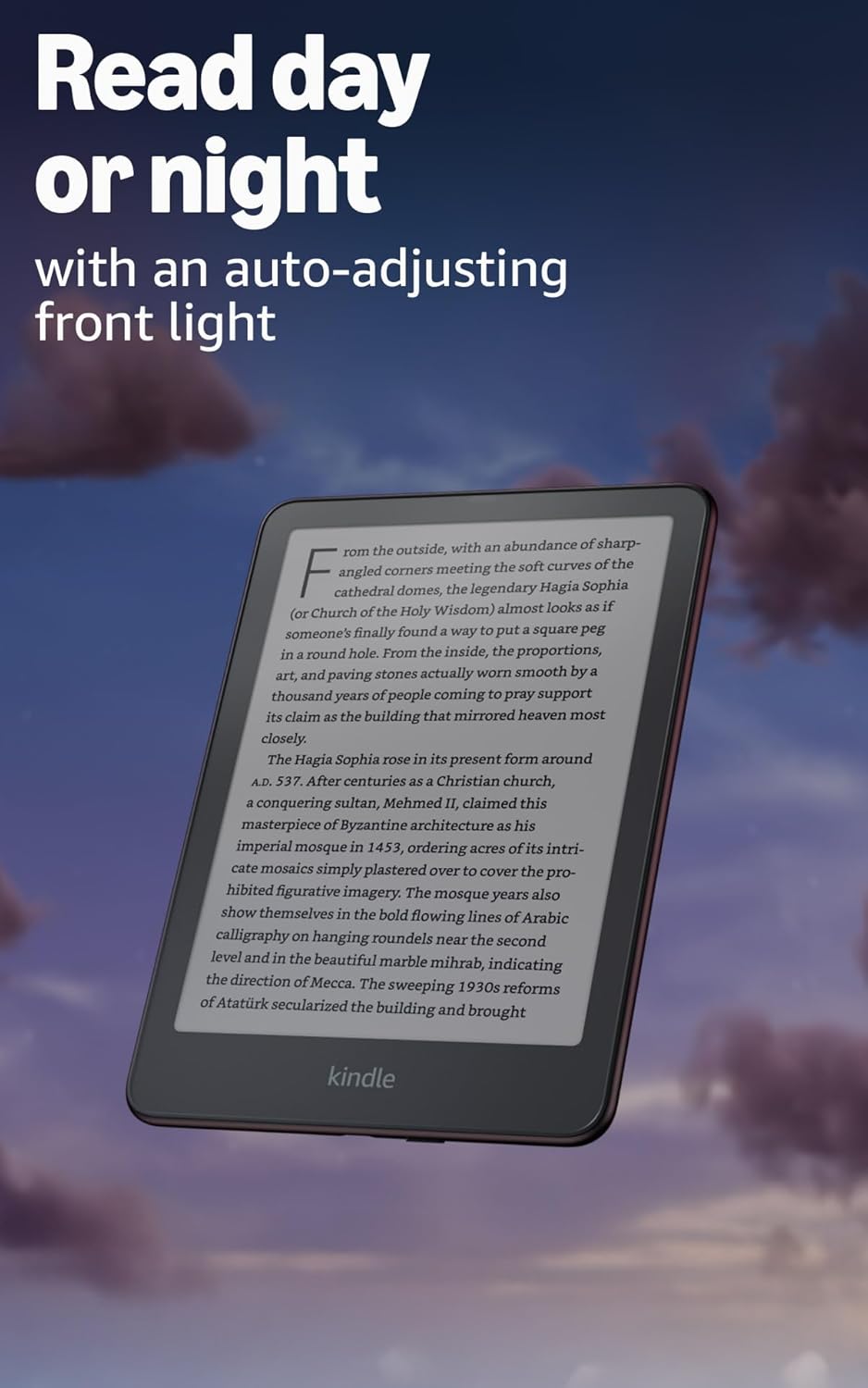
Image: Kindle Paperwhite screen illuminated in a dark room. The auto-adjusting front light allows for comfortable reading day or night.

Image: Close-up of the Kindle Paperwhite screen displaying text. Enjoy a glare-free display without distracting notifications.
2.3 Идоракунии мундариҷа
Your Kindle provides access to a vast library of content.
- Дӯкони Kindle: Аз экрани асосӣ, -ро пахш кунед Мағоза icon to browse and purchase books.
- Китобхона: All purchased content is stored in your library and can be downloaded to your device.
- Нигоҳдории абрӣ: All Amazon content is stored for free in the cloud, allowing you to access it from any compatible device.
- Форматҳои дастгирӣшаванда: Kindle Format 8 (AZW3), Kindle (AZW), TXT, PDF, MOBI, ҶМЧ-и бемуҳофизатшаванда; PDF, DOCX, DOC, HTML, EPUB, TXT, RTF, JPEG, GIF, PNG, BMP тавассути табдилдиҳӣ; Формати аудиои шунавоӣ (AAX).

Image: A collage of various book covers. The Kindle Store offers access to over 15 million titles worldwide.
2.4 Audiobooks
Listen to Audible audiobooks on your Kindle Paperwhite Signature Edition.
- Блутуз: Connect Bluetooth headphones or speakers to your Kindle via the Wi-Fi ва Bluetooth танзимот.
- Playing Audiobooks: Download Audible audiobooks from the Kindle Store and play them through your connected Bluetooth device.
2.5 Гидроизоляция
Your Kindle Paperwhite Signature Edition is waterproof (IPX8 rated).
- It is tested to withstand immersion in 2 meters of fresh water for 60 minutes.
- This makes it suitable for reading by the pool, in the bath, or at the beach.
- After exposure to water, ensure the USB-C port is dry before charging.
3. Нигоҳдорӣ
3.1 Тоза кардани дастгоҳи шумо
- Use a soft, lint-free cloth to clean the screen and body of your Kindle.
- Аз тозакунандаҳои абразивӣ, ҳалкунандаҳо ё аэрозолҳои дорупошӣ худдорӣ кунед.
- If the device has been exposed to water, gently wipe it dry.
3.2 Нигоҳубини батарея
- To maximize battery life, avoid exposing your Kindle to extreme temperatures.
- A single charge can last up to twelve weeks, based on half an hour of reading per day with wireless off and the light setting at 13. Heavy use, especially with wireless features or audiobook streaming, will reduce battery life.
- Дастгоҳро мунтазам пур кунед, аммо пеш аз пур кардан пурра холӣ кардани он шарт нест.
3.3 Навсозии нармафзор
Your Kindle will periodically receive software updates to improve performance and add new features.
- Ensure your Kindle is connected to Wi-Fi to receive automatic updates.
- You can manually check for updates by going to Танзимотҳо > Имконоти дастгоҳ > Навсозиро тафтиш кунед.
4. Баррасии мушкилот
4.1 Дастгоҳ ҷавоб намедиҳад
- Агар Kindle-и шумо ях баста бошад ё ҷавоб надиҳад, тугмаи барқро барои 40 сония пахш карда нигоҳ доред, то он даме ки дастгоҳ аз нав оғоз шавад.
4.2 Масъалаҳои пайвасти Wi-Fi
- Ensure your Wi-Fi router is on and within range.
- Кӯшиш кунед, ки Kindle ва роутери Wi-Fi-и худро аз нав оғоз кунед.
- Боварӣ ҳосил кунед, ки шумо пароли дурусти Wi-Fi-ро ворид карда истодаед.
4.3 Батарея пур намешавад
- Check that the USB-C cable is securely connected to both the Kindle and the power adapter.
- Кӯшиш кунед, ки сими дигари USB-C ё адаптери барқро истифода баред.
- Ensure the USB-C port on the Kindle is clean and free of debris.
4.4 Content Not Downloading
- Verify your Wi-Fi connection is active and stable.
- Check your Amazon account for any payment issues or content restrictions.
- Ensure your device has sufficient storage space.
5. Мушаххасоти
| Хусусият | Тавсифи |
|---|---|
| Намоиш | 7” Paperwhite display technology with built-in front light, 300 ppi, optimized font technology, 16-level gray scale. |
| Андоза | 5" x 7" x 0.3" (127.6 x 176.7 x 7.8 мм) |
| Вазн | 7.5 унсия (214г) |
| Захираи дар дастгоҳ | 32 ГБ; хазорхо китобхо дорад. |
| Захираи абрӣ | Захираи абрии ройгон барои ҳама мундариҷаи Amazon. |
| Муҳлати батарея | Up to twelve (12) weeks (based on 30 mins reading/day, wireless off, light setting 13). |
| Вақти пуркунӣ | Камтар аз 2.5 соат бо адаптери барқии USB 9W. |
| Пайвасти Wi-Fi | Supports 2.4 GHz and 5.0 GHz networks with WEP, WPA, WPA2, WPA3, and OWE security. |
| Хусусиятҳои дастрасӣ | ОвозView screen reader (Bluetooth audio, English only), dark mode, adjustable font size, font face, line spacing, and margins. |
| Форматҳои мундариҷа дастгирӣ карда мешаванд | Kindle Format 8 (AZW3), Kindle (AZW), TXT, PDF, MOBI, ҶМЧ-и бемуҳофизатшаванда; PDF, DOCX, DOC, HTML, EPUB, TXT, RTF, JPEG, GIF, PNG, BMP тавассути табдилдиҳӣ; Формати аудиои шунавоӣ (AAX). |
| Гидроизоляция | Сертификати IPX8 (барои 60 дақиқа дар 2 метр оби тоза ғӯтонида мешавад). |
| Насл | 12th Generation (2024 release). |
6. Кафолат ва дастгирӣ
6.1 Маълумот дар бораи кафолат
Your Kindle Paperwhite Signature Edition comes with a 1-year limited warranty and service. Extended warranty options may be available for purchase separately in some regions.
6.2 Дастгирии иловагӣ
Барои кӯмаки иловагӣ ва маълумоти муфассал, лутфан ба захираҳои зерин муроҷиат кунед:
- Роҳнамои зуд оғоз: Included in your product packaging.
- Kindle User Guide: Accessible on your device or via the Amazon webсайт.
- Accessibility for Kindle: Learn more about accessibility features on the Amazon webсайт.
- Manage Your Content and Devices: Visit your Amazon account online to manage your Kindle content and device settings.