
Муқаддима
Thank you for choosing the HAMMER SpeedMotion II Elliptical Trainer. This manual provides essential information for the safe and effective use of your new fitness equipment. Please read it thoroughly before assembly and operation, and keep it for future reference.
The SpeedMotion II offers an innovative and comfortable workout experience, combining dynamic movement with individual intensity control. Its natural, ergonomic design supports effective calorie burning and targets various muscle groups through its 3-fold incline adjustment.

The HAMMER SpeedMotion II Elliptical Trainer provides a full-body workout experience in the comfort of your home, featuring 24 programs, 16 resistance levels, an LCD display, and Bluetooth connectivity.
Дастурҳои бехатарӣ
- Пеш аз оғози ягон барномаи нави машқ, бо духтур маслиҳат кунед.
- Пеш аз ҳар истифода боварӣ ҳосил кунед, ки ҳамаи болтҳо ва гайкаҳо маҳкам маҳкам карда шудаанд.
- Тренери эллиптикиро дар сатҳи ҳамвор ва устувор ҷойгир кунед.
- Ҳангоми кор кӯдакон ва ҳайвоноти хонагиро аз таҷҳизот дур нигоҳ доред.
- Пойафзол ва либоси мувофиқи варзишӣ пӯшед.
- Дарҳол машқро қатъ кунед, агар шумо ҳисси беҳушӣ, чарх задани сар ё дард ҳис кунед.
- The maximum user weight for this device is 130 kg.
Танзим ва васлкунӣ
The HAMMER SpeedMotion II Elliptical Trainer requires assembly. An instruction manual is included with the product to guide you through the process. It is recommended to lay out all parts and verify them against the parts list before beginning assembly.
- Кушодани: Ҳама ҷузъҳоро аз бастабандӣ бодиққат хориҷ кунед.
- Санҷиши компонент: Verify that all parts listed in the assembly guide are present and undamaged.
- Маҷмаи асосӣ: Стабилизаторҳои пеш ва қафоро ба чаҳорчӯбаи асосӣ пайваст кунед.
- Pedal Arms and Flywheel: Assemble the pedal arms and connect them to the flywheel mechanism.
- Асбобҳо: Secure the stationary and moving handlebars.
- Насби консол: Mount the LCD console and connect all necessary cables.
- Танзими майл: Ensure the 3-fold incline adjustment mechanism is correctly installed and functional.
- Санҷиши ниҳоӣ: Double-check all connections and ensure the elliptical is stable before first use.
Assembly typically takes approximately 45 minutes for one person, following the detailed, illustrated instructions provided.
Дастурҳои амалиётӣ
Консол ба охир расидview

The LCD display provides real-time feedback on your workout, controlled by the intuitive Push & Turn button.
The black-backlit LCD display provides clear visibility of your workout data. Use the central Push & Turn Button for intuitive navigation and selection.
- RPM: Инқилобҳо дар як дақиқа
- Суръат: Суръати ҷорӣ
- Масофа: Total distance covered
- Training Time: Duration of your workout
- Истеъмоли калория: Калорияҳои тахминии сӯхташуда
- Набзи дил: Measured via handgrip sensors
- Сатҳи муқовимат: Current resistance setting
Барномаҳои машқҳо
The SpeedMotion II features 24 барномаи таълимии пешакӣ муқарраршуда to help you achieve your fitness goals. Navigate through the programs using the Push & Turn Button and select the one that suits your needs.
Танзими муқовимат
The elliptical trainer uses a manual resistance mechanism. Adjust the resistance level to increase or decrease the intensity of your workout. Higher resistance targets strength, while lower resistance focuses on endurance.
3-Fold Incline Adjustment

Adjust the incline to target different muscle groups: higher incline for glutes and hamstrings, lower incline for quadriceps.
The 3-fold incline adjustment allows you to vary your workout and target different muscle groups. A higher incline emphasizes the glutes and posterior thigh muscles, while a lower incline places more emphasis on the anterior thigh muscles (quadriceps).
Мониторинги набзи дил
Integrated handgrip sensors allow for real-time heart rate monitoring. Grip the sensors firmly during your workout to display your heart rate on the LCD console. This helps you stay within your target heart rate zone for optimal training.
Kinomap & Zwift Compatibility
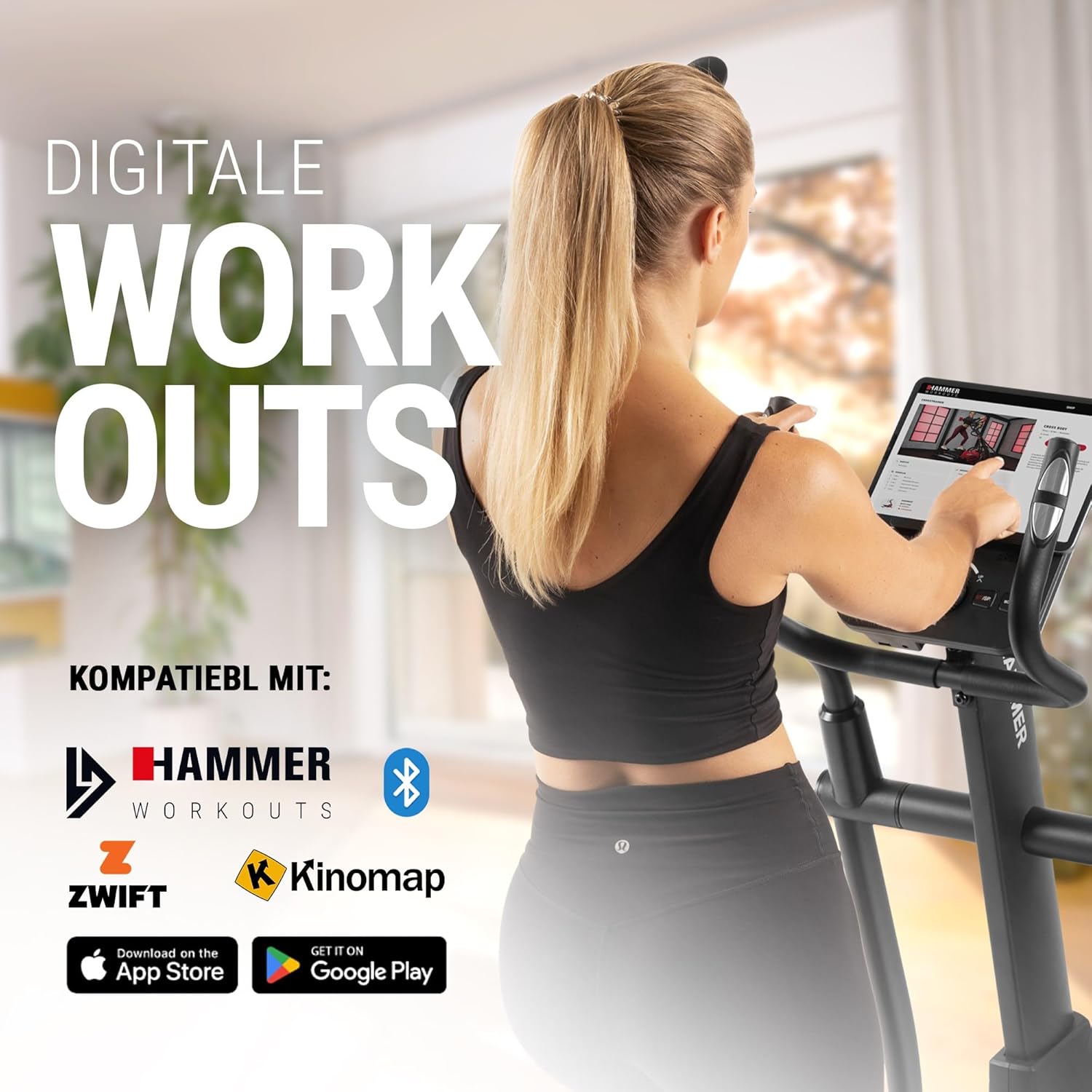
Connect your tablet or smartphone to the elliptical trainer for interactive workouts with Kinomap and Zwift.
The SpeedMotion II is compatible with popular fitness apps like Kinomap and Zwift. Connect your smartphone or tablet via Bluetooth to access virtual training worlds, interactive routes, and track your performance. Download the respective apps from the App Store or Google Play.
Нигоҳдорӣ
Нигоҳубини мунтазам мӯҳлати хизмати дарозмуддат ва кори беҳтарини мураббии эллиптикии шуморо таъмин мекунад.
- Тозакунӣ: Таҷҳизотро бо таблиғ тоза кунедamp матоъ пас аз ҳар истифода барои тоза кардани арақ ва чанг. Аз тозакунандаи абразивӣ худдорӣ намоед.
- Молидани: Periodically check moving parts, especially the rollers and tracks, for smooth operation. Lubricate as recommended in the detailed product manual if necessary.
- Мустаҳкамкунӣ: Regularly inspect all bolts, nuts, and connections. Tighten any loose components to prevent noise and ensure stability.
- Нигоҳдорӣ: Store the elliptical trainer in a dry, temperate environment away from direct sunlight and extreme temperatures.

The SpeedMotion II features a quiet drive system, high-quality rollers for smooth movement, and stability adjustments for a secure workout.
Мушкилкушо
If you encounter issues with your HAMMER SpeedMotion II, refer to the following common troubleshooting tips:
| Мушкилот | Сабаби эҳтимолӣ | Ҳалли |
|---|---|---|
| Squeaking or rattling noises | Loose bolts or connections; lack of lubrication on moving parts. | Check and tighten all visible bolts and nuts. Lubricate joints and rollers as per the main manual. |
| Намоиш кор намекунад | Loose cable connection; depleted batteries (if applicable). | Ensure all console cables are securely connected. Check and replace batteries if the unit is battery-powered (AA batteries required, not included). |
| Uneven movement or instability | Uneven floor surface; loose frame components. | Adjust the leveling feet on the stabilizers. Check and tighten all frame connections. |
| Муқовимат тағир намеёбад | Issue with the resistance mechanism. | Refer to the detailed manual for specific resistance mechanism troubleshooting or contact customer support. |
If the problem persists after attempting these solutions, please contact HAMMER customer support.
Мушаххасоти
| Хусусият | Мушаххасоти |
|---|---|
| Номи модел | SpeedMotion II |
| Рақами модел | 11000 |
| Андозаҳо (L x W x H) | 160 х 60 х 177 см |
| Вазни ашё | 61.9 кг |
| Вазни ҳадди аксар корбар | 130 кг |
| Массаи маховик | 18 kg (implied from product title, not explicitly in specs table but in product title) |
| Дарозии қадам | 50 см |
| Pedal Distance | 14 cm (from feature bullets) |
| Танзими майл | 3-fold manual adjustment |
| Механизми муқовимат | Дастур |
| Барномаҳо | 24 (from product title and feature bullets) |
| Навъи намоиш | Black-backlit LCD, 17.78 cm (7 inches) |
| Пайвастшавӣ | Bluetooth, Kinomap & Zwift compatible |
| Навъи мавод | Металл |
| Манбаи нерӯ | Батареяҳои AA талаб мекунанд (дохил карда намешаванд) |
Кафолат ва дастгирӣ
Маълумот дар бораи кафолат
Specific warranty details for the HAMMER SpeedMotion II Elliptical Trainer are typically provided with your purchase documentation. Please refer to the warranty card or the official HAMMER website for comprehensive information regarding coverage and terms.
Дастгирии муштариён
For technical assistance, spare parts, or any questions regarding your HAMMER SpeedMotion II, please contact HAMMER SPORT customer service. Contact details can usually be found on the official HAMMER webсайт ё дар ҳуҷҷатҳои маҳсулоти шумо.
Ҳангоми тамос бо дастгирии дастгирӣ, лутфан рақами модели худро (11000) ва далели харидро дастрас кунед.