
Муқаддима
Ташаккур ба шумо барои харидasing the Emerson EPD-1001 Portable 10-inch DVD Player. This manual provides essential information for setting up, operating, and maintaining your device. Please read these instructions carefully before use to ensure proper functionality and to maximize your viewтаҷрибаи ғанӣ.
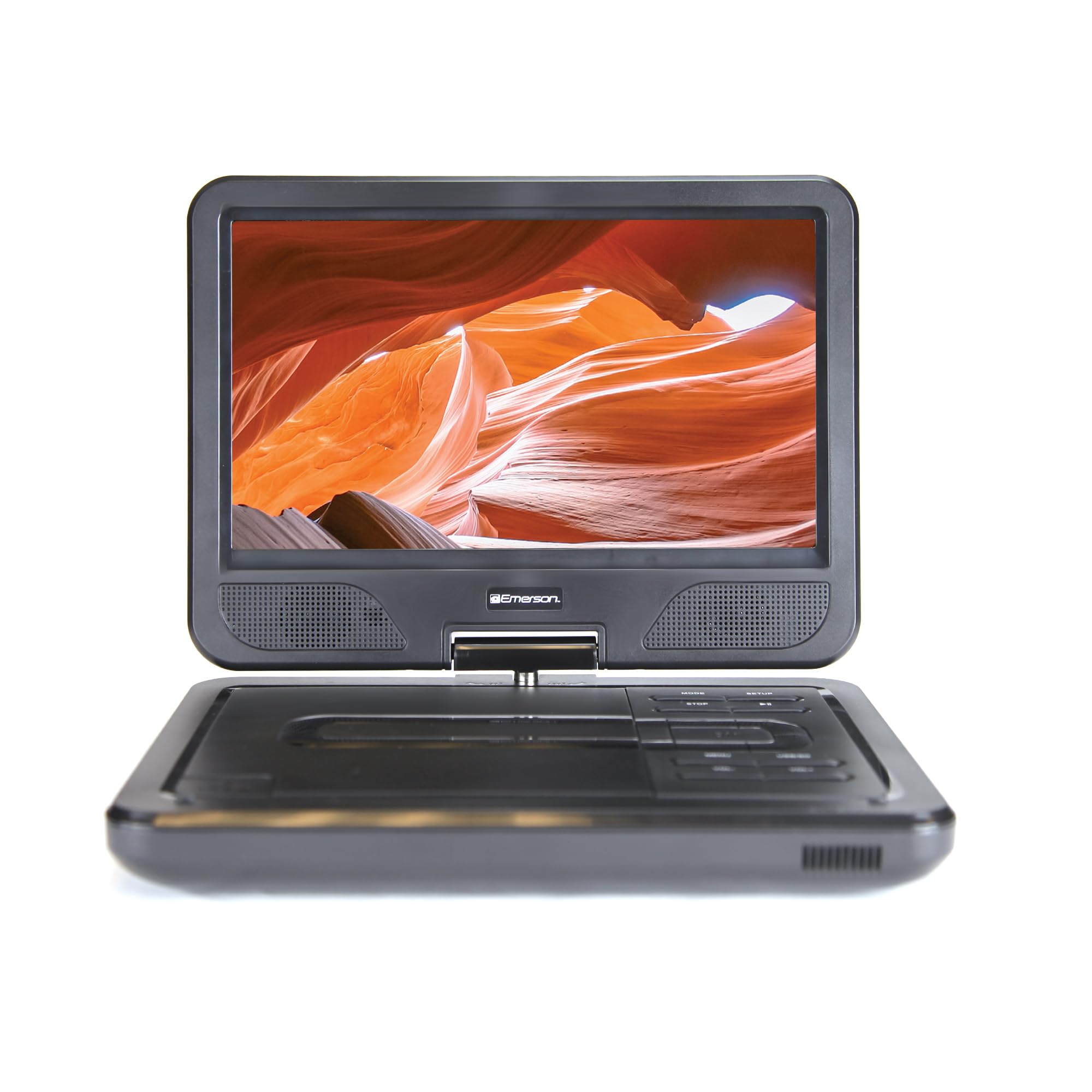
Image: The Emerson EPD-1001 Portable 10-inch DVD Player shown with its screen open, displaying a vibrant image.
Дар қуттӣ чӣ ҳаст
Боварӣ ҳосил кунед, ки ҳама ашёҳо дар бастабандӣ мавҷуданд:
- Emerson EPD-1001 Portable 10-inch DVD Player
- Назорати дурдаст
- Адаптери барқии AC
- Сими мошин DC
- AV кабелӣ
- Дастури корбар (ин ҳуҷҷат)
- Корти кафолат

Image: The Emerson EPD-1001 Portable 10-inch DVD Player displayed alongside its remote control.
Хусусиятҳои маҳсулот
- Экрани чархзанандаи 10-дюйма: The large 10-inch screen swivels 180 degrees, allowing for flexible viewкунҷҳо.
- Баландгӯяки дарунсохт: Integrated speaker provides clear audio for an immersive experience.
- Батареяи барқгиранда: Enjoy portable viewing with the built-in rechargeable battery, offering hours of playback.
- Назорати дурдаст: Navigate menus and control playback effortlessly with the included remote.
- Тарҳрезии компакт: Lightweight and compact for easy transport during travel.
- Multi-Format Compatibility: Supports a wide range of DVD formats, as well as media from USB flash drives and SD cards.
Видео: Маҳсулоти 360-дараҷаview of the Emerson EPD-1001 Portable DVD Player, showcasinтарҳ ва хусусиятҳои он аз кунҷҳои гуногун.
Ташкил кардан
- Кушодани: Ҳамаи ҷузъҳоро аз бастабандӣ бодиққат тоза кунед. Бастабандиро барои нигоҳдорӣ ё интиқоли минбаъда нигоҳ доред.
- Пур кардани батарея: Before first use, fully charge the internal rechargeable battery. Connect the AC power adapter to the DC IN 9-12V port on the DVD player and plug it into a standard wall outlet. The charging indicator light will illuminate. A full charge typically takes several hours.
- Car Power (Optional): For in-car use, connect the DC car cord to the DC IN 9-12V port and plug the other end into your vehicle's 12V accessory socket.
- External Display Connection (Optional): To connect to an external display (e.g., TV), use the provided AV cable. Connect the AV OUT port on the DVD player to the corresponding AV IN ports on your television.

Image: A hand plugging a 12V car adapter into a vehicle's power outlet, demonstrating how to power the DVD player on the go.
Дастурҳои амалиётӣ
Фурӯзон/хомӯшкунӣ
- Барои фурӯзон кардан, -ро пахш кунед ва доред КУВВА тугмаро то равшан шудани экран пахш кунед.
- Барои хомӯш кардан, -ро пахш кунед ва доред КУВВА то хомӯш шудани экран тугмаро боз пахш кунед.
Inserting and Playing a DVD
- Open the disc cover by gently lifting the КУШОДА занҷир.
- Place a DVD disc onto the spindle with the label side facing up. Gently press the center of the disc to secure it.
- Сарпӯши дискро пӯшед.
- The player will automatically detect the disc and begin playback. If not, press the Бозӣ/Таваққуф тугма.
Using the Swivel Screen
The screen can be rotated up to 180 degrees. Gently swivel the screen to your desired viewing angle. You can also fold the screen flat against the base for a tablet-like viewтаҷрибаи ғанӣ.

Image: A woman using the Emerson EPD-1001 Portable DVD Player, demonstrating the swivel screen feature for comfortable viewing.
Навозиши медиа (USB/SD Card)
- Диски флеши USB-ро ба USB порт ё корти SD ба Корти SD ковокии.
- -ро истифода баред РЕЖИМ button on the player or remote to select the appropriate input (USB or SD).
- Navigate through your media files using the arrow buttons and press ВОРИД бозӣ кардан.

Image: A hand inserting a USB flash drive into the side port of the portable DVD player, illustrating media playback from external storage.
Истифодаи пулти дурдаст
Point the remote control directly at the infrared sensor on the DVD player. The remote allows access to functions such as Play, Pause, Stop, Fast Forward, Rewind, Chapter Skip, Volume Control, Menu Navigation, and Input Selection.
Натиҷаи аудио
- Баландгӯякҳои дарунсохт: Audio will play automatically through the integrated speakers. Adjust volume using the VOL+ ва ВОЛ- тугмаҳо.
- Гӯшаки гӯшмонак: For private listening, plug standard 3.5mm headphones into the ГУШНИК jack. This will mute the built-in speakers.
Нигоҳдорӣ
- Тозакунӣ: Use a soft, dry cloth to clean the exterior of the DVD player. For the screen, use a soft, lint-free cloth specifically designed for electronics screens. Do not use liquid cleaners or abrasive materials.
- Нигоҳубини диск: Handle discs by their edges. Keep discs clean and free of scratches. Use a soft, lint-free cloth to wipe discs from the center outwards if cleaning is necessary.
- Нигоҳубини батарея: To prolong battery life, avoid fully discharging the battery frequently. If storing the device for an extended period, charge the battery to approximately 50% and store in a cool, dry place. Recharge every few months to prevent deep discharge.
- Нигоҳдорӣ: Store the DVD player in a cool, dry environment away from direct sunlight, extreme temperatures, and excessive dust.
Мушкилкушо
| Мушкилот | Сабаби эҳтимолӣ | Ҳалли |
|---|---|---|
| Плеер фаъол нест. | Батарея холӣ шудааст ё адаптери барқ пайваст нашудааст. | Connect the AC power adapter and allow the battery to charge. Ensure the power button is pressed and held. |
| Дар экран тасвир нест. | Disc is dirty/scratched, incorrect input selected, or screen is folded incorrectly. | Clean the disc. Ensure the screen is properly opened and swiveled. If connected to an external display, verify AV cable connections and TV input selection. |
| Садо нест. | Volume is too low, headphones are connected, or disc has no audio track. | Increase the volume. Disconnect headphones if using built-in speakers. Check disc for audio content. |
| Диск бозӣ намекунад ё намегузарад. | Диск ифлос, харошида ё формати номувофиқ аст. | Clean the disc thoroughly. Try a different disc. Ensure the disc format is supported by the player. |
| Правленияи дурдаст кор намекунад. | Batteries are dead or remote is not pointed at sensor. | Replace remote control batteries. Ensure direct line of sight to the player's IR sensor. |
Мушаххасоти
| Хусусият | Тафсилот |
|---|---|
| Бренд | Эмерсон |
| Рақами модел | EPD-1001 |
| Андозаи экран | 10 инч |
| Навъи намоиш | LCD |
| Қарори ватанӣ | 1280х720 |
| Технологияи пайвастшавӣ | USB |
| Дастгоҳҳои мувофиқ | Mobile Phone, Television (via AV out) |
| Навъи медиа | DVD, CD, MP3, USB, SD Card |
| Андозаҳои ашё (L x W x H) | 10"L x 1.8"W x 7.35"H |
| Вазни ашё | 2.2 фунт |
| Ранги | Сиёҳ |
| Имконоти барқ | Built-in rechargeable battery, AC adapter, 12V car adapter |

Image: A diagram illustrating the dimensions (length, width, height) and weight of the Emerson EPD-1001 Portable DVD Player.
Кафолат ва дастгирӣ
The Emerson EPD-1001 Portable 10-inch DVD Player comes with a warranty covering 1 Year for Parts ва 90 Days for Labor аз рӯзи харид.
For technical support, warranty claims, or service inquiries, please contact the manufacturer, Naxa Electronics, Inc. Refer to the warranty card included in your product packaging for specific contact details and procedures.
Лутфан далели хариди худро барои тасдиқи кафолат нигоҳ доред.