
Муқаддима
This manual provides essential information for the proper use and maintenance of your Infinix Smart 8 X6525 mobile phone. Please read it carefully to ensure optimal performance and longevity of your device.
The Infinix Smart 8 features a 6.6-inch HD+ display, 13MP AI dual rear camera, 8MP front camera, 5000 mAh battery, and runs on Android 13. It supports dual nano SIM cards and Type-C charging.
Ташкил кардан
1. Насби корти SIM ва корти хотира
To install your SIM card(s) and an optional microSD card:
- Табақчаи SIM-ро дар паҳлӯи дастгоҳ ҷойгир кунед.
- Асбоби эмектори SIM-ро ба сӯрохи хурди дар паҳлӯи табақ гузоред ва то он даме, ки табақ берун шавад, мулоим тела диҳед.
- Place your Nano-SIM card(s) and/or microSD card into the tray with the gold contacts facing down, ensuring they are correctly oriented as indicated on the tray.
- Табақро бодиққат ба слот тела диҳед, то он даме ки он бо бадани телефон ҳамвор шавад.
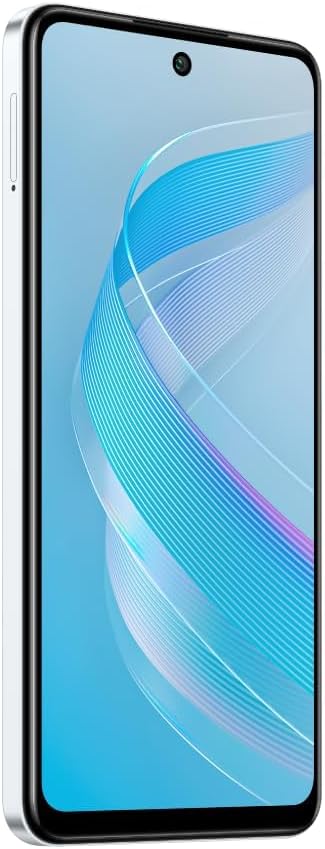
Тасвир: тараф view of the Infinix Smart 8 X6525, illustrating the location of the SIM card tray.
2. Фаъолсозии ибтидоӣ
Press and hold the Power button (located on the right side of the device) until the Infinix logo appears. Follow the on-screen instructions to complete the initial setup, including language selection, Wi-Fi connection, and Google account setup.
3. Пуркунии дастгоҳ
Connect the USB Type-C cable to the phone's charging port and the other end to the power adapter. Plug the power adapter into a wall outlet. The battery indicator on the screen will show the charging status. For optimal battery life, use the provided charger and cable.
Истифода бурдани дастгоҳи шумо
1. Навигатсияи асосӣ
Your Infinix Smart 8 X6525 uses a touchscreen for navigation. Swipe up, down, left, or right to move between screens and menus. Tap icons to open applications. Use gestures or the navigation bar at the bottom of the screen for Home, Back, and Recent Apps functions.

Тасвир: Пеш view of the Infinix Smart 8 X6525, showing the display and front camera.
2. Истифодаи камера
To open the camera, tap the Camera icon on your home screen or lock screen. The device features a 13MP AI dual rear camera and an 8MP front camera. Switch between modes like Photo, Video, Portrait, and Panorama. Tap the shutter button to capture images or start/stop video recording. The AI features automatically optimize settings for various scenes.
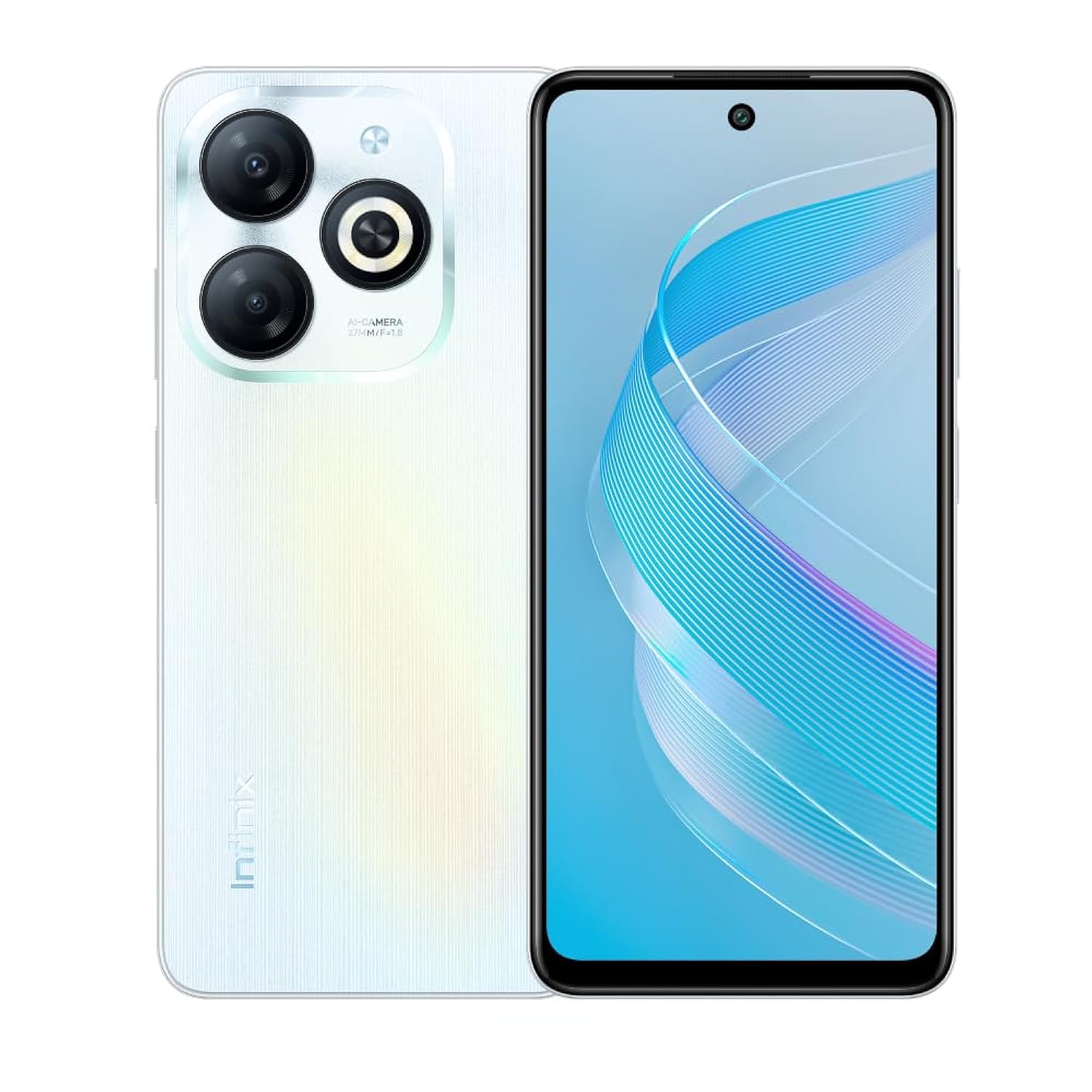
Тасвир: Қафо view of the Infinix Smart 8 X6525, highlighting the dual camera module and ring flashlight.
3. Пайвастшавӣ
- Вай-фай: Go to Settings > Network & internet > Wi-Fi to connect to available wireless networks.
- Блутуз: Go to Settings > Connected devices > Connection preferences > Bluetooth to pair with Bluetooth devices.
- Маълумоти мобилӣ: Ensure your SIM card is active and go to Settings > Network & internet > Mobile network to enable or disable mobile data.
4. Хусусиятҳои амниятӣ
The device supports a side-mounted fingerprint sensor and face unlock for enhanced security. To set them up, go to Settings > Security > Fingerprint Unlock or Face Unlock and follow the on-screen instructions.
Нигоҳдорӣ
1. Нигоҳубини батарея
- Нагузоред, ки дастгоҳро ба ҳарорати аз ҳад зиёд дучор кунед.
- Батареяро мунтазам пурра холӣ накунед.
- Фақат пуркунандаи барқ ва кабелҳои аслӣ ё тасдиқшударо истифода баред.
- Агар дастгоҳ барои муддати тӯлонӣ истифода нашавад, пеш аз нигоҳдорӣ онро тақрибан то 50% пур кунед.
2. Навсозии нармафзор
Regularly check for and install software updates to ensure your device has the latest features, security patches, and performance improvements. Go to Settings > System > System update to check for updates.
3. Тоза кардани дастгоҳи худ
Барои тоза кардани экран ва корпуси телефон матои мулоим ва беҳанг истифода баред. Аз истифодаи кимиёвии сахт ё маводи абразивӣ худдорӣ намоед. Барои доғҳои якрав, каме гampматоъ бо об ё тозакунандаи экран, ки барои электроника пешбинӣ шудааст.
Мушкилкушо
Масъалаҳои умумӣ ва ҳалли онҳо
- Дастгоҳ фаъол нест: Боварӣ ҳосил кунед, ки батарея пур карда шудааст. Пуркунандаи барқро пайваст кунед ва пеш аз кӯшиши дубора фаъол кардани барқ чанд дақиқа интизор шавед.
- Барномаҳо садама ё ях мекунанд: Close and restart the app. If the issue persists, clear the app's cache (Settings > Apps > [App Name] > Storage & cache > Clear cache).
- Мӯҳлати батареяи бад: Ҳангоми истифода нашудан равшании экранро кам кунед, барномаҳои истифоданашударо пӯшед, хусусиятҳои пайвастшавии нолозимро (Wi-Fi, Bluetooth, GPS) ғайрифаъол кунед.
- Масъалаҳои пайвастшавӣ ба шабака: Check if your SIM card is properly inserted. Try restarting the device. Ensure mobile data or Wi-Fi is enabled.
- Дастгоҳ ҷавоб намедиҳад: Барои маҷбур кардани бозоғозӣ тугмаи барқро тақрибан 10-15 сония пахш карда нигоҳ доред.
Мушаххасоти
| Хусусият | Тафсилот |
|---|---|
| Номи бренд | Infinix |
| Номи модел | Смарт 8 |
| Низоми амал | Android 13.0 |
| RAM насбшуда | 4 ГБ |
| Иқтидори нигаҳдории хотира | 128 ГБ |
| Андозаи экран | 6.6 инч |
| Резолюция | 720 x 1612 пиксел |
| Меъёри навсозӣ | 90 Гц |
| Ранги | Сафед |
| Шумораи ковокии SIM корт | Дугона SIM |
| Навъи пайвасткунанда | Порти USB Type-C |
| Biometric Security Feature | Шинохти изи ангушт |
| Front Photo Sensor Resolution | 8 мегапиксел |
| Rear Camera Photo Sensor Resolution | 13 мегапиксел |
| Тавсифи камера | 13MP rear camera, AI dual camera with ring flashlight |
| Қарори сабти видео | 1080p |
| Навъи намоиш | LCD |
| Технологияи мобилӣ | 4G |
| Технологияи пайвастшавӣ | Bluetooth, WiFi |
| Иқтидори батарея | 5000 мАч |
| Вазни ашё | 184 грамм |
| Андозаҳои ашё | 16.4 х 0.8 х 7.6 см |
| Компонентҳои дохилшуда | Headset, Phone Cover, USB Cable, Power Adapter, Screen Protector |
Маълумот оид ба бехатарӣ
- Дастгоҳро худатон ба қисмҳо ҷудо накунед ё кӯшиш накунед, ки дастгоҳро таъмир кунед.
- Дастгоҳро аз об ва намӣ дур нигоҳ доред.
- Аз таъсири дастгоҳ дар нури бевоситаи офтоб ё ҳарорати баланд худдорӣ намоед.
- Use only accessories approved by Infinix.
- Дастгоҳ ва батареяи онро мувофиқи қоидаҳои маҳаллӣ ба таври масъулиятнок партояд.
Кафолат ва дастгирӣ
Your Infinix Smart 8 X6525 comes with a standard manufacturer's warranty. Please refer to the warranty card included in the product packaging for specific terms and conditions, including warranty period and coverage details.
For technical support, service, or further inquiries, please visit the official Infinix webсайт ё бо хидмати мизоҷони худ тамос гиред. Барои даъвоҳои кафолат далели хариди худро нигоҳ доред.