
TOUCAN PRO 2024 Edition
TOUCAN Wireless Video Doorbell PRO + Chime
Дастури дастурӣ
1. Муқаддима
This manual provides detailed instructions for the installation, operation, and maintenance of your TOUCAN Wireless Video Doorbell PRO 2024 Edition and its accompanying chime. This system is designed to enhance your home security with advanced features such as 2K resolution video, accurate motion detection, and remote access capabilities.
Лутфан пеш аз истифодаи маҳсулот ин дастурро бодиққат хонед, то танзимот ва фаъолияти дурустро таъмин кунед.
2. Дар қуттӣ чӣ мавҷуд аст
Боварӣ ҳосил кунед, ки ҳама ҷузъҳо дар бастаи шумо мавҷуданд:
- TOUCAN Wireless Video Doorbell PRO
- Оғози занги бесими дар
- Барасмиятдарории қавс
- Виддаҳо ва лангарҳои деворӣ
- Сими пуркунандаи USB
- Дастури оғози зуд
- Optional DIY Wiring Kit (for continuous power)

Image: Contents of the TOUCAN Wireless Video Doorbell PRO package, including the doorbell, chime, and accessories.
3. Танзимот
Follow these steps to set up your TOUCAN Wireless Video Doorbell PRO:
- Занги дарро пур кунед: Before installation, fully charge the doorbell using the provided USB cable. The built-in 6,500mAh rechargeable battery ensures reliable performance.
- Download the Toucan Smart Home App: Ҷустуҷӯ "Toucan Smart Home" in your device's app store (iOS or Android) and download the application.
- Ҳисоб кушоед: Барномаро кушоед ва дастурҳои дар экран бударо иҷро кунед, то ҳисоби корбари нав эҷод кунед.
- Pair the Doorbell to the App:
- In the app, select 'Add Device' or the '+' icon.
- Choose the Wireless Video Doorbell PRO from the list of devices.
- Follow the app's prompts to connect the doorbell to your home's 2.4GHz Wi-Fi network. Эзоҳ: 5 ГГц Wi-Fi дастгирӣ намешавад.
- Занги дарро насб кунед:
- Choose a suitable location for your doorbell, typically near your front door.
- Use the mounting bracket as a template to mark screw holes.
- Drill pilot holes, insert wall anchors if necessary, and secure the mounting bracket.
- Attach the doorbell to the mounting bracket.
- For continuous power, you may use the optional DIY wiring kit to connect to existing doorbell wiring.
- Pair the Chime: The wireless chime typically pairs automatically with the doorbell. If not, refer to the chime's specific instructions for manual pairing.

Image: Visual guide for downloading the app, creating an account, and pairing the camera to the app and Wi-Fi. For more details, visit toucansmarthome.com/pages/smarthomeapp.

Image: Diagram illustrating the doorbell's internal 6500mAh rechargeable battery and the option for DIY wiring for continuous charging.
4. Дастурҳои истифодабарӣ
Understand the key functionalities of your video doorbell system:
- Зиндагӣ View ва дастрасии дурдаст: Access a live video feed of your doorstep anytime, anywhere through the Toucan Smart Home App. This feature allows you to monitor your property remotely.
- 2K Quad HD Resolution: The doorbell captures video in 2K Full Quad HD resolution with a 140° field of view, providing clear and wide coverage of your entrance.

Image: A smartphone displaying the ultra-wide angle 2K Quad HD live view from the doorbell camera.
- Accurate Radar Motion Detection: The doorbell utilizes radar motion detection to identify movement within customizable security zones (up to 30ft). You will receive instant notifications on your smartphone when motion is detected.

Image: An overhead diagram illustrating the customizable radar motion detection zones extending up to 30 feet from the doorbell.
- Аудио дутарафа: Communicate directly with visitors at your door using the built-in microphone and speaker via the app.
- Siren Alarm and Emergency Call: Activate a siren alarm or initiate an emergency call directly from the app in response to suspicious activity.
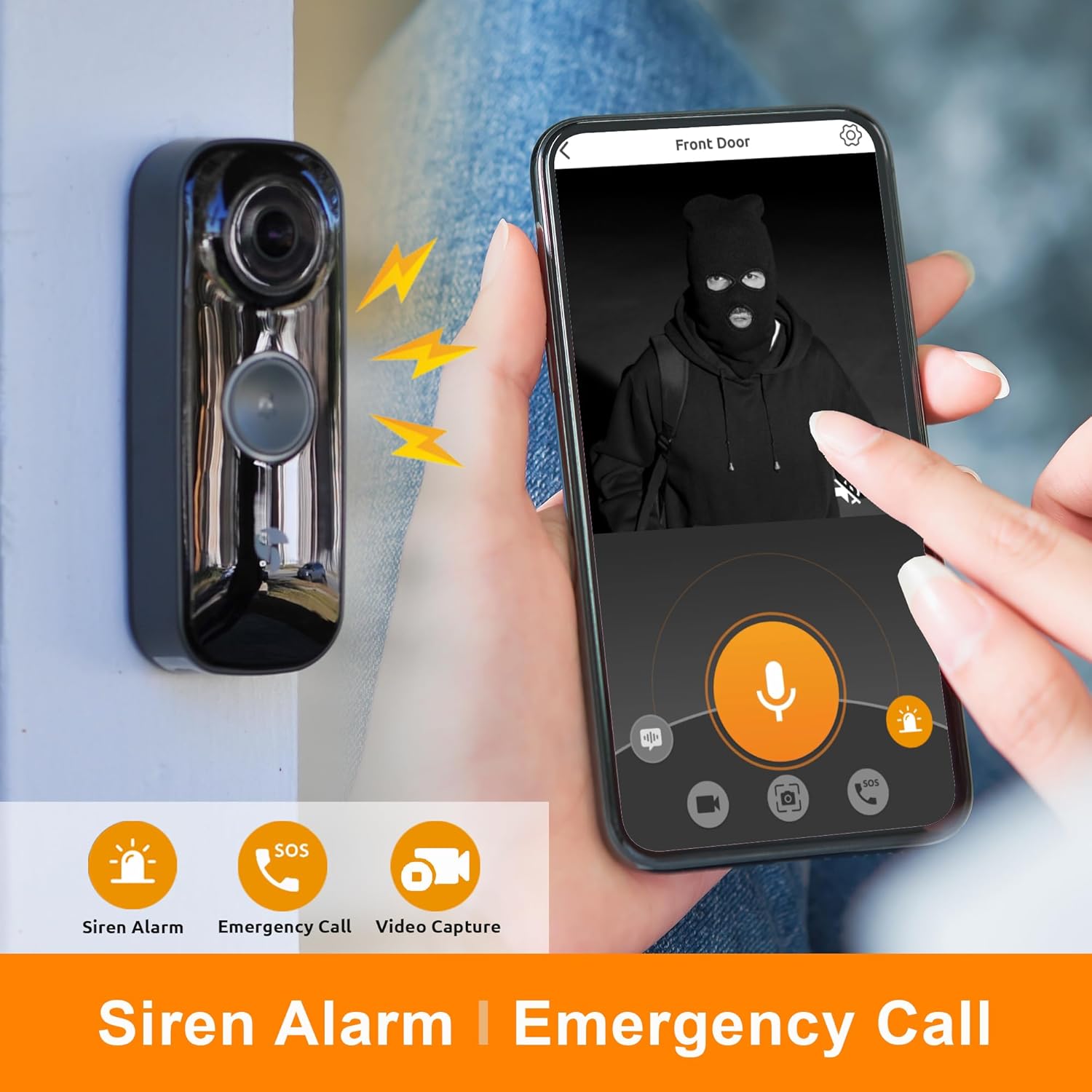
Image: The doorbell on a wall and a smartphone screen showing a person in a mask, with icons for siren alarm, emergency call, and video capture.
- Wireless Doorbell Chime: The included chime offers six different sounds. It connects wirelessly to the doorbell and can be placed anywhere within range.

Image: The wireless doorbell chime mounted on a wall, with musical notes indicating its sound capabilities.
- Интегратсияи Smart Home: The doorbell is compatible with Amazon Alexa and Google Assistant, allowing for voice control and integration into your smart home ecosystem.

Image: A smart display showing a live feed from the doorbell, with logos for 'Works with Alexa' and 'Works with Google Assistant'.
- Event Recording and Storage: The Toucan Smart Home App provides a rolling 24 hours of event recording history without a subscription.

Image: A smartphone displaying a list of recorded events from various cameras, indicating 'NO MONTHLY FEE' for unlimited devices.
5. Нигоҳдорӣ
- Пуркунии батарея: The doorbell's built-in battery typically lasts for an extended period. When the battery level is low, you will receive a notification via the app. Recharge the doorbell using the provided USB cable. If using optional DIY wiring, the doorbell will trickle charge continuously.
- Тозакунӣ: Periodically wipe the doorbell's camera lens and body with a soft, damp матоъ барои тоза кардани чанг ва лой. Аз истифодаи кимиёвии сахт ё маводи абразивӣ худдорӣ намоед.
- Шароити экологӣ: The doorbell has an IP65 rating, indicating it is protected against dust and water jets. While it is weather-resistant, avoid submerging it in water or exposing it to extreme temperatures outside its operating range.
6. Баррасии мушкилот
- Chime Losing Connection: If the chime frequently loses connection to the doorbell, ensure it is within range and not obstructed by thick walls or other interference. Try re-pairing the chime according to its specific instructions. Ensure the chime's batteries (if applicable) are fresh.
- Масъалаҳои муайянкунии ҳаракат: If motion detection is too sensitive or not detecting motion, adjust the sensitivity settings and customize the detection zones within the Toucan Smart Home App. Ensure the radar sensor area is clear of obstructions.
- App Notifications Delayed or Not Received: Check your smartphone's notification settings for the Toucan Smart Home App to ensure notifications are enabled. Verify that your phone has a stable internet connection.
- Мушкилоти пайвастшавӣ ба Wi-Fi: Ensure your doorbell is connected to a 2.4GHz Wi-Fi network. 5GHz networks are not supported. Check your Wi-Fi signal strength at the doorbell's location. Restarting your router and the doorbell may resolve connectivity issues.
- Ҳаёти кӯтоҳи батарея: Frequent motion events, live view access, and cold weather can impact battery life. Ensure the doorbell is fully charged. Consider using the optional DIY wiring for continuous power if battery life is a persistent concern.
- Сифати пасти видео: Ensure the camera lens is clean. Check your Wi-Fi connection speed. Low battery levels can sometimes affect video performance.
7. Мушаххасоти
| Хусусият | Тафсилот |
|---|---|
| Модели | PRO 2024 Edition |
| Ҳалли видео | 2K Full Quad HD |
| Майдони View | 140 дараҷа |
| Муайянкунии ҳаракат | Accurate Radar Motion Detection |
| Манбаи нерӯ | 6,500mAh Built-in Rechargeable Battery, Optional Trickle Charge |
| Пайвастшавӣ | Wi-Fi (танҳо 2.4 ГГц) |
| Аудио дуҷониба | Бале |
| Мутобиқати Smart Home | Amazon Alexa, Google Assistant |
| Рейтинги ҳифзи воридшавӣ (IP). | IP65 |
| Истеҳсолкунанда | Solutions VuPoint |
8. Кафолат ва дастгирӣ
TOUCAN products are manufactured by VuPoint Solutions. For warranty information, technical support, or any inquiries regarding your Wireless Video Doorbell PRO, please refer to the official TOUCAN Smart Home webсайт ё бевосита бо хадамоти муштариёни худ тамос гиред.
TOUCAN is committed to your privacy and safety, providing quality products and support. For the most up-to-date support resources, please visit the official TOUCAN Smart Home support page.
Ask a question about this manual
Ask about setup, troubleshooting, compatibility, parts, safety, or missing instructions. Manuals+ will review the question and use this page’s manual context to help answer it.