
1. Муқаддима
The LEAUDIO XDUOO XD05 Plus 2 is a high-performance portable Digital-to-Analog Converter (DAC) and headphone amplifier designed to deliver exceptional audio quality. It features advanced decoding capabilities, powerful output, and versatile connectivity options for various audio sources and headphones.
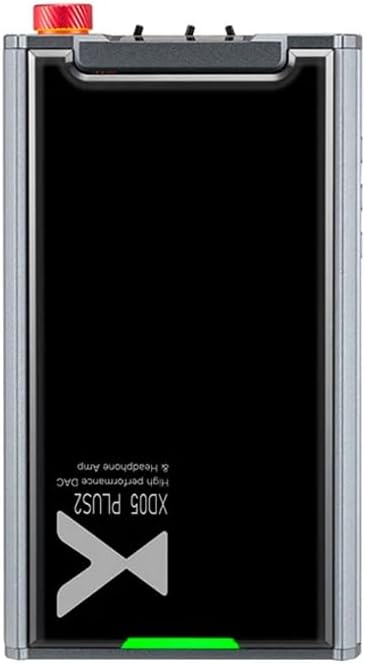
Расми 1: боло view of the XDUOO XD05 Plus 2, highlighting its compact design and model branding.
2. Мундариҷаи баста
Лутфан бастаро барои ҷузъҳои зерин тафтиш кунед:
- XDUOO XD05 Plus 2 Portable DAC Headphone Ampзиндатар
- Сими USB
- Дастури корбар (ин ҳуҷҷат)
3. Тарҳбандии дастгоҳ
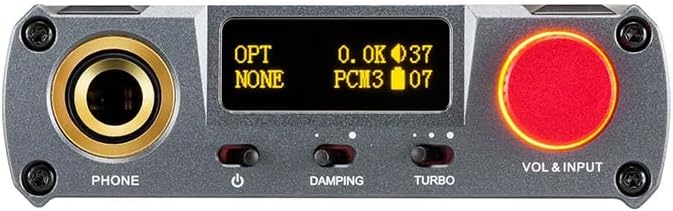
Figure 2: Front panel controls including the headphone output, OLED display, Damping switch, Turbo switch, and Volume/Input knob.

Figure 3: Rear panel connections featuring AUX In/Out, USB In, UAC 1.0/2.0 switch, Charge port, and Digital In (Optical/Coaxial).
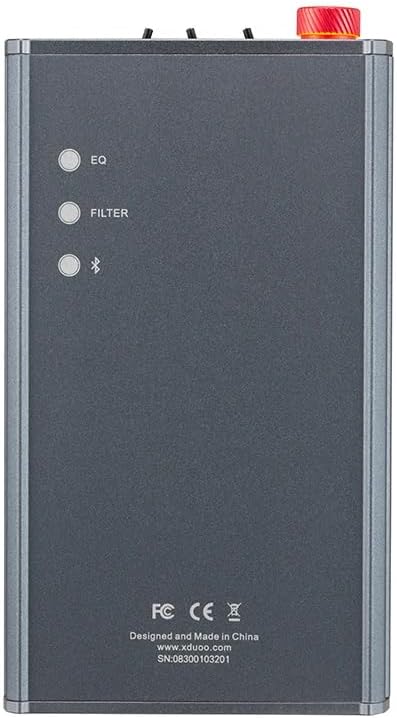
Figure 4: Side panel buttons for EQ, Filter, and Bluetooth functions.
4. Танзимот ва Пайвастшавӣ
4.1 Пур кардани дастгоҳ
Connect the provided USB cable to the 'CHARGE' port on the rear panel (Figure 3) and plug the other end into a USB power adapter (not included) or a computer's USB port. The charging time is approximately 3 hours for fast charging and 5 hours for slow charging.
4.2 Пайвастшавӣ ба манбаъҳои аудио
The XD05 Plus 2 offers multiple input options:
- Вуруди USB: Connect to computers (Windows/Linux/Mac OSX), smartphones (iOS/Android), or other USB audio sources using the 'USB IN' port (Figure 3). Ensure the UAC switch is set to the appropriate mode (UAC 1.0 or UAC 2.0) for your device.
- Digital Input (Optical/Coaxial): Connect to desktop CDs, Hi-Fi players, or digital turntables via the 'DIGITAL IN' port (Figure 3).
- Вуруди Bluetooth: For wireless audio streaming, refer to Section 5.4 for Bluetooth pairing instructions.
- AUX In/Out: Use the 'AUX IN/OUT' port (Figure 3) for analog input or output connections.
4.3 Пайваст кардани гӯшмонакҳо
Plug your headphones into the 'PHONE' output jack on the front panel (Figure 2).
5. Дастурҳои истифодабарӣ
5.1 Фаъолсозӣ / Хомӯш ва Интихоби Вуруд
Press and hold the power button (located near the 'PHONE' jack, Figure 2) to turn the device on or off. Rotate the 'VOL & INPUT' knob (Figure 2) to adjust the volume. Press the 'VOL & INPUT' knob to cycle through available input sources (USB, Optical, Coaxial, Bluetooth, AUX).
5.2 Назорати баландии овоз
The device features a 99-level digital volume adjustment, ensuring balanced left and right channels at any volume setting. Rotate the 'VOL & INPUT' knob to precisely set your desired listening level.
5.3 Sound Adjustments (EQ, Filter, Damping, Turbo)
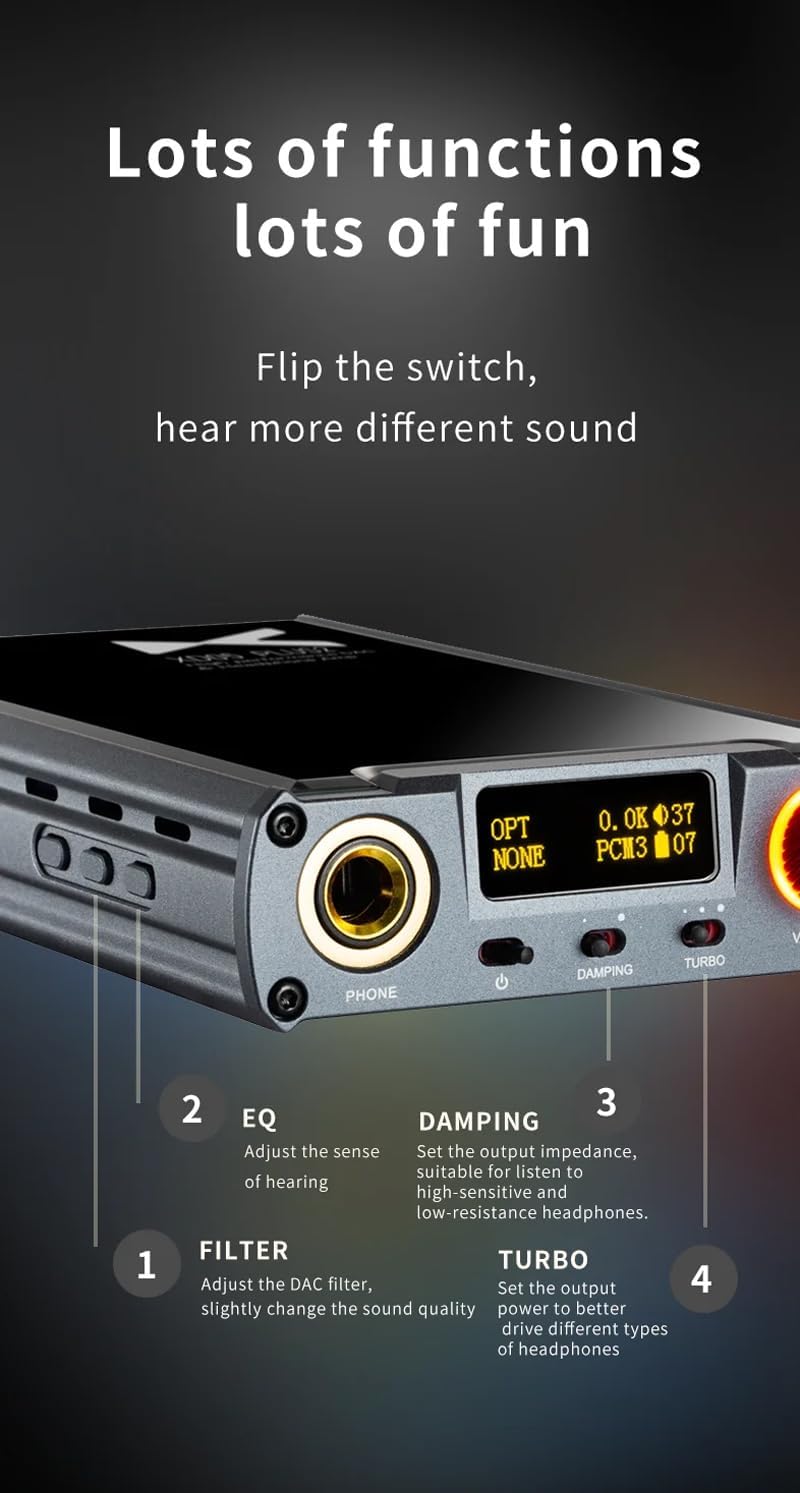
Расми 5: Муфассал view of sound adjustment controls and their functions.
- EQ (эквалайзер): Press the 'EQ' button (Figure 4) to adjust the sense of hearing and tailor the sound to your preference.
- Филтр: Press the 'FILTER' button (Figure 4) to slightly change the sound quality by adjusting the DAC filter settings.
- Damping: Use the 'DAMPING' switch (Figure 2) to set the output impedance, suitable for high-sensitivity and low-resistance headphones.
- Турбо: Use the 'TURBO' switch (Figure 2) to set the output power, allowing the device to better drive different types of headphones.
5.4 Пайвасткунии Bluetooth
To pair your device via Bluetooth 5.1:
- Ensure the XD05 Plus 2 is powered on and Bluetooth input is selected.
- Press the 'Bluetooth' button (Figure 4) to enter pairing mode. The Bluetooth indicator on the OLED screen will flash.
- On your source device (e.g., smartphone, tablet), search for available Bluetooth devices and select "XDUOO XD05 Plus 2".
- Once connected, the Bluetooth indicator will stop flashing.
Supported Bluetooth formats include AAC, SBC, aptX, aptX LL, aptX HD, and LDAC.
5.5 Иваз кардани Ampчипи баландкунанда
Дар amplifier chip is user-replaceable, allowing for customization of your audio experience. Refer to the manufacturer's guidelines or a qualified technician for instructions on safely replacing the op-amp микросхемаҳои.
6. Мушаххасоти
| Хусусият | Мушаххасоти |
|---|---|
| Батарея | 3.8В/5000мАч |
| Экран | 0.91 дюймаи OLED |
| OS мувофиқ | Windows/Linux/Mac OSX/iOS/Android |
| Frequency Response (USB/SPDIF) | 20Гц~20кГц (±0.5дБ) |
| Ҷавоби басомад (AMP) | 10Гц~80кГц (±0.5дБ) |
| USB Sampling Rate (PCM) | 16-32BIT/44.1-384KHZ |
| USB Sampling Rate (DSD) | DOP/NATIVE DSD64-256 |
| USB Sampling Rate (MQA) | OFS rendering layer decoding |
| OPT/COA Sampling Rate (PCM) | 16-24BIT/44.1-192KHZ |
| OPT/COA Sampling Rate (DSD) | DSD64 (DOP) |
| Bluetooth Formats | AAC/SBC/aptX/aptX LL/aptX HD/LDAC |
| Фоида | +0dB/3dB/6dB |
| Қувваи баромади гӯшмонак | 1200мВт (32Ω сарборӣ) |
| Headphone THD+N | 0.0015%@1кГц |
| Headphone S/N | 121дБ |
| Headphone Crosstalk | >76дБ |
| AUX OUT Output Level | 2.0Врм |
| AUX OUT THD+N | 0.0009%@1кГц |
| AUX OUT S/N | 122дБ |
| AUX OUT Crosstalk | ≥109дБ |
| Battery Life (USB IN) | ≥9H |
| Battery Life (SPDIF IN) | ≥15H |
| Battery Life (BT IN) | ≥18H |
| Charging Time (Fast) | ≤3 соат |
| Charging Time (Slow) | ≤5 соат |
| Андоза | 13.0 х 7.5 х 2.2 см |
| Вазн | 0.29 кг |
7. Нигоҳдорӣ
To ensure the longevity and optimal performance of your XDUOO XD05 Plus 2, follow these maintenance guidelines:
- Дастгоҳро бо матои мулоим ва хушк пок кунед. Аз истифодаи кимиёвии сахт ё маводи абразивӣ худдорӣ намоед.
- Дастгоҳро аз намӣ, нури бевоситаи офтоб ва ҳарорати аз ҳад зиёд муҳофизат кунед.
- Аз партофтан ё дучори таъсири сахти дастгоҳ худдорӣ намоед.
- Ҳангоми дар муддати тӯлонӣ истифода нашудан, дастгоҳро дар ҷои хунук ва хушк нигоҳ доред.
8. Баррасии мушкилот
If you encounter issues with your XDUOO XD05 Plus 2, please refer to the following common troubleshooting steps:
- Овоз нест:
- Санҷед, ки оё дастгоҳ фаъол аст.
- Боварӣ ҳосил кунед, ки гӯшмонакҳо дуруст пайваст шудаанд.
- Боварӣ ҳосил кунед, ки манбаи дурусти вуруд интихоб шудааст.
- Сатҳи овозро танзим кунед.
- Check the audio source device for proper playback and volume settings.
- Сифати пасти садо:
- Боварӣ ҳосил кунед, ки ҳамаи кабелҳо боэътимод пайваст карда шудаанд.
- Try a different audio cable or source.
- Check EQ and Filter settings; reset them to default if necessary.
- Ensure the UAC switch is set correctly for your USB connection.
- Масъалаҳои пайвасти Bluetooth:
- Ensure the device is in Bluetooth pairing mode.
- Move the source device closer to the ampлифер.
- Clear previous Bluetooth pairings on both devices and try pairing again.
- Дастгоҳ пур карда намешавад:
- Verify the USB cable is connected to the 'CHARGE' port.
- Сими дигари USB ё адаптери барқро санҷед.
- Боварӣ ҳосил кунед, ки манбаи барқ кор мекунад.
9. Видеои расмии маҳсулот
Видео 1: Ба охир расидview of the LEAUDIO XDUOO XD05 Plus 2 DAC Amp, намоишasing its features and design. This video provides a visual guide to the product's capabilities and physical aspects.
10. Кафолат ва дастгирӣ
For warranty information and technical support, please refer to the documentation included with your product or contact LEAUDIO customer service directly. You may also visit the official LEAUDIO webсайт барои навтарин захираҳои дастгирӣ.