
Муқаддима
This manual provides essential information for the safe and efficient use of your HP 15 Professional Slim High-Performance Laptop. Please read these instructions carefully before using your device. Keep this manual for future reference.
1. Танзимоти ибтидоӣ
1.1 Unboxing and Connecting Power
Carefully remove the laptop and all accessories from the packaging. Connect the provided AC adapter to the laptop's power port and then to a power outlet. It is recommended to fully charge the battery before first use.

Image: The HP 15 laptop shown from the front, with the power adapter connected to the side. This illustrates the initial connection for charging.
1.2 Аввалин боркунӣ ва насби системаи амалиётӣ
Press the power button to turn on the laptop. Follow the on-screen instructions to complete the Windows 11 Home operating system setup. This includes selecting your region, connecting to a Wi-Fi network, and creating a user account.

Image: The HP 15 laptop open, displaying the Windows 11 desktop interface, indicating successful operating system initialization.
2. Идоракунии ноутбуки худ
2.1 Фаъолсозӣ / Хомӯш ва Ҳолати хоб
- Фаъол: Тугмаи барқро, ки дар саҳни клавиатура ҷойгир аст, пахш кунед.
- Хомӯш: Тугмаи Оғоз, сипас Қудратро пахш кунед ва "Хомӯш кардан"-ро интихоб кунед.
- Ҳолати хоб: Close the lid or click the Start button, then Power, and select "Sleep."
2.2 Клавиатура ва сенсорӣ
The laptop features a full-size island-style QWERTY keyboard and a multi-touch touchpad. Use the touchpad for navigation and gestures. Refer to Windows 11 settings for touchpad customization.
2.3 Пайвастшавӣ
Your HP 15 laptop offers various connectivity options:
- Вай-фай: Supports Realtek Killer Wi-Fi 6 (802.11ax) for high-speed wireless internet access.
- Блутуз: Integrated Bluetooth 5.3 for connecting wireless peripherals like headphones and mice.
- Портҳои USB:
- Two (2) USB 3.2 Gen 1.0 Type-A ports (5 Gbps signaling rate).
- One (1) USB 3.2 Gen 1.0 Type-C port (5 Gbps signaling rate, data transfer only; charging or external monitors not supported).
- HDMI: One (1) HDMI v1.4b output port for connecting to external displays.
- Jack Jack: One (1) headphone/microphone combo port.
Тасвир: як тараф view of the HP 15 laptop, highlighting the various input/output ports for external device connectivity.
2.4 Аудио ва камера
- Аудио: Equipped with dual speakers for audio output and HD Audio support.
- Камера: Features an HP True Vision 720p HD camera with integrated dual array digital microphones, suitable for video calls and online meetings.

Image: The HP 15 laptop displaying a video conference call, demonstrating the use of the integrated camera and microphone.
3. Нигоҳдорӣ ва нигоҳубин
3.1 Тоза кардани ноутбуки шумо
- Экран: Аз матои мулоим ва бе-лин сабук истифода баред гampбо об ё тозакунандаи экран. Моеъро бевосита ба экран напошед.
- Клавиатура ва шасси: Аз матои мулоим ва хушк истифода баред. Барои лой якрав, каме гamp матоъро истифода бурдан мумкин аст, то боварӣ ҳосил кунед, ки намӣ ба сӯрохиҳо ворид намешавад.
- Вентилятсия: Periodically check and gently clean the ventilation openings to prevent dust buildup, which can affect cooling.
3.2 Нигоҳубини батарея
To maximize battery lifespan, avoid extreme temperatures and prolonged full discharge or full charge states. For long-term storage, charge the battery to approximately 50%.
3.3 Навсозии нармафзор
Regularly check for and install Windows updates and HP driver updates to ensure optimal performance, security, and compatibility. Access Windows Update via Settings > Windows Update.
3.4 Мулоҳизаҳои муҳити зист
This laptop is built with recycled materials, including ocean-bound plastic. Please dispose of the device and its components responsibly at the end of its life cycle, following local regulations for electronic waste.
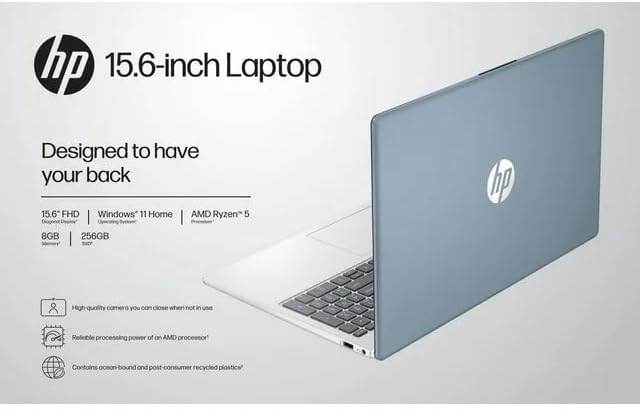
Image: The HP 15 laptop shown from the rear, illustrating its design and potential ventilation areas for maintenance.
4. Бартараф кардани мушкилоти умумӣ
This section addresses common problems you might encounter. For more complex issues, refer to the HP support webсайт.
4.1 No Power or Laptop Not Turning On
- Боварӣ ҳосил кунед, ки адаптери AC ҳам ба ноутбук ва ҳам ба васлаки барқии корӣ боэътимод пайваст шудааст.
- Тасдиқ кунед, ки васлаки барқ фаъол аст, тавассути пайваст кардани дастгоҳи дигар.
- Васлаки дигари барқро санҷед.
- Агар батарея пурра холӣ шуда бошад, пеш аз кӯшиши даргиронидани барқ ба он иҷозат диҳед, ки ҳадди аққал 30 дақиқа пур кунад.
4.2 Масъалаҳои намоиш
- Экрани холӣ: Connect an external monitor via HDMI to check if the issue is with the laptop's display or the graphics output.
- Намоиши хира: Adjust screen brightness using the function keys (usually F2/F3 or similar icons) or through Windows display settings.
- Қарори нодуруст: Adjust the display resolution in Windows Settings > System > Display.
4.3 Wi-Fi or Bluetooth Connectivity Problems
- Ensure Wi-Fi and Bluetooth are enabled in Windows Settings > Network & internet or Devices > Bluetooth & devices.
- Барои мушкилоти Wi-Fi роутер/модеми худро бозоғоз намоед.
- Update wireless drivers through HP Support Assistant or Device Manager.
- Forget and reconnect to the Wi-Fi network or re-pair the Bluetooth device.
4.4 Audio Not Working
- Check volume levels in Windows and ensure speakers are not muted.
- Verify that the correct audio output device is selected in Windows Sound settings.
- Драйверҳои аудиоро навсозӣ кунед.
- Test with headphones to determine if the issue is with the internal speakers or the audio output.
5. Мушаххасоти маҳсулот
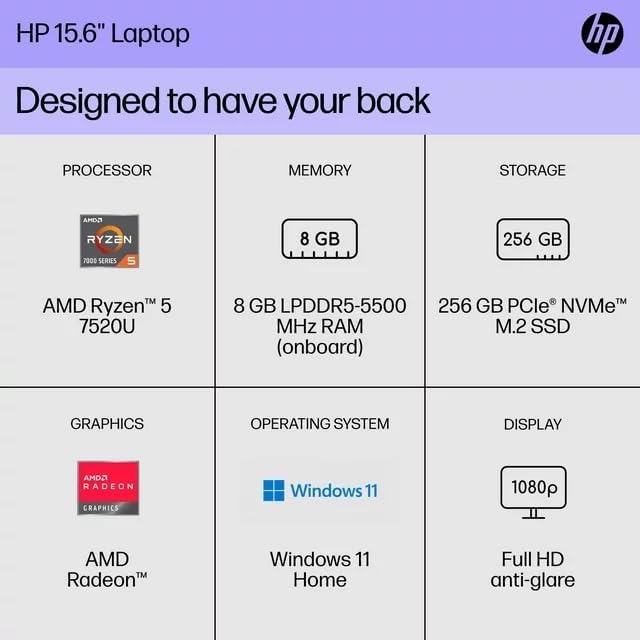
The following are the technical specifications for the HP 15 Professional Slim High-Performance Laptop (Model 15):
| Хусусият | Тафсилот |
|---|---|
| Номи модел | HP 15 |
| Протсессор | AMD Ryzen 5 7520U (up to 4.3 GHz max boost, 4 cores, 8 threads) |
| Графика | AMD Radeon Graphics (интегралӣ) |
| Хотира (RAM) | 8 ГБ DDR4 SDRAM |
| Нигоҳдорӣ | 256GB PCIe NVMe M.2 SSD |
| Намоиш | 15.6-inch diagonal, Full HD (1920 x 1080), micro-edge, anti-glare, 250 nits, 45% NTSC |
| Низоми амал | Windows 11 Home |
| Пайвасти бесим | Realtek Killer Wi-Fi 6 (2x2), Bluetooth 5.3 |
| Портҳо |
|
| Камера | Камераи HP True Vision 720p HD бо микрофонҳои рақамии маҷмӯии дугона |
| Аудио | Dual speakers, HD Audio |
| Клавиатура | Full-size island-style QWERTY keyboard |
| Дастгоҳи барқ | Адаптери AC |
| UPC | 196337455771 |
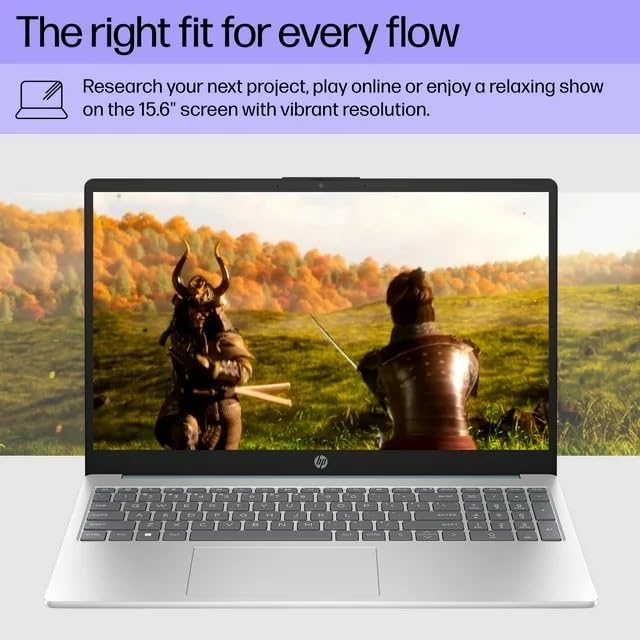
Image: A visual representation of the HP 15 laptop, complementing the detailed specifications listed.
6. Маълумот дар бораи кафолат
This HP 15 laptop is a renewed product and comes with a Кафолати маҳдуди 90 рӯз. This warranty covers defects in materials and workmanship under normal use. For specific terms and conditions, please refer to the warranty documentation included with your product or contact HP support.
7. Дастгирии муштариён
For further assistance, technical support, or to download updated drivers and software, please visit the official HP support website. You can typically find support resources by searching for "HP Support" and your specific model number (HP 15) on their webсайт.
Манбаъҳои онлайн: https://support.hp.com