
Муқаддима
This manual provides comprehensive instructions for the setup, operation, and maintenance of your Browning Spec Ops Elite HP5 Trail Game Camera Bundle. Please read this manual thoroughly before using your camera to ensure optimal performance and longevity.
The Browning Spec Ops Elite HP5 is a high-performance trail camera designed for capturing wildlife images and videos with advanced features such as 24MP resolution, fast trigger speed, and robust night vision capabilities.
Мундариҷаи баста
Боварӣ ҳосил кунед, ки ҳамаи ҷузъҳои дар поён овардашуда дар бастаи шумо мавҷуданд:
- Browning Spec Ops Elite HP5 Trail Game Camera (Model: BTC8EHP5)
- Корти хотираи SD 32 ГБ
- J-TECH USB Card Reader
- Tree Strap (for mounting)
- Дастури таълимӣ (ин ҳуҷҷат)
Camera Features Overview
The Spec Ops Elite HP5 camera offers a range of advanced features:
- Ҳалли тасвир: 24 Megapixels for high-quality stills.
- Суръати триггер: Adjustable from 0.1 to 0.7 seconds to capture fast-moving subjects.
- ViewЭкрани инг: Ранги 2 дюйм viewing screen for easy setup and image review.
- Диапазони флеш: 100 ft. infrared flash for clear night images.
- Night Imaging: HDR (High Dynamic Range) Night Images for improved clarity in low light.
- IR Flash: Adjustable IR Flash settings (Power Save, Fast Motion, Long Range).
- Диапазони ошкор: Adjustable up to 80 ft.
- Имкониятҳои видеоӣ: 1920 x 1080 FHD Videos with sound, adjustable length from 5 seconds to 2 minutes.
- Illuma-Smart Technology: Automatically adjusts IR flash for optimal night photos.
- IR Illumination: Features "RADIANT 5" IR Illumination for enhanced night vision.
Ташкил кардан
1. Насби батарея
The camera requires batteries for operation (not included). Refer to the battery compartment for the correct battery type and orientation. Ensure batteries are inserted correctly according to the polarity markings.
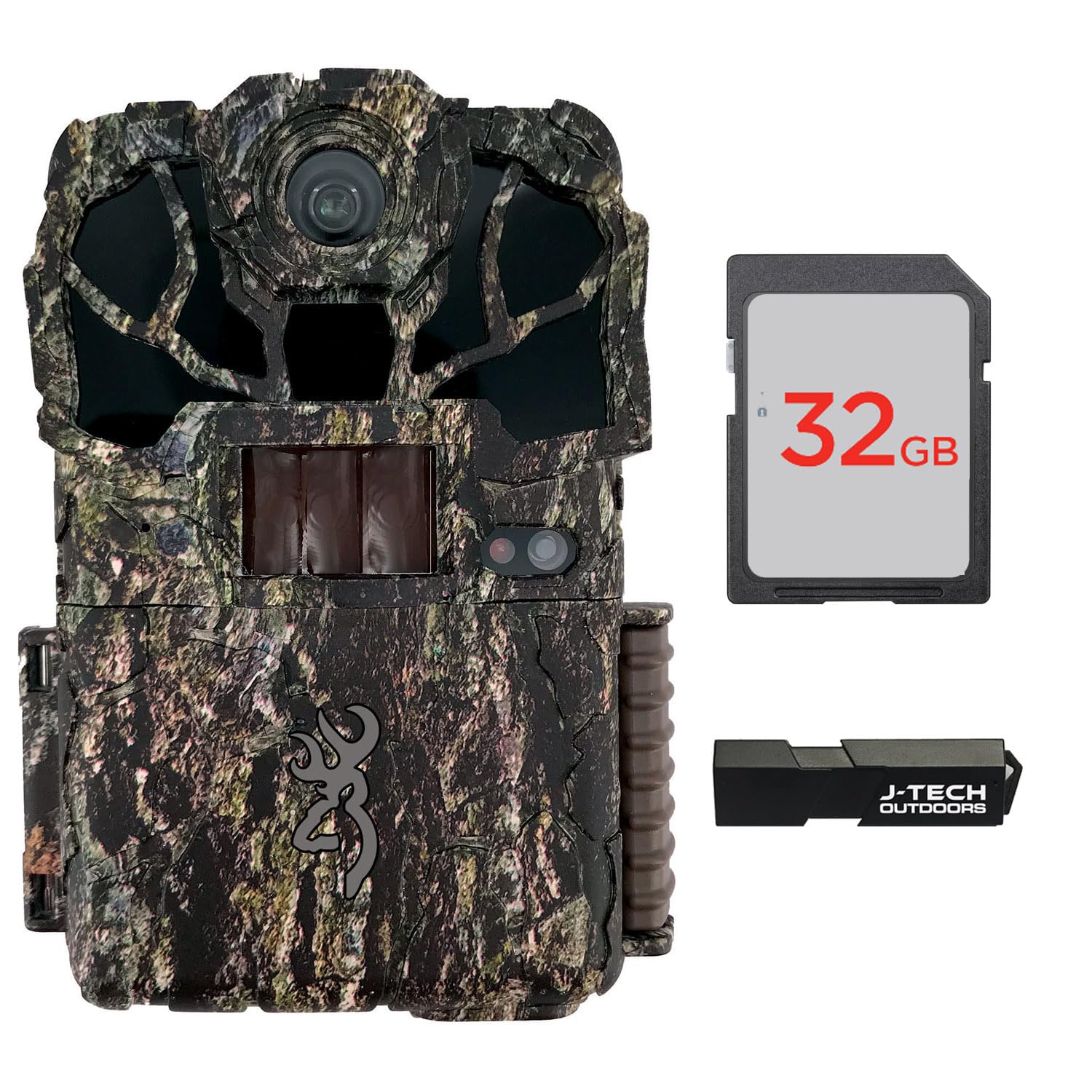 Тасвир: Пеш view of the Browning Spec Ops Elite HP5 Trail Game Camera, showing the lens, IR emitters, motion sensor, and the 2-inch color viewing screen with the Browning logo.
2. Насби корти SD
Locate the SD card slot, typically on the side or bottom of the camera. Insert the included 32GB SD memory card into the slot until it clicks into place. Ensure the card is oriented correctly to avoid damage. The camera supports standard SD cards.
3. J-TECH USB Card Reader Usage
The J-TECH USB Card Reader allows you to transfer images and videos from your SD card to a computer or laptop. Insert the SD card into the card reader, then plug the card reader into a USB port on your device. The card will appear as a removable drive, allowing you to access your media files.
 Image: The J-TECH USB Card Reader, a black rectangular device with "J-TECH OUTDOORS" branding, used for transferring data from an SD card to a computer.
4. Ҷойгиркунии камера
Use the provided tree strap to securely attach the camera to a tree or post. Position the camera at an appropriate height and angle to cover the desired area. Ensure the camera is stable and will not move due to wind or animal activity. Avoid pointing the camera directly at the sun to prevent overexposure.
Дастурҳои амалиётӣ
1. Фурӯзон/хомӯшкунӣ
Locate the ON/OFF switch on the camera body. Slide the switch to the "ON" position to power on the camera. The screen will illuminate. To power off, slide the switch to the "OFF" position.
2. Паймоиш дар меню
Use the control buttons adjacent to the 2-inch color viewing screen to navigate through the camera's menu. Typically, there are directional buttons (up, down, left, right) and an "OK" or "Enter" button to select options. The "MODE" button often switches between setup, photo, and video modes.
3. Photo and Video Modes
Access the camera's settings menu to configure photo and video parameters:
- Қарори акс: Select 24MP for maximum detail.
- Ҳалли видео: Choose 1920 x 1080 FHD for high-definition video.
- Дарозии видео: Set video clip duration between 5 seconds and 2 minutes.
- Суръати триггер: Adjust between 0.1 and 0.7 seconds based on target movement.
- Диапазони ошкор: Set the motion detection range up to 80 ft.
- IR Flash Mode: Select from Power Save, Fast Motion, or Long Range depending on your needs.
- Вақти гузашт: If available, configure time-lapse intervals.
4. Illuma-Smart Technology and HDR Night Images
The camera automatically utilizes Illuma-Smart Technology to optimize IR flash intensity for balanced night photos. HDR Night Images further enhance clarity and detail in low-light conditions by combining multiple exposures.
Нигоҳдорӣ
- Тозакунӣ: Use a soft, dry cloth to clean the camera lens and IR sensors. Avoid abrasive materials or harsh chemicals.
- Иваз кардани батарея: Replace batteries when the low battery indicator appears on the screen. Always use fresh, high-quality batteries.
- Идоракунии корти SD: Regularly format your SD card (after backing up data) to maintain optimal performance and prevent data corruption.
- Нигоҳдорӣ: Ҳангоми истифода нашудан, камераро дар ҷои хунук ва хушк дур аз нури бевоситаи офтоб ва ҳарорати аз ҳад зиёд нигоҳ доред. Агар барои муддати тӯлонӣ нигоҳ дошта шаванд, батареяҳоро хориҷ кунед.
Мушкилкушо
- Камера фаъол нест: Насби батареяро тафтиш кунед ва боварӣ ҳосил кунед, ки батареяҳо тару тоза мебошанд.
- Сифати пасти тасвир: Clean the lens. Ensure the camera is not pointed directly at strong light sources. Check IR flash settings for night images.
- Ягон тасвир/видео сабт нашудааст: Verify the SD card is inserted correctly and has sufficient free space. Check motion sensor sensitivity settings and detection range.
- Муҳлати кӯтоҳи батарея: Use high-quality batteries. Consider adjusting IR flash settings to "Power Save" if extended battery life is critical.
- Date/Time incorrect: Access the camera's menu to set the correct date and time.
Мушаххасоти
| Рақами модел | BTC8EHP5 |
| Ҳалли тасвир | 24 мегапиксел |
| Ҳалли видео | 1920 x 1080 FHD (1080p) |
| Триггер Суръат | 0.1 – 0.7 Seconds (Adjustable) |
| Диапазони флеш | 100 фут (инфрасурх) |
| Диапазони ошкор | Up to 80 Feet (Adjustable) |
| ViewЭкран | 2-дюймаи ранг |
| Манбаи нерӯ | Batteries (Not Included), 12 Volts |
| Материал | Металл |
| Вазни ашё | 755 гр |
| Андозаҳо (Баста) | 30.6 х 15.9 х 12.1 см |
| Хусусиятҳои махсус | Night Vision, HDR Night Images, Illuma-Smart Technology |
| Технологияи пайвастшавӣ | Wireless (IR, Wi-Fi protocol) |
| Дастгоҳҳои мувофиқ | Desktop, Laptop (for card reader) |
| Истифодаи тавсияшаванда | Бозӣ ва пайраҳа |
Маълумот дар бораи кафолат
For detailed warranty information regarding your Browning Spec Ops Elite HP5 Trail Game Camera, please refer to the official Browning website or the warranty card included with your purchase. Warranty terms and conditions may vary by region and purchase date.
Дастгирии муштариён
If you encounter any issues or have questions not covered in this manual, please visit the official Browning customer support website or contact their support team directly. Contact information can typically be found on the manufacturer's webсайт ё бастабандии маҳсулот.
Барои кӯмаки иловагӣ лутфан ба зер муроҷиат кунед: Browning Support