
1. Муқаддима
Thank you for choosing the CHiQ 22F650 22-inch FHD Monitor. This manual provides essential information for setting up, operating, and maintaining your monitor. Please read it thoroughly before use to ensure optimal performance and safety.
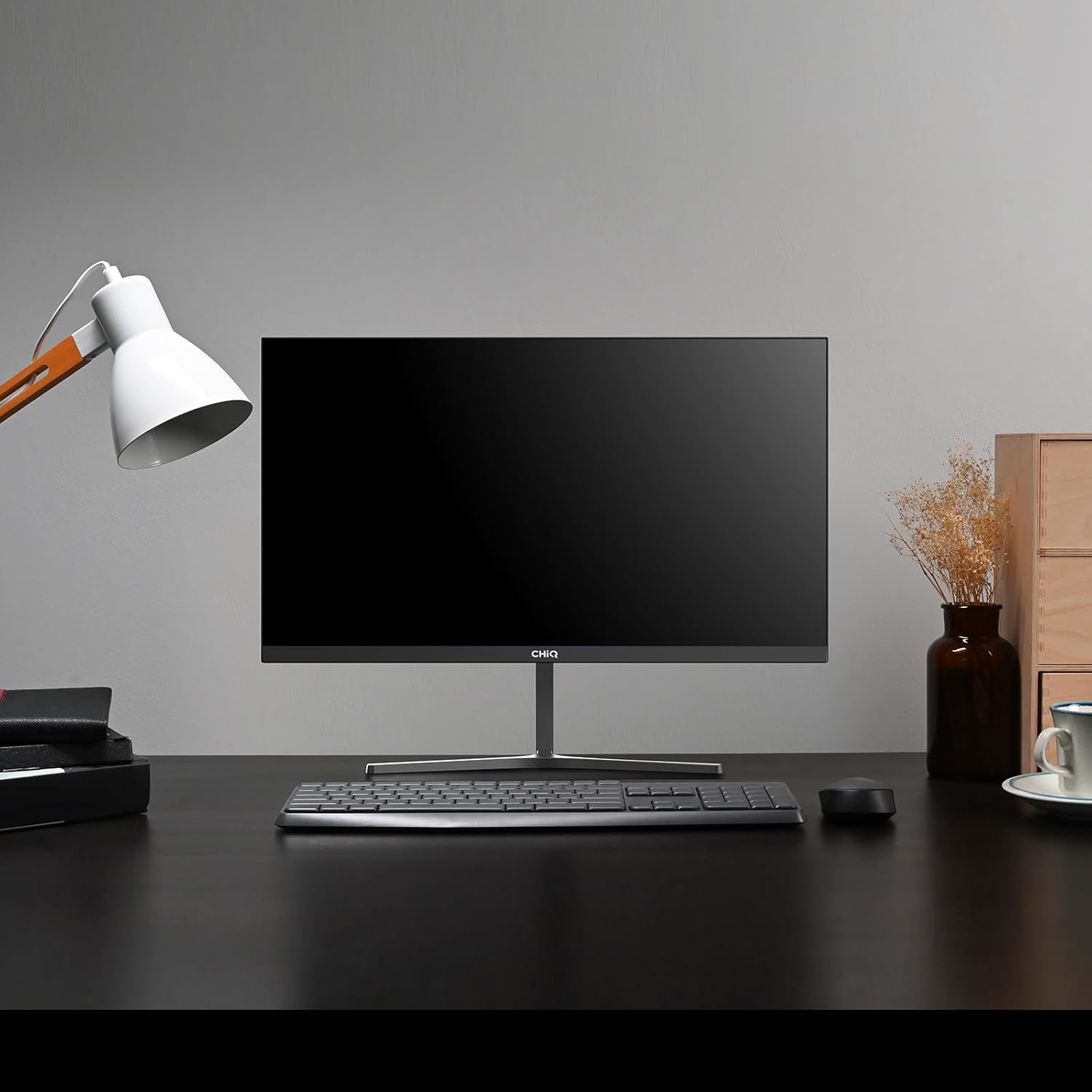
Image 1.1: The CHiQ 22F650 monitor set up on a desk.
The CHiQ 22F650 monitor features a 22-inch Full HD (1920 x 1080) display with a 100Hz refresh rate and AMD FreeSync technology for smooth visuals. Its ultra-thin, borderless design offers an immersive viewing experience, complemented by 100% sRGB color gamut and DC dimming for eye comfort.
2. Маълумот оид ба бехатарӣ
Please observe the following safety precautions to prevent damage to the monitor and ensure your safety:
- Мониторро ба борон, намӣ ё ҳарорати аз ҳад зиёд нагузоред.
- Дар атрофи монитор вентилятсияи дурустро таъмин кунед. Кушодани вентилятсияро манъ накунед.
- Танҳо адаптери барқ ва кабелҳои аз ҷониби истеҳсолкунанда пешниҳодшуда ё тавсияшуда истифода баред.
- Дар болои сими барқ аз гузоштани ашёи вазнин худдорӣ намоед.
- Агар монитор муддати тӯлонӣ истифода нашавад, сими барқро аз розетка ҷудо кунед.
- Кӯшиш накунед, ки мониторро худатон таъмир кунед. Ҳамаи хидматрасониро ба кормандони соҳибихтисос супоред.
3. Мундариҷаи баста
Боварӣ ҳосил кунед, ки ҳама ашё дар бастаи шумо мавҷуданд:
- CHiQ 22F650 Monitor
- Пойгоҳи монитор (поя ва гардан)
- Адаптери барқ ва кабел
- Кабели HDMI
- Дастури корбар (ин ҳуҷҷат)
4. Монтаж ва насб
4.1 Ҷойгиркунии стенд
- Мониторро бодиққат аз бастааш хориҷ кунед ва экранро муҳофизат кунед.
- Гардани стендро ба панели монитор пайваст кунед.
- Бо истифода аз винти додашуда пойгоҳи стендро ба гардани стенд мустаҳкам кунед.
The monitor features a quick detachable Y-shaped metal stand for easy assembly.
4.2 Пайваст кардани монитор
Connect the monitor to your computer or other devices using the available ports:
- HDMI: Сими HDMI-ро аз баромади HDMI-и компютери худ ба вуруди HDMI-и монитор пайваст кунед.
- VGA: Connect a VGA cable from your computer's VGA output to the monitor's VGA input.
- Аудио: Connect headphones or external speakers to the 3.5mm headphone output jack.
- Қувва: Connect the power adapter to the monitor's DC input and then plug it into a power outlet.

Image 4.1: Monitor connectivity ports (HDMI, VGA, Headphone Output).
4.3 Adjusting the Monitor Angle
The monitor's stand allows for tilt adjustment from +5° to -15° to achieve an optimal viewкунҷи дохилӣ.

Image 4.2: Monitor tilt adjustment and VESA mount points.
4.4 VESA Wall Mounting
The monitor is compatible with VESA 75x75mm wall mounts. To mount the monitor on a wall, remove the stand and attach a compatible VESA bracket (sold separately) to the mounting holes on the back of the monitor.
5. Дастурҳои истифодабарӣ
5.1 Фаъол кардан/хомӯш кардан
Барои фаъол ё хомӯш кардани монитор тугмаи барқро, ки дар қафои он ҷойгир аст, пахш кунед.
5.2 Менюи Намоиши экран (OSD).
The monitor features joystick-type buttons on the rear for navigating the OSD menu. Use these buttons to adjust various display settings:
- Равшанӣ/Контраст: Равшании умумӣ ва фарқияти байни минтақаҳои равшан ва торикро танзим кунед.
- Танзимоти ранг: Modify color temperature, gamma, and individual RGB values.
- Манбаи вуруд: Байни вуруди HDMI ва VGA дастӣ интихоб кунед.
- Ҳолати тасвир: Choose from preset display modes (e.g., Standard, Game, Movie).
- Аудио: Adjust volume for the headphone output.

Image 5.1: Visual features of the CHiQ 22F650 monitor, including 100% sRGB and DC Dimming.
5.3 Технологияи FreeSync
The CHiQ 22F650 monitor supports AMD FreeSync technology, which synchronizes the monitor's refresh rate with your graphics card's frame rate. This helps eliminate screen tearing and stuttering, providing a smoother gaming and viewing experience. FreeSync is typically enabled automatically when connected to a compatible AMD graphics card.
Video 5.1: This video demonstrates the smooth performance of the CHiQ 22F650 monitor, highlighting features like 100Hz refresh rate and FreeSync technology, and its ultra-thin design.
6. Нигоҳдорӣ
6.1 Тоза кардани монитор
- Пеш аз тоза кардан ҳамеша мониторро аз васлаки барқ ҷудо кунед.
- Аз матои мулоим ва бе-лин сабук истифода баред гampбо об ё тозакунандаи экрани ҳалим, ки абразив нест.
- Тозакунандаро бевосита ба экран напошед.
- Барои тоза кардани чанг ва доғҳо экранро хушхӯю хушк кунед.
- Барои монитор вasing, матои мулоими хушкро истифода баред.
6.2 Нигоҳдорӣ
If storing the monitor for an extended period, place it in its original packaging in a dry, cool environment to protect it from dust and damage.
7. Баррасии мушкилот
Агар шумо бо мониторатон мушкилот пайдо кунед, ба мушкилот ва роҳҳои ҳалли зерин муроҷиат кунед:
| Мушкилот | Сабаби эҳтимолӣ | Ҳалли |
|---|---|---|
| Ягон тасвир дар экран нест | Сими барқ ҷудо шудааст, сими видеоӣ канда/ҷудо шудааст, манбаи вуруди нодуруст интихоб шудааст. | Check power and video cable connections. Ensure the correct input source (HDMI/VGA) is selected in the OSD menu. |
| Тасвир норавшан ё таҳриф шудааст | Қарори нодуруст, сими видеоии ноқис. | Set the display resolution to 1920 x 1080. Try a different video cable. |
| Рангҳо нодурустанд | Color settings in OSD, faulty video cable. | Танзимоти рангро дар менюи экрани экран танзим кунед. Сими видеоии дигарро санҷед. |
| Митрак задани экран | Refresh rate mismatch, FreeSync issue, faulty cable. | Ensure your graphics card output matches the monitor's 100Hz refresh rate. Check FreeSync settings. Try a different video cable. |
| No audio from headphone output | Volume too low, incorrect audio output selected on computer. | Adjust volume in OSD. Ensure the monitor is selected as the audio output device on your computer. |
8. Мушаххасоти
Detailed technical specifications for the CHiQ 22F650 monitor:
| Хусусият | Мушаххасоти |
|---|---|
| Бренд | CHiQ |
| Рақами модел | 22F650 |
| Истеҳсолкунанда | Чангхон |
| Андозаи экран | 22 инч |
| Резолюция | FHD 1080p (1920 x 1080 пиксел) |
| Таносуби тараф | 16:9 |
| Сатҳи экран | Anti-glare / Anti-slip |
| Таносуби контраст | 3000:1 |
| Вақти ҷавоб | 6 миллисония |
| Меъёри навсозӣ | 100 Гц |
| Синхронизатсияи мутобиқшавӣ | FreeSync |
| Навъи намоиш | LCD |
| Viewкунҷи ангушт | 178 дараҷа |
| Равшанӣ | 250 candelas per square meter |
| Такмили тасвир | DC Dimming, Anti-glare coating |
| Андоза (D x W x H) | 13.9 х 49.3 х 37.7 см |
| Вазн | 1.92 килограмм |
| Пайвастшавӣ | 1x HDMI, 1x VGA, 1x Headphone Output |
| Кӯҳи VESA | Wall mount (75x75mm) |
| Ҷилдиtage | 220 вольт |
| Ранги | Сиёҳ |
Image 8.1: Product Information Sheet with technical data. For more details, visit the Пойгоҳи додаҳои EPREL.
Image 8.2: EU Energy Label for the CHiQ 22F650 monitor. For more details, visit the Пойгоҳи додаҳои EPREL.
9. Кафолат ва дастгирӣ
9.1 Маълумот дар бораи кафолат
CHiQ monitors are protected by a Кафолати 3 сол. Лутфан далели хариди худро барои даъвоҳои кафолат нигоҳ доред.
9.2 Дастгирии муштариён
If you encounter any problems or have questions regarding your CHiQ 22F650 monitor, please do not hesitate to contact CHiQ customer service. An online hotline managed by professional staff is available on weekdays to assist you.
Барои кӯмаки иловагӣ, лутфан ба CHiQ-и расмӣ муроҷиат кунед webба сайт муроҷиат кунед ё ба маълумоти тамосӣ, ки бо ҳуҷҷатҳои маҳсулоти шумо пешниҳод шудааст, муроҷиат кунед.