
THOKWOK TK-X4SC
THOKWOK TK-X4SC Motorcycle Bluetooth Headset User Manual
Model: TK-X4SC
1. Муқаддима
Thank you for choosing the THOKWOK TK-X4SC Motorcycle Bluetooth Headset. This device is designed to enhance your riding experience by providing seamless communication, entertainment, and navigation capabilities. Featuring advanced Bluetooth 5.1 technology, powerful noise cancellation, and a user-friendly LCD screen, the TK-X4SC allows for group intercom with up to 6 riders, music sharing, and hands-free calling. Please read this manual thoroughly to ensure proper installation, operation, and maintenance of your headset.

Image: Two TK-X4SC main units.
2. Дар қуттӣ чӣ мавҷуд аст
Боварӣ ҳосил кунед, ки ҳамаи ҷузъҳои зерин ба бастаи шумо дохил карда шудаанд:
- TK-X4SC Main Unit (x2)
- Headphone Cable & Charging Cable (x2)
- Boom Microphone & Button Microphone (x2 sets)
- Clamp with Screws & Velcro Clip (x2 sets)
- Дастури корбар (x1)
- Speaker Pad (x4)
- Аллен Калид (x2)

Image: All included components of the TK-X4SC Double Pack.
3. Маҳсулот ба охир расидview
The TK-X4SC features a compact design with an intuitive LCD screen and a rotating wheel for easy operation.

Image: LCD screen interface and its indicators.
3.1. Хусусиятҳои асосӣ
- Намоиши LCD: Provides clear information on battery status, current mode, and FM channel.
- Rotating Wheel: Allows for user-friendly volume adjustment and channel selection.
- Bluetooth 5.1: Пайвасти бесими устувор ва самаранокро таъмин мекунад.
- Бекор кардани садо: Advanced DSP and CVC technology for clear audio.
- IP67 обногузар: Барои муқовимат ба шароити гуногуни обу ҳаво тарҳрезӣ шудааст.

Тасвир: тамомview of TK-X4SC key features.
4. Насбкунӣ
Follow these steps to install the TK-X4SC headset on your helmet.
4.1. Choosing a Microphone
The TK-X4SC comes with two interchangeable microphones to suit different helmet types:
- Микрофони бумӣ: Recommended for open-face or flip-face (modular) helmets.
- Button Microphone: Барои кулоҳҳои пурраи рӯй тавсия дода мешавад.

Image: Microphone options for different helmet types.
4.2. Васл кардани агрегати асосӣ
- Усули насбро интихоб кунед: Use either the screw clamp or the adhesive velcro clip. The screw clamp offers a more secure attachment.
- Замимаи Clamp/Clip: Secure the chosen mounting accessory to the side of your helmet. Ensure it is firmly attached.
- Mount Main Unit: Slide the TK-X4SC main unit onto the mounted clamp or clip until it clicks into place.
4.3. Насби баландгӯякҳо ва микрофон
- Ҷойгиркунии баландгӯяк: Attach the speakers inside the helmet's ear pockets using the velcro pads. Ensure they are positioned directly over your ears for optimal sound.
- Ҷойгиркунии микрофон: Position the chosen microphone (boom or button) near your mouth, ensuring it is not obstructed.
- Кабелҳои пайвастшавӣ: Plug the speaker and microphone cables into the corresponding ports on the TK-X4SC main unit. Route cables neatly under the helmet padding.
5. Танзимот
5.1. Пуркунии дастгоҳ
Before first use, fully charge the TK-X4SC.
- Connect the charging cable to the TK-X4SC and a USB power source.
- The LCD screen will indicate charging status.
- Барои пур кардани барқ тақрибан 2.5 соат вақт мегирад.
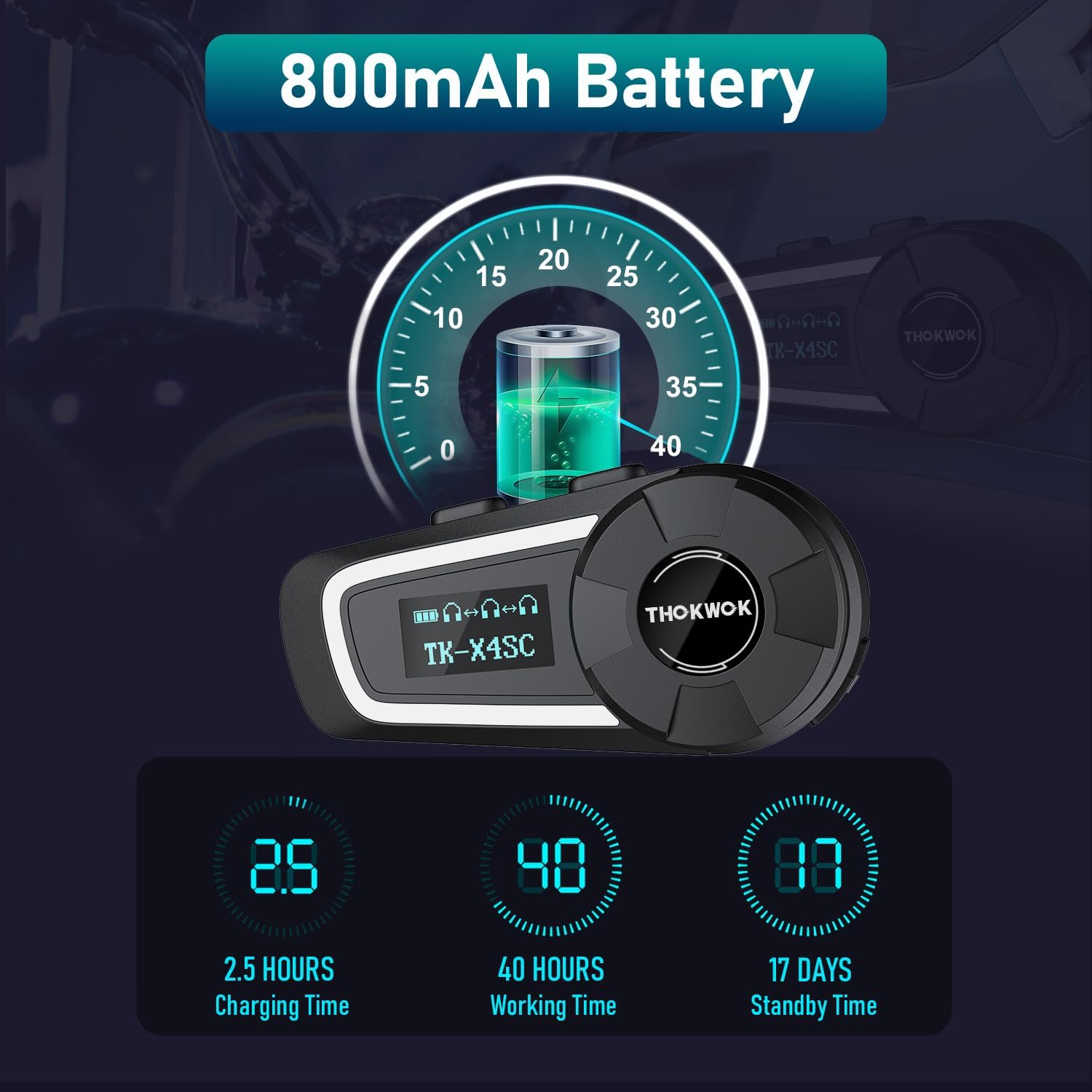
Тасвир: Муҳлати батарея ва маълумоти пуркунии барқ.
5.2. Initial Bluetooth Pairing with Mobile Device
- Фаъол: Тугмаи барқро то он даме, ки экрани LCD равшан мешавад, пахш кунед ва доред.
- Ҳолати ҷуфтшавӣ ворид кунед: Refer to the user manual for specific button combinations to enter Bluetooth pairing mode (usually indicated by a flashing Bluetooth icon on the LCD).
- Ҷустуҷӯ дар дастгоҳ: On your mobile phone or other Bluetooth device, search for available Bluetooth devices.
- Select TK-X4SC: Choose "TK-X4SC" from the list of found devices.
- Тасдиқи ҷуфтшавӣ: Once paired, the LCD will show a stable Bluetooth icon.
5.3. Universal Pairing
The TK-X4SC supports universal pairing with other brands of Bluetooth headsets. Follow the pairing instructions for both devices to establish a connection.

Image: Universal pairing and voice command features.
6. Дастурҳои истифодабарӣ
6.1. Фаъол/хомӯш
- Фаъол: Тугмаи барқро тақрибан 3 сония пахш карда нигоҳ доред.
- Хомӯш: Тугмаи барқро тақрибан 5 сония пахш карда нигоҳ доред.
6.2. Танзими баландии овоз
- Баланд бардоштани ҳаҷм: Rotate the wheel clockwise.
- Кам кардани ҳаҷм: Rotate the wheel counter-clockwise.
6.3. Алоқаи домофонӣ
The TK-X4SC supports group intercom for up to 6 riders, with an optimal performance for 4 units.
- Pairing Multiple Units: For one-click connection of up to four TK-X4SC units, refer to the detailed instructions in the included user manual.
- Интеркомро оғоз кунед: Press the Intercom button to start communication with paired riders.
- Домофони хотимавӣ: Барои хотима додани сӯҳбат тугмаи Интеркомро бори дигар пахш кунед.

Image: Group intercom capabilities and range.
6.4. Навозиш ва мубодилаи мусиқӣ
- Навозиш/таваффақ кардани мусиқӣ: Press the Multi-function button (refer to manual for exact button).
- Тренинги оянда / гузашта: Rotate the wheel or use specific buttons as per manual.
- Мубодилаи мусиқӣ: Two riders can enjoy the same song simultaneously. Follow the music sharing pairing instructions in the manual.

Image: Music sharing feature between two riders.
6.5. Зангҳои телефонӣ
- Ҷавоб ба занг: Тугмаи бисёрфунксионалиро пахш кунед.
- Занги хотимавӣ: Тугмаи бисёрфунксионалиро пахш кунед.
- Рад кардани занг: Тугмаи бисёрфунксияро пахш карда нигоҳ доред.
- Ёрдамчии овозӣ (Siri/Google Assistant): Double-press the Multi-function button to activate.
6.6. Радиои FM
- FM-ро фаъол/хомӯш кунед: Press the FM button (refer to manual).
- Каналҳои скан: Rotate the wheel to scan for stations.
7. Нигоҳдорӣ
7.1. Тозакунӣ
- Агрегати асосиро бо нарм пок кунед, гamp матоъ.
- Аз кимиёвии сахт ё тозакунандагони абразив истифода набаред.
- Пеш аз пур кардан ё пайваст кардани кабелҳо, боварӣ ҳосил кунед, ки ҳамаи портҳо хушк ҳастанд.
7.2. Нигоҳдорӣ
- Дастгоҳро дар ҷои хунук ва хушк нигоҳ доред, вақте ки истифода намешаванд.
- Аз ҳарорати аз ҳад зиёд канорагирӣ кунед.
- Charge the battery periodically if storing for extended periods to maintain battery health.

Тасвир: Хусусияти IP67 Обногузар.
8. Баррасии мушкилот
| Мушкилот | Ҳалли имконпазир |
|---|---|
| Дастгоҳ фаъол намешавад. | Боварӣ ҳосил кунед, ки батарея пур карда шудааст. Ба пуркунандаи барқ пайваст шавед ва бори дигар кӯшиш кунед. |
| Бо телефон/домофон пайваст кардан мумкин нест. |
|
| Овоз нест ё садои паст. |
|
| Пайвасти интерком ноустувор аст. |
|
| LCD screen not working. | Кӯшиш кунед, ки дастгоҳро бозоғоз намоед. Агар мушкилот боқӣ монад, бо дастгирии муштариён тамос гиред. |
9. Мушаххасоти
| Хусусият | Тафсилот |
|---|---|
| Номи модел | TK-X4SC |
| Версияи Bluetooth | 5.1 |
| Назорати садо | Бекоркунии фаъоли садо (DSP ва CVC) |
| Диапазони интерком | Up to 2000m (6 riders), 800m (2-way) |
| Интеркомҳои гурӯҳӣ | Up to 6 units (optimal for 4 units) |
| Иқтидори батарея | 800 мАч литий-ион |
| Вақти пуркунии барқ | тахминан. 2.5 соат |
| Вақти корӣ | Up to 40 hours (music or intercom) |
| Вақти интизорӣ | Up to 500 hours (approx. 17 days) |
| Муқовимат ба об | IP67 обногузар |
| Маърузачиён | Φ40mm Hi-Fi Stereo |
| Андозаҳо | 3.15 x 1.5 x 1.1 инч |
| Вазни ашё | 45 грамм (1.59 унсия) |
| Хусусиятҳои махсус | Built-in FM Radio, LCD Display Screen, Music Sharing, Universal Pairing, Voice Assistant |

Image: Speaker and battery details.
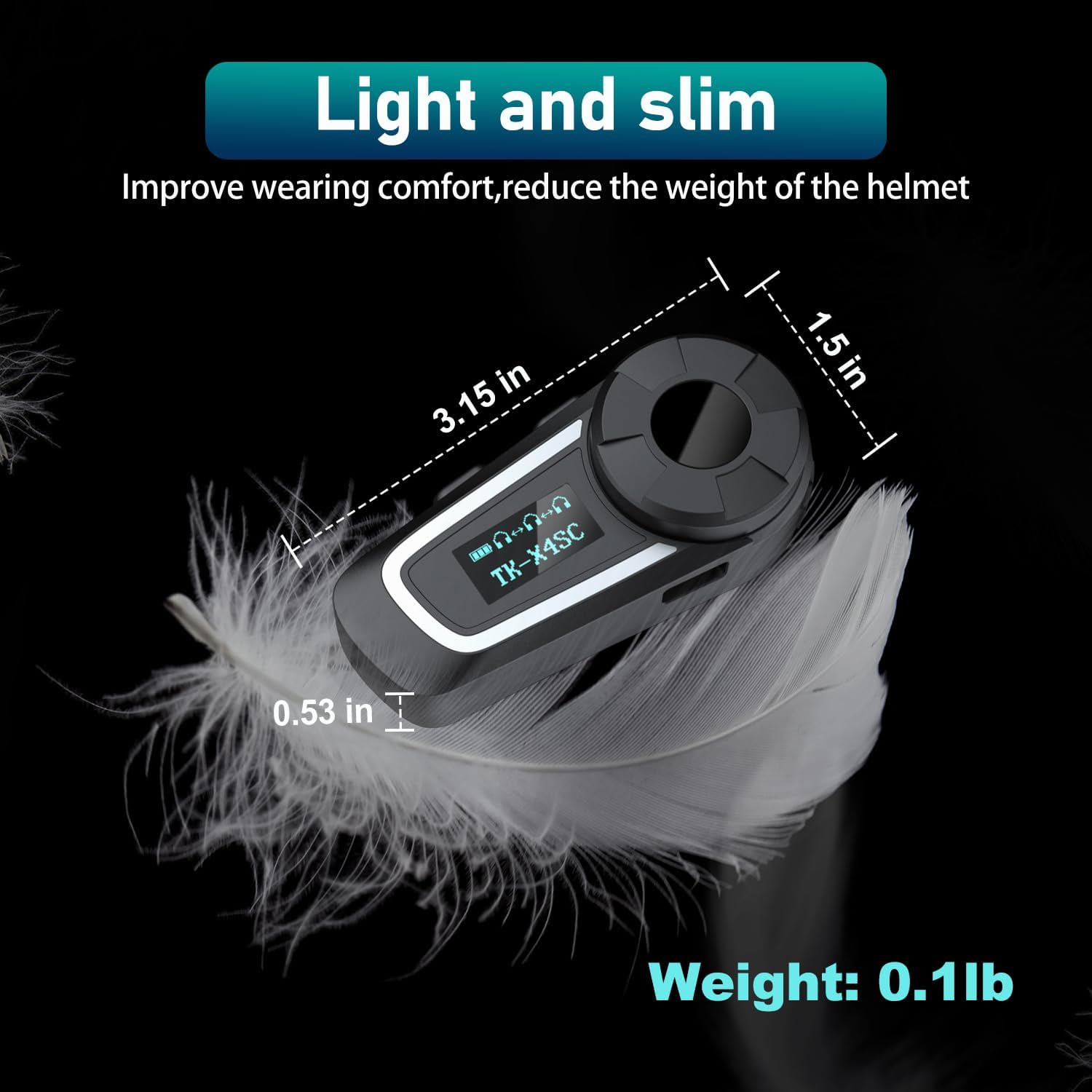
Image: Physical dimensions and weight of the TK-X4SC unit.
10. Маълумот оид ба бехатарӣ
- Always prioritize road safety. Do not operate the device in a way that distracts you from riding.
- Maintain appropriate volume levels to hear ambient sounds and traffic.
- Кӯшиш накунед, ки дастгоҳро ҷудо кунед ё тағир диҳед.
- Keep the device away from open flames or extreme heat.
- Батареяҳоро мувофиқи қоидаҳои маҳаллӣ партов кунед.
11. Кафолат ва дастгирӣ
For warranty information, technical support, or any inquiries regarding your THOKWOK TK-X4SC headset, please refer to the contact information provided with your purchase or visit the official THOKWOK webсайт.
Ask a question about this manual
Ask about setup, troubleshooting, compatibility, parts, safety, or missing instructions. Manuals+ will review the question and use this page’s manual context to help answer it.