
Муқаддима
Thank you for choosing the Edyell EH1 Bluetooth Motorcycle Helmet Headset. This device is designed to provide clear communication, music playback, and FM radio functionality while riding, enhancing your safety and enjoyment. Please read this manual carefully before use to ensure proper operation and to maximize the product's lifespan.
Мундариҷаи баста
Лутфан бастаро барои ҷузъҳои зерин тафтиш кунед:
- Edyell EH1 Bluetooth Helmet Headset Unit
- Микрофон (вобаста ба намуди кулоҳ, сими бумӣ ё нарм)
- Speakers (pair)
- Сими барқи USB Type-C
- Helmet Mounting Clips (clamp and adhesive base)
- Дастпӯшакҳои Velcro барои баландгӯякҳо ва микрофонҳо
- Дастури корбар
Маҳсулот ба охир расидview
The Edyell EH1 features an intuitive design with advanced functionalities for motorcycle riders.
Smart LED Screen and RGB Lights
The headset is equipped with an LED display that shows essential information such as battery capacity, Bluetooth pairing status, and FM channel. Dynamic RGB lights provide visual feedback and enhance the aesthetic.
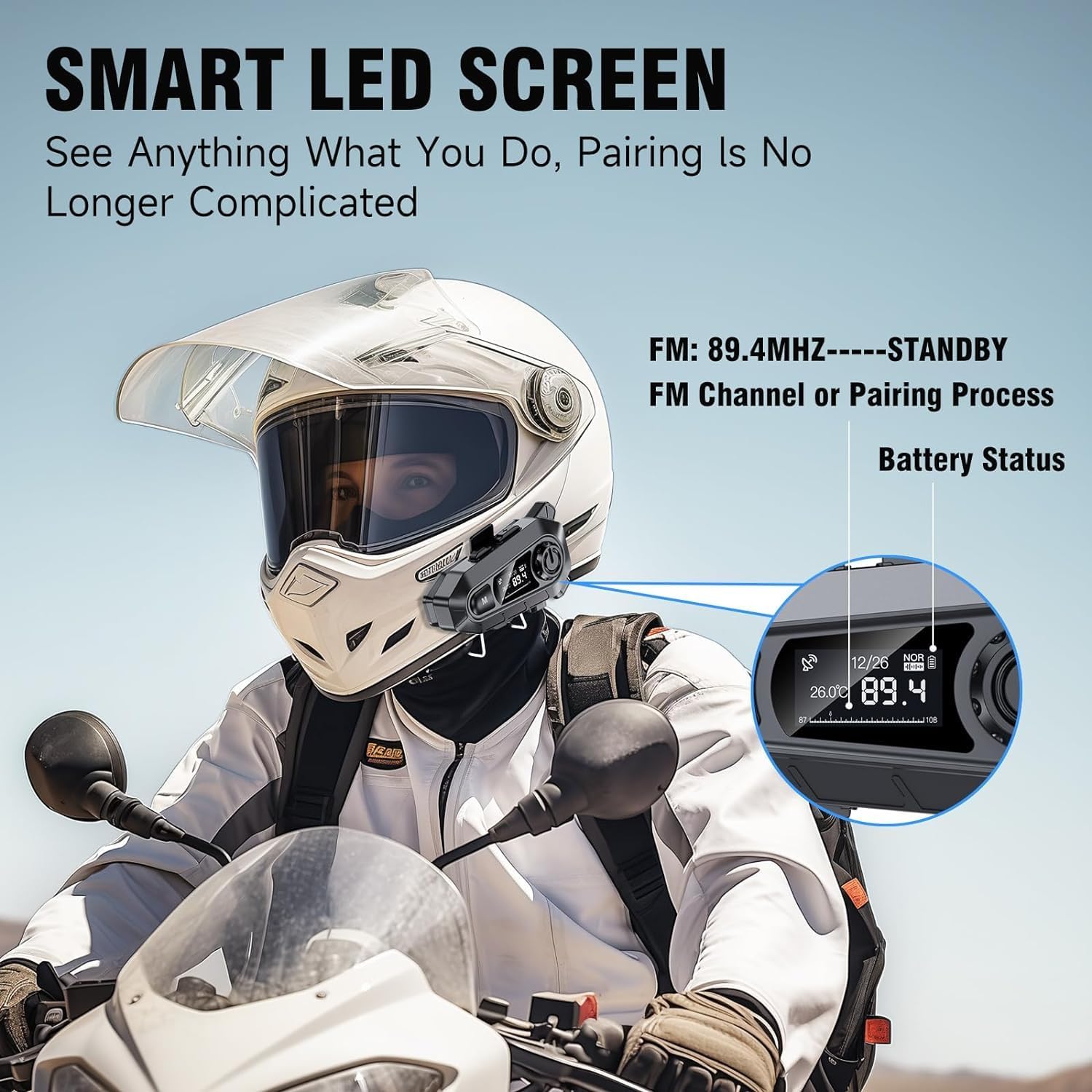
Тасвир: The Edyell EH1 headset mounted on a helmet, highlighting its smart LED screen which displays battery status, FM channel, and pairing information for easy monitoring.
High-Quality 50mm Speakers with ENC Noise Reduction
Experience superior audio quality with 50mm speakers, delivering enhanced volume and bass compared to standard 40mm speakers. Environmental Noise Cancellation (ENC) technology ensures clear audio even at high speeds.
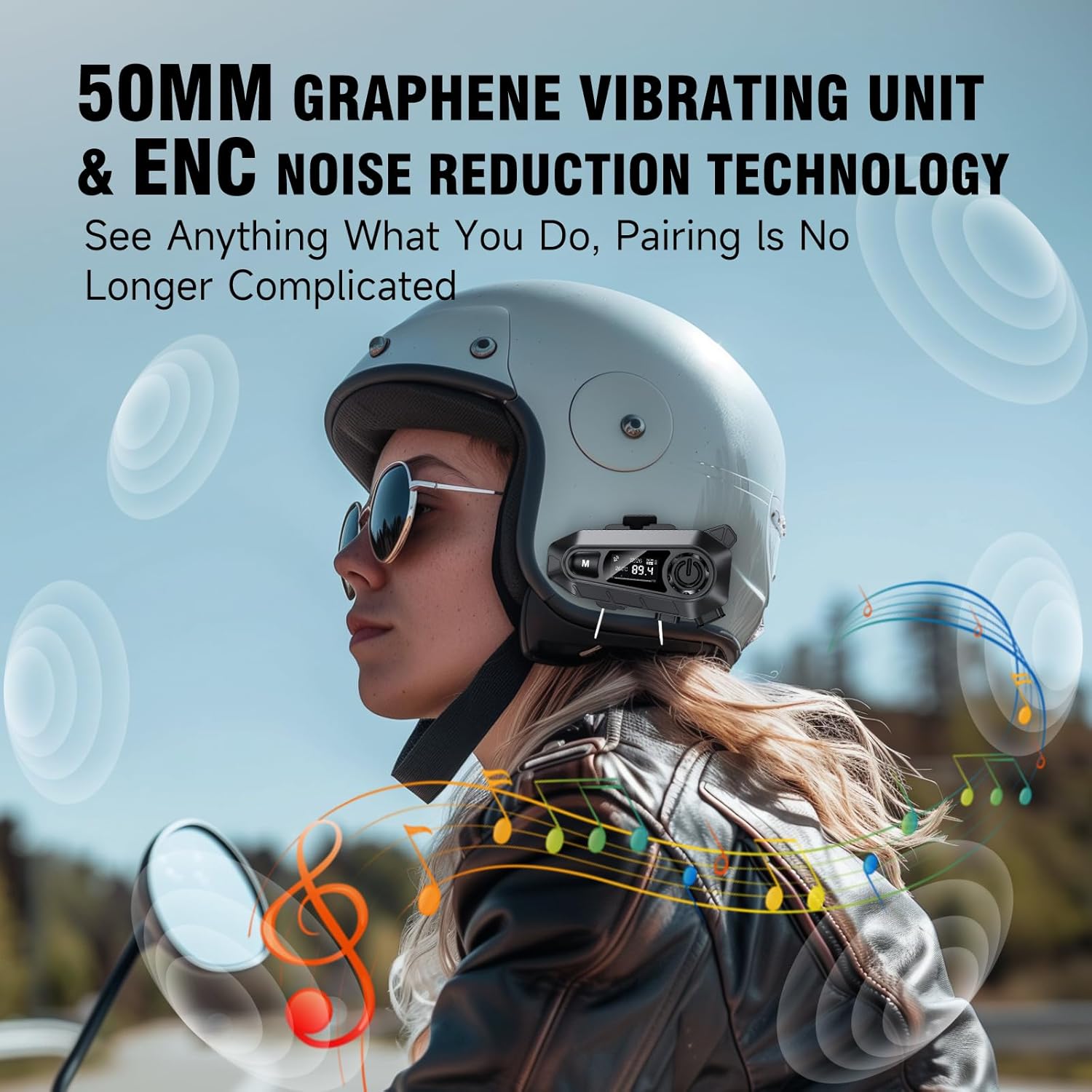
Тасвир: A rider wearing a helmet with the Edyell EH1 headset, illustrating the 50mm graphene vibrating unit and ENC noise reduction technology for high-quality audio and clear communication.
Батареяи дарозмуддат ва пуркунии зуд
Equipped with a 1000mAh battery, the EH1 provides up to 30 hours of music playback, 40 hours of talk time, and over 300 hours of standby time. The Type-C port allows for full charging in just 1.5 hours.

Тасвир: A close-up of the Edyell EH1 headset showing its Type-C fast charging port and indicating its 1000mAh battery capacity, with charging and usage times.
Automatic Call Answering and Voice Control
The headset automatically answers incoming calls within 10 seconds, allowing for hands-free communication. Activate your phone's voice assistant (Siri, Google Assistant) with a single button press for navigation, music control, and more.

Тасвир: A rider on a motorcycle demonstrating the voice assistant feature of the Edyell EH1 headset, showing prompts for "Previous song", "Open GPS", and "Hey Siri, Call Mike".
Universal Helmet Compatibility and IP67 Waterproof Rating
The Edyell EH1 is designed to be compatible with various helmet types. Its IP67 waterproof rating ensures durability and performance in diverse weather conditions.
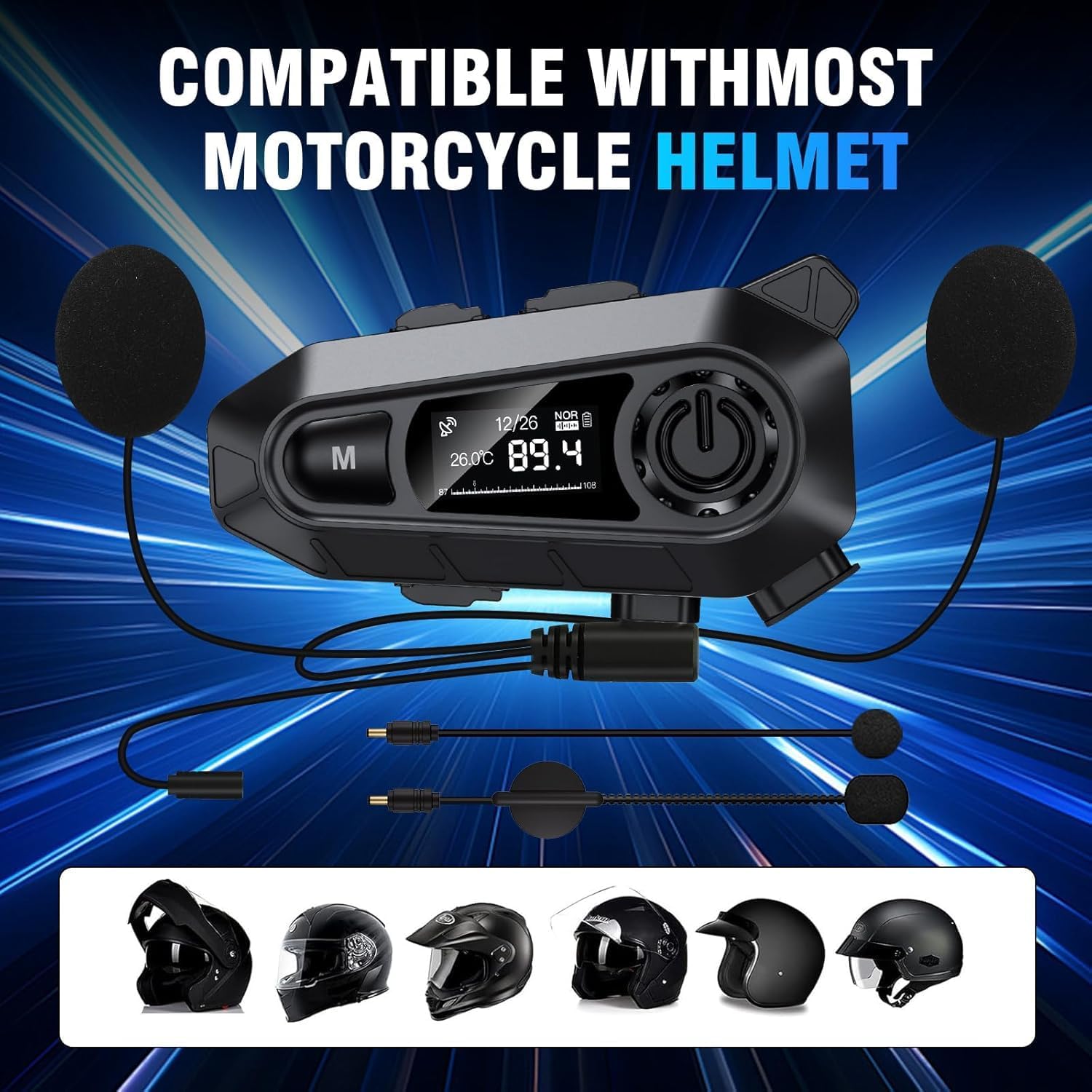
Тасвир: The Edyell EH1 headset with its speakers and microphone attachments, displayed alongside various helmet types to illustrate its broad compatibility.
Ташкил кардан
1. Пуркунии дастгоҳ
- Before first use, fully charge the headset.
- Connect the provided USB Type-C charging cable to the headset's charging port and to a USB power source (e.g., computer, wall adapter).
- The LED screen will indicate charging status. A full charge takes approximately 1.5 hours.
2. Installing on Your Helmet
The EH1 can be installed using either the clamp mount or the adhesive mount.
- Clamp Кӯҳ:
- Буридани иддао дар clamp васл кардан.
- cl-ро лағжонедamp between the outer shell and inner padding of your helmet on the left side.
- Tighten the screws to secure the clamp.
- Slide the EH1 main unit onto the clamp то он даме ки он ба ҷои худ клик кунад.
- Монтажи часпак:
- Минтақаи васлкунии дилхоҳро дар тарафи чапи кулоҳи худ тоза кунед.
- Плёнкаи муҳофизатиро аз васлкунии часпак канда гиред.
- Firmly press the adhesive mount onto the helmet for 30 seconds. Allow 24 hours for the adhesive to fully cure before attaching the main unit.
- Slide the EH1 main unit onto the adhesive mount until it clicks into place.
3. Насби баландгӯякҳо ва микрофон
- Attach the Velcro pads to the back of the speakers and inside the helmet's ear pockets.
- Place the speakers inside the helmet's ear pockets, ensuring they are aligned with your ears for optimal sound.
- Attach the microphone Velcro pad to the inside of the helmet near your mouth. Position the microphone for clear voice pickup, typically on the left side.
- Route the speaker and microphone wires neatly under the helmet padding to the main unit's ports.
- Connect the speaker and microphone cables to their respective ports on the EH1 main unit.
Дастурҳои амалиётӣ
Фаъол/хомӯш
- Фаъол: Press and hold the Power button (usually the central large button) for 3 seconds until the LED screen lights up and you hear a prompt.
- Хомӯш: Press and hold the Power button for 3 seconds until the LED screen turns off and you hear a prompt.
Ҷуфти Bluetooth
- With the device off, press and hold the Power button for approximately 5-7 seconds until the LED screen shows "Pairing" and the RGB lights flash.
- On your mobile phone, enable Bluetooth and search for "Edyell EH1".
- Select "Edyell EH1" to connect. Once paired, the LED screen will show "Connected" and the RGB lights will stop flashing.
Навозиши мусиқӣ
- Бозӣ/Таваққуф: Тугмаи барқро кӯтоҳ пахш кунед.
- Треки навбатӣ: Short press the "Next" button (often marked with a forward arrow).
- Track гузашта: Short press the "Previous" button (often marked with a backward arrow).
Идоракунии зангҳо
- Ҷавоб ба занг: The headset will automatically answer incoming calls after 10 seconds. You can also short press the Power button to answer immediately.
- Занги хотимавӣ: Ҳангоми занг задан тугмаи барқро кӯтоҳ пахш кунед.
- Рад кардани занг: Вақте ки занг ворид мешавад, тугмаи барқро 2 сония пахш карда нигоҳ доред.
- Рақами охирини такрорӣ: Double-press the Power button when not on a call.
Ёрдамчии овозӣ
- Ёвари Voice Voice -ро фаъол кунед: Short press the dedicated Voice Control button (often marked with a microphone icon or 'M' button). This will activate Siri or Google Assistant on your paired phone.
Радиои FM
- FM-ро фаъол/хомӯш кунед: Press and hold the 'M' button for 2 seconds to switch between Bluetooth and FM radio mode.
- Каналҳои скан: In FM mode, short press the Power button to automatically scan and save available stations.
- Истгоҳи ивазкунӣ: Short press the "Next" or "Previous" buttons to cycle through saved FM stations.
Назорати овоз
- Баланд бардоштани ҳаҷм: Short press the Volume Up button (often marked with '+').
- Кам кардани ҳаҷм: Short press the Volume Down button (often marked with '-').
Нигоҳдорӣ
- Тозакунӣ: нармро истифода баред, гamp cloth to clean the headset unit. Do not use harsh chemicals or abrasive cleaners.
- Таъсири об: While the device is IP67 waterproof, avoid prolonged submersion. Ensure the charging port cover is securely closed when not charging.
- Нигоҳдорӣ: Гӯшмонакро ҳангоми истифода нашудан дар ҷои хунук ва хушк нигоҳ доред. Аз ҳарорати аз ҳад зиёд худдорӣ намоед.
- Нигоҳубини батарея: To prolong battery life, charge the device regularly and avoid fully discharging it for extended periods.
Мушкилкушо
| Мушкилот | Ҳалли имконпазир |
|---|---|
| Дастгоҳ фаъол нест. | Боварӣ ҳосил кунед, ки батарея пур карда шудааст. Ба пуркунандаи барқ пайваст шавед ва бори дигар кӯшиш кунед. |
| Бо телефон пайваст кардан мумкин нест. |
|
| Аз баландгӯякҳо садо нест. |
|
| Микрофон кор намекунад. |
|
| FM radio not receiving stations. |
|
Мушаххасоти
| Хусусият | Тафсилот |
|---|---|
| Номи модел | Edyell EH1 (MBH-A1) |
| Бренд | Эдель |
| Технологияи пайвастшавӣ | Бесимӣ (Bluetooth) |
| Омили формаи гӯшмонак | On-Ear (Helmet Integrated) |
| Назорати садо | Бекоркунии садои фаъол (ENC) |
| Импеданс | 100 Ом |
| Иқтидори батарея | 1000 мАч |
| Вақти пуркунии барқ | тахминан. 1.5 соат |
| Вақти навозиши мусиқӣ | То 30 соат |
| Вақти гуфтугӯ | То 40 соат |
| Вақти интизорӣ | Зиёда аз 300 соат |
| Рейтинги обногузар | IP67 |
| Усули назорат | Ламс, Назорати овоз |
| Хусусиятҳои махсус | Sweatproof, Smart LED Screen, FM Radio, RGB Lights |
Кафолат ва дастгирӣ
The Edyell EH1 Bluetooth Motorcycle Helmet Headset comes with a Кафолати 15-моҳа from Edyell India. If you encounter any quality issues with your product, please contact Edyell customer service for assistance. Our dedicated support team is always ready to help you with any queries or concerns.
For warranty claims or technical support, please refer to the contact information provided on the Edyell official webсайт ё ҳуҷҷатҳои хариди шумо.