
1. Муқаддима
Ташаккур ба шумо барои харидasing the Tomzon A24W Mini Drone. This manual provides detailed instructions for safe operation, setup, and maintenance of your drone. Please read this manual thoroughly before use to ensure proper function and to maximize your flying experience.

Image: A family enjoying the Tomzon A24W mini drone, highlighting its appeal for both children and adults.
2. Дар қуттӣ чӣ мавҷуд аст
The Tomzon A24W Mini Drone package includes the following items:
- Бадани дрон
- 3 x Батареяҳо
- Сими пуркунандаи USB
- Пропеллерхои эхтиётй
- Japanese Instruction Manual (User Manual)
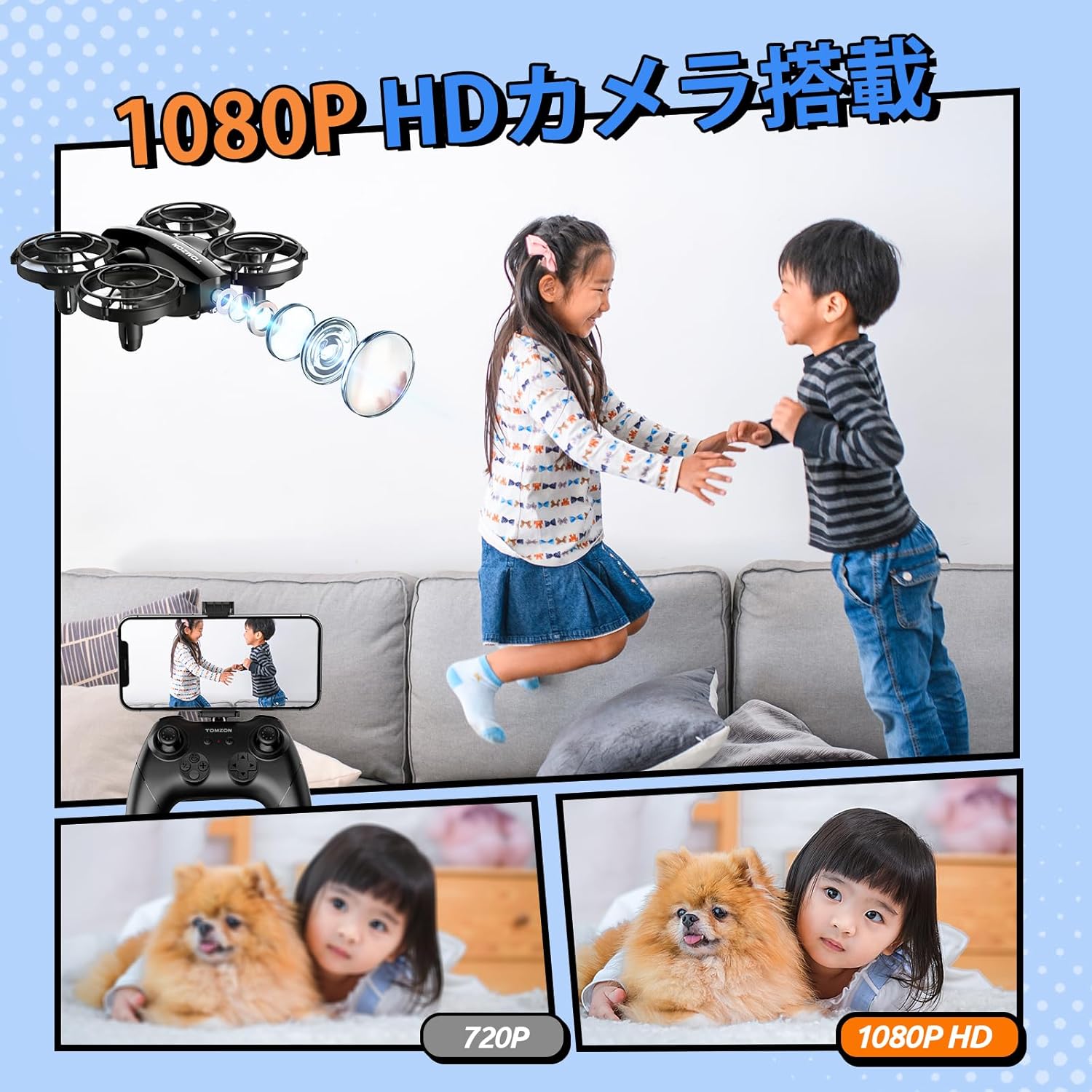
Image: The Tomzon A24W drone, remote controller, and three batteries, laid out as included in the package.
3. Хусусиятҳои маҳсулот
- 1080P Camera: Capture high-quality photos and videos from the air.
- Мӯҳлати парвози тамдидшуда: Three included batteries provide a total of 24 minutes of continuous flight (8 minutes per battery).
- Infrared Battle Mode: Engage in exciting aerial battles with other A24 series drones.
- Beginner-Friendly Functions: Hand-toss takeoff, one-key takeoff/landing, headless mode, and altitude hold for easy control.
- Якчанд режимҳои парвоз: Enjoy 3-speed adjustment, 3D flips, high-speed rotation, and circle flight.
- 360° Propeller Guard: Ensures safety for both the drone and users, absorbing impact during collisions.
- Тарҳрезии сабук: Weighs less than 100g, requiring no registration.
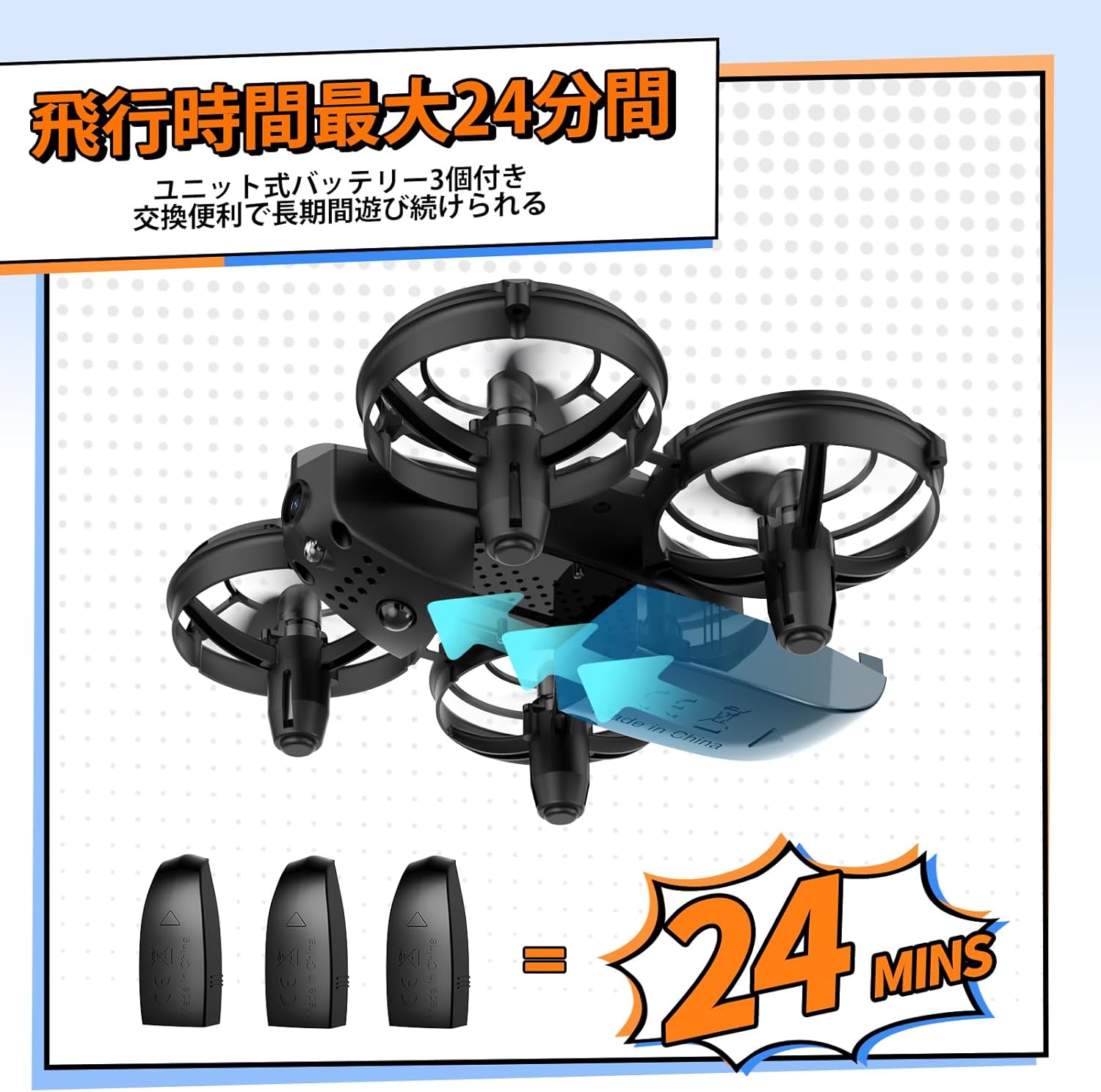
Image: The drone with its three batteries, emphasizing the extended flight duration.

Image: A child with the drone, demonstrating its safe and child-friendly design.
4. Танзимот
4.1 Controller and Drone Pairing
- Insert your smartphone into the controller's phone holder.
- Turn on the drone's power. The drone's lights will flash red.
- Turn on the controller's power.
- The drone will automatically connect to the controller.
Video: Demonstrates how to pair the drone with its controller and connect to the mobile application.
4.2 Пайвастшавӣ ба барнома
- Open your smartphone's settings.
- Navigate to Wi-Fi settings.
- Connect to the Wi-Fi network named "Tomzon_A24W_xxxxxx".
- Open the FlyCam app. The app will indicate successful connection.
4.3 Калибрченкунии дрон
- After pairing, short press the calibration button on the controller.
- The drone will automatically calibrate.
5. Амалиёти асосӣ
5.1 Takeoff Methods
- Парвози яккалидӣ: Short press the 'Takeoff' button on the controller. The drone will automatically ascend and hover.
- Парвози дастӣ: Simultaneously push both joysticks inward at a 45-degree angle to start the motors. Then, push the left joystick up to take off.
- Hand-Toss Takeoff: Hold the drone in your hand and gently toss it forward. The drone will automatically take off and hover.

Image: Demonstrates hand-toss takeoff and the drone's battle function.
Video: Shows three different takeoff methods: one-key takeoff, manual takeoff, and hand-toss takeoff.
5.2 Фуруд
To land the drone, short press the 'Landing' button on the controller. The drone will automatically descend and land.
5.3 Altitude Hold
The drone features an altitude hold function, allowing it to maintain a stable height for easier control.
5.4 Танзими суръат
The drone offers 3-speed levels (low, medium, high) to suit different skill levels and flying environments.

Image: Visual guide to the drone's beginner-friendly features.
6. Амали камера
6.1 Аксбардорӣ
- Тавассути барнома: In the FlyCam app interface, tap the camera icon to take a photo.
- Тавассути контроллер: Short press the designated photo button on the controller to capture an image.
Video: Demonstrates how to take photos and record videos using both the app and the controller.
6.2 Сабти видео
- Тавассути барнома: In the FlyCam app interface, tap the video recording icon to start/stop recording.
- Тавассути контроллер: Long press the designated video button on the controller to start recording. Short press again to stop.
7. Вазифаҳои махсус
7.1 3D Flip
Short press the 'Flip' button on the controller, then push the direction joystick to perform a 360-degree flip in the desired direction (available within the first 5 minutes of flight in stable conditions).
7.2 Парвози даврӣ
Short press the 'Circle Flight' button on the controller. The drone will automatically fly in a circular path.
7.3 Ротатсияи баландсуръат
Short press the 'Rotation' button on the controller. The drone will automatically rotate at high speed.
7.4 Battle Mode
The drone is equipped with an infrared device for battle. Short press the 'Attack' button on the controller to attack another drone. A hit drone will shake left and right, and its lights will flash.

Image: Visual guide to the drone's special flight functions.
Video: Demonstrates 3D flip, circle flight, high-speed rotation, and battle mode.
8. Safety Precautions & Usage Notes
- Насби пропеллер: Ensure propellers are installed correctly according to A and B markings.
- Motor Check: Before flight, verify that no foreign objects (e.g., hair) are entangled in the motors.
- Пуркунии батарея: Charge drone batteries using the included USB cable and a 5V/1A AC adapter. Do not restart the drone immediately after a low battery shutdown; fully charge before next use.
- Нигоҳдории батарея: Store batteries in a cool, dry environment below 35°C. For storage longer than two weeks, ensure batteries are fully charged.
- Батареяҳои назораткунанда: Use 1.5V AAA batteries of the same type for the controller.
- Намӣ: Avoid placing the product in humid environments to prevent rust and malfunction.
- Муҳити фаъолият: This product uses the 2.4GHz band and is susceptible to Wi-Fi interference. Operate in spacious indoor areas.

Image: A visual summary of important usage notes for the drone.
9. Нигоҳдорӣ
- Regularly inspect propellers for damage and replace if necessary.
- Keep the drone clean and free from dust and debris.
- Store the drone and accessories in a safe, dry place when not in use.
10. Баррасии мушкилот
Агар шумо бо ягон мушкилот рӯ ба рӯ шавед, лутфан ба мушкилоти умумӣ ва роҳҳои ҳалли зерин муроҷиат кунед:
| Мушкилот | Сабаби эҳтимолӣ | Ҳалли |
|---|---|---|
| Дрон фаъол нест. | Батарея пур карда нашудааст ё дуруст гузошта нашудааст. | Боварӣ ҳосил кунед, ки батарея пурра пур шудааст ва дуруст ҷойгир карда шудааст. |
| Drone does not pair with controller. | Тартиби нодурусти ҷуфткунӣ ё халалрасонӣ. | Follow pairing steps carefully. Ensure no strong Wi-Fi interference. |
| Парвози ноустувор. | Drone not calibrated or damaged propellers. | Perform calibration. Check and replace damaged propellers. |
| Камера кор намекунад. | App not connected or camera malfunction. | Ensure app is connected to drone Wi-Fi. Contact support if issue persists. |
11. Мушаххасоти
| Мушаххасоти | Тафсилот |
|---|---|
| Бренд | Томзон |
| Номи модел | A24W |
| Ҳалли самаранок | 2 MP (1080P) |
| Технологияи пайвастшавӣ | Вай-фай |
| Вазни ашё | 33 грамм |
| Формати сабти видео | MP4 |
| Навъи назорат | Назорати дурдаст |
| Технологияи алоқаи бесим | Инфрасурх |
| Таркиби ҳуҷайраҳои батарея | Иони литий |
| Технологияи сенсорҳои оптикӣ | CMOS |
| Навъи медиа | MicroSD |
| Андозаҳои маҳсулот (L x W x H) | 8.4 х 11.8 х 15.2 см |
12. Кафолат ва дастгирӣ
Tomzon strives to be a trusted company for its customers. Your purchase includes a 2-year warranty from the date of purchase. If you have any questions regarding operation or experience battery issues, please feel free to contact us.
Почтаи электронии тамос: support.jp@tomzontoys.com

Image: Tomzon's commitment to customer support, showing 24-hour response, 2-year warranty, and contact details.