
Муқаддима
Welcome to the user manual for your new Oilsky M1 128GB Bluetooth 5.4 MP3 Player. This guide provides essential information on how to set up, operate, and maintain your device, ensuring you get the best experience from its advanced features. Please read this manual thoroughly before using the product.
Хусусиятҳои маҳсулот
- Пайвастшавӣ ба Bluetooth 5.4: Enjoy a more stable connection and extended range with Bluetooth 5.4. The device features a Bluetooth memory function for automatic reconnection upon startup, optimizing power consumption and battery life.
- Аудиои баландсифат: Equipped with a professional digital noise reduction chip, this MP3 player delivers high-quality audio. It supports various common audio formats including MP3, WMA, APE, FLAC, WAV, and AAC. Organize your music by title, folder, artist, or album.
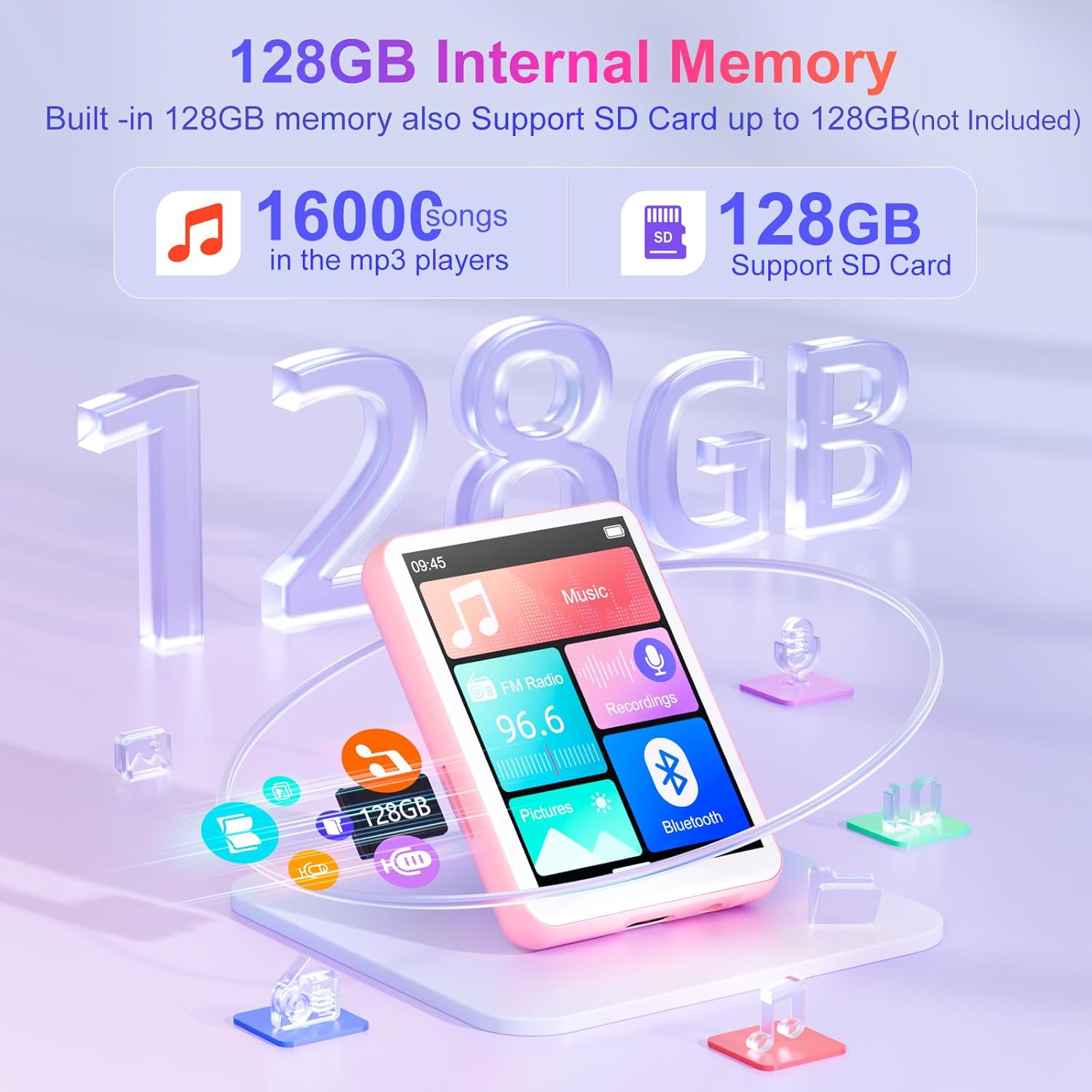
- Generous 128GB Internal Memory: The Oilsky M1 comes with 128GB of built-in memory, capable of storing approximately 16,000 lossless quality songs. It also includes a Micro-SD card slot, supporting expansion up to an additional 128GB (Micro-SD card not included).
- Multi-functional Device: Featuring a 2.4-inch touch screen for quick function selection, this MP3 player offers a range of features including music playback, FM radio, voice recorder, e-book reader, photo viewer, alarm clock, folder management, and calendar. It supports 29 languages, including English, German, French, Italian, and Spanish.
- Long-lasting 300mAh Battery: Enjoy up to 50 hours of lossless music playback on a single charge. The device fully recharges in approximately 2 hours, making it an ideal companion for travel or sports enthusiasts.
- Эзоҳ муҳим: This device cannot connect to mobile phones or car audio systems via Bluetooth.
Дар қуттӣ чӣ ҳаст
Боварӣ ҳосил кунед, ки ҳама ашё дар баста мавҷуд аст:
- 1x Oilsky M1 MP3 Player
- 1х кабели барқгирии USB
- 1х Гӯшмонакҳо
- 1x Дастури корбар
- 1x Парвандаи муҳофизатӣ
- 1х Ланёр

Ташкил кардан
1. Пуркунии дастгоҳ
Before first use, fully charge your MP3 player. Connect the provided USB cable to the device's charging port and the other end to a USB power adapter (not included) or a computer's USB port. The battery indicator on the screen will show charging status.
2. Фаъол/хомӯш
- Барои фаъол кардан: То даме ки экран равшан шавад, тугмаи барқро пахш кунед ва доред.
- Барои хомӯш кардани барқ: Press and hold the power button until the power-off options appear, then select 'Power Off'.
3. Initial Language Selection
Upon first startup, you may be prompted to select your preferred language. Follow the on-screen instructions to choose from the available languages.
Дастурҳои амалиётӣ
Навигатсияи асосӣ
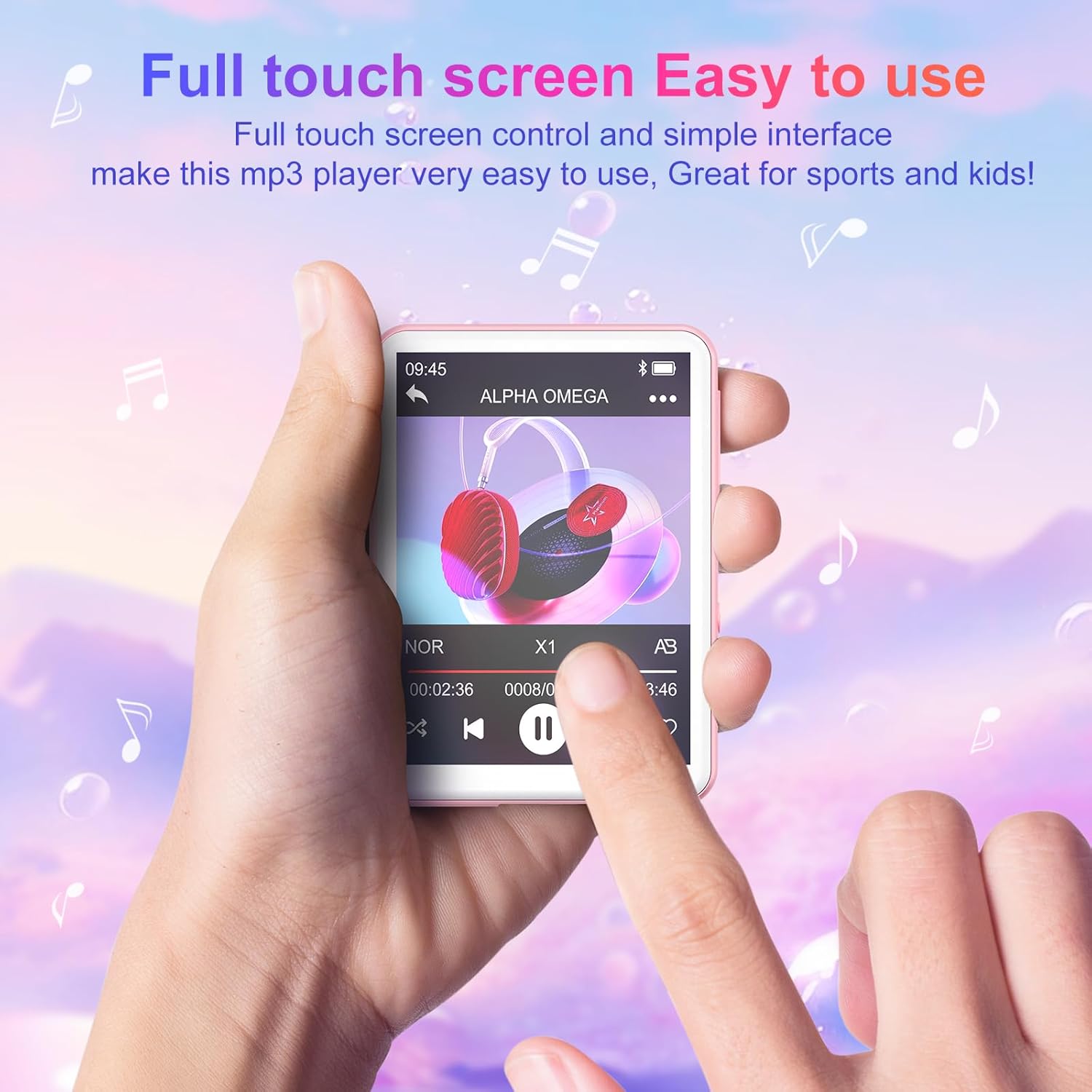
The Oilsky M1 features a 2.4-inch full touch screen for intuitive navigation. Swipe left/right or up/down to browse menus and tap icons to select functions. Use the back arrow icon to return to the previous screen.
Навозиши мусиқӣ
- Интиқоли мусиқӣ: Connect the MP3 player to your computer using the USB cable. The device will appear as a removable disk. Drag and drop your music files (MP3, WMA, APE, FLAC, WAV, AAC) into the 'Music' folder on the device.
- Навозиши мусиқӣ: From the main menu, tap the 'Music' icon. You can browse your songs by title, artist, album, or folder. Tap a song to begin playback.
- Назоратҳо: Use the on-screen controls for play/pause, next/previous track, volume adjustment, and repeat modes.

Пайвасти Bluetooth
Барои пайваст шудан ба гӯшмонакҳо ё баландгӯякҳои Bluetooth:
- Боварӣ ҳосил кунед, ки гӯшмонакҳо/баландгӯякҳои Bluetooth-и шумо дар ҳолати ҷуфтшавӣ қарор доранд.
- On the MP3 player, go to the main menu and tap the 'Bluetooth' icon.
- Turn Bluetooth 'On'. The device will scan for available devices.
- Select your desired device from the list to pair. Once paired, the device will automatically reconnect when turned on, if the paired device is within range.

Радиои FM
To use the FM Radio function, connect the wired earphones (included) as they act as the antenna. From the main menu, tap the 'FM Radio' icon. You can auto-scan for stations or manually tune.
Сабткунандаи овоз
Tap the 'Recordings' icon from the main menu. Use the on-screen controls to start, pause, and save recordings. The built-in microphone captures clear audio.
Хонандаи китоби электронӣ
Transfer TXT format e-books to the device. Tap the 'E-book' icon to access your library and read on the 2.4-inch screen.
Сурат Viewer
Transfer JPEG or BMP image files to the device. Tap the 'Pictures' icon to view суратхои шумо.
Соати зангдор
Set alarms by tapping the 'Alarm' icon. You can customize alarm times and sounds.

Идоракунии нигаҳдорӣ
The Oilsky M1 comes with 128GB of internal storage. If you require more space, you can insert a Micro-SD card (up to 128GB, not included) into the designated slot. The device will automatically detect the external storage, allowing you to manage files across both internal and external memory.
Мушаххасоти
| Рақами модел | M1 |
| Бренд | Ойлский |
| Андозаи экран | 2.4 инч |
| Технологияи намоиш | Шишаи ламсӣ |
| Технологияи пайвастшавӣ | Ёрдамчӣ, Bluetooth 5.4, USB |
| Иқтидори нигаҳдории дохилӣ | 128 ГБ |
| Хотираи васеъшаванда | Micro SD (то 128 ГБ) |
| Supported Audio Standards | MP3, WMA, APE, FLAC, WAV, AAC |
| Навъи батарея | 1 Литий-полимер (дохил) |
| Мӯҳлати миёнаи батарея | То 50 соат (навозиши мусиқӣ) |
| Вақти пуркунии барқ | тахминан. 2 соат |
| Вазни ашё | 63.5 грамм |
| Андозаҳои ашё (L x W x H) | 7 x 5 x 1 centimeters (approx. 2.75 x 1.98 x 0.4 inches) |
| Хусусияти махсус | Спикери дарунсохт |
| Дастгоҳҳои мувофиқ | Personal Computer, Headphones, Smartphone (for file интиқол) |
Мушкилкушо
- Дастгоҳ фаъол нест: Ensure the device is fully charged. If the battery is depleted, connect it to a power source and allow it to charge for at least 10 minutes before attempting to power on again.
- Cannot connect to Bluetooth devices: Ensure both the MP3 player's Bluetooth and the target device's Bluetooth are enabled and in pairing mode. Remember, this MP3 player cannot connect to mobile phones or car audio systems via Bluetooth.
- Овоз нест: Check the volume level. Ensure earphones are properly connected if not using Bluetooth. If using Bluetooth, ensure the device is correctly paired and connected to your audio output.
- Fileс пайдо намешавад: Мусиқиро таъмин кунед files are in supported formats (MP3, WMA, APE, FLAC, WAV, AAC) and transferred to the correct folders. For e-books, ensure they are in TXT format.
- Device frozen or unresponsive: Тугмаи барқро тақрибан 10-15 сония пахш карда нигоҳ доред, то бозоғозро маҷбур созед.
Маълумот оид ба бехатарӣ
- Дастгоҳро ба ҳарорати аз ҳад зиёд, нурҳои бевоситаи офтоб ё намии баланд нагузоред.
- Аз партофтан ё дучори таъсири сахти дастгоҳ худдорӣ намоед.
- Дастгоҳро аз об ва дигар моеъҳо дур нигоҳ доред.
- Барои пур кардани барқ танҳо сими USB-ро истифода баред.
- Дастгоҳро худатон ба қисмҳо ҷудо кунед ё таъмир накунед. Барои кӯмак бо дастгирии мизоҷон тамос гиред.
- Listening to audio at high volumes for extended periods can cause hearing damage.
Кафолат ва дастгирӣ
For any questions or concerns regarding your Oilsky M1 MP3 Player, please do not hesitate to contact our customer support. We are committed to providing excellent service and will be happy to assist you.
Manufacturer's warranty information is available upon request or from the point of purchase.
Маҳсулот ба охир расидview Видео
Видео: Ба охир расидview showcasing the Oilsky M1 MP3 Player's features, including Bluetooth connectivity, 128GB storage, touch screen interface, and multi-functional capabilities.