
Муқаддима
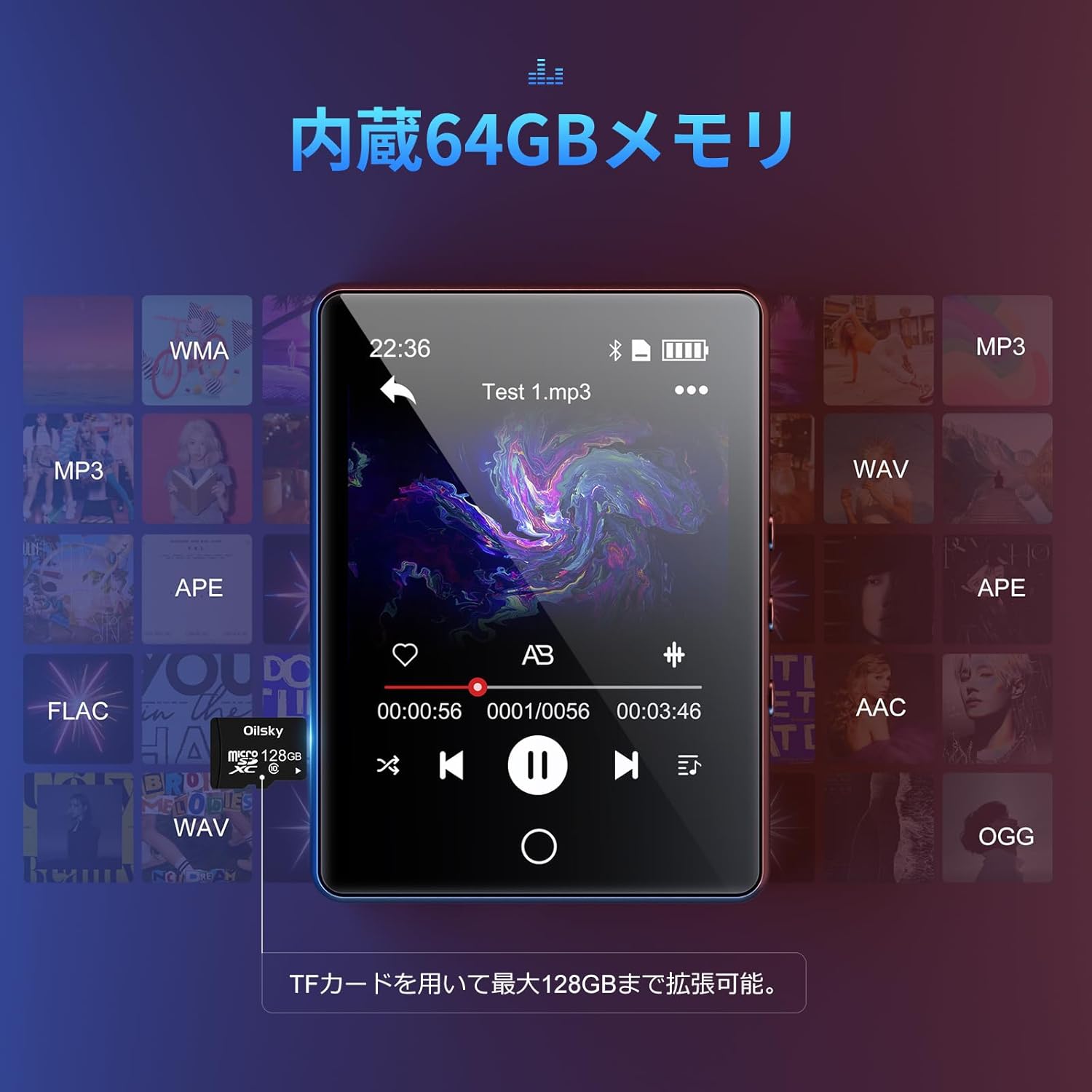
Ташаккур ба шумо барои харидasing the Oilsky D26 MP3 Player. This device combines a 2.8-inch full touchscreen with Bluetooth 5.0 connectivity, a built-in speaker, and a robust alloy design. It offers 64GB of internal storage, expandable up to 128GB with a microSD card, and supports various audio formats. This manual provides essential information for setup, operation, and maintenance to ensure optimal performance.
Мундариҷаи баста
Лутфан бастаро барои ҷузъҳои зерин тафтиш кунед:
- Oilsky D26 MP3 Player Unit
- Гӯшмонакҳо
- Кабели USB Type-C
- Дастури дастурӣ
- Парвандаи муҳофизатӣ

Агар ягон ашё гум ё вайрон бошад, лутфан бо дастгирии мизоҷон тамос гиред.
Маҳсулот ба охир расидview
The Oilsky D26 MP3 Player features a sleek alloy design with a 2.8-inch full touchscreen for intuitive navigation. It includes a home button for easy return to the main menu.

Ташкил кардан
1. Пуркунии дастгоҳ
Before first use, fully charge the MP3 player. Connect the provided Type-C USB cable to the player's charging port and the other end to a USB power adapter (not included) or a computer's USB port. The battery indicator on the screen will show charging status.
2. Inserting a microSD Card (Optional)
The device has 64GB of internal storage. To expand storage up to 128GB, insert a microSD card into the designated slot. Ensure the card is inserted correctly until it clicks into place.

3. Интиқол Files
Connect the MP3 player to your computer using the Type-C USB cable. The device will appear as a removable disk. You can then drag and drop audio files (MP3, WMA, APE, FLAC, AAC, WAV, OGG) into the player's internal storage or the inserted microSD card.
Дастурҳои амалиётӣ
1. Навигатсияи асосӣ
The D26 features a 2.8-inch full touchscreen. Tap icons to select functions and swipe to navigate menus. The physical home button at the bottom allows you to return to the main menu from any application.

2. Бозикунии мусиқӣ
Tap the 'Music' icon on the main screen to access your audio library. The player supports various formats including MP3, WMA, APE, FLAC, AAC, WAV, and OGG, ensuring high-quality audio playback with minimal loss.
3. Пайвасти Bluetooth
The D26 features Bluetooth 5.0 for stable wireless connections. To pair with Bluetooth headphones or speakers:
- Ба "Танзимот" равед ва "Bluetooth" -ро интихоб кунед.
- Bluetooth-ро фаъол созед ва дастгоҳҳои мавҷударо ҷустуҷӯ кунед.
- Select your Bluetooth headphones or speaker from the list to pair.
Шарҳ: This device can only pair with Bluetooth headsets or speakers. It cannot pair with mobile phones, cars, or computers. Ensure you are in an area free from strong electromagnetic interference to maintain a stable Bluetooth connection.

4. Радиои FM
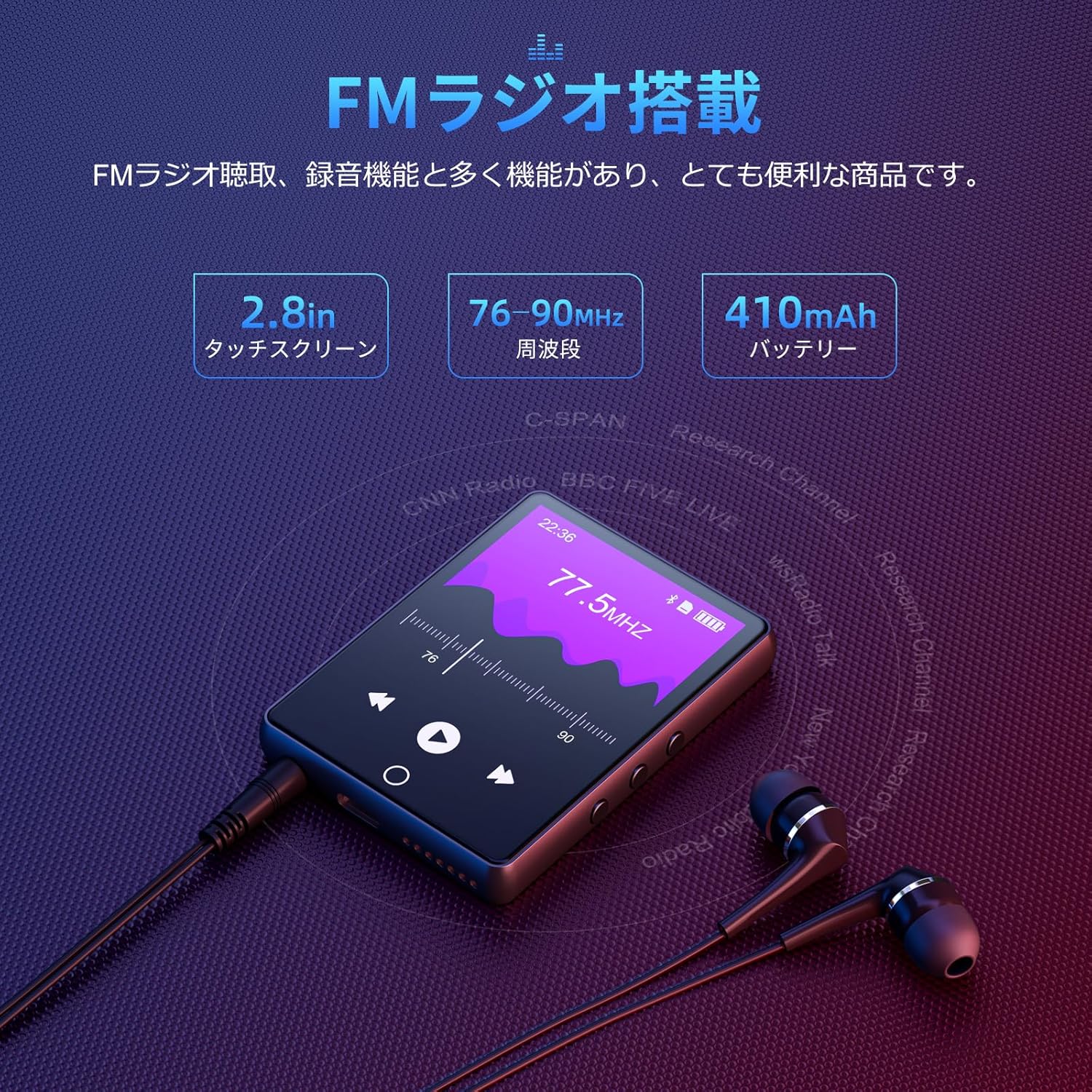
To use the FM radio function, connect the wired earphones (included) as they act as the antenna. Tap the 'FM Radio' icon on the main screen. You can then scan for stations and listen to broadcasts.
5. Функсияи сабт
The D26 includes a recording function, useful for lectures, meetings, or personal notes. Tap the 'Record' icon to start and stop recordings. Recorded files are saved on the device.

6. Дигар вазифаҳо
The device also includes additional utilities such as a timer, calendar, and calculator. Access these features from the main menu.

Нигоҳдорӣ
- Дастгоҳро хушк нигоҳ доред. Аз таъсири намӣ ё моеъ худдорӣ кунед.
- Экран ва корпусро бо матои нарм ва хушк тоза кунед. Аз тозакунандаҳои абразивӣ истифода набаред.
- Аз ҳарорати аз ҳад зиёд канорагирӣ кунед.
- Дастгоҳро худатон ба қисмҳо ҷудо кунед ё таъмир накунед.
Мушкилкушо
Дастгоҳ фаъол нест:
- Боварӣ ҳосил кунед, ки дастгоҳ пурра пур карда шудааст.
- Тугмаи барқро барои чанд сония пахш карда нигоҳ доред.
Тавассути Bluetooth пайваст шуда наметавонад:
- Ensure Bluetooth is enabled on both the player and the receiving device (headphones/speaker).
- Make sure the receiving device is in pairing mode.
- Confirm that you are attempting to pair with a compatible device (Bluetooth headphones or speakers only).
- Move away from potential sources of electromagnetic interference.
Овоз нест:
- Сатҳи овозро тафтиш кунед.
- Ensure earphones are properly connected or Bluetooth device is paired and connected.
- Test with different earphones or Bluetooth device.
Fileбозӣ намекунад:
- Боварӣ ҳосил кунед, ки аудио file format is supported (MP3, WMA, APE, FLAC, AAC, WAV, OGG).
- Таъмин кунед fileс вайрон нашудааст.
Мушаххасоти
| Хусусият | Мушаххасоти |
|---|---|
| Рақами модел | D26 |
| Бренд | Ойлский |
| Андозаи экран | 2.8 инч |
| Технологияи намоиш | LCD |
| Захираи дохилӣ | 64 ГБ |
| Захираи васеъшаванда | То 128 ГБ тавассути корти microSD |
| Пайвастшавӣ | Bluetooth 5.0 |
| Форматҳои аудио дастгирӣшаванда | MP3, WMA, APE, FLAC, AAC, WAV, OGG |
| Дигар Функсияҳо | FM Radio, Built-in Speaker, Recording, Calculator, Timer, Calendar |
| Андозаҳо | 14.7 х 14.6 х 1.9 см |
| Вазн | 200 гр |
Кафолат ва дастгирӣ
This product comes with a standard manufacturer's warranty. For specific warranty details, please refer to the warranty card included in your package or contact the seller directly. If you encounter any issues or have questions regarding your Oilsky D26 MP3 Player, please reach out to our customer support team for assistance.
Маълумот барои тамос: Please refer to the contact details provided on the product packaging or the seller's information page.