
Муқаддима
This manual provides essential information for the setup, operation, and maintenance of your PowerA Enhanced Wireless Controller, featuring the unique Pikachu vs. Gengar design. This officially licensed controller is designed to enhance your gaming experience on Nintendo Switch, Nintendo Switch Lite, and Nintendo Switch (OLED Model) consoles.
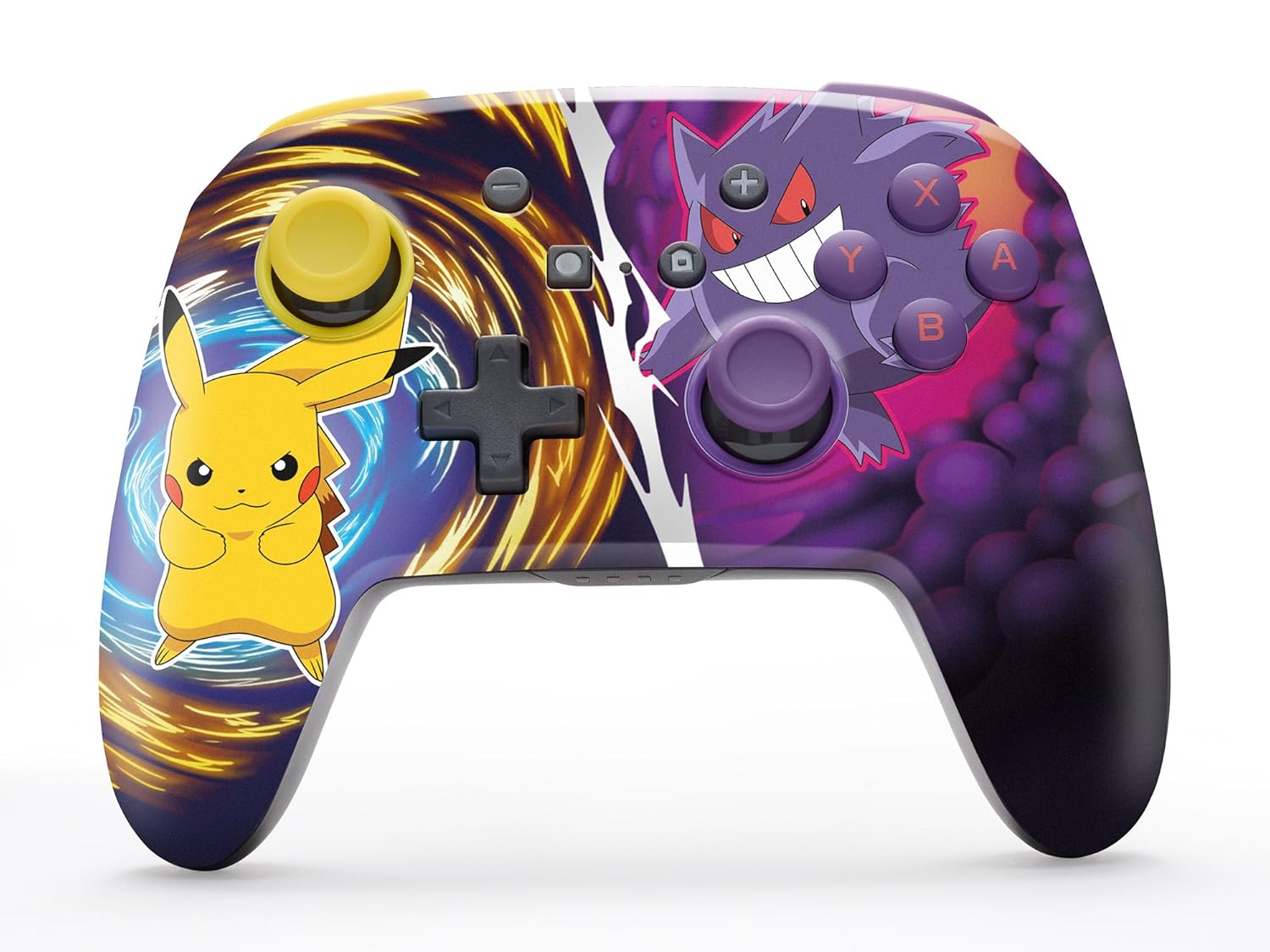
The PowerA Enhanced Wireless Controller with Pikachu vs. Gengar artwork.
Хусусиятҳои асосӣ
- Пайвасти бесим: Utilizes Bluetooth 5.0 technology for a stable connection.
- Батареяи барқгиранда: Integrated lithium-ion battery provides up to 30 hours of gameplay per charge.
- Тугмаҳои бозиҳои пешрафтаи хариташаванда: Two programmable buttons on the back for custom control.
- Тарҳрезии эргономикӣ: Superior ergonomics for extended comfortable gaming sessions.
- Smooth Thumbstick Control: Embedded anti-friction rings ensure precise and fluid movement.
- Назорати ҳаракат: Supports intuitive motion controls for compatible games.

Ergonomic design for comfortable gameplay.
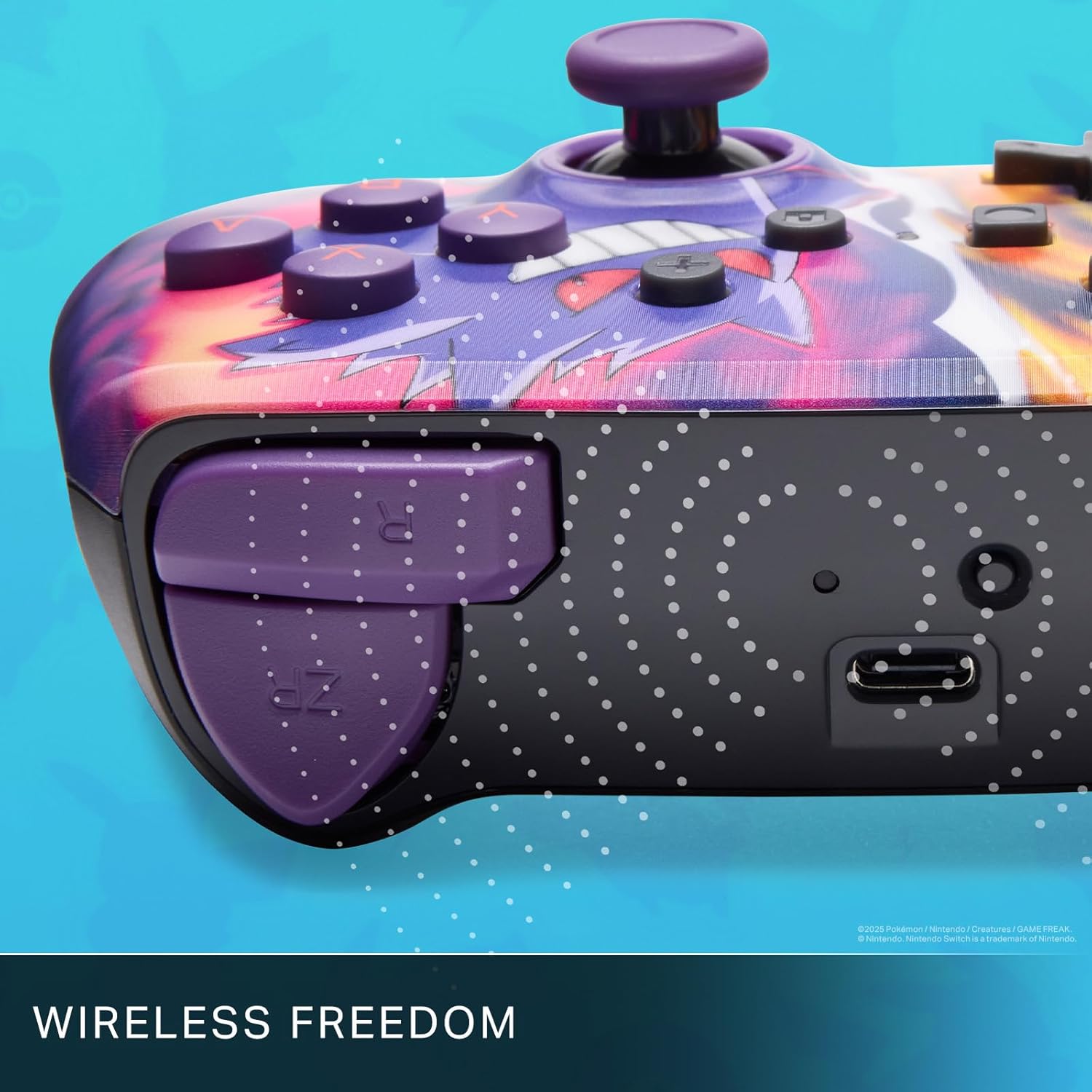
Enjoy wireless freedom with Bluetooth 5.0 technology.
Танзим ва пайвастшавӣ
- Боварӣ ҳосил кунед, ки консоли Nintendo Switch-и шумо фаъол аст ва ба нармафзори охирини система навсозӣ шудааст.
- Аз Менюи HOME ро интихоб кунед Назоратчиён, пас Тағйир Grip / Тартиби.
- -ро пахш карда нигоҳ доред Тугмаи SYNC on the top edge of your PowerA Enhanced Wireless Controller for at least one second. The Player LED(s) will flash.
- Пас аз ҷуфт кардан, LED(ҳо)-и плеер, ки ба рақами контроллер мувофиқанд, фурӯзон боқӣ мемонанд.
- -ро пахш кунед Тугма to confirm and exit the menu. Your controller is now ready for use.
Пур кардани контроллер
The controller features an internal 900mAh lithium-ion rechargeable battery, providing up to 30 hours of gameplay on a single charge. To charge your controller:
- Connect the included 10ft (3m) USB-C charge cable to the USB-C port on the top of the controller.
- Connect the other end of the USB-C cable to a USB power source (e.g., Nintendo Switch dock, USB wall adapter, or computer USB port).
- The LED indicator on the controller will show charging status. It will typically turn off or change color when fully charged.

Connect the USB-C cable to charge your controller.
Тугмаҳои бозикунии пешрафта
Your PowerA Enhanced Wireless Controller includes two mappable Advanced Gaming Buttons (AGBs) on the back, allowing you to assign specific button functions for quick access during gameplay.
Programming AGBs:
- -ро пахш кунед Тугмаи барнома on the back of the controller. The Program LED will flash, indicating programming mode.
- Press the button you wish to map (A/B/X/Y/L/R/ZL/ZR/Left Stick Click/Right Stick Click/D-Pad). The Program LED will flash rapidly.
- Press the Advanced Gaming Button (AGB L or AGB R) you want to assign the function to. The Program LED will stop flashing, indicating the AGB is now programmed.
Resetting AGBs:
To reset all Advanced Gaming Buttons to their default (no function) state, press and hold the Тугмаи барнома for five seconds. The Program LED will flash slowly, then turn off, confirming the reset.
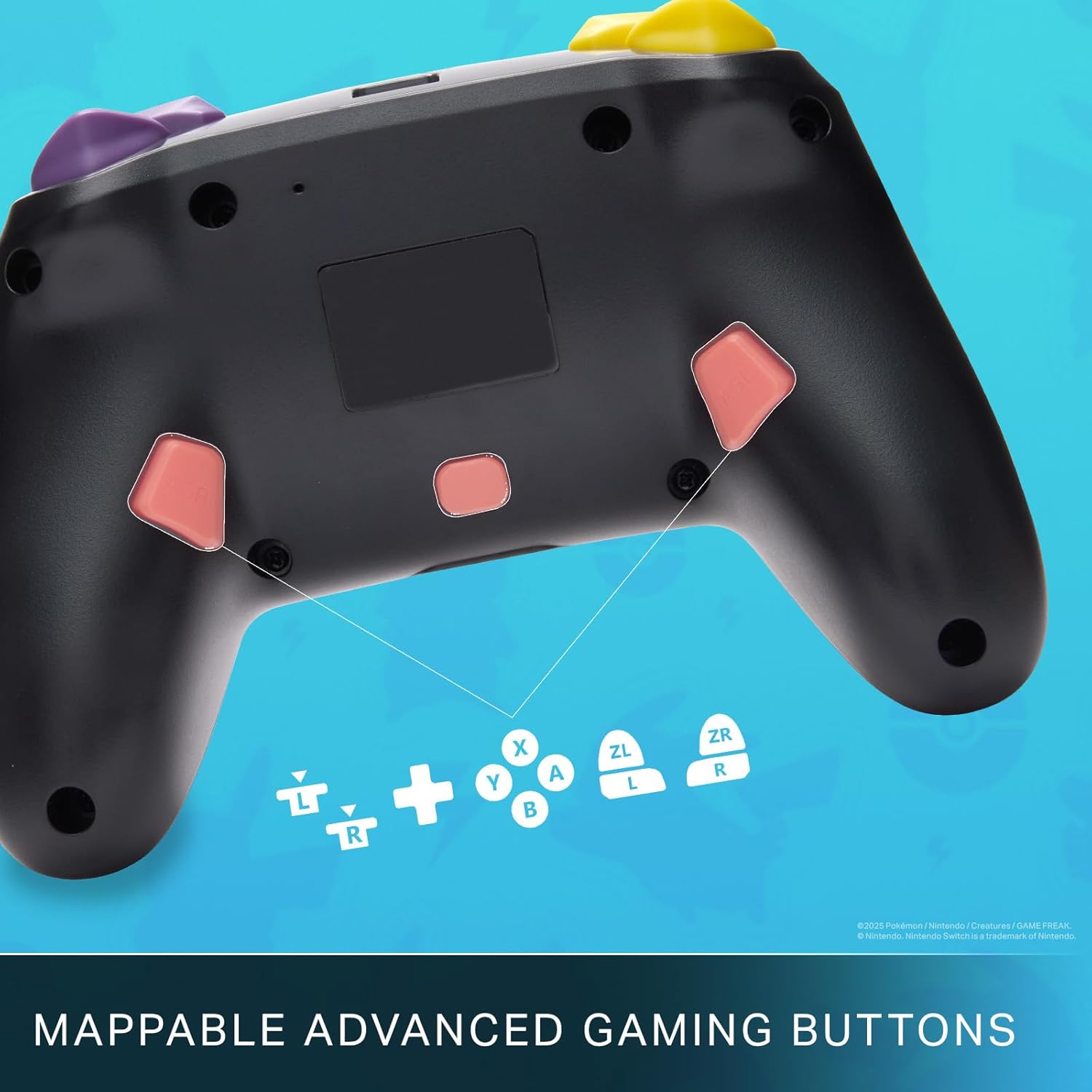
Mappable Advanced Gaming Buttons for personalized control.
Мутобиқати
This PowerA Enhanced Wireless Controller is compatible with the following Nintendo consoles:
- Гузариш Nintendo
- Nintendo Switch Lite
- Nintendo Switch (OLED Model)
- Nintendo Switch 2 (Note: C button not available)

The controller is compatible with Nintendo Switch 2, though the C button functionality is not available.
Мушаххасоти
| Хусусият | Тафсилот |
|---|---|
| Дастгоҳҳои мувофиқ | Гузариш Nintendo |
| Навъи назораткунанда | Gamepad |
| Технологияи пайвастшавӣ | Bluetooth, USB |
| Хусусиятҳои иловагӣ | Эргономикӣ, бесим |
| Миқдори тугма | 12 |
| Платформаи сахтафзор | Консоли бозиҳо |
| Манбаи нерӯ | Батареяи барқгиранда (литий-ионҳои барқгиранда) |
| Моделҳои мувофиқи консолҳои видеоӣ | Nintendo Switch, Nintendo Switch Lite |
| Вазни ашё | 0.68 фунт |
| Андозаҳои ашё | 6.02 x 4.41 x 2.48 инч |
| Ранги | Pikachu vs Gengar |
| Номи модел | Pikachu vs. Gengar |
| Рақами модел | NSGP0420-01R |
Нигоҳубин ва нигоҳдорӣ
- Keep the controller dry. Avoid exposure to moisture or extreme temperatures.
- Контроллерро бо матои нарм ва хушк тоза кунед. Аз маводи кимиёвии сахт ё маводҳои абразивӣ истифода набаред.
- Ҳангоми истифода нашудан, контроллерро дар ҷои бехатар нигоҳ доред, то аз вайроншавӣ пешгирӣ кунед.
Мушкилкушо
Контроллер пайваст нест:
- Боварӣ ҳосил кунед, ки контроллер пурра пур шудааст.
- Verify the controller is within the Bluetooth range of your Nintendo Switch console.
- Attempt to re-pair the controller following the "Setup and Pairing" instructions.
Тугмаҳо/ҷойстикҳои ҷавобнадода:
- Дар атрофи тугмаҳо ё джойстикҳо ягон монеаҳои ҷисмонӣ ё партовҳоро тафтиш кунед.
- Perform a hard reset by holding the SYNC button for 10 seconds, then attempt to re-pair.
- Ensure the controller's firmware is up to date (check PowerA's official webсайт барои навсозӣ).
Кафолат ва дастгирӣ
This PowerA Enhanced Wireless Controller comes with a Кафолати маҳдуди дусола. For detailed warranty information, product support, and troubleshooting assistance, please visit the official PowerA support webсайт: