
1. Маҳсулот ба охир расидview
The Uniden USB-C to RJ11 Power Cord is designed to provide a reliable power connection for your Uniden radar detector. This cable allows you to power your radar detector using a modern USB-C port, commonly found in newer vehicles, offering a clean and convenient alternative to traditional cigarette lighter adapters or complex hardwire installations.
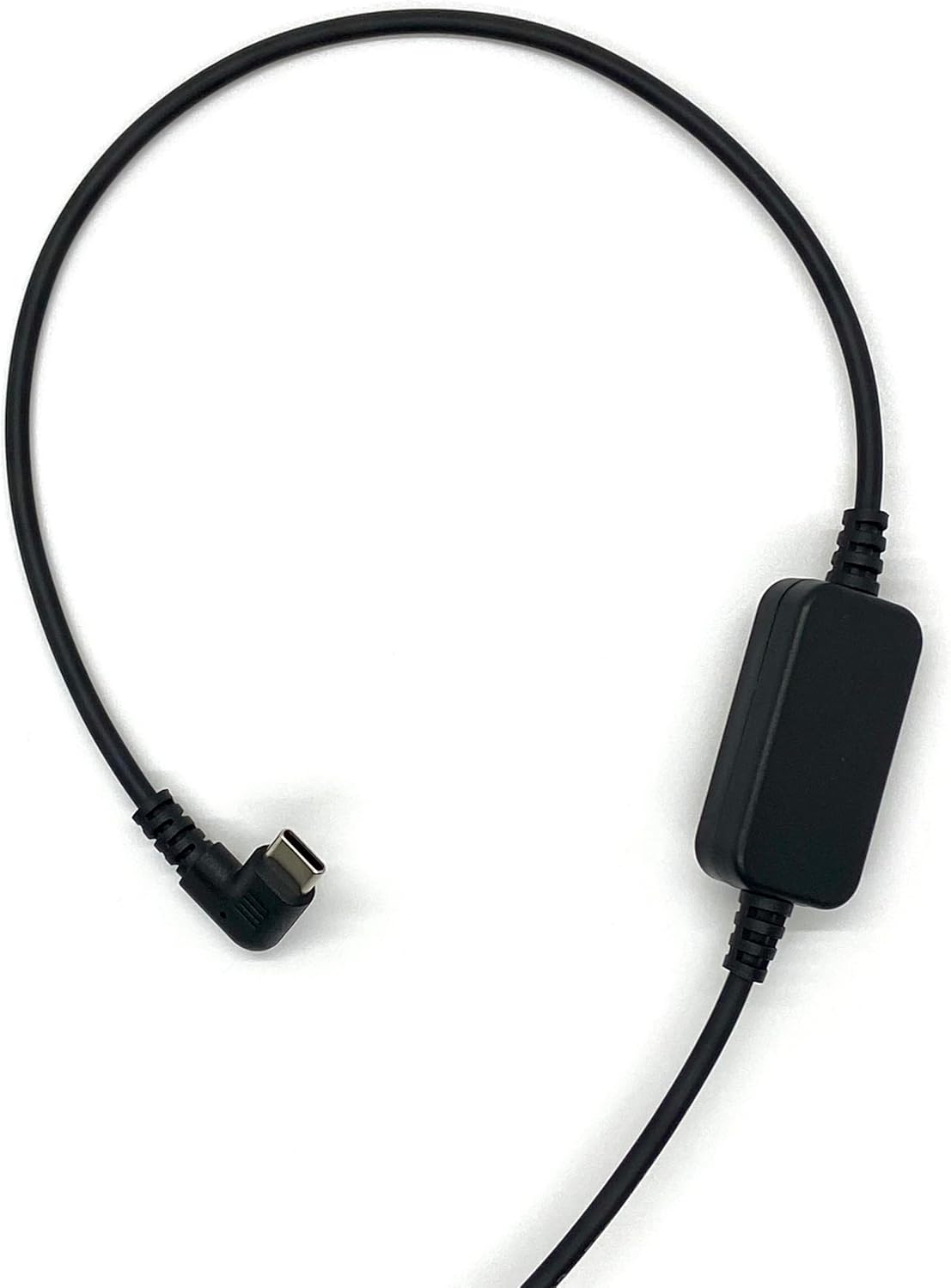
Figure 1: The Uniden USB-C to RJ11 Power Cord, showing its full length and both connectors.
Хусусиятҳои асосӣ:
- Мутобиқати USB-C: Designed for newer vehicles equipped with USB-C power ports, eliminating the need for traditional power sources.
- Пайвасти мустақим: Provides a direct and stable power connection to your radar detector.
- Clean Installation: The 6-foot cable length allows for flexible routing, helping to prevent tangles and offering a tidy setup without a hardwire kit.
- Сохтмони устувор: Made with high-quality materials for enhanced durability and long-term reliability.
- Official Uniden Product: Ensures compatibility and quality, backed by a one-year warranty.
2. Дастурамал оид ба насб
Follow these steps to connect your Uniden USB-C to RJ11 Power Cord to your radar detector and vehicle.
- Пайвасткунакҳоро муайян кунед: Locate the USB-C connector and the RJ11 connector on the power cord. The USB-C connector is reversible and typically smaller, while the RJ11 connector resembles a telephone jack.
- Connect to Radar Detector: Insert the RJ11 end of the power cord into the power input port of your Uniden radar detector. Ensure it clicks securely into place.
- Ба қувваи мошин пайваст шавед: Insert the USB-C end of the power cord into a compatible USB-C power outlet in your vehicle.
- Тасдиқи қудрат: Once both ends are connected, your radar detector should power on, indicating a successful connection.

Расми 2: Муфассал view of the USB-C connector (left) and the RJ11 connector (right) of the power cord.
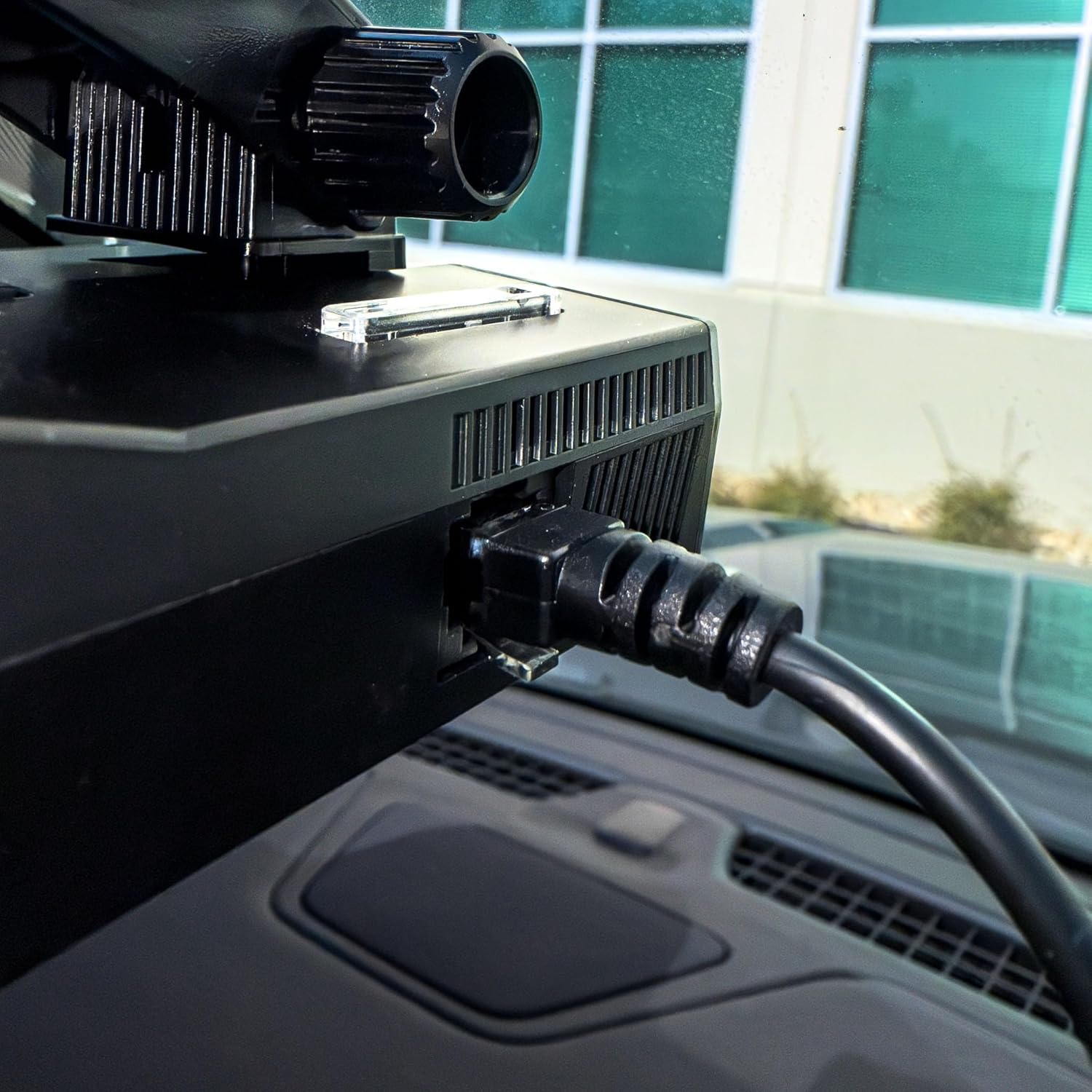
Figure 3: The RJ11 end of the power cord securely connected to the power input port of a Uniden radar detector.

Figure 4: The USB-C end of the power cord connected to a compatible USB-C power outlet in a vehicle.
3. Амалиёт
The Uniden USB-C to RJ11 Power Cord functions as a dedicated power supply for your compatible Uniden radar detector. Once properly connected, it continuously delivers the necessary power for the detector to operate. There are no user-adjustable settings or controls on the power cord itself; its operation is automatic upon connection to a powered USB-C port.
4. Нигоҳубин ва нигоҳдорӣ
To ensure the longevity and optimal performance of your Uniden USB-C to RJ11 Power Cord, please observe the following care and maintenance guidelines:
- Бо эҳтиёт муносибат кунед: Avoid excessive bending, twisting, or pulling on the cable, especially near the connectors, to prevent internal damage.
- Тоза нигоҳ доред: Барои тоза кардани чанг ва партовҳо, кабел ва пайвасткунакҳоро бо матои нарм ва хушк мунтазам тоза кунед. Аз маводи кимиёвии сахт ё тозакунандаҳои абразивӣ истифода набаред.
- Ба таври дуруст нигоҳ доред: When not in use, coil the cable loosely to prevent kinks and tangles. Avoid storing it in extreme temperatures or direct sunlight.
- Аз таъсири об канорагирӣ кунед: This product is designed for indoor vehicle use. Do not expose the cable or connectors to water or excessive moisture.
5. Баррасии мушкилот
If you encounter issues with your Uniden USB-C to RJ11 Power Cord, refer to the following troubleshooting steps:
| Мушкилот | Сабаби эҳтимолӣ | Ҳалли |
|---|---|---|
| Radar detector does not power on. | Loose connection, vehicle USB-C port not active, or faulty cable/detector. | Ensure both the USB-C and RJ11 connectors are firmly seated. Check if the vehicle's USB-C port is active (e.g., by testing with another device). Test the radar detector with its original power cord if available. |
| Intermittent power to radar detector. | Loose connection, damaged cable, or unstable power from vehicle port. | Check all connections for tightness. Inspect the cable for visible damage (frays, cuts). Try a different USB-C port in the vehicle if available. |
| Cable does not fit into port. | Incorrect port or obstruction. | Verify you are using a USB-C port in the vehicle and an RJ11 port on the radar detector. Check for any debris in the ports. |
6. Мушаххасоти маҳсулот
| Мушаххасоти | Тафсилот |
|---|---|
| Бренд | Uniden |
| Модели | USBCRJ11-2M |
| Connector Type (Input) | USB Type C |
| Connector Type (Output) | RJ11 |
| Навъи кабел | USB |
| Дастгоҳҳои мувофиқ | Uniden Radar Detectors (R8w, R8, R7, R4w, R4, R3, DFR9, DFR8, DFR7 & Additional Models) |
| Хусусияти махсус | Tangle Free, High Quality Materials |
| Ҷинси пайвасткунанда | Мард-ба-Мард |
| Ҳаҷми ҳадди аксарtage | 12 Вольт (ДС) |
| Истифодаи тавсияшаванда | Powering radar detectors in vehicles |
| Ранги | Сиёҳ |
| Вазни ашё | 0.07 килограмм |
| Дарозии кабел | 6.0 фут |
| UPC | 050633806449 |
7. Кафолат ва дастгирӣ
This Uniden USB-C to RJ11 Power Cord comes with a кафолати як сол аз рӯзи харид. Ин кафолат нуқсонҳои мавод ва коркардро ҳангоми истифодаи муқаррарӣ фаро мегирад.
For warranty claims, technical support, or additional product information, please visit the official Uniden website or contact Uniden customer service.
Шумо метавонед маълумоти бештар ва захираҳои дастгирӣ тавассути боздид аз сайт пайдо кунед Uniden Store on Amazon.