
1. Маҳсулот ба охир расидview
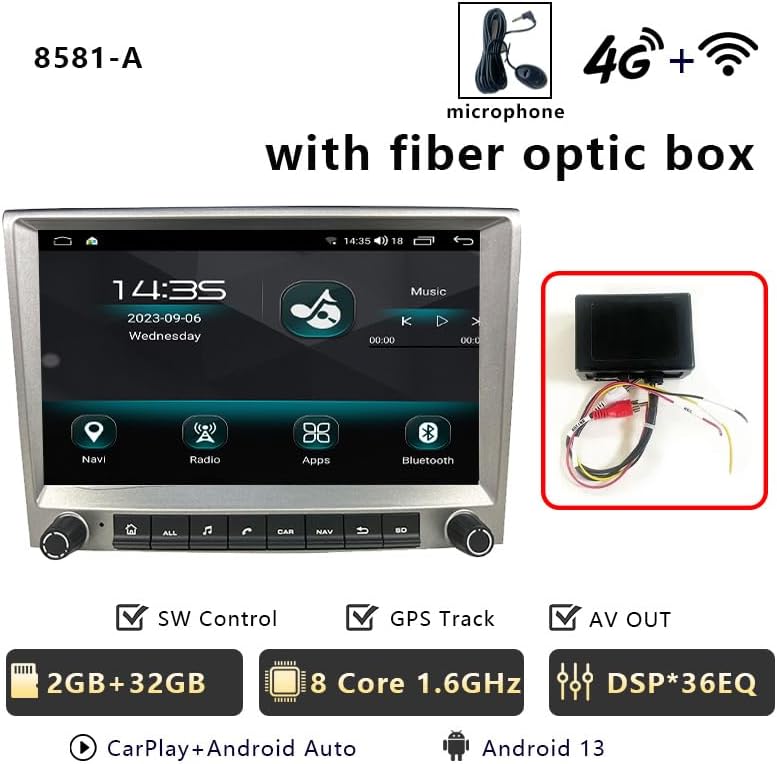
This manual provides detailed instructions for the CHSTEK 8581A+Box Android Car Radio, designed for Porsche Cayman, 911, 987, and Boxster 997 models manufactured between 2005 and 2013. This 8-inch 1280x720P HD touch screen unit offers a comprehensive multimedia and navigation experience, integrating seamlessly with your vehicle's existing systems. It features an Android 13 operating system, wireless CarPlay, wired Android Auto, GPS navigation, 4G/WiFi connectivity, Bluetooth hands-free calling, FM radio, and an EQ function for enhanced audio quality.
Эзоҳ муҳим: If your vehicle is equipped with a Harman Kardon or BOSE audio system, a fiber optic box may be required for proper sound functionality. Please contact support for assistance.
2. Мундариҷаи баста
Боварӣ ҳосил кунед, ки ҳамаи ҷузъҳои дар поён номбаршуда ба бастаи шумо дохил карда шудаанд:
- Main Unit (Android Car Radio)
- Пайвасти ноқилҳои ISO
- CANbus Cable
- USB Cables (2x)
- CANbus Box
- Optical Fibre Decoder (if applicable)
- Сими камера
- Антенна 4G
- Антеннаи GPS
- Radio Antenna Cable
- Original USB Cable
- Дастури амалиётии корбар
3. Танзим ва насб
Professional installation is recommended. Ensure the vehicle's power is disconnected before beginning installation. Refer to the following videos for detailed installation guidance.
3.1. Насбкунии умумӣ ба охир расидview
3.2. Wiring Harness and Module Installation
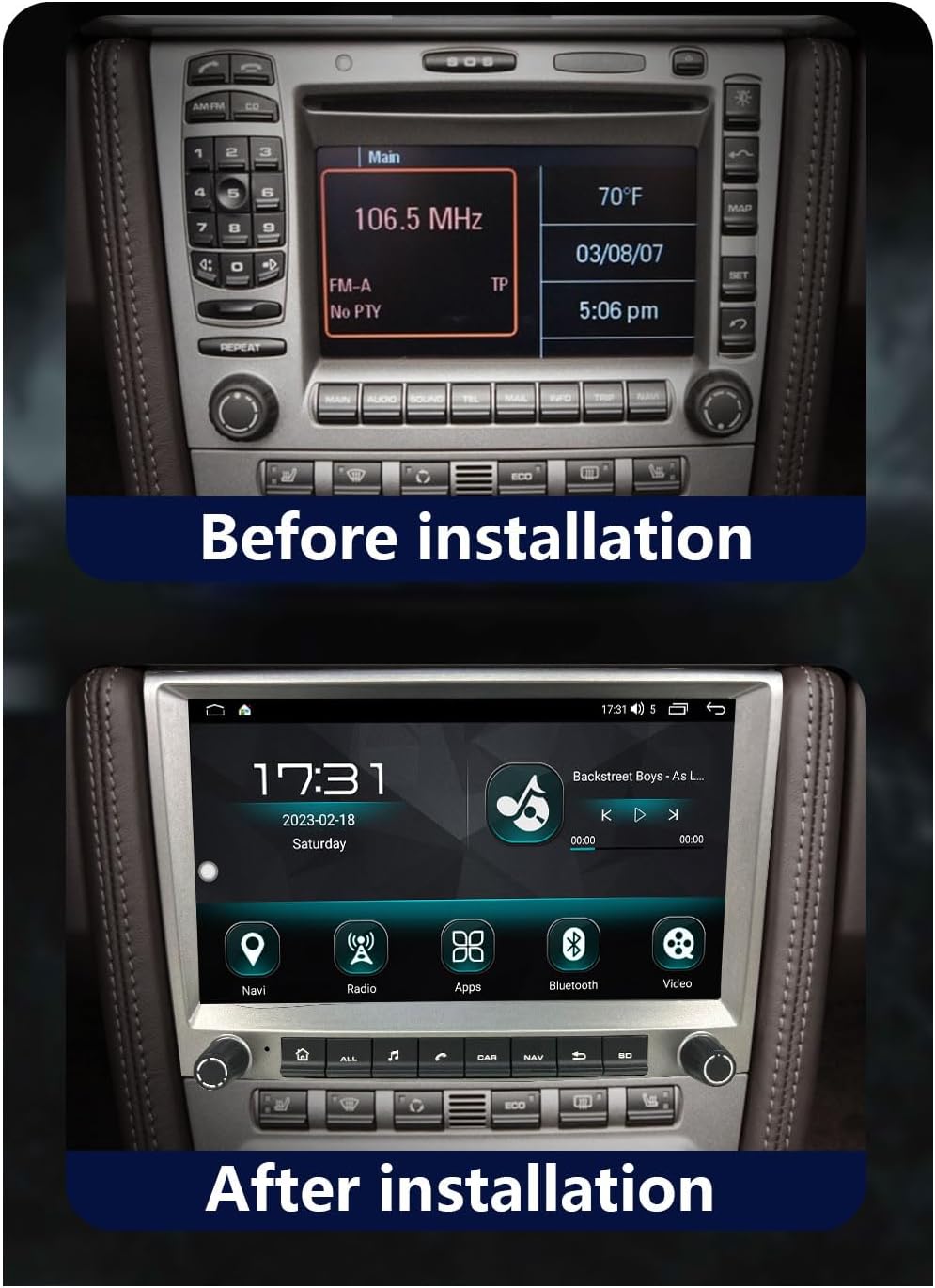
3.3. Before and After Installation
4. Дастурҳои истифодабарӣ
Familiarize yourself with the various functions and features of your new car radio.
4.1. CarPlay бесим ва Android Auto симдор
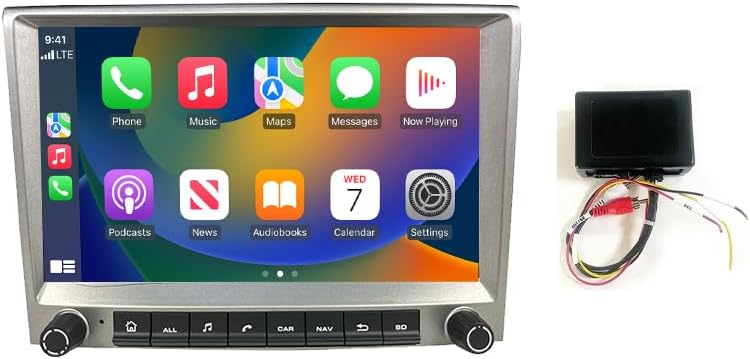
Connect your iPhone wirelessly or Android device via a wired connection to access a simplified version of your phone's screen on the car radio. This allows for navigation, calls, messages, and music playback through the car's display. Voice control (Siri or Google Assistant) is supported.


4.2. GPS Navigation & WiFi Connectivity
The head unit features built-in GPS navigation, supporting both online and offline maps. Download necessary offline maps for navigation without an internet connection. Real-time traffic conditions can be accessed with an internet connection. Connect to WiFi to stream online content, browse the web, and use various online applications.

4.3. Bluetooth Hands-free & FM Radio
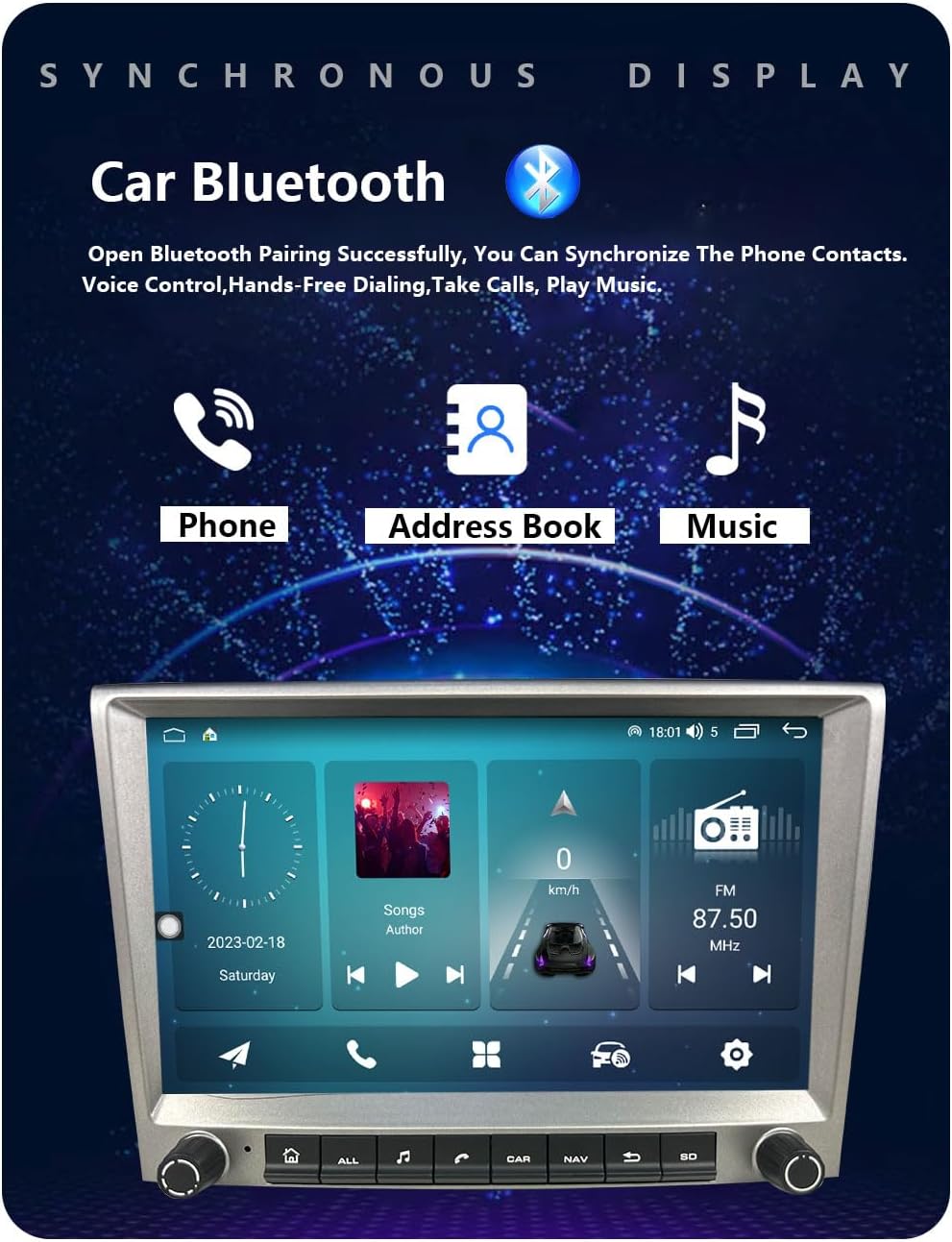
Enjoy hands-free calling and Bluetooth music streaming. Download your phonebook for easy access to contacts. The FM radio provides 18 preset stations (FM 87.50-108.0 MHz) for news and music. An integrated EQ function allows for sound customization.
4.4. Multiple UI Themes & Split Screen Function
Personalize your experience with multiple built-in UI desktop themes. The split-screen function allows you to run two different applications simultaneously, such as navigation and music playback.

4.5. Rear Camera & Parking Sensor Support
The unit supports original rear cameras and parking sensors, providing visual assistance for safe parking and maneuvering. This integration ensures that existing vehicle safety features remain functional.
5. Нигоҳдорӣ
To ensure optimal performance and longevity of your CHSTEK 8581A+Box Android Car Radio, follow these maintenance guidelines:
- Тоза кардани экран: Аз матои мулоим ва матои пок каме истифода баред гampened with a screen cleaner or water to gently wipe the touch screen. Avoid abrasive materials or harsh chemicals.
- Навсозии нармафзор: Periodically check for software updates to ensure you have the latest features, bug fixes, and security enhancements. Follow the on-screen prompts or consult the manufacturer's webсайт барои тартиботи навсозӣ.
- Пайвастҳои кабелӣ: Ensure all cables are securely connected. Loose connections can lead to intermittent functionality or signal loss.
- Шароити экологӣ: Нагузоред, ки дастгоҳро ба ҳарорати аз ҳад зиёд, нурҳои бевоситаи офтоб барои муддати тӯлонӣ ё намии аз ҳад зиёд дучор кунед.
- Нигоҳубини умумӣ: Keep the unit free from dust and debris. Do not attempt to open the casing or perform repairs yourself, as this may void the warranty.
6. Баррасии мушкилот
If you encounter any issues with your car radio, refer to the following common troubleshooting steps:
- Овоз нест: If your car has a Harman Kardon or BOSE audio system, ensure a fiber optic box is correctly installed. Check all audio connections.
- Дастгоҳ фаъол нест: Verify that the power cable is securely connected and that the vehicle's battery has sufficient charge. Check the fuse.
- Масъалаҳои пайвастшавӣ ба CarPlay/Android Auto: Ensure your phone's Bluetooth and Wi-Fi are enabled. For wired connections, try a different USB cable. Restart both the car radio and your mobile device.
- Талафоти сигнали GPS: Ensure the GPS antenna is properly installed and has a clear line of sight to the sky. Move the antenna if necessary.
- Экрани сенсорӣ ҷавоб намедиҳад: Perform a soft reset of the unit (refer to the main unit's specific reset procedure). Ensure the screen is clean and free from obstructions.
- Идоракунии чархи руль кор намекунад: Some high-grade versions of specific car models (e.g., Cayman 2010-2012) may not fully support steering wheel controls. Verify CANbus connections and settings.
If the problem persists after attempting these steps, please contact CHSTEK customer support for further assistance.
7. Мушаххасоти
Key technical specifications for the CHSTEK 8581A+Box Android Car Radio:
| Хусусият | Мушаххасоти |
|---|---|
| Вазни ашё | 4.4 фунт |
| Андозаҳои бастаҳо | 11.81 x 9.84 x 7.87 инч |
| Рақами модели ашё | GMC |
| Андозаи намоиш | 8 инч |
| Андозаи экран | 8 инч |
| Хусусияти махсус | Bluetooth, Touchscreen |
| Технологияи пайвастшавӣ | Бесимӣ |
| Навъи харита | Дар саросари ҷаҳон |
| Истеҳсолкунанда | CHSTEK |
| Аввалин дастрас | 29 майи соли 2025 |
8. Кафолат ва дастгирӣ
The CHSTEK 8581A+Box Android Car Radio comes with a Кафолати 1 сол аз санаи харид. Ин кафолат камбудиҳои истеҳсолӣ ва носозиҳоро ҳангоми истифодаи муқаррарӣ фаро мегирад. Он зарареро, ки дар натиҷаи насби нодуруст, истифодаи нодуруст, садамаҳо ё тағйироти беиҷозат ба вуҷуд омадаанд, фаро намегирад.
For technical support, warranty claims, or any questions regarding your product, please contact CHSTEK customer service through the retailer where the product was purchased or refer to the contact information provided in your purchase documentation.