
1. Муқаддима
This manual provides detailed instructions for the installation, operation, and maintenance of your CHSTEK 8581B Android 13 Car Radio. This advanced multimedia system is designed specifically for Volvo S60, S40, V40, V70, XC70, and XC90 models manufactured between 2000 and 2004. It features an 8-inch HD touch screen, Wireless CarPlay, Wired Android Auto, GPS navigation, Bluetooth connectivity, and 4G/WiFi capabilities to enhance your driving experience.
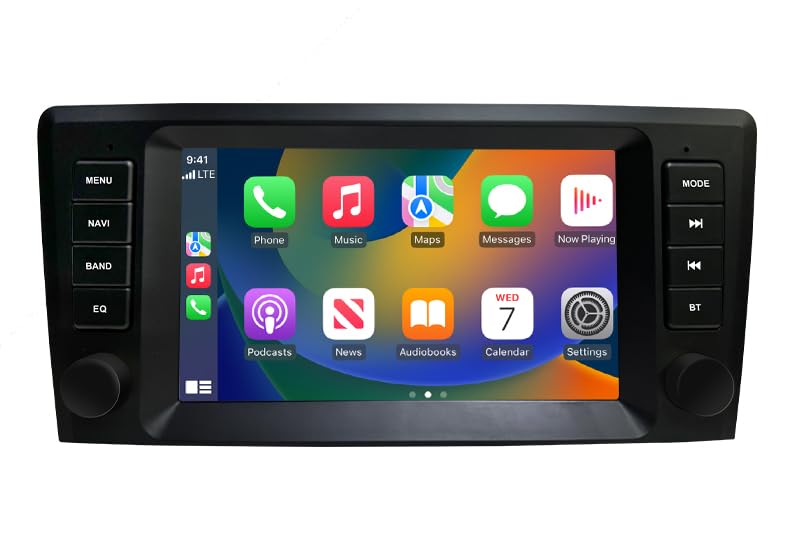
Тасвири 1: Ба охир расидview of the CHSTEK 8581B Car Radio highlighting its 8-core processor, 4GB RAM + 64GB storage, DSP, 4G, and Android 13 features.
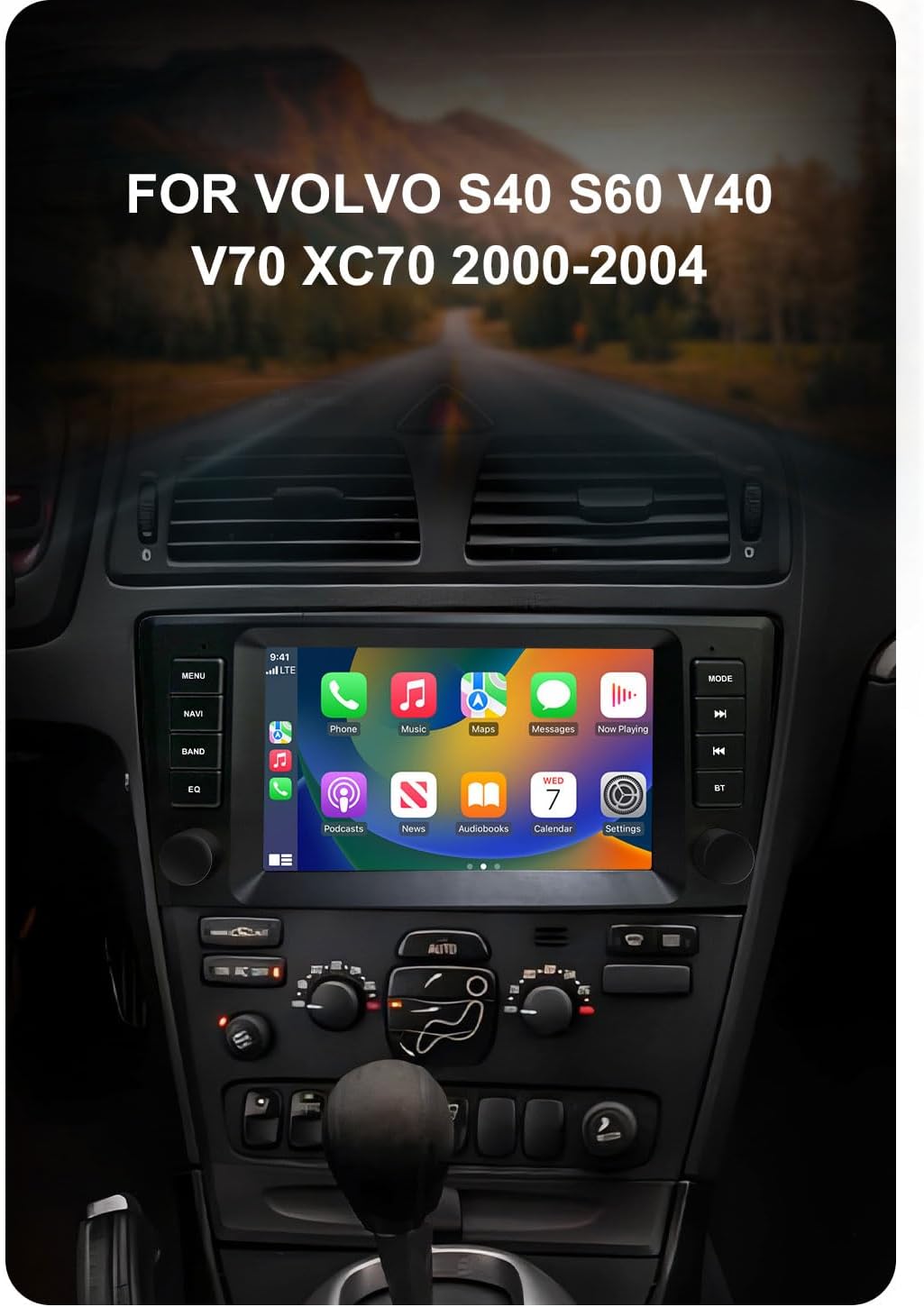
Image 2: The CHSTEK Car Radio seamlessly integrated into a Volvo S40, S60, V40, V70, XC70, or XC90 dashboard, demonstrating its compatibility.
2. Танзим ва насб
The CHSTEK 8581B Car Radio is designed for a plug-and-play installation. However, professional installation is recommended to ensure proper functionality and to avoid damage to your vehicle's electrical system.
2.1 Vehicle Compatibility Check
Before installation, verify that your vehicle's dashboard matches the appearance shown in the 'After Installation' image below. If you are uncertain about compatibility, please provide your car's detailed information to customer service for confirmation.
2.2 Қадамҳои насб
- Carefully remove your existing car radio unit.
- Connect the provided plug-and-play cables to the corresponding ports on the new CHSTEK 8581B unit and your vehicle's wiring harness.
- Secure the new unit into the dashboard opening.
- Test all functions (power, audio, touch screen, navigation, etc.) before fully reassembling the dashboard.

Image 3: Comparison of a Volvo dashboard before and after the installation of the CHSTEK Car Radio, demonstrating the integrated fit.
2.3 Насби SIM-корти 4G (ихтиёрӣ)
The unit supports 4G connectivity via a SIM card. The 4G SIM cable allows for easy replacement of the SIM card without disassembling the main unit.
- Insert a compatible 4G SIM card into the provided 4G SIM cable slot.
- Connect the 4G SIM cable to the designated port on the car radio.
Эзоҳ муҳим: 4G network functionality may vary by region. Customers in the Americas (e.g., United States, Canada, Mexico, Brazil) should confirm 4G network compatibility with customer service. 4G SIM card network function is not supported in Japan and South Korea due to different carriers and network basebands.

Image 4: The CHSTEK Car Radio displaying its 4G and WiFi capabilities, including a detailed view of the 4G SIM cable for easy SIM card access.
3. Дастурҳои истифодабарӣ
3.1 Амалиёти асосӣ
- Фаъол / Хомӯш: Барои фурӯзон ё хомӯш кардани дастгоҳ, тугмаи барқро (одатан дар панели пеши ҷойгир аст) пахш карда нигоҳ доред.
- Шишаи ламсӣ: Navigate the Android 13 interface using the responsive 8-inch 1280*720P HD touch screen.
- Назорати овоз: Use the physical knobs or on-screen controls to adjust the volume.
- Multiple UI Themes: Customize your user experience by selecting from various built-in desktop themes.
- Функсияи экрани тақсимшуда: Utilize two applications simultaneously, such as navigation and music playback, for enhanced multitasking.

Image 5: The CHSTEK Car Radio displaying its split-screen feature, showing video playback and navigation simultaneously.
3.2 Хусусиятҳои пайвастшавӣ
- CarPlay бесими: Connect your iPhone wirelessly to access maps, make calls, send messages, and enjoy music directly on the car radio display. Use Siri voice control for hands-free operation.

Image 6: The CHSTEK Car Radio displaying the Wireless CarPlay interface, showing various iPhone applications and Siri voice control in action.
- Сими Android Auto: Connect your Android device via USB to mirror features like GPS mapping, music playback, SMS, and telephone functions. Google Assistant can be activated via voice control.

Image 7: The CHSTEK Car Radio displaying the Wired Android Auto interface, showing common Android applications.
- Пайванди оина: Mirror your smartphone screen directly onto the car radio display.
- Блутуз: Pair your phone for hands-free calling, access to phone contacts, and Bluetooth music streaming. An external microphone is supported for clear communication.

Image 8: The CHSTEK Car Radio's Bluetooth interface, showing options for phone calls, address book, and music playback.
- GPS Navigation & WiFi: The unit includes built-in GPS for online and offline navigation. Download offline maps for use without an internet connection. Connect to WiFi to access online movies, news, and streaming services like YouTube and TikTok.
- Радиои FM: Tune into FM radio stations (87.50-108.0 MHz) with 18 preset stations available.
- EQ Function: Utilize the built-in Equalizer (DSP*36EQ) to customize audio output for optimal sound quality.
3.3 Бозии мултимедиявӣ
- Агрегат мекунад не have a built-in DVD/CD reader.
- Ҳаст не built-in SD card slot. External media can be connected via USB.
4. Нигоҳдорӣ
Regular maintenance ensures the longevity and optimal performance of your car radio.
- Тоза кардани экран: Use a soft, lint-free cloth to gently wipe the touch screen. Avoid abrasive cleaners or harsh chemicals.
- Навсозии нармафзор: Periodically check for available software updates through the system settings to ensure you have the latest features and performance enhancements.
- Шароити экологӣ: Нагузоред, ки дастгоҳро дар муддати тӯлонӣ ба ҳарорати аз ҳад зиёд ё нури бевоситаи офтоб дучор кунед.
5. Баррасии мушкилот
If you encounter issues with your CHSTEK 8581B Car Radio, refer to the following common solutions. If the problem persists, contact customer support.
- Не қудрат: Check all power connections and ensure the vehicle's ignition is on. Verify fuses are intact.
- Овоз нест: Check volume levels, audio source selection, and speaker connections. Ensure the mute function is not activated.
- Экрани сенсорӣ ҷавоб намедиҳад: Try restarting the unit. If the issue continues, a factory reset might be necessary (note: this will erase personal data).
- Bluetooth/CarPlay/Android Auto Connection Issues: Ensure Bluetooth is enabled on both devices. For wired connections, try a different USB cable. For wireless connections, ensure both devices are discoverable and within range.
- Талафоти сигнали GPS: Боварӣ ҳосил кунед, ки мавҷгири GPS дуруст насб карда шудааст ва равшанӣ дорад view аз осмон.
6. Мушаххасоти
| Хусусият | Мушаххасоти |
|---|---|
| Рақами модел | 8581B |
| Низоми амал | Android 13 |
| Протсессор | 8 Core 1.6GHz |
| RAM | 4 ГБ |
| Захираи дохилӣ | 64 ГБ |
| Андозаи намоиш | 8 инч |
| Ҳалли экран | 1280*720P HD |
| Пайвастшавӣ | Wireless CarPlay, Wired Android Auto, Mirror Link, Bluetooth, 4G, WiFi |
| Низоми муайянкунии ҷаҳонии ҷои ист | Built-in GPS, supports online/offline maps (Worldwide) |
| Хусусиятҳои аудио | FM Radio (87.50-108.0 MHz, 18 presets), DSP*36EQ |
| Хусусиятҳои махсус | Touchscreen, Voice Command, Multiple UI Themes, Split Screen |
| Намуди хидматрасонии нақлиёт | Мошин |
| Компонентҳои дохилшуда | As shown (main unit, wiring harness, GPS antenna, 4G antenna, external microphone) |
| Вазни ашё | 3520 фунт (Note: This weight appears to be a data entry error. Actual weight is likely much lower, e.g., 3.52 lbs.) |
| Андозаҳои бастаҳо | 11.81 x 9.84 x 7.87 инч |
7. Кафолат ва дастгирӣ
7.1 Кафолати маҳсулот
The CHSTEK 8581B Car Radio comes with a Кафолати 1 сол аз рӯзи харид, пӯшонидани камбудиҳои истеҳсолӣ. Лутфан далели хариди худро барои даъвоҳои кафолат нигоҳ доред.
Extended protection plans may be available for purchase separately to provide additional coverage beyond the standard warranty period.
7.2 Дастгирии муштариён
For technical assistance, troubleshooting, or warranty inquiries, please contact CHSTEK Radio customer service. Provide your product model number (8581B) and purchase details for efficient support.