
SRT427-и қавӣ
STRONG 4K UHD Box SRT 427 User Manual
Муқаддима
This manual provides comprehensive instructions for the installation, operation, and maintenance of your STRONG 4K UHD Box SRT 427. Please read this manual carefully before using the device to ensure proper functionality and to prevent damage. Keep this manual for future reference.
Мундариҷаи баста
Пеш аз идома додани танзимот, лутфан тафтиш кунед, ки ҳама ҷузъҳо дар баста мавҷуданд:
- STRONG 4K UHD Box SRT 427
- Назорати дурдаст (батареяҳо дохил карда намешаванд)
- Адаптери барқ
- Кабели HDMI
- Дастур оид ба насби зуд
Ташкил кардан
Follow these steps to set up your STRONG 4K UHD Box SRT 427:
- Ба телевизор пайваст шавед: Connect one end of the HDMI cable to the HDMI OUT port on the SRT 427 and the other end to an available HDMI IN port on your television.
- Пайвастшавӣ ба барқ: Plug the power adapter into the DC IN port on the SRT 427, then plug the adapter into a wall outlet.
- Ба интернет пайваст шавед (ихтиёрӣ): For internet-based features, connect an Ethernet cable to the LAN port on the SRT 427, or configure Wi-Fi settings after initial boot-up.
- Батареяҳоро ба пульти дурдаст ворид кунед: Open the battery compartment on the remote control and insert 2x AAA batteries (not included), ensuring correct polarity.
- Фаъол: Turn on your TV and select the correct HDMI input source. The SRT 427 should power on automatically. If not, press the power button on the remote control.
- Ёвари танзимоти ибтидоӣ: Follow the on-screen instructions to complete the initial setup, including language selection, network configuration, and channel scanning.
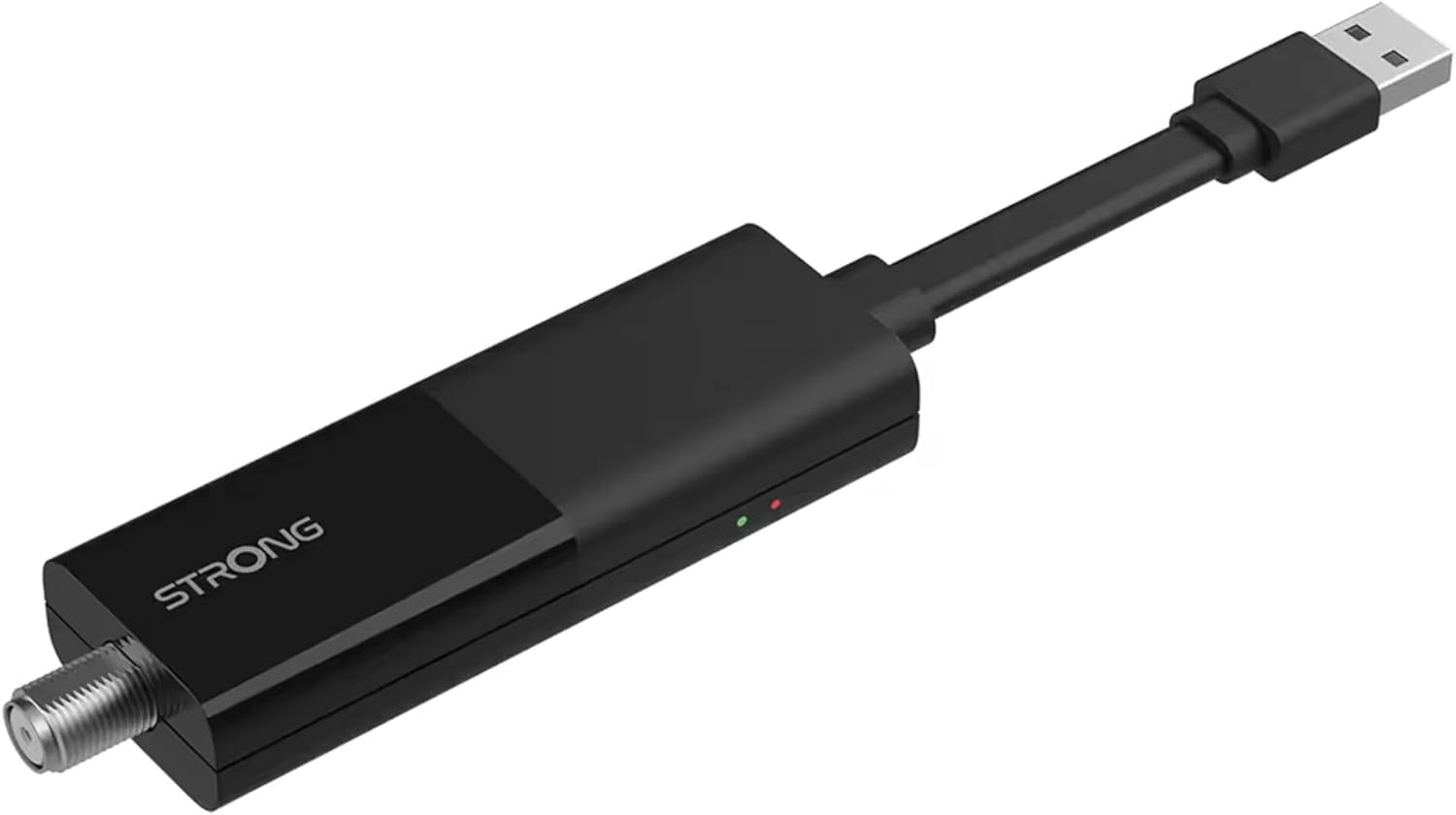
Image: The STRONG 4K UHD Box SRT 427, a compact black USB dongle-style device with a USB connector on one end and an F-type coaxial antenna input on the other, featuring the 'STRONG' logo and small indicator lights.
Дастурҳои амалиётӣ
Once the initial setup is complete, you can begin using your SRT 427. Use the remote control to navigate the user interface.
- Экрани асосӣ: -ро пахш кунед ХОНА button to access the main menu, where you can find applications, settings, and media options.
- Навигатсия: Тугмаҳои тирро истифода баред (Боло, поён, чап, рост) to move through menus and options. Press OK барои тасдиқ кардани интихоб.
- Назорати овоз: -ро истифода баред VOL+ ва ВОЛ- buttons to adjust the audio volume.
- Интихоби канал: If connected to an antenna, use the CH+ ва Ч- buttons to change channels, or enter channel numbers directly using the numeric keypad.
- Танзимот: Access the settings menu to customize display, audio, network, and system preferences.
- Навозиши медиавӣ: Connect a USB storage device to the USB port to play media files (photos, videos, music) through the built-in media player.
Нигоҳдорӣ
Proper maintenance ensures the longevity and optimal performance of your SRT 427.
- Тозакунӣ: Disconnect the device from power before cleaning. Use a soft, dry cloth to wipe the exterior. Do not use liquid cleaners or abrasive materials.
- Вентилятсия: Ensure the device is placed in a well-ventilated area. Do not block ventilation openings.
- Ҳарорат: Дастгоҳро ба ҳарорати аз ҳад зиёд, нурҳои бевоситаи офтоб ё намии баланд дучор накунед.
- Навсозии нармафзор: Periodically check for firmware updates through the system settings to ensure you have the latest features and bug fixes.
Мушкилкушо
If you encounter issues with your SRT 427, refer to the following common problems and solutions:
| Мушкилот | Ҳалли |
|---|---|
| Не қудрат | Check if the power adapter is securely connected to the device and the wall outlet. Ensure the outlet is functional. |
| Дар телевизион тасвир нест | Verify the HDMI cable is correctly connected to both the SRT 427 and the TV. Ensure the TV is set to the correct HDMI input source. |
| Садо нест | Check the volume level on both the SRT 427 and your TV. Ensure audio settings in the SRT 427 menu are correct. |
| Правленияи дурдаст кор намекунад | Check and replace the batteries. Ensure there are no obstructions between the remote and the device's IR sensor. |
| Ба Wi-Fi пайваст шуда наметавонад | Ensure your Wi-Fi router is on and within range. Re-enter the Wi-Fi password in the network settings. Try restarting both the SRT 427 and your router. |
Мушаххасоти
Technical specifications for the STRONG 4K UHD Box SRT 427:
- Рақами модел: SRT427
- Андозаҳои маҳсулот: 5.91 x 7.87 x 5.91 инч
- Вазни ашё: 1.76 фунт
- Батареяҳо: 1 AAAA batteries required (for remote control, typically)
- Истеҳсолкунанда: Қавӣ
- Language (Default): Italian (may vary by region, user configurable)
- ASIN: B0FDPX7PRQ
- Санаи аввалин дастрас: 21 августи соли 2025
Кафолат ва дастгирӣ
For warranty information and technical support, please refer to the warranty card included in your product packaging or visit the official Strong webсомона. Кӯшиш накунед, ки дастгоҳро худатон таъмир кунед, зеро ин метавонад кафолати шуморо бекор кунад.
расмӣ Webсайт: www.strong.tv
Ask a question about this manual
Ask about setup, troubleshooting, compatibility, parts, safety, or missing instructions. Manuals+ will review the question and use this page’s manual context to help answer it.