
Bagotte A6 Pro
Bagotte A22/A6 Pro Robot Vacuum and Mop User Manual
Model: A6 Pro (A22/A21)
Муқаддима
Thank you for choosing the Bagotte A22/A6 Pro Robot Vacuum and Mop. This device is designed to provide efficient and convenient cleaning for your home. This manual will guide you through the setup, operation, and maintenance of your robot vacuum to ensure optimal performance and longevity.
Лутфан пеш аз истифодаи маҳсулот ин дастурро бодиққат хонед ва онро барои истинод дар оянда нигоҳ доред.
Дастурҳои муҳими бехатарӣ
Before using this product, please read all safety instructions. Failure to follow these instructions may result in electric shock, fire, or serious injury.
- Ин дастгоҳро кӯдакони аз 8 сола ва болотар аз он ва шахсони дорои қобилияти ҷисмонӣ, эҳсосӣ ё ақлӣ маҳдуд ё надоштани таҷриба ва дониш истифода бурдан мумкин аст, агар онҳо таҳти назорат ё дастур оид ба истифодаи дастгоҳ ба таври бехатар гирифта шуда бошанд ва хатарҳои марбутро дарк кунанд. .
- Кӯдакон набояд бо дастгоҳ бозӣ кунанд. Тозакунӣ ва нигоҳубини истифодабаранда набояд аз ҷониби кӯдакон бидуни назорат анҷом дода шавад.
- Only use the original power adapter provided by the manufacturer.
- Do not use the product in environments with open flames or flammable materials.
- Ensure the charging station is placed on a flat surface against a wall, with no obstacles within 1 meter on either side and 2 meters in front.
- Do not immerse the robot or charging station in water.
- Чӯткаҳо ва филтрҳоро мунтазам тоза кунед, то кори беҳтаринро нигоҳ доред.
- Мӯй, либоси озод, ангуштон ва тамоми узвҳои баданро аз сӯрохҳо ва қисмҳои ҳаракаткунанда дур нигоҳ доред.
Маҳсулот ба охир расидview
Мундариҷаи баста
Боварӣ ҳосил кунед, ки ҳама ҷузъҳо дар баста мавҷуданд:

Image: All components included in the Bagotte A22/A6 Pro Robot Vacuum and Mop package. This includes the robot vacuum cleaner, 2-in-1 water tank, charging station, remote control, power adapter, cleaning brush, mop holder, 2 mop cloths, 2 side brushes, and Hepa filters.
- Bagotte A22 Robot Vacuum Cleaner x 1
- 2-in-1 Water Tank x 1
- Истгоҳи пуркунандаи барқ x 1
- Идоракунии дурдаст x 1
- Адаптери барқ x 1
- Чӯткаи тозакунӣ x 1
- Дорандаи швабра x 1
- Матои моп x 2
- Side Brushes x 2
- HEPA Filters x 1
- Дастури корбар x 1
Қисмҳои робот
The Bagotte A22/A6 Pro features a compact design for efficient cleaning.

Image: The Bagotte A22/A6 Pro Robot Vacuum highlighting its slim profile of 2.87 inches, allowing it to clean under furniture. It also features automatic boost and can handle angles up to 15 degrees and obstacles up to 15mm in height.
The robot is equipped with various sensors for navigation and obstacle avoidance, including anti-drop sensors to prevent falls from elevated surfaces.
Ташкил кардан
1. Чӯткаҳои канорӣ насб кунед
Мӯқаламҳои паҳлӯиро ба сутунҳои поёни робот пахш кунед, то он даме ки онҳо ба ҷои худ лағжанд.
2. Place the Charging Station
Place the charging station against a wall in an open, uncluttered area. Ensure there are no obstacles within 1 meter (3 feet) on either side and 2 meters (6 feet) in front of the charging station. Connect the power adapter to the charging station and plug it into a wall outlet.

Image: The Bagotte A22/A6 Pro Robot Vacuum automatically returning to its charging station when its battery is low. The image illustrates the recommended clear space around the charging station for optimal docking.
3. Пардохти ибтидоӣ
Place the robot on the charging station to fully charge the battery before first use. The indicator light on the robot will show charging status. A full charge typically takes 4-5 hours.
4. Connect to Tuya Smart App (Optional)
For advanced features and remote control, download the Tuya Smart app from your mobile app store. Follow the in-app instructions to connect your robot vacuum to your 2.4GHz Wi-Fi network.
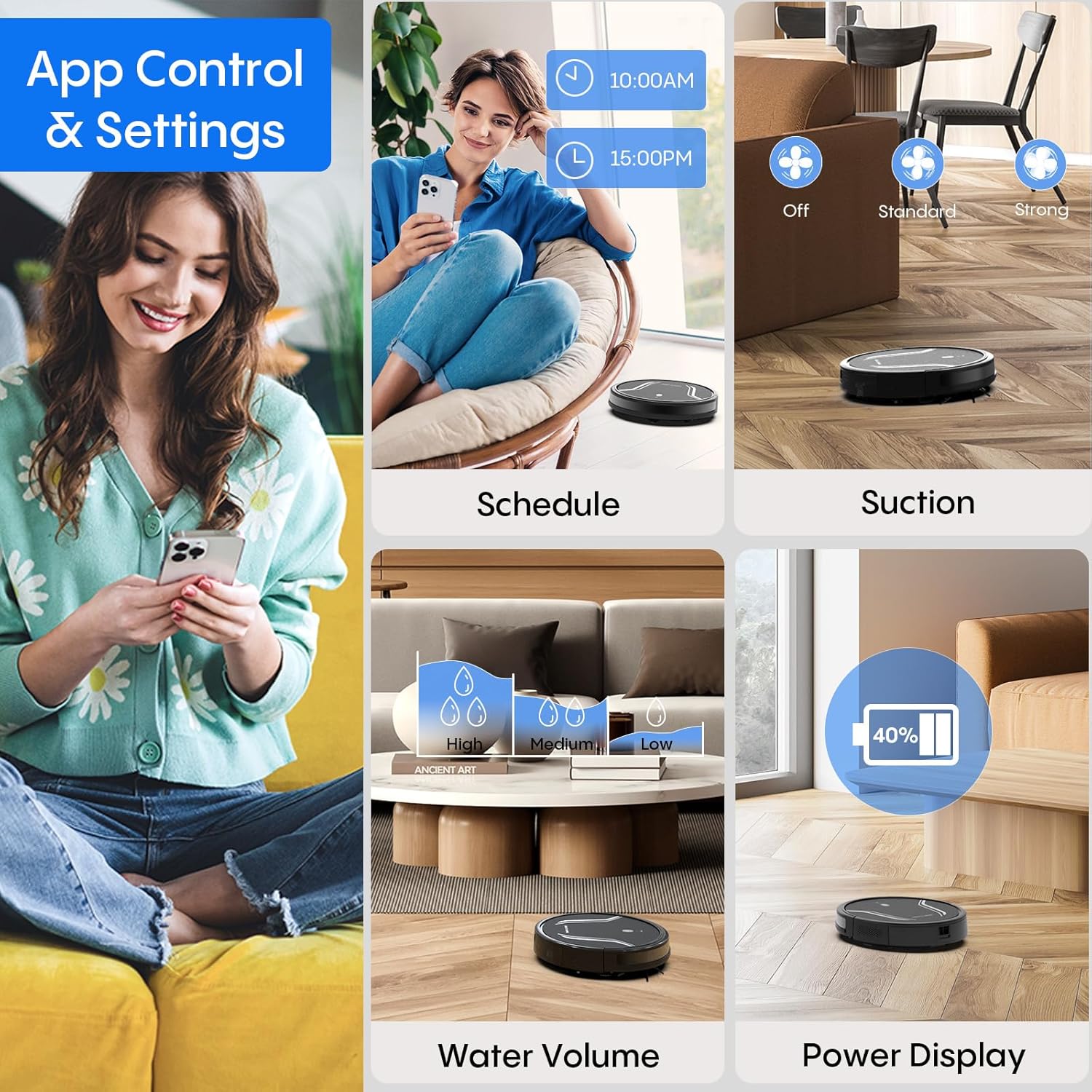
Image: A smartphone screen displaying the Bagotte A22/A6 Pro Robot Vacuum's app control interface, showing options for scheduling, suction adjustment, water volume control, and power display.
Дастурҳои амалиётӣ
Оғози давраи тозакунӣ
Press the power button on the robot or the "Clean" button on the remote control/app to start an automatic cleaning cycle.
Усулҳои тозакунӣ
The Bagotte A22/A6 Pro offers four cleaning modes:
- Тозакунии худкор: The robot intelligently navigates and cleans the entire floor area.
- Тоза кардани канор: Робот қад-қади деворҳо ва канори мебелро тоза мекунад.
- Тоза кардани нуқта: Робот ба як минтақаи ифлоси мушаххас диққат медиҳад ва онро бо тартиби спиралӣ тоза мекунад.
- Тозакунии дастӣ: Control the robot's direction using the remote control or app.

Тасвир: Сари боло view illustrating the four distinct cleaning modes of the Bagotte A22/A6 Pro Robot Vacuum: Auto Cleaning, Edge Cleaning, Spot Cleaning, and Manual Cleaning, showing their respective cleaning paths.
Функсияи молидан
Барои истифодаи функсияи тозакунӣ:
- Fill the 2-in-1 water tank with clean water.
- Attach a clean mop cloth to the mop holder and then attach it to the water tank.
- Insert the filled water tank into the robot.
- Adjust the water flow level (low/medium/high) via the Tuya Smart app.

Image: The Bagotte A22/A6 Pro Robot Vacuum demonstrating its 3-in-1 functionality: vacuuming, sweeping, and mopping. The image highlights the two levels of waterflow adjustment and three levels of suction adjustment.
Танзими қувваи соркунӣ
The robot features 5000Pa suction power with adjustable levels (Standard, Maximum) through the app or remote control to suit different cleaning needs.
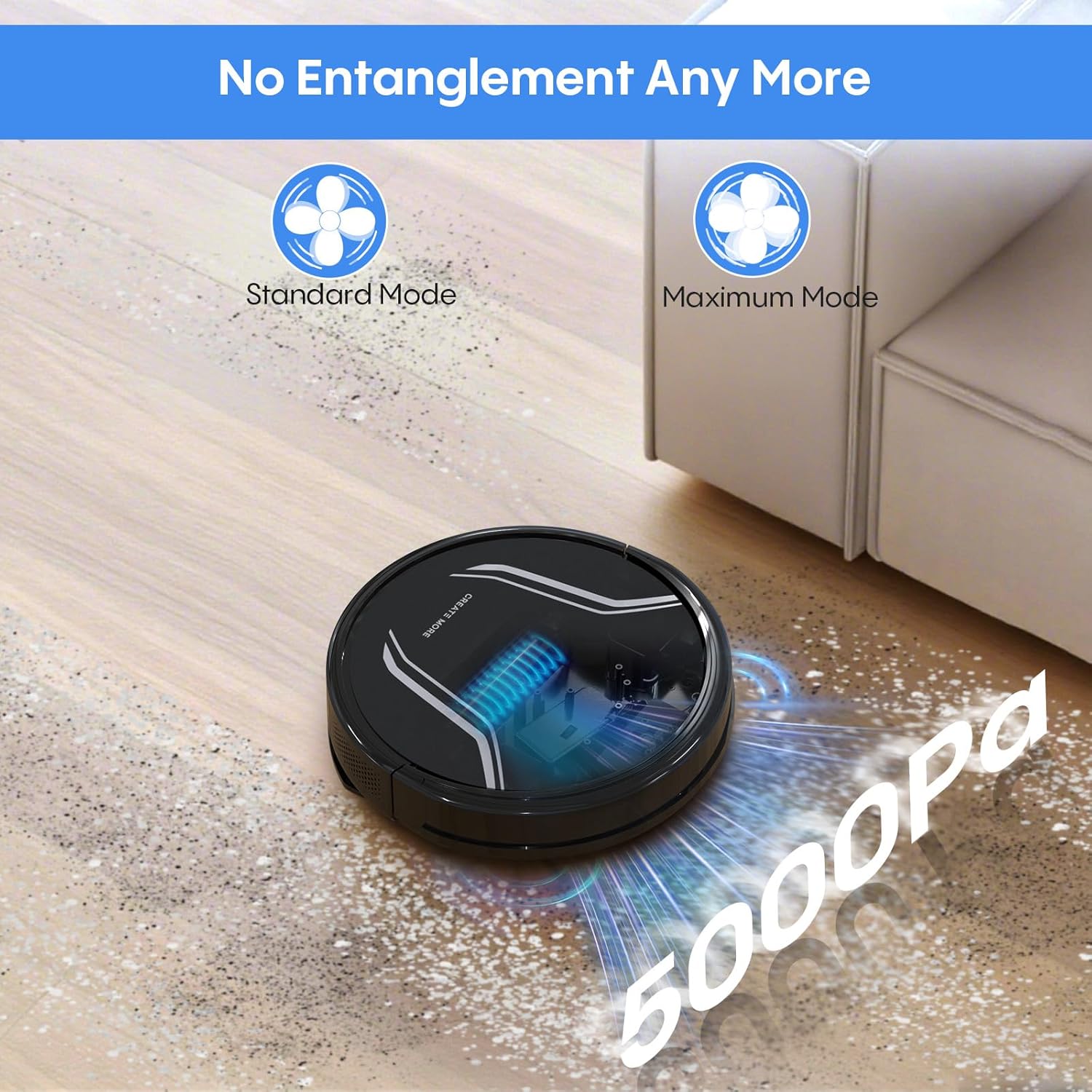
Image: The Bagotte A22/A6 Pro Robot Vacuum demonstrating its 5000Pa suction power, showing debris being collected. The image also indicates Standard Mode and Maximum Mode for suction adjustment.
Идоракунии овозӣ (Alexa/Google Assistant)
Integrate your robot vacuum with Amazon Alexa or Google Assistant for convenient voice commands. Follow the instructions in the Tuya Smart app to link your device.

Image: The Bagotte A22/A6 Pro Robot Vacuum being controlled via voice commands through an Amazon Echo device, alongside a smartphone displaying the app interface. This illustrates the convenience of both voice and app control.
Нигоҳдорӣ
Regular maintenance ensures your robot vacuum operates efficiently.
Хол кардани қуттии партов
Empty the dustbin after each cleaning cycle. Press the release button to remove the dustbin, open it, and discard the collected debris.
Тоза кардани филтрҳо
Tap the HEPA filter to remove dust. Rinse the pre-filter and sponge filter with water. Allow them to air dry completely before reinstalling. Do not wash the HEPA filter with water.
Тоза кардани хаси асосӣ
Сарпӯши хасуи асосиро гиред ва хасуи асосиро бардоред. Аз асбоби тозакунӣ истифода баред, то мӯй ва партовҳои печида дар атрофи хасуро тоза кунед.
Тозакунии молаи канорӣ
Periodically check side brushes for wear or damage. Remove any tangled hair or debris. Replace worn brushes as needed.
Тоза кардани сенсорҳо ва пуркунандаи алоқа
Wipe the anti-drop sensors, obstacle sensors, and charging contacts on both the robot and the charging station with a clean, dry cloth.
Тоза кардани зарфи об ва матои моп
After mopping, empty any remaining water from the tank. Rinse the water tank and allow it to air dry. Wash the mop cloth by hand or machine and air dry.
Мушкилкушо
| Мушкилот | Сабаби эҳтимолӣ | Ҳалли |
|---|---|---|
| Робот фаъол намешавад. | Батарея кам аст; Қулфи барқ хомӯш карда шудааст. | Charge the robot; Ensure power switch is ON. |
| Робот барқ намегирад. | Charging contacts dirty; Charging station not powered. | Clean charging contacts; Ensure charging station is plugged in. |
| Қувваи ҷаббида суст аст. | қуттии партов пур; Филтр баста шудааст; Чӯткаи асосӣ печида. | Empty dustbin; Clean/replace filters; Clean main brush. |
| Робот зуд-зуд дармонда мешавад. | Монеаҳо дар фарш; Сенсорҳо ифлос. | Clear floor of cables/small items; Clean sensors. |
| Функсияи тозакунӣ кор намекунад. | Water tank empty; Mop cloth dry; Water flow setting too low. | Fill water tank; Wet mop cloth; Adjust water flow in app. |
| App connection failed. | Incorrect Wi-Fi password; Not 2.4GHz Wi-Fi; Robot too far from router. | Verify password; Connect to 2.4GHz network; Move robot closer to router. |
Мушаххасоти
| Хусусият | Тафсилот |
|---|---|
| Бренд | Баготте |
| Номи модел | A21 (A6 Pro) |
| Қувваи соркунӣ | 5000Па |
| Усулҳои тозакунӣ | Auto, Edge, Spot, Manual |
| Усули назорат | App, Remote Control, Voice (Alexa, Google Assistant) |
| Муҳлати батарея | То 120 дақиқа |
| Пур кардан | Худтанзимкунӣ |
| Навъи филтр | HEPA |
| Андозаҳои маҳсулот | 15"L x 12.5"W x 4"H |
| Вазни ашё | 7.13 фунт |
| Тавсияи рӯизаминӣ | Фарши сахт, қолини пастқад |
Кафолат ва дастгирӣ
Bagotte provides a 12-month service warranty for this product. For technical support, warranty claims, or any questions regarding your Bagotte A22/A6 Pro Robot Vacuum and Mop, please contact Bagotte customer service.
Please refer to the contact information provided in the original packaging or on the official Bagotte webсайт барои тафсилоти навтарини дастгирӣ.
Ask a question about this manual
Ask about setup, troubleshooting, compatibility, parts, safety, or missing instructions. Manuals+ will review the question and use this page’s manual context to help answer it.