
INPHIC B0FQCFSHPQ
INPHIC Tri-Mode Wireless Mouse User Manual
Model: B0FQCFSHPQ
Муқаддима
This manual provides comprehensive instructions for the INPHIC Tri-Mode Wireless Mouse, Model B0FQCFSHPQ. It covers setup, operation, maintenance, and troubleshooting to ensure optimal performance and user experience. Please read this manual thoroughly before using the product.
Маҳсулот ба охир расидview
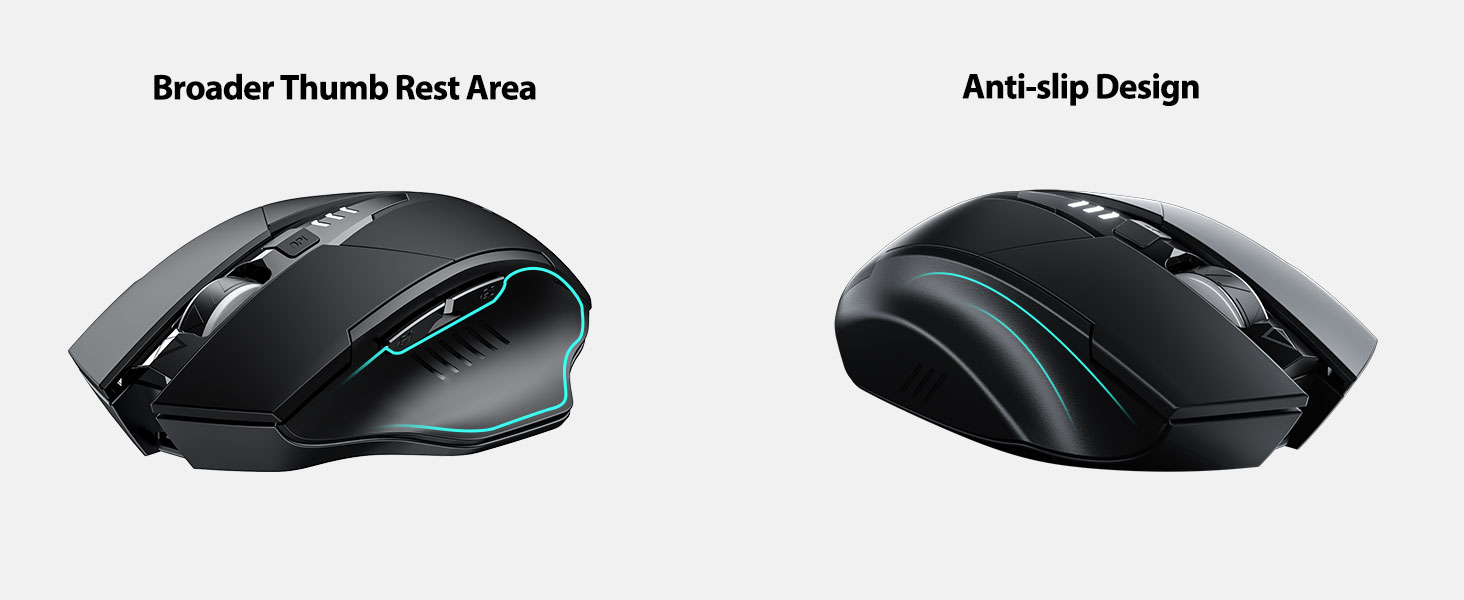
The INPHIC Tri-Mode Wireless Mouse offers versatile connectivity options (Bluetooth 5.0, Bluetooth 4.0, and 2.4G USB) and an ergonomic design for comfortable use. Key features include a visible battery indicator, silent click buttons, and adjustable DPI settings.
Мундариҷаи баста
- INPHIC Tri-Mode Wireless Mouse
- USB Receiver (stored in the mouse)
- Сими пуркунандаи USB-C
- Дастури корбар (ин ҳуҷҷат)
Компонентҳои муш

- Тугмаҳои чап/рост пахш кунед: Амалиёти хомӯш.
- Чархи ҳаракат: Барои ҳаракатдиҳии амудӣ.
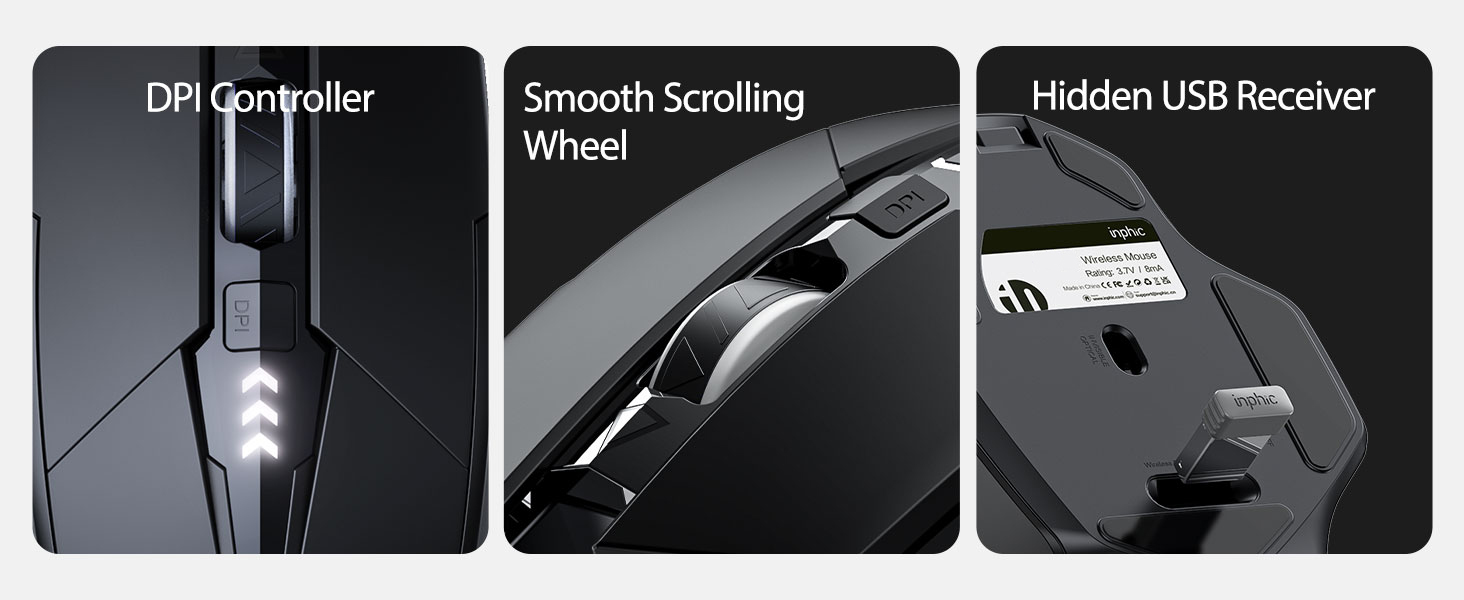
- Тугмаи DPI: Adjusts cursor speed (800/1200/1600/2000/2400 DPI).
- Forward/Backward Buttons (Side): Барои паймоиш дар web браузерҳо ё file кашфкунандагон.
- Нишондиҳандаи батарея: LED lights on top display remaining battery level.
- Connection Type Switch (Bottom): Toggles between 2.4G USB, Bluetooth 4.0, and Bluetooth 5.0 modes.
- Power Switch (Bottom): Калиди ON / OFF.
- USB Receiver Slot (Bottom): Stores the 2.4G USB receiver.
- Charging Port (Front): Порти USB-C барои пур кардани батареяи дохилӣ.
Ташкил кардан
Пуркунии ибтидоӣ
Before first use, fully charge the mouse for approximately 1 hour. Connect the USB-C charging cable to the mouse's charging port and to a USB power source (e.g., computer USB port, USB wall adapter).

Пайваст кардани муш
The mouse supports three connection modes: 2.4G USB, Bluetooth 4.0, and Bluetooth 5.0. Use the switch on the bottom of the mouse to select your desired mode.
Пайвасти USB 2.4G
- Locate the USB receiver stored in the slot on the bottom of the mouse.
- Қабулкунаки USB-ро ба порти дастраси USB дар компютери худ пайваст кунед.
- Switch the connection mode on the bottom of the mouse to "2.4G".
- Turn on the mouse using the power switch. The mouse should connect automatically.
Bluetooth Connection (BT 4.0 / BT 5.0)
- Switch the connection mode on the bottom of the mouse to "BT 4.0" or "BT 5.0".
- Бо истифода аз тугмаи барқ мушро фаъол кунед.
- On your device (laptop, tablet, etc.), open Bluetooth settings.
- Ҷустуҷӯ new Bluetooth devices. The mouse should appear as "INPHIC Mouse" or similar.
- Мушро барои ҷуфт кардан интихоб кунед.
- Пас аз ҷуфт кардан, муш барои истифода омода аст.
Шарҳ: Bluetooth 5.0 is compatible with Windows 8/10 (not Windows 7 or XP), Android, and Mac OS systems. iOS systems (iPad and iPhone) require iOS 14 or later for Bluetooth 5.0 compatibility.
Дастурҳои амалиётӣ
Фаъол/хомӯш
Use the ON/OFF switch located on the bottom of the mouse to power the device. To conserve battery, turn off the mouse when not in use for extended periods.
Гузаронидани усулҳои пайвастшавӣ
The mode switch button on the bottom of the mouse allows you to cycle between 2.4G USB, Bluetooth 4.0, and Bluetooth 5.0 connections. This enables seamless switching between multiple paired devices.

Танзими DPI (суръати курсор)
Press the DPI button located on the top of the mouse, below the scroll wheel, to cycle through 5 adjustable DPI levels: 800, 1200, 1600, 2000, and 2400. This allows you to customize cursor sensitivity to your preference.

Нишондиҳандаи батарея
The mouse features a visible battery indicator on its top surface. LED lights illuminate to show the remaining battery power, providing a clear visual cue for when recharging is needed.

Ҳолати худкори хоб
To conserve power, the mouse will automatically enter sleep mode after 5 minutes of inactivity. To wake the mouse, simply click any button.
Нигоҳдорӣ
Тозакунӣ
Wipe the mouse with a soft, dry cloth. For stubborn dirt, a slightly damp cloth can be used, ensuring no moisture enters the internal components. Avoid harsh chemicals or abrasive cleaners.
Нигоҳубини батарея
- Recharge the mouse when the battery indicator shows low power.
- Барои дароз кардани мӯҳлати истифодааш батареяро зуд-зуд холӣ накунед.
- Мушро дар ҷои хунук ва хушк нигоҳ доред, вақте ки дар муддати тӯлонӣ истифода намешаванд.
Мушкилкушо
| Мушкилот | Сабаби эҳтимолӣ | Ҳалли |
|---|---|---|
| Муш ҷавоб намедиҳад |
|
|
| Ҳаракати курсор номунтазам ё суст аст |
|
|
| Мушкилоти пайвасти Bluetooth |
|
|
Мушаххасоти
| Хусусият | Тафсилот |
|---|---|
| Модели | B0FQCFSHPQ |
| Технологияи пайвастшавӣ | Bluetooth 5.0 / Bluetooth 4.0 / 2.4G USB Wireless |
| Сатҳи DPI | 800 / 1200 / 1600 / 2000 / 2400 (Adjustable) |
| Тугмаҳо | 6 (Чап, Рост, Чархи гардиш, DPI, Ба пеш, Ба қафо) |
| Навъи батарея | Rechargeable (400mAh built-in) |
| Порти пуркунандаи барқ | USB-C |
| Масофаи амалиёт | То 10 метр (33 фут) |
| Андозаҳои маҳсулот | 4.7 x 3.1 x 0.04 инч |
| Вазни ашё | 3.36 унция |
| Мутобиқати | Windows 7/8/10/XP, Vista, Mac OS. Bluetooth 5.0: Windows 8/10, Android, Mac OS, iOS 14+ (iPad/iPhone). 2.4G USB: Any USB-enabled device. |

Кафолат ва дастгирӣ
INPHIC products are designed for reliability and performance. For warranty information and technical support, please refer to the official INPHIC webсайт ё бевосита бо хадамоти муштариёни худ тамос гиред.
- Истеҳсолкунанда: INPHIC
- Фурӯшанда: YingFeiTe (on Amazon)
- Шеваи Бозгардон: Refer to Amazon's current return policy.
- Тамос бо дастгирӣ: Барои кӯмак, ба ин ҷо муроҷиат кунед INPHIC Store on Amazon ё шахси мансабдори истеҳсолкунанда webсайт.
Маълумоти муҳим оид ба бехатарӣ
- Do not expose the mouse to extreme temperatures or humidity.
- Аз партофтан ё дучори таъсири сахти муш худдорӣ намоед.
- Do not attempt to disassemble or repair the mouse yourself. This may void the warranty.
- Аз дастрасии кӯдакон дур нигоҳ доред.
Видеои маҳсулот
Тавсифи видео: An official product video from INPHIC demonstrating the features and usage of the INPHIC Bluetooth Mouse. It shows the mouse being unboxed, its various components, connection methods, and ergonomic design in action.