
1. Танзимот
1.1 Кушодани қуттӣ
Боварӣ ҳосил кунед, ки ҳама ҷузъҳо дар баста мавҷуданд:
- innioasis G3 MP3 Player x1
- 128GB SD card x1 (pre-installed or separate)
- Сими USB-C x1
- Wired headphones x1
- Дастури корбар x1
1.2 Пур кардани дастгоҳ
Before first use, fully charge the MP3 player. Connect the provided USB-C cable to the device's USB-C port and the other end to a compatible USB power adapter (not included) or a computer's USB port.
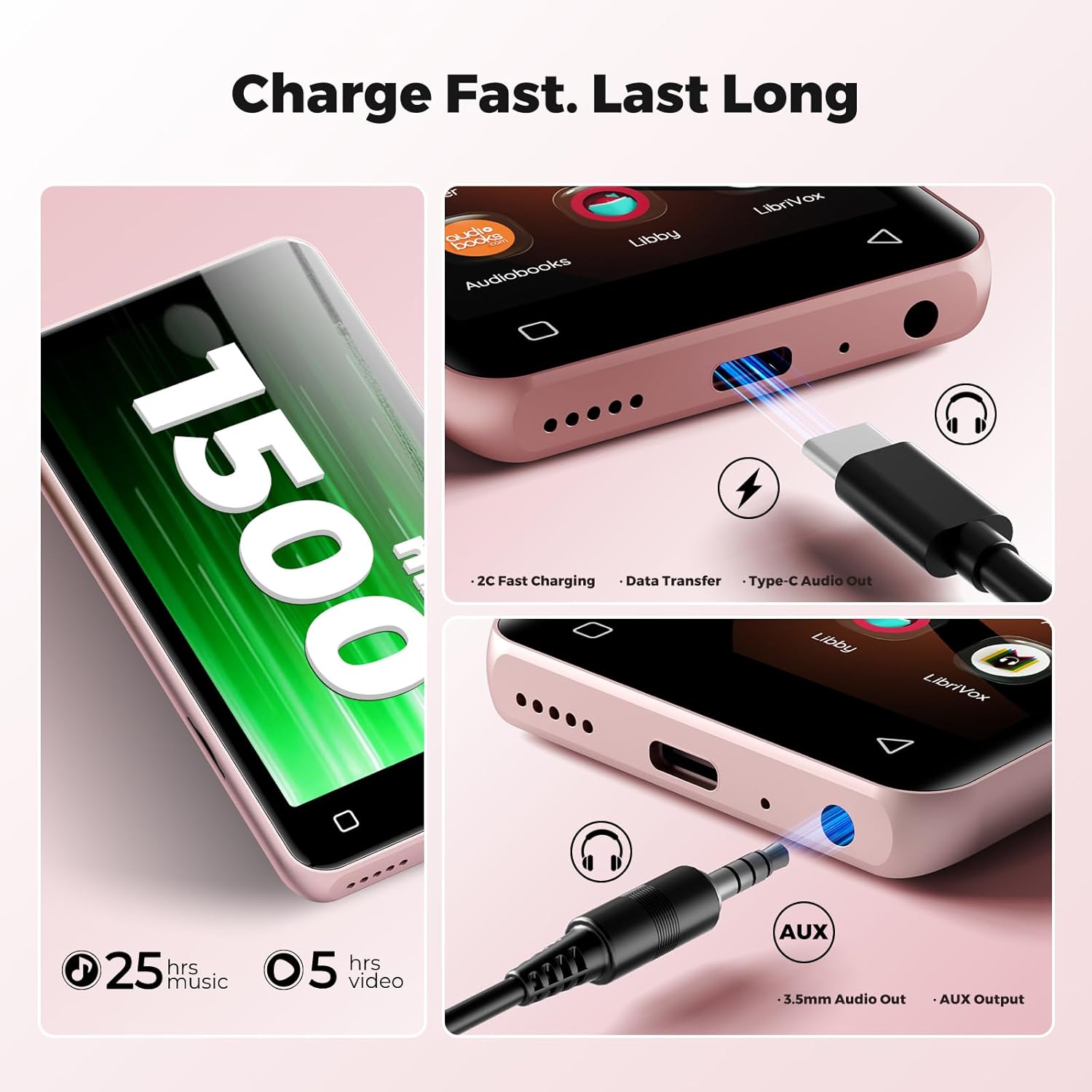
Image: The bottom of the innioasis G3 MP3 Player, highlighting the USB-C charging port and the 3.5mm audio jack.
A full charge typically takes approximately 2 hours. The 1500mAh battery provides up to 25 hours of music playback with wired earphones or 5 hours of video playback.
1.3 Фаъол кардан/хомӯш кардан
- To power on: Press and hold the power button until the screen illuminates.
- To power off: Press and hold the power button, then select 'Power Off' from the options.
1.4 Initial Setup and Storage
Upon first power-on, follow the on-screen prompts to complete the initial setup, including language selection and Wi-Fi connection. The device comes with 32GB internal storage and a pre-installed 128GB SD card, totaling 160GB. The expansion slot supports up to 1TB via a microSD card.

Image: Visual representation of the innioasis G3 MP3 Player's storage capabilities, including internal ROM, included SD card, and expandable storage up to 1TB.
1.5 Пайвастшавӣ ба Wi-Fi
The device supports Dual-Band Wi-Fi (2.4GHz & 5GHz). To connect to Wi-Fi:
- Go to 'Settings'.
- "Шабака ва Интернет"-ро интихоб кунед.
- Wi-Fi-ро фаъол созед ва шабакаи дилхоҳатонро интихоб кунед.
- Агар дархост карда шавад, паролро ворид кунед.
2. Дастурҳои истифодабарӣ
2.1 Навигатсияи асосӣ
The innioasis G3 features a 4-inch HD touchscreen for navigation. Swipe, tap, and pinch gestures are used to interact with the interface, similar to a smartphone.
2.2 Навозиши мусиқӣ
The device supports both local music files and streaming applications.
Local Music Player
The powerful local music player app supports various audio formats including MP3, WAV, FLAC, AAC, APE, OGG, M4A, WMA, and MP2. You can scan your library, create playlists, search for songs, and use the built-in equalizer.

Image: The innioasis G3 MP3 Player's local music player interface, showing song information, playback controls, and options for song categories, playlists, lyrics, search, and equalizer.
Барномаҳои ҷараёнӣ
Pre-installed apps include Spotify, Pandora, Amazon Music, Spotify Kids, Tidal, and Deezer. Ensure a stable Wi-Fi connection for optimal streaming performance.

Image: The innioasis G3 MP3 Player's screen showing icons for popular music streaming services like Spotify, Amazon Music, and Pandora.
2.3 Audiobook Playback
The device comes with pre-loaded audiobook applications such as Audible, Libby, and Audiobooks. These apps allow you to listen to your favorite audio stories.
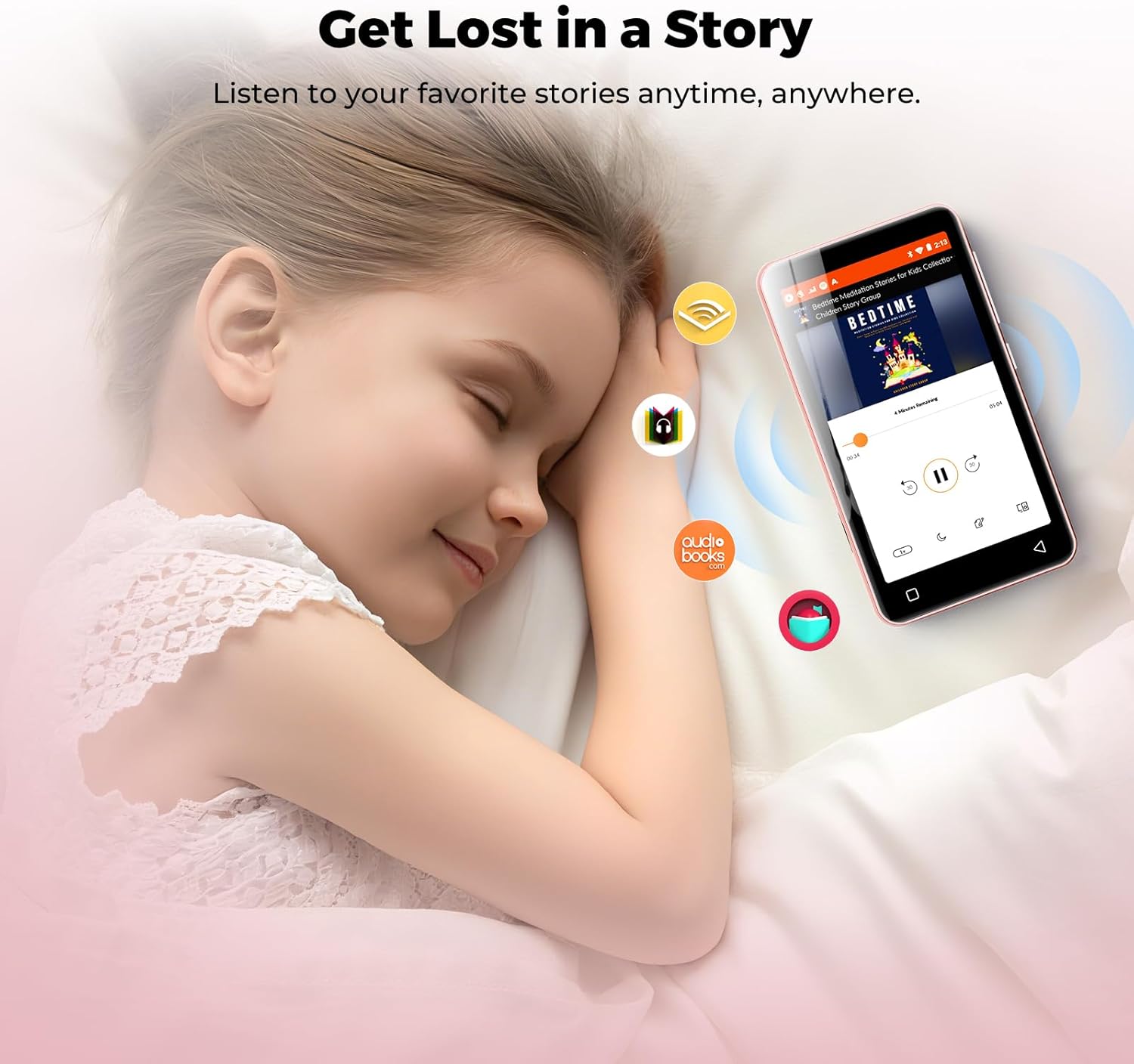
Image: A child sleeping peacefully with the innioasis G3 MP3 Player nearby, illustrating the use of audiobook applications.
2.4 Пайвасти Bluetooth
The MP3 player features Bluetooth 4.2 with two-way sending, allowing connection to wireless headphones, speakers, or car audio systems.
- Go to 'Settings'.
- Select 'Connected devices' then 'Bluetooth'.
- Bluetooth-ро фаъол созед ва дастгоҳҳои мавҷударо ҷустуҷӯ кунед.
- Select your desired device to pair.
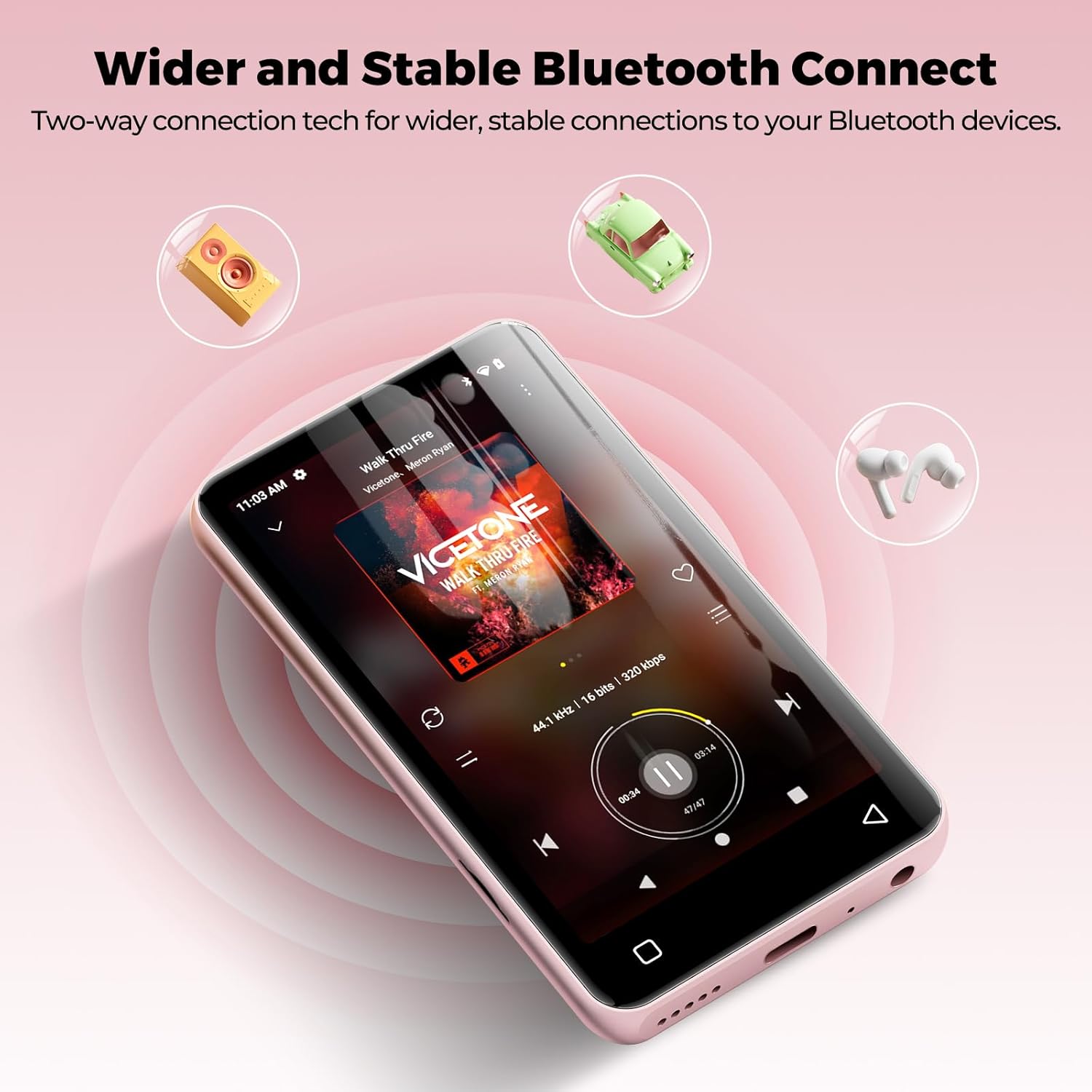
Image: The innioasis G3 MP3 Player demonstrating its Bluetooth connectivity with icons representing headphones, speakers, and car audio systems.
2.5 Навозиши видео
The device supports 1080p HD video playback. Compatible formats include AVI, MKV, MP4, MPEG, MOV, VOB, WMV, WEBM, DIVX, F4V, FLV, Xvid, and 3GP.

Image: The innioasis G3 MP3 Player showcasing its 1080P HD video playback capability with a dynamic scene on its screen.
2.6 Барномаҳои дигар
The MP3 player includes a collection of useful applications such as FM radio, E-book reader, Voice Recorder, File Manager, Clock, Gallery, Browser, Calculator, and Calendar.
2.7 Назорати волидайн
The device features parental controls to manage app installations and usage. You can set a password to require approval before any new apps are downloaded. Apps can also be uninstalled as needed.

Image: The innioasis G3 MP3 Player's screen displaying the parental control settings, including options for setting a password and enabling app installation.
3. Нигоҳдорӣ
3.1 Тозакунӣ
To clean the device, use a soft, dry, lint-free cloth. Avoid using abrasive cleaners, solvents, or aerosol sprays directly on the device. Do not expose the device to excessive moisture.
3.2 Навсозии нармафзор
You can install new apps and update existing ones to access the latest features. Ensure the device is connected to Wi-Fi for updates.
3.3 Идоракунии нигаҳдорӣ
Regularly manage your storage by uninstalling unused apps or transferring files to a computer. The device supports microSD cards up to 1TB for expanded storage. Ensure the microSD card is formatted correctly by the device if prompted.
4. Баррасии мушкилот
4.1 Screen Blank or Frozen
If the screen becomes blank or the device freezes, try performing a forced restart. Press and hold the power button for approximately 10-15 seconds until the device powers off, then power it on again.
4.2 Масъалаҳои пайвасти Bluetooth
If you experience intermittent Bluetooth connection or audio cutting out, try restarting the MP3 player. Ensure the device you are trying to connect to is in pairing mode and within range.
4.3 Батарея зуд холӣ мешавад
Battery life can be significantly affected by screen usage. Reduce screen brightness, close background applications, and limit continuous video playback to extend battery life. Ensure the device is fully charged before extended use.
4.4 Мутобиқати барнома
This player does not support applications that require Google Play services, such as YouTube and YouTube Music. Attempting to install such apps may result in installation failure or improper functionality.
5. Мушаххасоти
| Бренд | инниоз |
| Номи модел | G3 |
| Хусусиятҳои махсус | Equalizer, FM Radio, Hi-Res Audio, Video Playback, Voice Recorder |
| Технологияи пайвастшавӣ | Bluetooth, USB, Wi-Fi |
| Иқтидори нигаҳдории хотира | 160 GB (32GB internal + 128GB SD card) |
| Андозаи экран | 4 инч |
| Дастгоҳҳои мувофиқ | Headphones, Earphones, Laptops, Personal Computers |
| Навъи медиаи дастгирӣ | Micro SD, Micro SDHC, Micro SDXC, SD Card, SDHC (up to 1TB expansion) |
| Технологияи намоиш | LCD |
| Supported Audio Standards | AAC, MP3, WAV, FLAC, APE, OGG, M4A, WMA, MP2 |
| Муҳлати миёнаи батарея | 25 Hours (music playback), 5 Hours (video playback) |
| Вазни ашё | 166 грамм |
| Андозаҳои ашё (D x W x H) | 0.39"D x 2.36"W x 4.33"H |
6. Кафолат ва дастгирӣ
6.1 Маълумот дар бораи кафолат
The innioasis G3 MP3 Player is backed by a 1-year warranty from the date of purchase. Please retain your proof of purchase for warranty claims.
6.2 Дастгирии муштариён
For any questions, technical assistance, or warranty inquiries, please contact our customer service team. We offer 12-hour customer service to ensure your satisfaction. Refer to the product packaging or the official innioasis webсайт барои тафсилоти мушаххаси тамос.