
1. Муқаддима
The NICGIGA 24 Port 2.5Gb Ethernet Switch (Model S25-2400) is an unmanaged network switch designed to provide high-speed connectivity for your home or office network. Featuring 24 2.5 Gigabit Ethernet ports, this switch offers a robust solution for expanding your network capacity and enhancing data transfer rates. Its plug-and-play design ensures easy installation without complex configuration, making it suitable for various environments, including desktop and 19-inch rack mount setups. The fanless metal design ensures quiet operation and efficient heat dissipation, contributing to device stability and longevity.
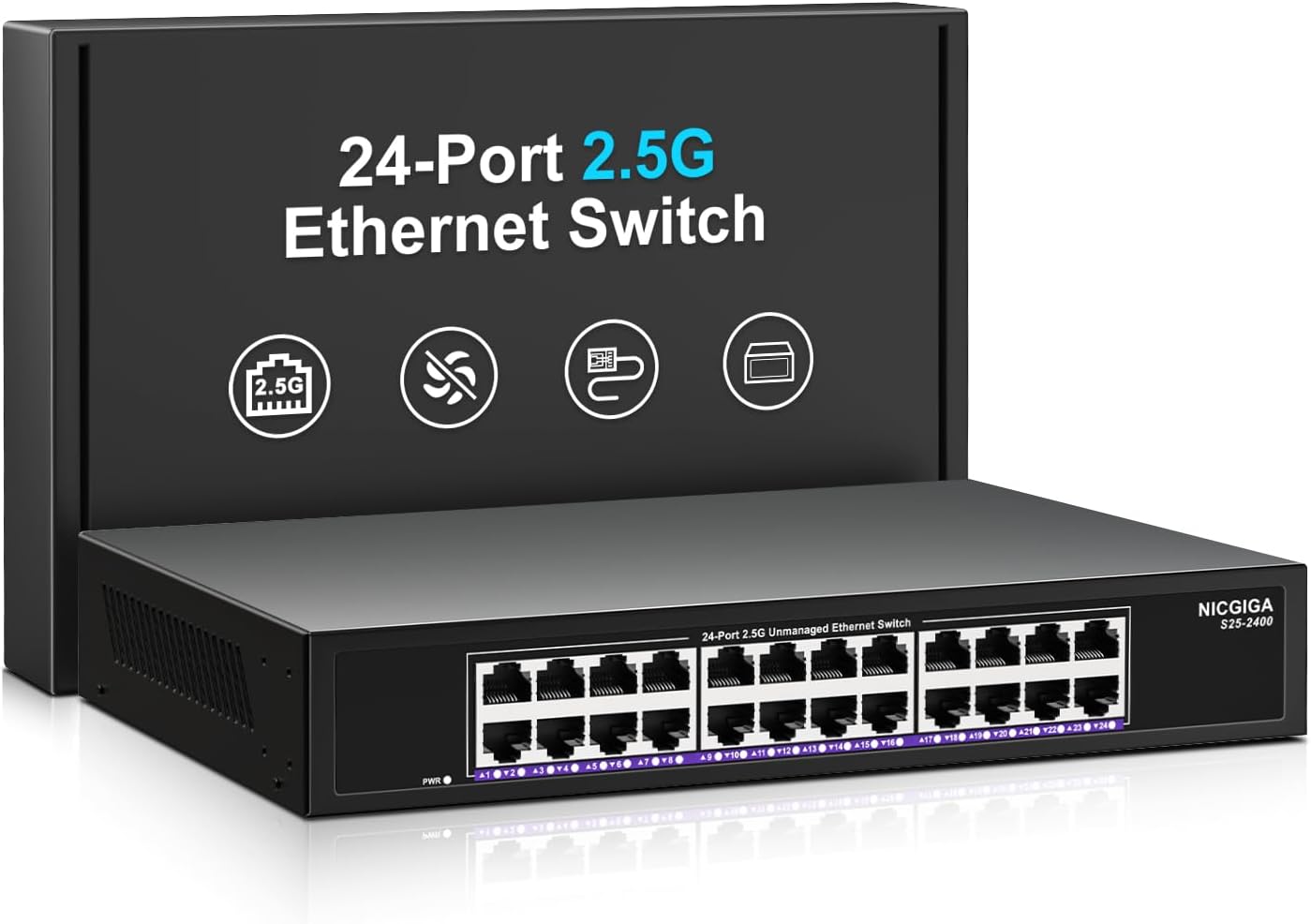
Тасвири 1.1: Пеш view of the NICGIGA 24 Port 2.5Gb Ethernet Switch, showcasing its 24 RJ45 ports and LED indicators.
2. Мундариҷаи баста
Боварӣ ҳосил кунед, ки ашёҳои зерин дар бастаи шумо дохил карда шудаанд:
- NICGIGA 24 Port 2.5Gb Ethernet Switch (Model S25-2400)
- Адаптери барқ
- Rack Mount Kit (for 19-inch rack installation)
- Дастури корбар (ин ҳуҷҷат)
3. Маҳсулот ба охир расидview
3.1 Панели Асосӣ
The front panel of the NICGIGA 24 Port 2.5Gb Ethernet Switch features 24 RJ45 ports and LED indicators for monitoring network activity.
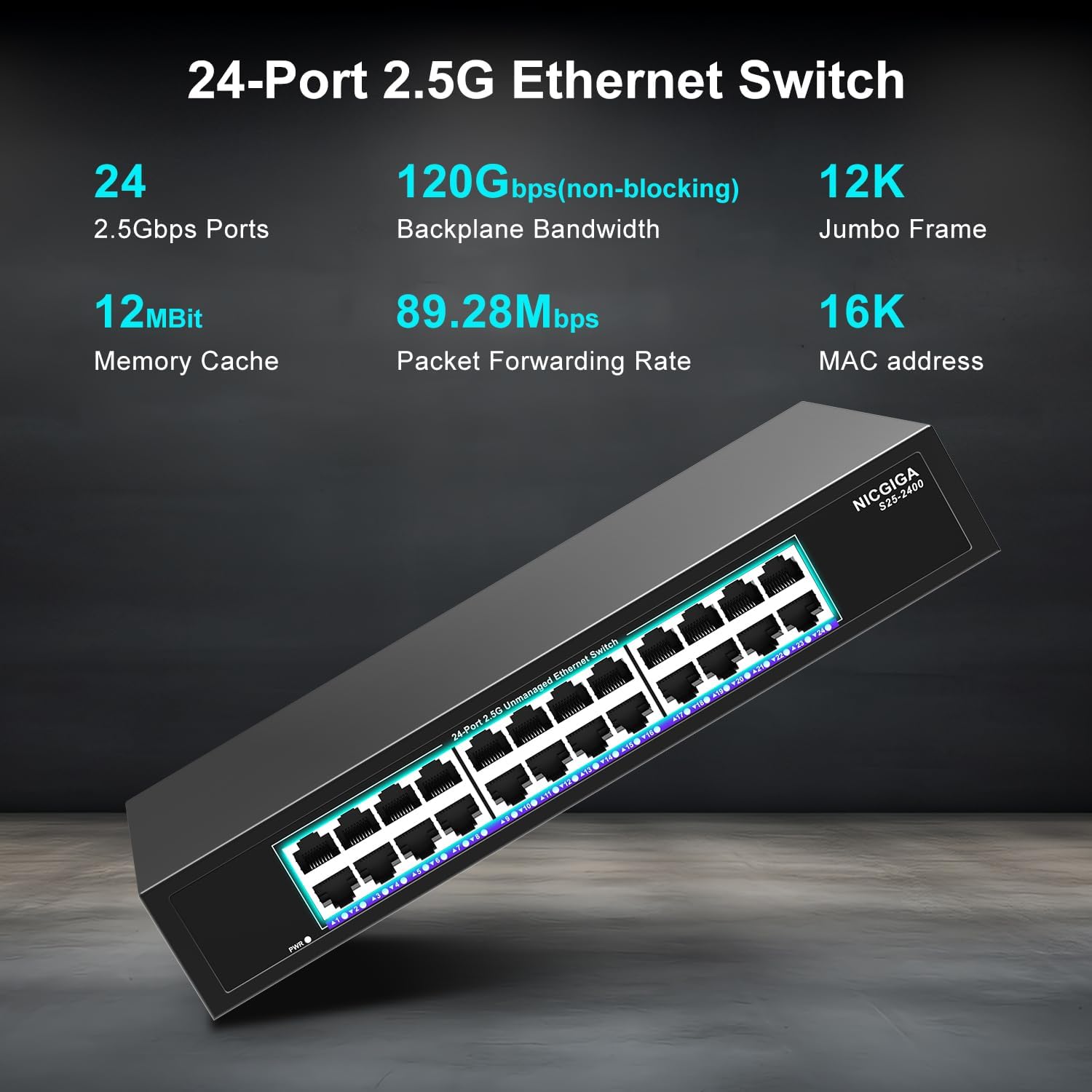
Тасвири 3.1: Муфассал view of the switch's front panel, highlighting the 24 RJ45 ports and power input.
- Портҳои RJ45 (1-24): These ports support 100/1000/2500Mbps Ethernet connections. They automatically detect and adjust to the speed of the connected device.
- Нишондиҳандаҳои LED: Each port has an associated LED that indicates link status and activity.
- Сабз сабз: A stable link is established at 2.5Gbps.
- Зарди сахт: A stable link is established at 1Gbps.
- Норанҷии сахт: A stable link is established at 100Mbps.
- Дурахш: Data activity is occurring on the port.
- Хомӯш: No link is established or the device is not connected.
- LED барқ: Ҳолати қудрати коммутаторро нишон медиҳад.
- Сабз сабз: Тугма фаъол аст.
- Хомӯш: Калиди барқ хомӯш карда шудааст.
3.2 Панели пушти
The rear panel typically contains the power input and ventilation openings.
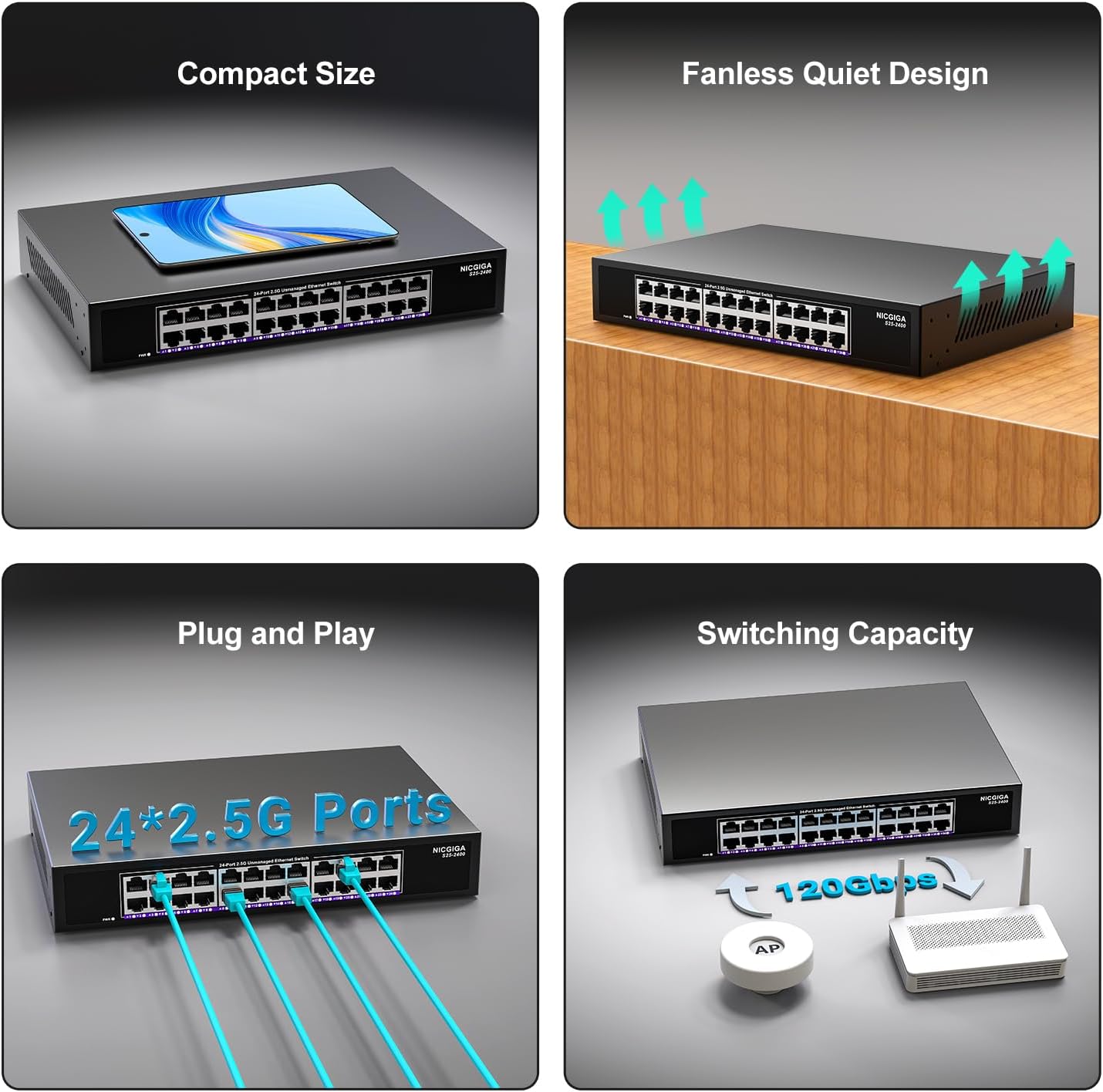
Тасвири 3.2: Қафо view of the switch, showing the power input and fanless design.
4. Танзимот
The NICGIGA 24 Port 2.5Gb Ethernet Switch is designed for simple plug-and-play operation, requiring no software installation or complex configuration.
4.1 Насбкунии мизи корӣ
- Place the switch on a stable, flat surface, ensuring adequate ventilation around the device.
- Connect the power adapter to the switch's power input and then to a power outlet.
- Connect your network devices (e.g., computers, NAS, Wi-Fi 6 APs, routers) to any of the 24 RJ45 ports using standard Ethernet cables. The switch will automatically detect the link speed.

Тасвири 4.1: Мисample of desktop setup, showing the switch connected to a laptop and a Wi-Fi router.
4.2 19-inch Rack Mount Installation
The switch can be installed in a standard 19-inch equipment rack using the included rack mount kit.
- Attach the two rack-mount brackets to the sides of the switch using the provided screws.
- Secure the switch into an available slot in your 19-inch rack using appropriate rack screws (not included).
- Connect the power adapter and network cables as described in the desktop installation.

Image 4.2: Diagram illustrating the dimensions for rack mounting and an example of the switch installed in a 19-inch rack.
5. Дастурҳои истифодабарӣ
Once the switch is powered on and devices are connected, it operates automatically.
- Музокироти худкор: Each port automatically detects the speed (100Mbps, 1Gbps, or 2.5Gbps) and duplex mode (half/full) of the connected device and adjusts accordingly. This ensures optimal performance and compatibility across various network devices.
- Non-Blocking Architecture: The switch provides full wire-speed forwarding on all ports simultaneously, ensuring maximum throughput for all connected devices without bottlenecks.
- Unmanaged Operation: No configuration or software is required. Simply connect your devices, and the switch will manage data traffic efficiently.

Image 5.1: Illustration of the auto-negotiation feature, showing how the switch adapts to different link speeds.
6. Нигоҳдорӣ
The NICGIGA 24 Port 2.5Gb Ethernet Switch is designed for minimal maintenance.
- Тозакунӣ: Барои тоза кардани беруни коммутатор аз матои нарм ва хушк истифода баред. Аз тозакунандаҳои моеъ ё аэрозолӣ истифода набаред.
- Вентилятсия: Ensure that the ventilation openings are not blocked to allow for proper airflow and heat dissipation. The fanless design relies on natural convection.
- Муҳити зист: Operate the switch within its specified environmental conditions (temperature, humidity) to ensure optimal performance and longevity.
7. Баррасии мушкилот
If you encounter issues with your NICGIGA 24 Port 2.5Gb Ethernet Switch, refer to the following common troubleshooting steps:
- Не қудрат:
- Ensure the power adapter is securely connected to both the switch and a working power outlet.
- Тасдиқ кунед, ки васлаки барқ фаъол аст, тавассути пайваст кардани дастгоҳи дигар.
- Check the Power LED on the switch; it should be solid green when powered on.
- Дар порт пайванд/фаъолият вуҷуд надорад:
- Verify that the Ethernet cable is securely connected to both the switch port and the connected device.
- Боварӣ ҳосил кунед, ки дастгоҳи пайвастшуда фурӯзон аст ва адаптери шабакавии он дуруст кор мекунад.
- Try a different Ethernet cable to rule out cable issues.
- Санҷиши коммутаторро бо порти дигари он анҷом диҳед.
- Check the LED indicator for the specific port; if it's off, there's no link.
- Суръати сусти шабака:
- Ensure all connected devices and network adapters support 2.5Gbps speeds for optimal performance. The switch will auto-negotiate to the highest common speed.
- Use Cat5e or higher-rated Ethernet cables for 2.5Gbps connections.
- Трафики аз ҳад зиёди шабака ё монеаҳоро дар дигар дастгоҳҳои шабакавӣ тафтиш кунед.
- Пайвастагии фосилавӣ:
- Inspect Ethernet cables for damage.
- Ensure the switch is placed in a well-ventilated area to prevent overheating, although it has a fanless design.
- Check for potential electromagnetic interference from other electronic devices.
8. Мушаххасоти
| Хусусият | Мушаххасоти |
|---|---|
| Модели | S25-2400 |
| Шумораи портҳо | 24 x 2.5Gbps RJ45 Ports |
| Навъи интерфейс | RJ45 |
| Меъёри интиқоли маълумот | 100/1000/2500Mbps (Auto-Negotiation) |
| Иқтидори гузариш | 160 Гб/с |
| Чорчӯбаи Jumbo | 12К |
| Андозаи Ҷадвали MAC | 16К |
| Кэши хотира | 12Мбит |
| Меъёри интиқоли бастаҳо | 89.28 Mpps |
| Тарҳрезӣ | Fanless Metal Design |
| Муҳофизати барқ | 4 кВ |
| Насбкунӣ | Desktop or 19-inch Rack Mount |
| Андозаҳо (L x W x H) | 270.5 x 181 x 44.5 мм (10.6 x 7.1 x 1.7 инч) |
| Вазни ашё | 1.9 килограмм (4.18 фунт) |
| Дастгоҳҳои мувофиқ | Desktop, Gaming Console, Laptop |
| UPC | 790885830235 |
Эзоҳ: Мушаххасот бояд бе огоҳӣ тағир дода шаванд.
9. Кафолат ва дастгирӣ
NICGIGA provides a one-year warranty for this product, ensuring reliability, quality, and performance. Additionally, lifetime technical support is available for the entire product lifecycle.
For technical assistance or warranty claims, please contact NICGIGA customer support through the official webсайт ё платформаи хариди шумо.