
1. Муқаддима
Thank you for choosing the Oilsky M502 MP3 Player. This device combines a powerful Android 13.0 operating system with extensive media capabilities, including Bluetooth, Wi-Fi, a high-definition touchscreen, and dual cameras. It is designed for versatile entertainment and communication. This manual provides essential information for setting up, operating, and maintaining your device.

Тасвири 1.1: Пеш view Плеери MP3-и Oilsky M502, намоишasing its sleek design and large touchscreen.
2. Дар қуттӣ чӣ мавҷуд аст
Лутфан мундариҷаи бастаро ҳангоми кушодани қуттӣ тафтиш кунед:
- 1 x Плеери MP3 Oilsky M502
- 1 x Дастури корбар
- 1 x Филми муҳофизатӣ
- 1 x кабели USB
- 1 x Гӯшмонакҳо

Image 2.1: The Oilsky M502 MP3 Player and its included accessories: USB cable, earphones, protective film, and user manual.
3. Маҳсулот ба охир расидview
Хусусиятҳои асосӣ:
- Низоми амал: Android 13.0
- Протсессор: MTK 6762 Octa-core processor
- Хотира: 4GB RAM + 128GB Internal Storage (expandable up to 1TB via MicroSD card)
- Намоиш: 5.5-inch HD Touchscreen (1440x720 resolution, IPS wider viewкунҷи ing)
- Пайвастшавӣ: Bluetooth 5.0, Dual-band Wi-Fi (2.4GHz/5GHz), USB
- Камераҳо: 13MP Rear Camera, 5MP Front Camera
- Батарея: 2500mAh Lithium-ion (approx. 30 hours music playback, 5 hours video playback)
- Барномаҳои қаблан насбшуда: Spotify, Pandora, Amazon Music, Audible, Tidal, Deezer, etc.
- Форматҳои мусиқии дастгирӣшаванда: MP3, WAV, APE, FLAC, AAC
- Форматҳои видеоии дастгирӣшаванда: AVI, MKV, RMVB, MP4, MPG, MOV
Visual Overview:

Image 3.1: Device powered by Android 13.0 and MTK 6762 octa-core chip for smooth performance.

Image 3.2: Bluetooth 5.0 for stable wireless connections to speakers, headsets, mobile phones, and computers.

Image 3.3: Capture moments with the 13MP rear camera and 5MP front camera.

Image 3.4: Large storage capacity with 128GB built-in and up to 1TB expandable storage.

Image 3.5: 1440P HD full-format video player with a 5.5-inch full touch screen and IPS display.

Image 3.6: Powerful music app (HiByMusic player) supporting various formats and features.
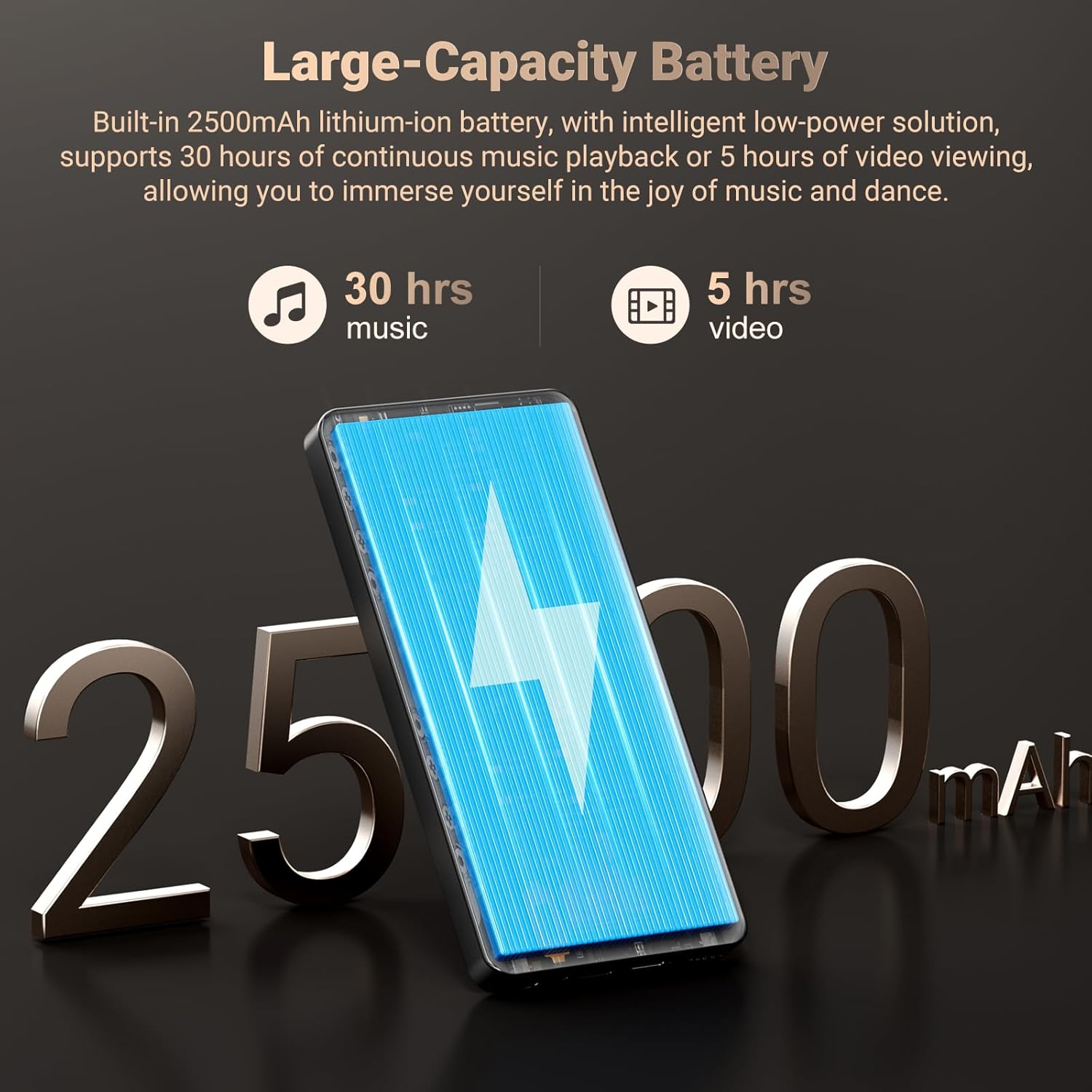
Image 3.7: Long-lasting 2500mAh battery for extended music and video playback.

Image 3.8: Access to streaming apps and local music playback for a rich audio experience.
Видеои маҳсулот тамом шудview
Видео 3.1: Як мансабдор тамом шудview of the Oilsky 128GB MP3 Player, highlighting its key features and functionalities.
4. Танзимот
4.1 Пур кардани дастгоҳ
Before first use, fully charge the MP3 player. Connect the provided USB cable to the device's charging port and the other end to a USB power adapter (not included) or a computer's USB port. The charging indicator will show the charging status.
4.2 Фурӯзон/хомӯш кардан
- Барои фаъол кардан: Press and hold the Power button on the side of the device until the screen lights up.
- Барои хомӯш кардани барқ: Тугмаи барқро пахш карда нигоҳ доред ва аз имконоти дар экран пайдошуда 'Қоркуниро'-ро интихоб кунед.
4.3 Танзимоти ибтидоӣ
Upon first power-on, follow the on-screen prompts to complete the initial setup, which includes selecting your language, connecting to a Wi-Fi network, and setting up your Google account (optional, but recommended for app downloads).
4.4 Ҷойгиркунии корти MicroSD
To expand storage, locate the MicroSD card slot on the device. Gently insert a MicroSD card (up to 1TB, not included) into the slot until it clicks into place. Ensure the card is inserted in the correct orientation.
5. Дастурҳои истифодабарӣ
5.1 Навозиши мусиқӣ
The device features a professional-grade music player. You can play local music files or stream from pre-installed apps.
- Мусиқии маҳаллӣ: Transfer MP3, WAV, APE, FLAC, AAC files to the device's internal storage or MicroSD card. Use the built-in music app to scan folders, create playlists, and search for tracks.
- Ҷараён: Connect to Wi-Fi and open pre-installed apps like Spotify, Pandora, Amazon Music, etc., to stream music online.
- Bluetooth Аудио: Pair with Bluetooth headphones or speakers via Settings > Connected devices > Bluetooth.
5.2 Навозиши видео
The 5.5-inch HD screen supports 720P/1440P video playback.
- Transfer AVI, MKV, RMVB, MP4, MPG, MOV video fileс ба дастгоҳ.
- Open the video player app to browse and play your videos.
Функсияи камераи 5.3
The device includes a 13MP rear camera and a 5MP front camera.
- Open the Camera app from the home screen.
- Дар ҳолати зарурӣ, байни камераҳои пеш ва ақиб гузаред.
- Барои аксбардорӣ ё сабти видео, тугмаи пардаро пахш кунед.
5.4 Идоракунии барнома
As an Android device, you can install and manage applications.
- Насб кардани барномаҳо: Open the Google Play Store app, search for desired applications, and tap 'Install'.
- Нест кардани барномаҳо: Go to Settings > Apps > See all apps, select the app, and tap 'Uninstall'. Pre-installed apps can also be uninstalled if not needed.
5.5 Пайвастшавӣ
- Вай-фай: Барои пайваст шудан ба шабакаҳои дастрас ба Танзимотҳо > Шабака ва интернет > Wi-Fi гузаред.
- Блутуз: Go to Settings > Connected devices > Bluetooth to pair with other Bluetooth devices for audio or file интиқол.
- USB: Дастгоҳро бо истифода аз сими USB ба компютер пайваст кунед file transfer. Select the 'File transfer' option on the device when prompted.
6. Назорати волидайн
The Oilsky M502 includes parental control features to manage content access and screen time, making it suitable for children.
- Ба танзимоти назорати волидайн тавассути танзимоти системаи дастгоҳ дастрасӣ пайдо кунед.
- Set restrictions on app usage, screen time limits, and content filtering to ensure age-appropriate access.
- Google Chrome can be disabled if desired.

Тасвири 6.1: Мисample of parental control settings, allowing for screen time limits and app restrictions.
7. Нигоҳдорӣ
- Тозакунӣ: Барои тоза кардани дастгоҳ аз матои мулоим ва хушк истифода баред. Аз тозакунандаҳои моеъ ё маводҳои абразивӣ худдорӣ намоед.
- Нигоҳубини батарея: To prolong battery life, avoid extreme temperatures and do not let the battery fully discharge frequently. Charge the device regularly.
- Навсозии нармафзор: Periodically check for system updates in Settings > System > System update to ensure optimal performance and security.
- Идоракунии нигаҳдорӣ: Мунтазам тоза нолозим fileва барномаҳои истифоданашударо барои холӣ кардани фазои нигоҳдорӣ ва нигоҳ доштани самаранокӣ нест кунед.
8. Баррасии мушкилот
| Мушкилот | Ҳалли имконпазир |
|---|---|
| Дастгоҳ фаъол нест | Ensure the device is charged. Connect to a charger for at least 30 minutes. If unresponsive, perform a forced restart by holding the power button for 10-15 seconds. |
| Ба Wi-Fi пайваст шуда наметавонад | Check if Wi-Fi is enabled in settings. Ensure the password is correct. Restart the device and the Wi-Fi router. |
| Пайвасткунии Bluetooth ноком мешавад | Ensure Bluetooth is enabled on both devices. Place devices close to each other. Restart both devices and try pairing again. |
| Барномаҳо суст ё ях мекунанд | Close background apps. Clear app cache (Settings > Apps > [App Name] > Storage & cache > Clear cache). Ensure sufficient storage space is available. Restart the device. |
| Корти MicroSD муайян карда нашуд | Ensure the card is inserted correctly. Try reinserting the card. Test with another MicroSD card if possible. |
| Сифати камераи паст | Ensure the camera lens is clean. Take photos in well-lit environments. |
9. Мушаххасоти
| Хусусият | Тафсилот |
|---|---|
| Бренд | Ойлский |
| Номи модел | М502 |
| Низоми амал | Android 13.0 |
| Иқтидори нигаҳдории хотира | 128 ГБ (то 1 ТБ васеъшаванда) |
| Андозаи экран | 5.5 инч |
| Технологияи намоиш | IPS or TFT |
| Технологияи пайвастшавӣ | Bluetooth, USB, Wi-Fi (2.4GHz/5GHz) |
| Хусусиятҳои махсус | 1440P Full Formats, App Installation, Equalizer, FM Radio, WIFI, Dual Cameras (13MP Rear, 5MP Front) |
| Навъи медиаи дастгирӣ | MP3, WAV, APE, FLAC, AAC (Audio); AVI, MKV, RMVB, MP4, MPG, MOV (Video) |
| Дастгоҳҳои мувофиқ | Гӯшмонак, баландгӯяк |
| Батарея | 2500мАч литий-ион |
| Ранги | Сиёҳ |
10. Кафолат ва дастгирӣ
The Oilsky M502 MP3 Player comes with a Кафолати 1 сол аз рӯзи харид, пӯшонидани камбудиҳои истеҳсолӣ. Лутфан далели хариди худро барои даъвоҳои кафолат нигоҳ доред.
For technical support, troubleshooting assistance, or warranty inquiries, please contact Oilsky customer service through the retailer's platform or the official Oilsky website. Refer to the contact information provided with your purchase or on the product packaging.
Always refer to the latest information available on the official Oilsky support channels for the most up-to-date assistance.