📘 Datanet manuals • Free online PDFs
Datanet logo

Datanet Manuals & User Guides

Datanet specializes in enterprise mobility software, providing barcode scanning and stocktaking applications like EzyScan for rugged mobile computers.

Tip: include the full model number printed on your Datanet label for the best match.

About Datanet manuals on Manuals.plus

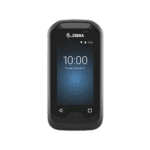
Datanet is a provider of software solutions designed for enterprise mobility and inventory management. The brand creates specialized applications such as EzyScan ва Barcode Manager, which are optimized for use on rugged mobile computers like the Zebra EC30 and TC26.

These tools assist businesses in performing accurate stocktakes, verifying barcode data, and managing inventory records efficiently. Datanet applications typically leverage the built-in hardware scanners of enterprise devices to ensure rapid and precise data capture.

Datanet manuals

Дастурҳои навтарин аз manuals+ барои ин бренд таҳия шудааст.

datanet TC26 EzyScan Дастури корбар замимаи мобилӣ

3 апрели соли 2023
Барномаи мобилии datanet TC26 EzyScan Маълумот дар бораи маҳсулот TC26 EzyScanTM TC26 EzyScanTM як барномаи мобилӣ аст, ки барои пешниҳоди усули соддаи ҳисоб ва тасдиқи миқдори захираҳо ба корбарон тарҳрезӣ шудааст.…

Дастури корбарии менеҷери штрих-коди Datanet - Хусусиятҳо ва истифода

Дастури корбар
Дастури мукаммали корбар барои барномаи мобилии Datanet Barcode Manager. Омӯзед, ки чӣ тавр функсияҳои муқоисаи штрих-код ва рӯйхати штрих-кодҳои онро барои сабти самараноки маълумот, идоракунӣ ва содирот тавассути почтаи электронӣ истифода баред.…

Дастури корбари Datanet TC26 EzyScan

Дастури корбар
Дастури корбар барои барномаи мобилии Datanet TC26 EzyScan, ки дар он тарзи ҳисоб ва тасдиқи миқдори захираҳо бо истифода аз сканкунии штрих-код ва интиқоли маълумот ба компютер муфассал шарҳ дода шудааст.

Datanet support FAQ

Саволҳои умумӣ дар бораи дастурҳо, бақайдгирӣ ва дастгирии ин бренд.

  • How do I transfer data from the Datanet EzyScan app to a computer?

    Connect your mobile device to a PC using a USB cable. On the device, swipe down the notification bar, tap the USB option, and select 'File Transfer'. Navigate to the Internal Shared Storage > Download > EzyScan folder on your PC to retrieve the CSV file.

  • What does the Barcode Compare function do?

    The Barcode Compare function allows you to scan two barcodes sequentially to determine if they match. This feature is useful for verifying stock accuracy.

  • How do I enable duplicate scanning in Barcode Manager?

    Go to the application settings and check the 'Allow Duplicates' box. This allows the same barcode to be scanned and recorded multiple times in a single session.

  • What devices are Datanet apps compatible with?

    Datanet applications like EzyScan are designed for enterprise mobile computers with built-in scanners, such as the Zebra EC30 and TC26 series.