1. Муқаддима
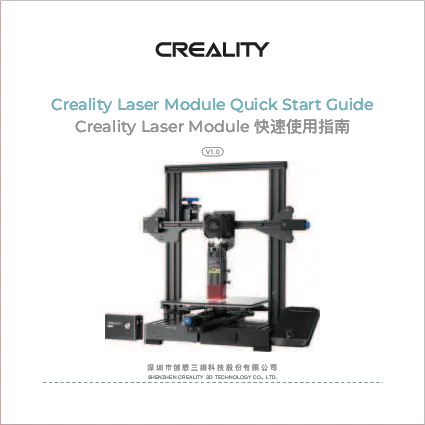
The Creality CV-Laser Engraving Laser Module is a versatile accessory designed to enhance the capabilities of compatible 3D printers, laser engraving machines, and CNC engraving machines. This module allows for precise laser engraving and cutting on a wide range of materials, offering creative possibilities for DIY enthusiasts. It features a semiconductor laser with an optical power of 1.6W or 5W (depending on the variant) and operates at a wavelength of 450±5nm. The module is built with safety in mind, meeting FDA Class 4 safety level requirements.
Video: Demonstration of the Creality CV-Laser Module in action, showing engraving on wood and cutting various shapes.
2. Маълумот оид ба бехатарӣ
DANGER: LASER RADIATION
- This product complies with 21CFR 1010.10 and 1040.11 except for deviations pursuant to Laser Notice NO.50, dated June 24, 2007.
- АЗ ТАЪСИРИ ЧАШМ ВА ПУСТИ РАДИАЦИОНИИ мустақим ё пароканда худдорӣ намоед.
- Always wear the provided protective glasses when operating the laser module.
- Ensure proper ventilation in the work area to dissipate smoke and odors generated during engraving.
- Кӯдакон ва ҳайвоноти хонагиро аз минтақаи амалиёт дур нигоҳ доред.
- Do not leave the laser module unattended during operation.

Тасвир: Пеш view of the Creality CV-Laser Module, highlighting safety labels.
3. Мундариҷаи баста
Боварӣ ҳосил кунед, ки ҳама ашё дар бастаи шумо мавҷуданд:
- Laser Module (CV-LaserModule)
- Wooden board x 2
- Kraft paper x 2
- Colored cardboard x 7
- Colored felt paper x 7
- Сими барқ x 1
- Black nylon cable tie x 2
- M2 hexagon wrench x 1
- 1.6W laser head fixing plate x 1
- Cylindrical head screw x 1
- Hexagon socket countersunk head screws x 4
- рахи магнитии нарм x 2
- Activated carbon smoking cotton x 2
- Dust-free cloth x 1
- Protective glasses x 1

Image: All components included in the Creality CV-Laser Module package.
4. Мушаххасоти
| Параметр | Арзиш |
|---|---|
| Номи маҳсулот | Module Laser |
| Рақами модел | CV-LaserModule 24V 1.6W 5W |
| Навъи ашё | Гравюраи лазерӣ |
| Сигнали назорат | PWM |
| Манбаи лазерӣ | Лазерҳои нимноқил |
| Андозаи маҳсулот | 53*72*102мм |
| Дарозии мавҷҳои лазерӣ | 450 ± 5nm |
| Вазни софи маҳсулот | 210г |
| Қувваи оптикӣ | 1.6W / 5W (depending on variant) |
| Талаботи қувваи барқ | DC 24V |
| Синфи бехатарӣ | FDA Class 4 |
| Диапазони ҳарорати корӣ | 0°C ~ +40°C |
| Диапазони намии корӣ | 10% ~ 90% |
| Supported Material Types | Картон, чубу тахта, бамбук, резина, чарм, матоъ, акрил, пластмасса ва гайра. |

Image: Product Parameter table detailing specifications.
5. Танзим ва насб
The Creality CV-Laser Module is designed for simple installation and convenient focusing.
5.1 Мутобиқат
This laser module is compatible with Creality Ender-3 S1, Ender-3 S1 Pro, and Ender-3 S1 Plus 3D Printers, as well as other standardized 3D printers, laser engraving machines, and CNC engraving machines.

Image: The laser module demonstrating compatibility with different machines.
5.2 Қадамҳои насб
- Install Laser Head Kit: Take out the laser head kit and a cylindrical head thumb screw from the packing box. Install the laser head kit onto the fixing plate. Tighten it with the cylindrical head thumb screw by turning it clockwise.
- Пайваст кардани сими барқ: Plug in the power cord. The connection port is specifically designed to prevent reverse connection; ensure you distinguish the correct direction of the interface before plugging it in.
5.3 Тамаркуз
The module features a unique and convenient focusing unit that allows for quick and accurate focus adjustment to achieve the best engraving effect. Adjust the focus until the laser spot is at its smallest and most intense point on the material surface.

Image: Visual guide for installing the laser head and using the convenient focusing unit.
6. Дастурҳои истифодабарӣ
Once installed and focused, the CV-Laser Module is ready for operation. Ensure your host machine (3D printer, engraving machine) is properly configured for laser operation.
6.1 Engraving Modes
The module supports three primary engraving modes:
- Нақша: Engraves the contours of a design.
- Хокистарранг: Allows for varying shades and depths, creating detailed images.
- Сиёҳ ва сафед: Simple binary engraving, ideal for text and sharp graphics.
6.2 Маводҳои дастгиришаванда
The laser module can engrave and cut a wide variety of materials, including but not limited to:
- Когаз
- Тахтаи чӯб
- Тахтаи бамбук
- Пӯст
- Матоъ
- Акрилӣ
- Пластмасса

Тасвир: Мисamples of DIY creativity with the laser module on different materials.
6.3 Ensuring Engraving Effect
The included soft magnetic strips can be used to ensure the surface flatness of the engraving material, preventing warping and deformation during the engraving process and ensuring a consistent, high-quality result.
7. Нигоҳдорӣ
Regular maintenance ensures the longevity and optimal performance of your CV-Laser Module.
- Air Filter Cotton: The module features a built-in air filter cotton designed to absorb smoke and odors generated during engraving. Regularly check and replace the activated carbon smoking cotton (2 pieces included) to maintain efficient air purification and reduce indoor air pollution.
- Тоза кардани линза: Use the provided dust-free cloth to gently clean the laser lens if it becomes dirty. Ensure the laser is off and cooled down before cleaning.
- Тозакунии умумӣ: Keep the module and surrounding area free from dust and debris.

Image: The activated carbon filter, illustrating its function in purifying smoke and dust.
8. Баррасии мушкилот
If you encounter issues with your CV-Laser Module, consider the following common solutions:
- Натиҷаи лазерӣ нест: Check if the power cord is securely connected and the module is receiving power. Ensure the host machine is properly configured and sending the correct control signal (PWM).
- Сифати пасти кандакорӣ: Verify that the laser is correctly focused on the material surface. Adjust the focus as described in Section 5.3. Ensure the material is flat and secured using the magnetic strips if necessary. Check engraving parameters (speed, power) in your software.
- Smoke/Odor Issues: Ensure the activated carbon filter is clean and properly installed. Replace the filter cotton if it is saturated. Ensure adequate ventilation in your workspace.
- Модул эътироф нашудааст: Confirm that the module is correctly connected to your host machine's interface. Refer to your host machine's manual for specific connection requirements for laser modules.
9. Маслиҳатҳои корбар
- Always perform a small test engraving on a scrap piece of the same material before starting a large project to fine-tune settings.
- Experiment with different engraving speeds and power levels to achieve desired effects on various materials.
- Keep your workspace clean and organized to prevent dust and debris from affecting the laser module's performance.
10. Кафолат ва дастгирӣ
For warranty claims, technical support, or further assistance, please contact Creality customer service or your authorized reseller. Keep your purchase receipt as proof of purchase.