1. Маҳсулот ба охир расидview
The Scosche I335 Hookup 3.5mm Auxiliary Audio Cable is designed to transmit audio signals between devices equipped with standard 3.5mm audio jacks. This 3-foot (approximately 0.91 meters) cable provides a reliable connection for various audio applications, including connecting portable media players to car stereos, home audio systems, or headphones.
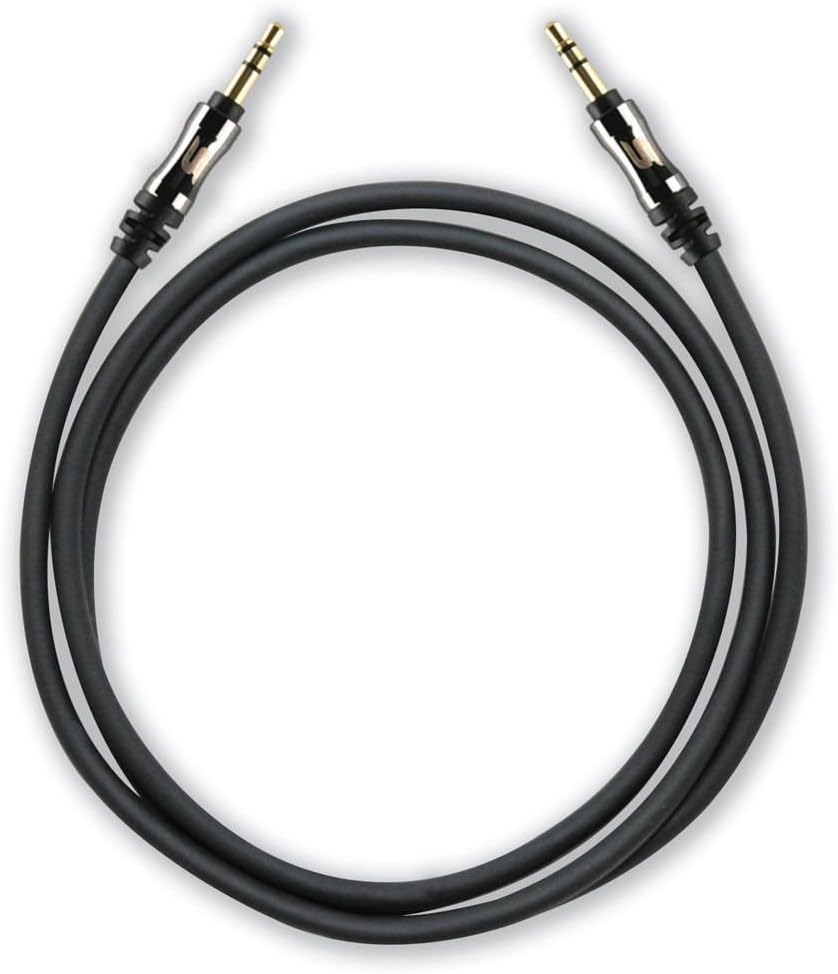
A coiled black 3-foot Scosche I335 auxiliary audio cable with gold-plated 3.5mm male connectors on both ends.
1.1 Мундариҷаи баста
- 1 x Scosche I335 Hookup 3.5mm Auxiliary Audio Cable (3-foot, Black)
- 1 x Cable Extension Adapter
2. Насбкунӣ ва пайвастшавӣ
2.1 Connecting the Auxiliary Cable
- Муайян кардани портҳои аудио: Locate the 3.5mm audio output port on your source device (e.g., smartphone, MP3 player) and the 3.5mm audio input port on your destination device (e.g., car stereo, speaker system). These ports are typically labeled as 'AUX OUT', 'HEADPHONE', or 'AUX IN'.
- Connect Cable Ends: Insert one end of the Scosche I335 auxiliary cable into the 3.5mm audio output port of your source device.
- Пайвастшавӣ бехатар: Insert the other end of the auxiliary cable into the 3.5mm audio input port of your destination device. Ensure both connectors are fully inserted for a secure connection.

This image displays a close-up of the 3.5mm audio jack, highlighting its design with integrated strain relief for enhanced durability and a secure connection.
2.2 Using the Extension Adapter
The included extension adapter allows for increased cable length or conversion of one male end to a female port, enabling connection to another 3.5mm male cable.
- Кабелро ба адаптер пайваст кунед: Insert one male end of the Scosche I335 auxiliary cable into one end of the extension adapter.
- Connect Second Cable (Optional): If extending the cable, connect another 3.5mm male-to-male cable into the other end of the extension adapter.
- Ба дастгоҳ пайваст шавед: Connect the remaining free end of the cable setup to your audio device.

The image shows the Scosche 3.5mm auxiliary cable connected to the included extension adapter, demonstrating how to extend the cable's reach or convert one end to a female port.
3. Дастурҳои истифодабарӣ
Once the auxiliary cable is securely connected between your audio source and destination devices:
- Воридро интихоб кунед: On your destination device (e.g., car stereo, home receiver), select the 'AUX' or 'Line-In' input source. Refer to your device's manual for specific instructions on input selection.
- Навозиши аудио: Begin playing audio from your source device.
- Танзими овоз: Adjust the volume on both your source device and destination device to achieve the desired audio level. It is often recommended to set the source device's volume to about 75-80% of its maximum and then control the main volume from the destination device.
4. Нигоҳдорӣ ва нигоҳубин
Proper care of your auxiliary cable will ensure its longevity and optimal performance:
- Нагузоред, ки аз хами шадид: Симро, махсусан дар наздикии пайвасткунакҳо, тез хам накунед, зеро ин метавонад ба симҳои дохилӣ зарар расонад.
- Ба таври дуруст нигоҳ доред: Вақте ки истифода намебаред, симро ба таври озод печонед ва онро дар ҷои тоза ва хушк, дур аз ҳарорати аз ҳад зиёд нигоҳ доред.
- Пайвасткунакҳои тоза: If connectors appear dirty, gently wipe them with a dry, lint-free cloth. Avoid using liquids or abrasive cleaners.
- Бо эҳтиёт муносибат кунед: Ҳангоми васл кардан ё ҷудо кардани сим, ба ҷои кашидани худи сим, ҳамеша корпуси васлкунакро бигиред.
5. Баррасии мушкилот
If you encounter issues with your Scosche I335 auxiliary cable, try the following solutions:
- Овоз нест:
- Боварӣ ҳосил кунед, ки ҳарду нӯги кабел пурра ба портҳои мувофиқи худ ворид карда шудаанд.
- Verify that the correct input source (AUX/Line-In) is selected on your destination device.
- Check the volume levels on both the source and destination devices.
- Test the cable with different devices to rule out an issue with the cable itself or the connected devices.
- Poor Sound Quality (Static, Distortion, Low Volume):
- Боварӣ ҳосил кунед, ки ҳама пайвастҳо бехатар ва аз партовҳо холӣ мебошанд.
- Adjust the volume levels on both devices; sometimes setting the source volume too high or too low can cause distortion.
- Check if the cable is damaged (e.g., visible fraying, kinks).
- Боварӣ ҳосил кунед, ки кабел дар наздикии манбаъҳои пурқуввати электромагнитӣ кор намекунад.
- Кабел мувофиқ нест:
- Confirm that both devices have standard 3.5mm audio jacks. This cable is not compatible with other jack sizes (e.g., 2.5mm, 6.35mm).
- If using a phone case, ensure it does not obstruct the 3.5mm port, preventing full insertion of the connector.
6. Мушаххасоти
| Хусусият | Тафсилот |
|---|---|
| Бренд | Scosche |
| Рақами модел | I335 |
| Навъи пайвасткунанда | Ёрдамчӣ (3.5 мм) |
| Навъи кабел | AUX |
| Дарозии кабел | 3 фут (тақрибан 0.91 метр) |
| Ранги | Сиёҳ |
| Ҷинси пайвасткунанда | Мард-ба-Мард |
| Шакл | Давра |
| Дастгоҳҳои мувофиқ | Any device with a 3.5mm female port |
| Хусусияти махсус | Extension adapter included |
| Вазни ашё | 2.4 унсия (тақрибан 68 грамм) |
| Андозаҳои маҳсулот | 2.75 x 1.12 x 7 дюйм (баста) |
7. Кафолат ва дастгирии муштариён
7.1 Маълумот дар бораи кафолат
Scosche products are designed for quality and durability. For specific warranty terms and conditions applicable to your I335 Hookup 3.5mm Auxiliary Audio Cable, please refer to the official Scosche website or contact their customer support directly. Warranty periods may vary by product and region.
7.2 Дастгирии муштариён
If you require further assistance, have questions about your product, or need to report an issue, please visit the official Scosche website for contact information, FAQs, and support resources. You can typically find support details under the 'Support' or 'Contact Us' sections of their webсайт.


