1. Муқаддима
The Logilink AU-0003C USB to Parallel Centronics Adaptor Cable provides a convenient solution for connecting older parallel port printers to modern computers equipped with USB ports. This adapter allows you to utilize your existing parallel peripherals without requiring a legacy parallel port on your computer. It features Plug and Play functionality for easy installation and supports bidirectional communication for enhanced printer capabilities.
2. Мундариҷаи баста
- 1x Logilink AU-0003C USB to Parallel Centronics Adaptor Cable

The retail box for the Logilink USB to Parallel Centronics Adaptor Cable, highlighting its features and design.
3. Хусусиятҳо
- Converts Centronics parallel signals to USB.
- Compatible with USB printer device specifications.
- Plug and Play installation, no drivers required for the adapter itself.
- Supports EPP (Enhanced Parallel Port) and ECP (Extended Capabilities Port) bidirectional communication.
- USB Full-Speed (12 Mbit/s) compliant.
- Cable length: 1.5 meters.

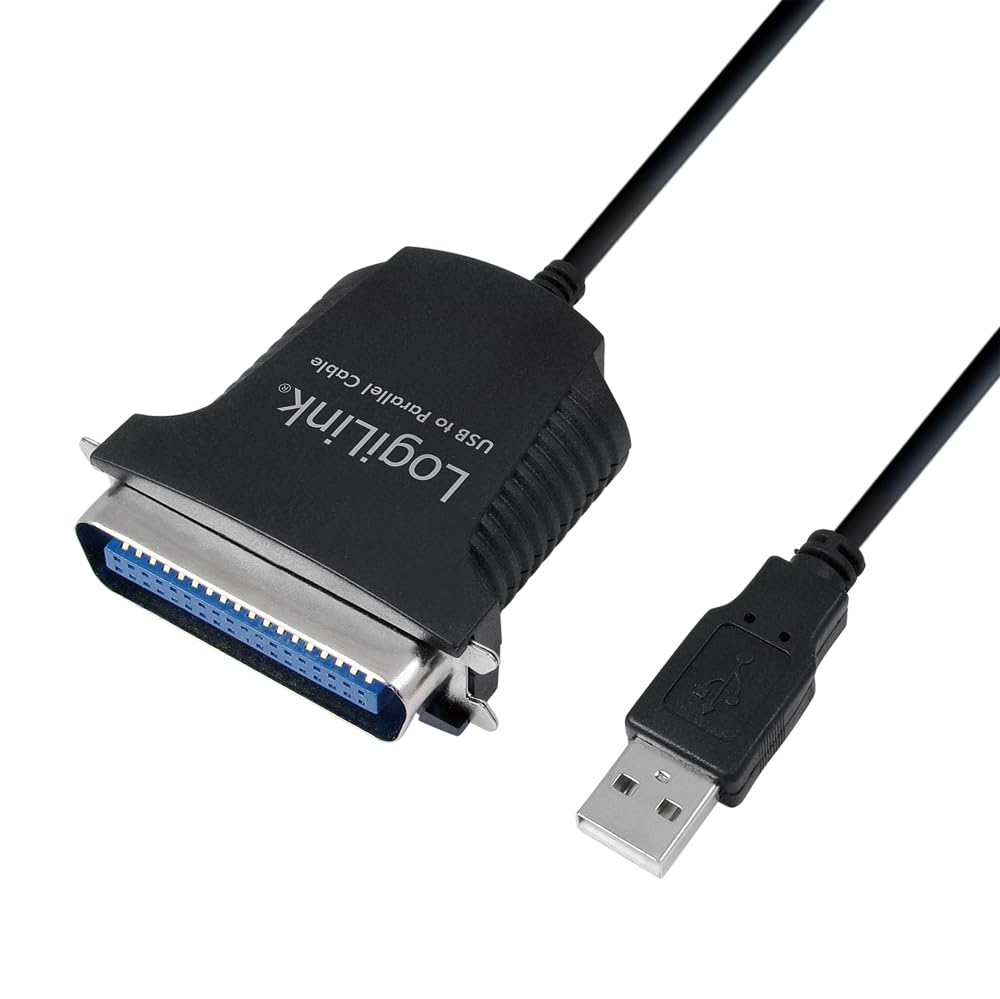
Муфассал view of the Logilink USB to Parallel Centronics Adaptor Cable, showing both the USB-A connector and the Centronics 36-pin connector.
4. Талаботи система
- Operating System: Windows 98SE, Windows ME, Windows 2000, Windows XP, Windows Vista, Windows 7.
- Available USB 1.1 or USB 2.0 port.
- Printer drivers for your specific parallel printer model.
5. Дастурамал оид ба насб
Follow these steps to connect your parallel printer using the Logilink AU-0003C adapter:
- Connect the USB End: Plug the USB-A male connector of the Logilink adapter cable into an available USB port on your computer.
- Connect the Parallel End: Connect the Centronics 36-pin male connector of the adapter cable to the parallel port on your printer. Ensure a secure connection.
- Ошкоркунии система: Your operating system should automatically detect the new hardware and install the necessary drivers for the USB to parallel adapter. This process is typically Plug and Play.
- Install Printer Drivers: If your printer is not automatically recognized or if you experience issues, install the specific printer drivers for your parallel printer model. These drivers are usually provided by the printer manufacturer or can be downloaded from their official webсайт.
This diagram illustrates the connection path: a PC connects to the USB-A male end of the cable, and the Centronics 36-pin female end connects to a printer. The cable length is 1.5 meters.
6. Дастурҳои истифодабарӣ
Once the Logilink AU-0003C adapter and your printer's drivers are successfully installed, your parallel printer will function as a standard printer connected to your computer. You can now print documents and other materials as you normally would through your operating system's print dialogs and printer management settings.
7. Баррасии мушкилот
- Чопгар муайян нашуд:
- Ensure both the USB-A and Centronics 36-pin connectors are firmly seated.
- Try connecting the USB end to a different USB port on your computer.
- Компютери худро бозоғоз намоед.
- Verify that the correct printer drivers for your specific parallel printer model are installed and up-to-date.
- Printing Errors or Slow Performance:
- Check the printer's status and error messages.
- Confirm that the correct printer is selected in your application's print dialog.
- The adapter supports USB Full-Speed (12 Mbit/s), which may be slower than modern USB 2.0/3.0 connections for some high-volume or graphics-intensive printing tasks. This is normal for parallel port emulation.
- Ensure there are no pending print jobs or printer queue issues.
- Adapter Not Working on Newer Operating Systems:
- The adapter is officially supported up to Windows 7. While it may function on newer Windows versions (e.g., Windows 10/11), compatibility is not guaranteed and may depend on the availability of compatible printer drivers for your specific parallel printer.
8. Мушаххасоти
| Рақами модел | AU-0003C |
| Пайвасткунаки 1 | USB 2.0 Type-A Male |
| Пайвасткунаки 2 | Centronics 36-pin Male (IEEE1248) |
| Дарозии кабел | 1.5 метр |
| Меъёри интиқоли маълумот | Up to 12 Mbit/s (USB Full-Speed) |
| Мутобиқати USB | USB 1.1 ва USB 2.0 |
| Дастгирии OS | Windows 98SE, ME, 2000, XP, Vista, 7 |
| Вижагиҳо | EPP/ECP Bidirectional Support, Plug & Play |
| Ранги | Сиёҳ |
9. Нигоҳдорӣ
To ensure the longevity and proper functioning of your Logilink AU-0003C adapter cable, please observe the following maintenance guidelines:
- Keep the cable clean and dry. Use a soft, dry cloth to wipe off any dust or debris.
- Avoid bending or kinking the cable sharply, especially near the connectors, as this can damage internal wires.
- Store the cable in a cool, dry place away from direct sunlight and extreme temperatures when not in use.
- Do not attempt to disassemble or modify the adapter, as this will void any potential warranty and may cause damage.
10. Кафолат ва дастгирӣ
For warranty information, please refer to the documentation provided with your purchase or contact your retailer. For technical support or further assistance with your Logilink AU-0003C USB to Parallel Centronics Adaptor Cable, please visit the official Logilink webба сомона муроҷиат кунед ё бо шӯъбаи дастгирии муштариёни онҳо тамос гиред.