1. Маҳсулот ба охир расидview
The Somfy Telis 4 RTS Patio Remote is a 5-channel remote control designed for operating outdoor motorized shades, blinds, and awnings. It features weather-resistant construction and Somfy RTS (Radio Technology Somfy) compatibility, allowing for reliable control of up to five individual window treatments or groups of treatments.
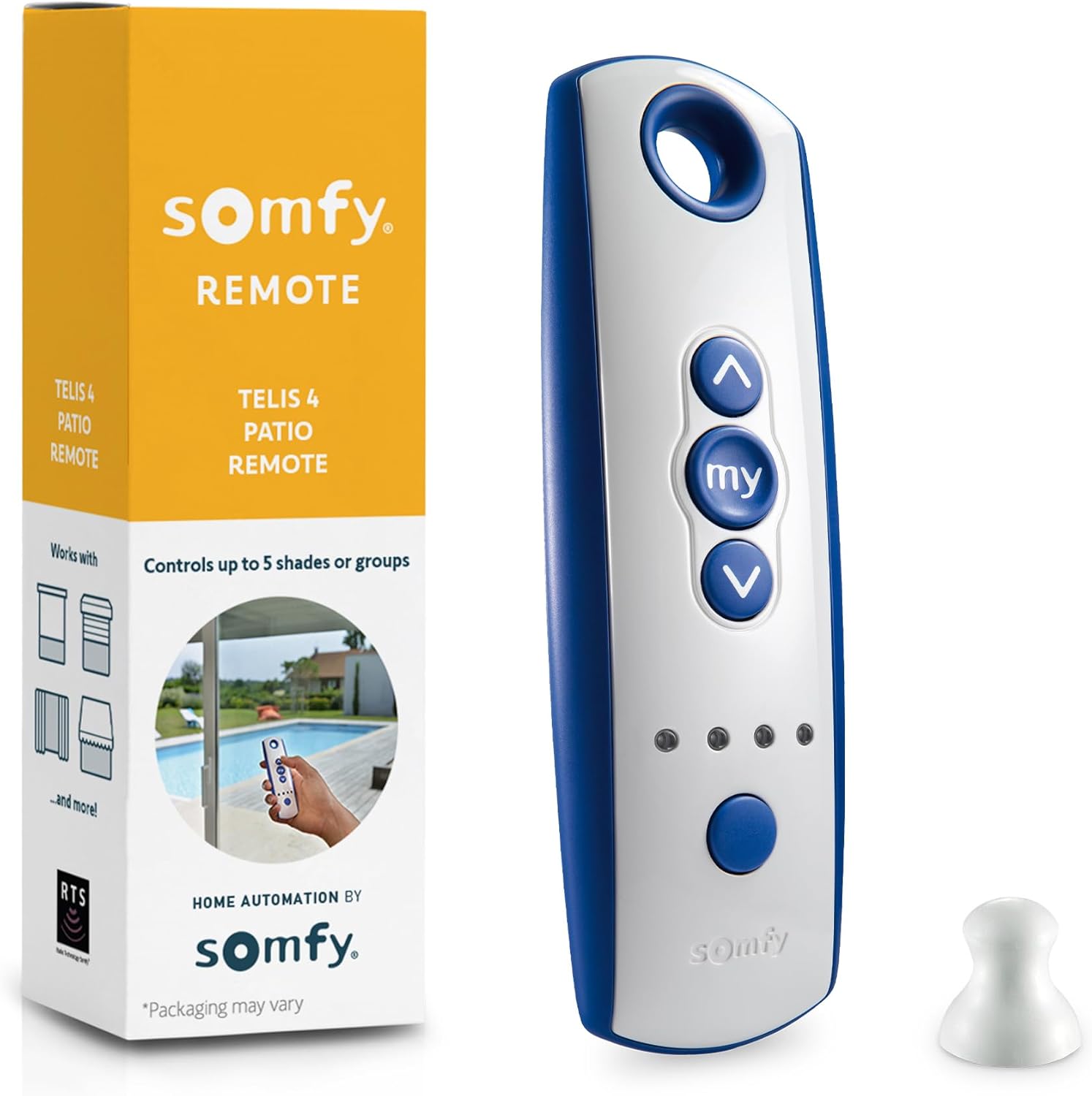
Image 1.1: Somfy Telis 4 RTS Patio Remote and its retail packaging. The remote is blue and white with 'up', 'my', and 'down' buttons, and channel indicators.
Хусусиятҳои асосӣ:
- Муқовимати ҳама ҳаво: Constructed with weather-resistant materials for outdoor use.
- Five-Channel Functionality: Controls up to five individual or grouped motorized window treatments.
- Барномасозии осон: Designed for straightforward setup and integration with existing Somfy RTS systems.
- RTS Technology: Compatible with all Somfy RTS motorized products.
- Customizable "MY" Setting: Saves a preferred shade position for quick access.
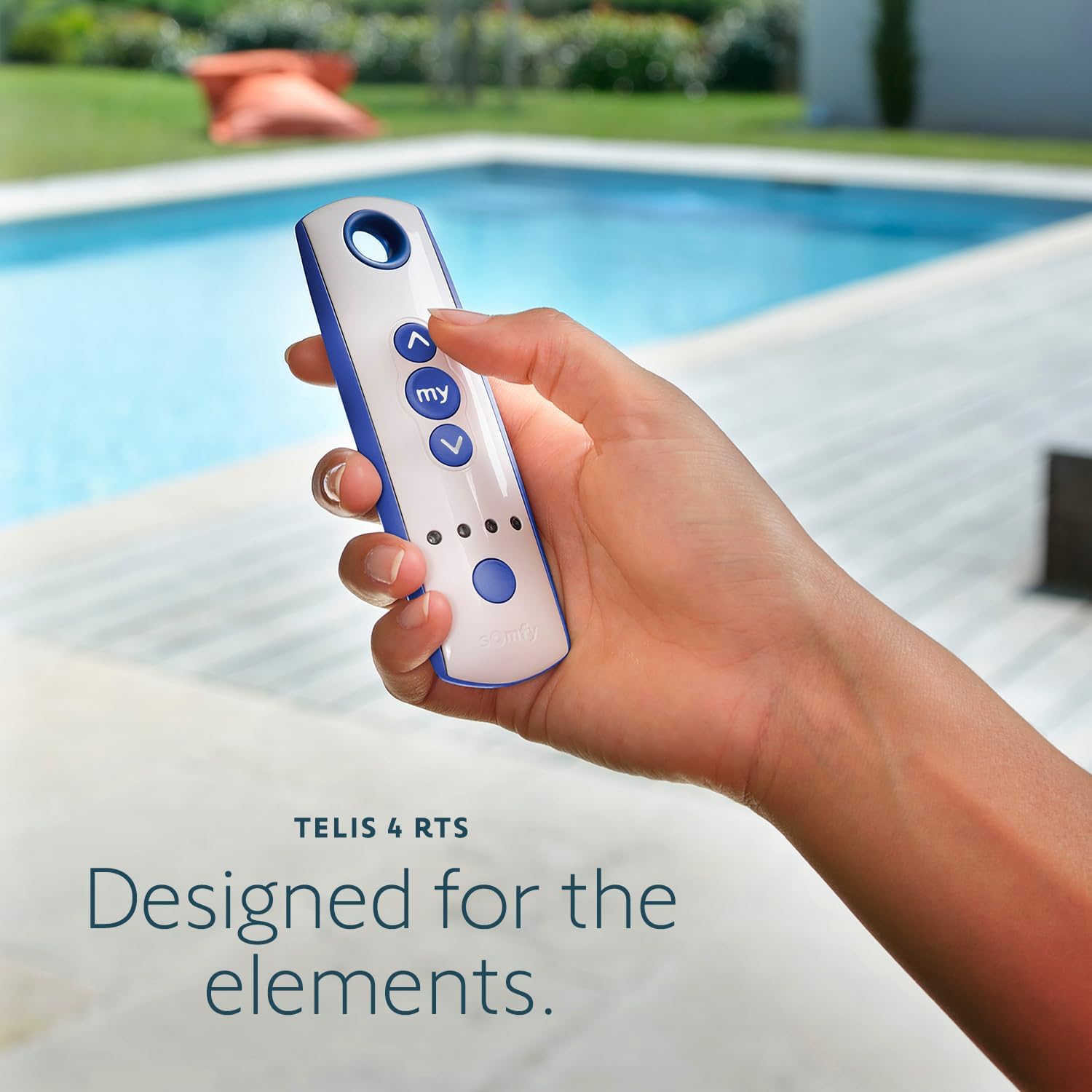
Image 1.2: A hand holding the Somfy Telis 4 RTS remote control in an outdoor setting, emphasizing its design for outdoor environments.

Тасвири 1.3: Наздик view of the 'up', 'my', and 'down' buttons on the remote, highlighting their function.
2. Танзим ва насб
2.1 Насби батарея
The Somfy Telis 4 RTS Patio Remote requires one CR2430 battery for operation. To install or replace the battery:
- Сарпӯши қисмати батареяро дар қафои идоракунии дурдаст ҷойгир кунед.
- Carefully remove the cover. This may require a small screwdriver or coin, depending on the design.
- Батареяи CR2430-ро ҷойгир кунед ва қутби дурустро (+/-), чунон ки дар дохили қисм нишон дода шудааст, таъмин намоед.
- Сарпӯши қисмати батареяро бехатар иваз кунед.

Image 2.1: The rear side of the Somfy Telis 4 RTS remote, indicating the location of the battery compartment.
2.2 Initial Programming (Pairing with Motorized Products)
To program your Telis 4 RTS Patio Remote with your Somfy RTS motorized shades, blinds, or awnings, follow these general steps. Specific instructions may vary slightly depending on the motor type and existing setup. Always refer to the instructions provided with your specific Somfy motor for detailed pairing procedures.
- Prepare the Motor: Ensure the motorized product you wish to pair is powered on and in programming mode. This often involves a brief power cycle or pressing a small programming button on the motor itself or an existing remote.
- Каналро интихоб кунед: On your Telis 4 RTS remote, use the channel selection button (usually located on the front, indicated by small LEDs) to choose an available channel (1-5) for the product you are pairing.
- Оғози ҷуфтшавӣ: Press and hold the programming button on your мавҷуд аст Somfy remote (if you have one) or the programming button on the motor itself until the motorized product jogs (moves slightly up and down).
- Confirm Pairing with New Remote: Within 2 minutes of the jog, briefly press the programming button on the бозгашт of your new Telis 4 RTS remote (often a small recessed button). The motorized product should jog again, confirming successful pairing.
- Амалиёти озмоишӣ: Use the UP, DOWN, and MY buttons on the new remote to test the operation of the paired product.
- Repeat for Additional Channels: If you have multiple products or groups, repeat these steps, selecting a different channel for each.
Шарҳ: If you are replacing an old remote and the motor does not respond, you may need to reset the motor. Consult your motor's specific instructions or Somfy's official support resources for motor reset procedures. A common method involves a specific power cycle sequence (e.g., unplug for 3 seconds, plug in for 8 seconds, unplug for 3 seconds, then plug back in).
3. Дастурҳои истифодабарӣ
The Somfy Telis 4 RTS Patio Remote provides intuitive control over your motorized products.
3.1 Функсияҳои тугмаҳо
- UP (▲): Moves the shade/awning up or opens it.
- DOWN (▼): Moves the shade/awning down or closes it.
- MY (●): Stops the shade/awning during movement or sends it to a pre-programmed favorite position.
- Интихоби канал: Cycles through the 5 available channels. The active channel is indicated by an illuminated LED.
3.2 Интихоби канал
Press the channel selection button (located below the main control buttons) repeatedly until the LED corresponding to your desired channel (1-5) illuminates. Once a channel is selected, all commands (UP, DOWN, MY) will apply to the product(s) assigned to that channel.
3.3 Setting a "MY" Favorite Position
The "MY" button allows you to save a preferred intermediate position for your shade or awning. This is useful for achieving a specific level of light, privacy, or sun protection with a single press.
- Move the shade/awning to your desired intermediate position using the UP or DOWN buttons.
- Once the product is in the desired position, press and hold the MY button until the product jogs. This saves the current position as the "MY" favorite.
To recall the "MY" position, simply press the MY button briefly when the shade/awning is fully open or closed, or at any other position.

Image 3.1: The Somfy Telis 4 RTS remote demonstrating compatibility with interior window treatments, awnings, and wall switches.

Image 3.2: An outdoor patio with multiple motorized shades, illustrating the remote's ability to control up to five zones.
4. Нигоҳдорӣ
4.1 Тозакунӣ
To clean your Telis 4 RTS Patio Remote, use a soft, damp cloth. Avoid using abrasive cleaners, solvents, or harsh chemicals, as these can damage the remote's finish and internal components. Ensure the remote is dry before use.
4.2 Иваз кардани батарея
When the remote's range decreases or it becomes unresponsive, it may be time to replace the battery. Follow the battery installation steps outlined in Section 2.1. Always use a fresh CR2430 battery.
4.3 Мулоҳизаҳои муҳити зист
While the Telis 4 RTS Patio Remote is designed to be weather-resistant, prolonged exposure to extreme conditions (e.g., direct heavy rain, extreme temperatures, or submersion in water) should be avoided to ensure its longevity and optimal performance.
5. Баррасии мушкилот
If you encounter issues with your Somfy Telis 4 RTS Patio Remote, consider the following troubleshooting steps:
- Ҷавоб намедиҳад:
- Батареяро тафтиш кунед. Агар лозим бошад, онро иваз кунед.
- Ensure you have selected the correct channel for the product you wish to control.
- Verify that the remote is within range of the motorized product.
- Motorized Product Not Responding to New Remote After Pairing:
- Confirm the motor is powered on.
- Re-attempt the pairing process (Section 2.2).
- If the motor still does not respond, it may require a motor reset. Consult the specific instructions for your Somfy motor or contact Somfy support for guidance on motor reset procedures.
- дахолат:
- Radio interference from other devices can sometimes affect remote operation. Try operating the remote from a different position or temporarily disabling other wireless devices nearby to identify potential sources of interference.
If these steps do not resolve the issue, please contact Somfy customer support for further assistance.
6. Мушаххасоти
| Рақами модел | 1810645 |
| Андозаҳои маҳсулот | 8 x 4 x 1 инч |
| Вазни ашё | 3.2 унция |
| Навъи батарея | 1 x CR2430 (required) |
| Каналҳо | 5 |
| Технология | RTS (Radio Technology Somfy) |
7. Кафолат ва дастгирӣ
7.1 Кафолати истеҳсолкунанда
Somfy products are typically covered by a manufacturer's warranty. For specific details regarding the warranty period and terms for your Telis 4 RTS Patio Remote, please refer to the warranty information included with your purchase or visit the official Somfy webсайт.
7.2 Дастгирии муштариён
For technical assistance, troubleshooting beyond the scope of this manual, or warranty claims, please contact Somfy customer support. You can find contact information and additional resources on the official Somfy webсайт: www.somfy.com


