1. Муқаддима
Thank you for choosing the Grundig Aluminum 12 LED Flashlight, model 34582. This manual provides essential information for the safe and efficient use of your new flashlight. Please read these instructions carefully before use and retain them for future reference.
This flashlight is designed for both outdoor and indoor use, providing reliable illumination with its 12 LED light source and durable aluminum construction.
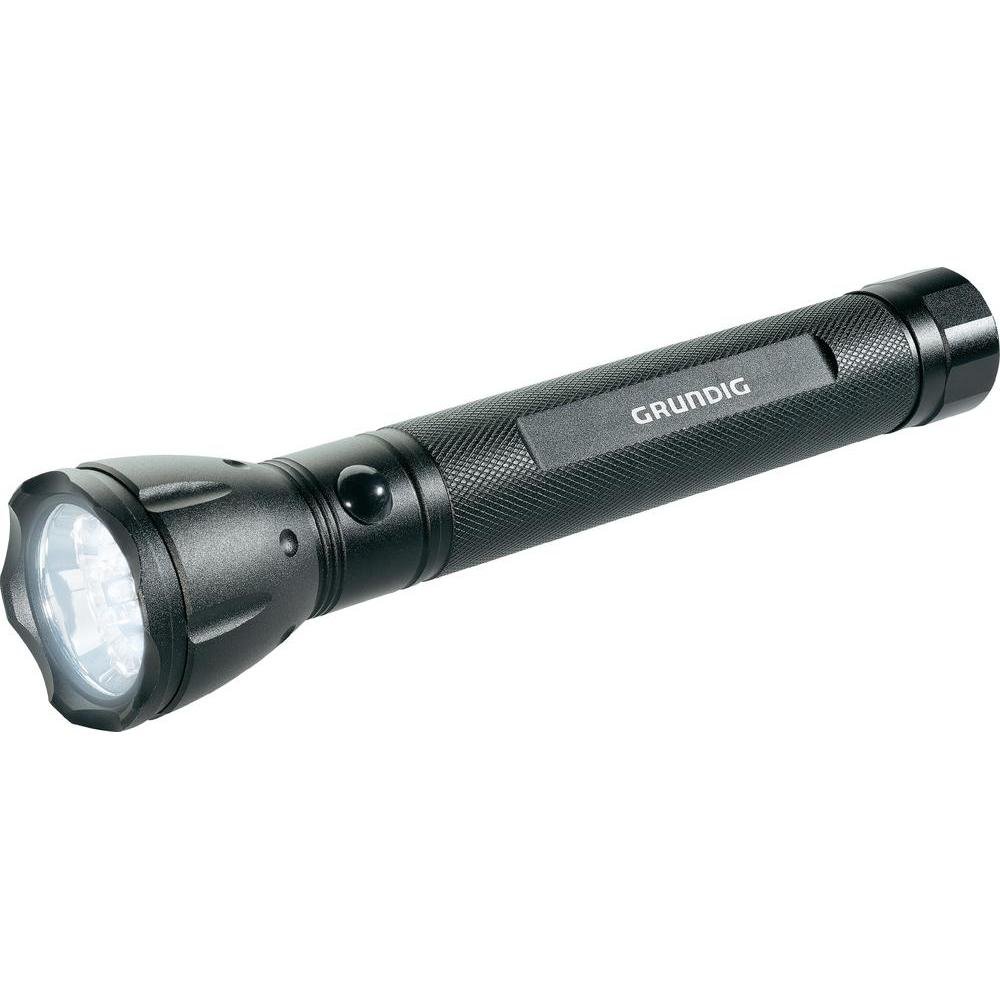
Figure 1: Grundig Aluminum 12 LED Flashlight (Model 34582). This image displays the flashlight's robust aluminum body and the front end where the 12 LED light source is located.
2. Танзимот
2.1 Насби батарея
The Grundig 12 LED Flashlight requires three (3) D-size batteries for operation. Batteries are not included with the product and must be purchased separately.
- Сарпӯши думи дурахшро бо роҳи муқобили ақрабаки соат гардонед.
- Insert three D-size batteries into the battery compartment, ensuring the correct polarity (+/-) as indicated inside the flashlight. Typically, the positive (+) end of the battery faces towards the flashlight head.
- Carefully screw the tail cap back on by turning it clockwise until it is securely tightened. Avoid over-tightening.
Муҳим: Always use fresh batteries of the same type and brand. Do not mix old and new batteries, or different types of batteries, as this can lead to leakage or damage to the flashlight.
3. Амалиёт
3.1 Фурӯзон/хомӯш кардан
Барои фурӯзон кардани чароғак ON, press the power button located on the tail cap or body of the flashlight (depending on the specific design). Press the button again to turn the flashlight ХОМӮШ.
3.2 Истифодаи умумӣ
Point the flashlight in the desired direction to illuminate an area. The 12 LED light source provides a bright and consistent beam suitable for various tasks.
4. Нигоҳдорӣ
4.1 Тозакунӣ
- Қисми берунии чароғакро бо матои нарм пок кунед,amp матоъ.
- Do not use abrasive cleaners or solvents, as these may damage the aluminum finish.
- Ensure the flashlight is dry before storing or using.
4.2 Иваз ва нигоҳдории батарея
- If the light becomes dim or the flashlight stops working, replace all three D-size batteries as described in the "Battery Installation" section.
- Remove batteries if the flashlight will not be used for an extended period to prevent leakage and potential damage.
- Дурахшро дар ҷои хунук ва хушк аз нури бевоситаи офтоб ва ҳарорати аз ҳад зиёд дур нигоҳ доред.
5. Баррасии мушкилот
| Мушкилот | Сабаби эҳтимолӣ | Ҳалли |
|---|---|---|
| Дурахш фурӯзон намешавад. |
|
|
| Нур хира аст ё милт-милт мекунад. |
|
|
If you encounter problems not listed here or if the suggested solutions do not resolve the issue, please contact Grundig customer support for further assistance.
6. Мушаххасоти
| Рақами модел | 34582 |
| Бренд | Грундиг |
| Навъи манбаи нур | LED (12 LED) |
| Материал | Алюминий |
| Манбаи нерӯ | Батарея |
| Батареяҳо лозиманд | 3 x D-size batteries (not included) |
| Specific Use Instructions | Барои истифодаи берунӣ ва дарунӣ. |
| Андозаҳои бастаҳо | 37.59 x 15.24 x 5.08 см; 362.87 г. |
| Санаи аввалини дастрас | 23 августи соли 2013 |
| GTIN | 08711252345826 |
7. Кафолат ва дастгирӣ
7.1 Маълумот дар бораи кафолат
Specific warranty details for the Grundig Aluminum 12 LED Flashlight (Model 34582) may vary by region and retailer. Please refer to the warranty card included with your product or contact your point of purchase for detailed warranty terms and conditions. Keep your proof of purchase for any warranty claims.
7.2 Дастгирии муштариён
For technical assistance, troubleshooting, or general inquiries regarding your Grundig flashlight, please visit the official Grundig website or contact their customer service department. Contact information can typically be found on the product packaging or the Grundig official webсайт.
Шарҳ: Маҳсулот аз навviews mention issues with battery contact springs. If you experience this, ensure the spring is properly positioned. If the issue persists, contact support.


