Муқаддима
This manual provides instructions for the installation, operation, and maintenance of your Sitecom WLA-3001 AC450 Wi-Fi 5GHz USB Adapter. This device is designed to upgrade your notebook or desktop PC to the latest 802.11ac Wi-Fi technology, enabling fast and reliable 5GHz wireless connectivity.
- 802.11ac Technology: Utilizes the latest generation Wi-Fi standard for enhanced performance.
- Суръати бесим: Offers a wireless throughput of up to 450 Mbps.
- 5GHz Adapter: Adds 5GHz band support to your device, reducing interference and improving speed.
- High-Performance Antenna: Features one internal high-performance antenna for optimal signal reception.
- Nano Design: Compact size allows it to remain permanently connected to your device without obstruction.
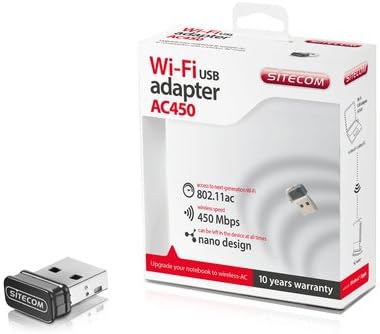
Image: The Sitecom WLA-3001 AC450 Wi-Fi 5GHz USB Adapter shown alongside its retail box, highlighting its compact size and packaging details.
Дастурҳои насб
Follow these steps to install and set up your Sitecom WLA-3001 USB Adapter.
1. Насби таҷҳизот
- Адаптерро гузоред: Carefully insert the Sitecom WLA-3001 USB Adapter into an available USB port on your laptop or desktop computer. Ensure it is fully seated.
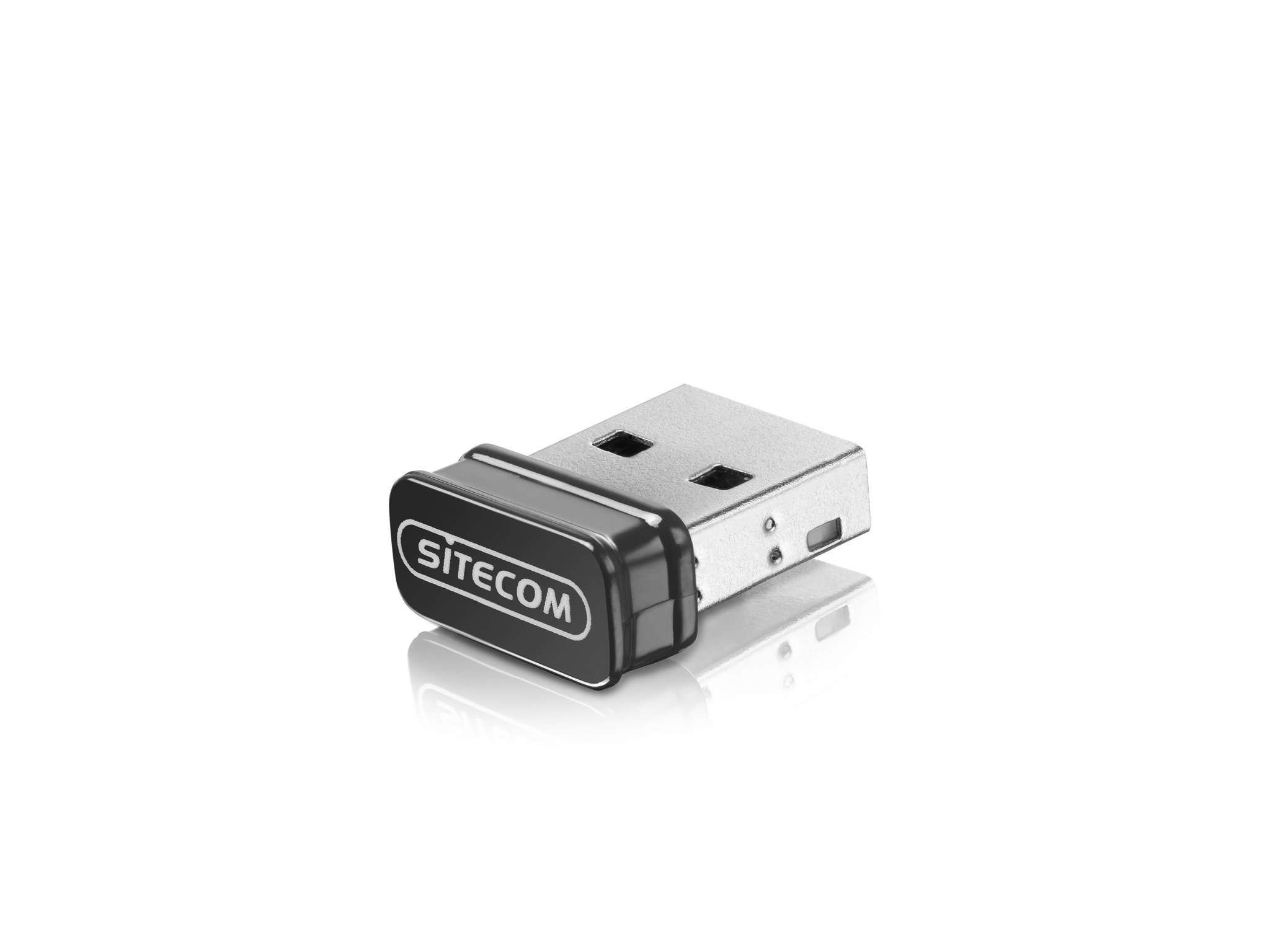
Image: The Sitecom WLA-3001 USB Adapter plugged into the side USB port of a laptop, showing its low-profile тарҳрезӣ.
2. Насби ронанда
Upon inserting the adapter, your operating system may automatically detect and install the necessary drivers. If not, follow these steps:
- Check for Auto-Installation: Wait a few moments to see if your operating system (Windows, macOS, Linux) automatically installs the drivers. A notification usually appears upon successful installation.
- Manual Driver Installation: If drivers are not installed automatically, you may need to download them from the official Sitecom support webсайт. Ҷустуҷӯ 'WLA-3001 drivers' on www.sitecom.com. Follow the on-screen instructions provided by the installer.
- Тасдиқи насб: After installation, check your computer's Device Manager (Windows) or System Information (macOS) to ensure the adapter is recognized and functioning correctly.
3. Пайвастшавӣ ба шабакаи Wi-Fi
Once the adapter is installed, you can connect to a wireless network:
- Дастрасӣ ба танзимоти шабака: Click on the Wi-Fi icon in your system tray (Windows) or menu bar (macOS).
- Интихоби шабака: A list of available wireless networks will appear. Select your desired 5GHz network (often indicated by '5G' or '5GHz' in the network name).
- Рамзро ворид кунед: If prompted, enter the network security key (Wi-Fi password) and click 'Connect'.
- Тасдиқи пайвастшавӣ: The adapter's LED indicator may light up or blink to confirm an active connection. Your device should now be connected to the internet via the 5GHz band.
Дастурҳои амалиётӣ
The Sitecom WLA-3001 adapter operates automatically once connected and configured. Here are some operational considerations:
- Бозгашти худкор: The adapter is designed to automatically reconnect to previously configured networks when within range.
- 5GHz Band Advantage: Utilizing the 5GHz band provides higher speeds and less interference compared to the 2.4GHz band, ideal for streaming, gaming, and large file transfers. Ensure your wireless router also supports 5GHz.
- Қувваи сигнал: For optimal performance, ensure your device is within a reasonable range of your 5GHz Wi-Fi router. While 5GHz offers higher speeds, its range can be shorter and more susceptible to obstacles than 2.4GHz.
Нигоҳдорӣ
To ensure the longevity and optimal performance of your Sitecom WLA-3001 USB Adapter, consider the following maintenance tips:
- Тоза нигоҳ доред: Periodically clean the adapter with a soft, dry cloth. Avoid using liquid cleaners or solvents.
- Муҳофизат аз зарар: Due to its nano design, it can remain in the USB port. However, be mindful of physical impacts that could damage the adapter or the USB port.
- Навсозии ронандагон: Regularly check the Sitecom website for updated drivers. Keeping your drivers current can improve performance, stability, and security.
- Нигоҳдорӣ: If removing the adapter for storage, keep it in a safe, dry place away from extreme temperatures.
Мушкилкушо
If you encounter issues with your Sitecom WLA-3001 USB Adapter, try the following solutions:
- Адаптер ошкор нашудааст:
- Боварӣ ҳосил кунед, ки адаптер пурра ба порти USB ворид шудааст.
- Дар компютери худ порти USB-и дигарро санҷед.
- Компютери худро бозоғоз намоед.
- Check Device Manager (Windows) or System Information (macOS) to see if the adapter is listed. If there's an error, reinstall the drivers.
- Ба Wi-Fi пайваст шуда наметавонад:
- Боварӣ ҳосил кунед, ки роутери Wi-Fi-и шумо фаъол аст ва сигналро пахш мекунад.
- Боварӣ ҳосил кунед, ки шумо шабакаи дурустро интихоб кардаед ва пароли дурустро ворид карда истодаед.
- Роутер ва модеми Wi-Fi-ро аз нав оғоз кунед.
- Санҷед, ки оё дастгоҳҳои дигар метавонанд ба як шабакаи Wi-Fi пайваст шаванд.
- Confirm your router supports 5GHz Wi-Fi and that the 5GHz band is enabled.
- Суръати сусти пайвастшавӣ:
- Ensure you are connected to a 5GHz network, not a 2.4GHz network.
- Барои беҳтар кардани қувваи сигнал, ба роутери Wi-Fi-и худ наздиктар шавед.
- Minimize physical obstructions (walls, large furniture) between the adapter and the router.
- Update your adapter's drivers to the latest version.
- Check for other devices on your network that might be consuming bandwidth.
- Қатъкунии зуд-зуд:
- Боварӣ ҳосил кунед, ки адаптер ба порти USB боэътимод пайваст шудааст.
- Барои навсозиҳои драйвер санҷед.
- Consider changing the Wi-Fi channel on your router to avoid interference from neighboring networks.
- Ensure your computer's power management settings are not turning off the USB port to save power.
Мушаххасоти
| Хусусият | Тафсилот |
|---|---|
| Бренд | Sitecom |
| Рақами модел | WLA-3001 |
| Силсила | AC450 Wi-Fi 5GHz USB Adapter |
| Ранги | Сиёҳ |
| Навъи технологияи бесим | 802.11a, 802.11n, 802.11ac |
| Протоколи истинод ба маълумот | IEEE 802.11a, IEEE 802.11ac, IEEE 802.11n, USB |
| Меъёри интиқоли маълумот | 450 Mbps (Wireless), 480 Mbps (USB) |
| Интерфейси сахтафзор | USB |
| блутуз | Не |
| Андозаҳои ашё (L x W x H) | 5.2 x 13.1 x 15.5 cm (Note: These dimensions seem unusually large for a nano adapter and might refer to packaging or a different product. The adapter itself is very small.) |
| Санаи аввалини дастрас | 4 апрели соли 2014 |
Маълумот дар бораи кафолат
The Sitecom WLA-3001 AC450 Wi-Fi 5GHz USB Adapter comes with a manufacturer's warranty of 2 years from the date of purchase. Please retain your proof of purchase for warranty claims. The warranty covers defects in materials and workmanship under normal use. It does not cover damage caused by misuse, accidents, unauthorized modifications, or external factors.
For detailed warranty terms and conditions, please refer to the official Sitecom webсайт ё бо дастгирии мизоҷони худ тамос гиред.
Дастгирӣ
For further assistance, technical support, or to download the latest drivers and firmware for your Sitecom WLA-3001 USB Adapter, please visit the official Sitecom support webсайт:
You may also find frequently asked questions (FAQs) and additional resources on their webсайт.


