1. Муқаддима
This manual provides detailed instructions for the setup, operation, and maintenance of your EMOS E0114 Digital Thermometer and Hygrometer. This device accurately measures indoor temperature and humidity, and also functions as a quartz clock with an alarm, snooze feature, and date display. Please read this manual thoroughly before using the product to ensure correct operation and to prevent damage.
2. Маълумот оид ба бехатарӣ
- Дастгоҳро аз нури бевоситаи офтоб, ҳарорати аз ҳад зиёд, намӣ ва ҳарорати баланд дур нигоҳ доред.
- Дастгоҳро ба об ё дигар моеъҳо нагузоред.
- Кӯшиш накунед, ки дастгоҳро ҷудо кунед ё тағир диҳед. Ин кафолатро бекор мекунад.
- Батареяҳои истифодашударо мувофиқи қоидаҳои маҳаллӣ ба таври масъулиятнок партоянд.
- Батареяҳоро аз дастрасии кӯдакон дур нигоҳ доред.
3. Мундариҷаи баста
Лутфан ҳангоми кушодан мундариҷаи бастаро тафтиш кунед:
- EMOS E0114 Digital Thermometer and Hygrometer
- Дастури корбар
Note: 1 AA Mignon 1.5 V battery is required and not included in the package.

Figure 3.1: EMOS E0114 device in its retail packaging.
4. Маҳсулот ба охир расидview
Familiarize yourself with the components of your EMOS E0114 device.
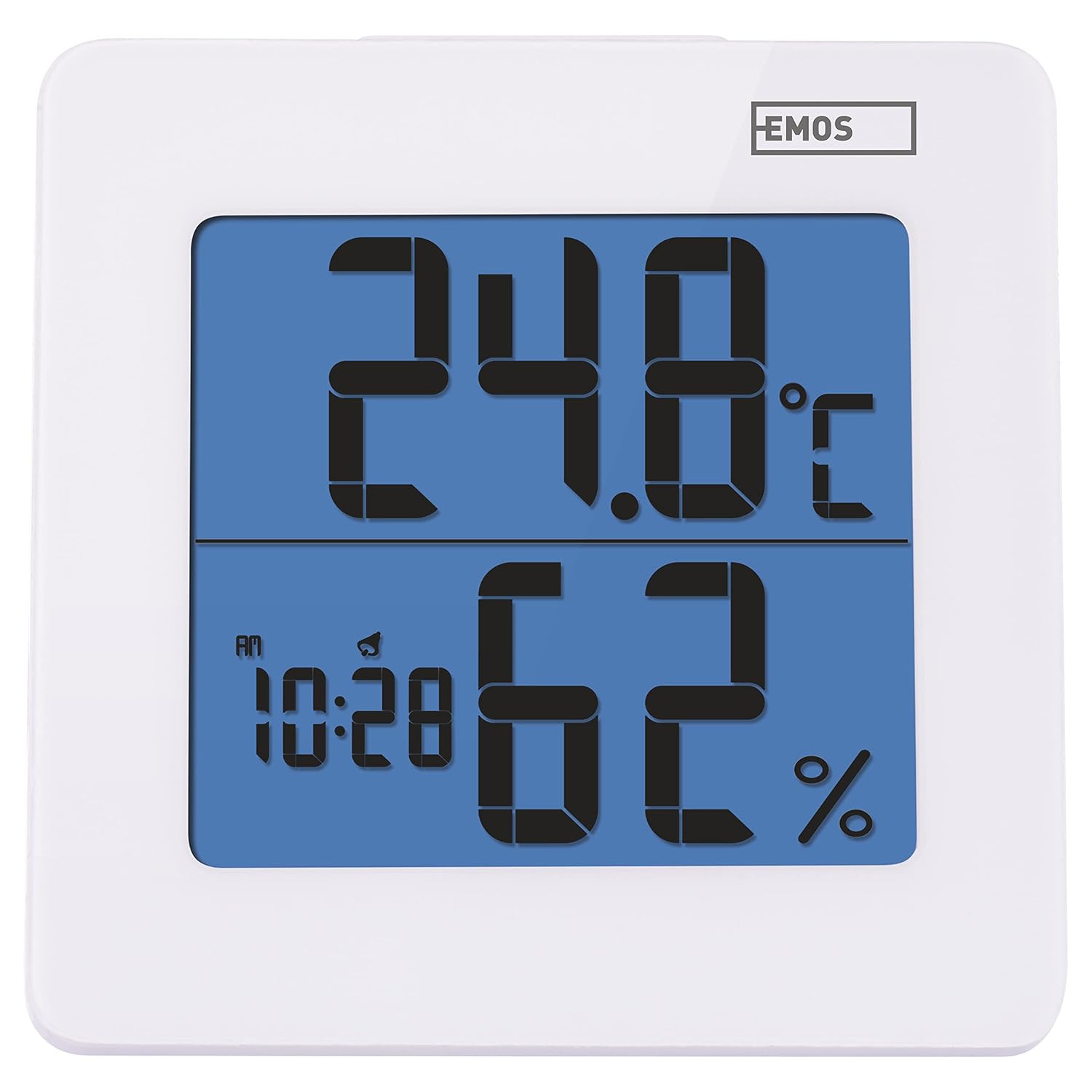
Расми 4.1: Пеш view of the EMOS E0114 display, showing temperature, humidity, and time.

Расми 4.2: Бозгашт view of the EMOS E0114, highlighting the control buttons and battery compartment.
Тугмаҳои назорат:
- РЕЖМ: Switches between time display, alarm setting, and date setting.
- ТО: Increases values during setting, activates/deactivates alarm.
- МЭМ: Displays maximum and minimum temperature/humidity records.
- C/F: Байни воҳидҳои ҳарорати Селсий ва Фаренгейт гузариш мекунад.
- БАРҚАРОР кардан: Дастгоҳро ба пешфарзҳои завод баргардонед.
- SNOOZE/LIGHT (Top Bar): Activates snooze function during alarm, illuminates the display backlight.
5. Танзимот
5.1 Насби батарея
- Қисми батареяро дар қафои дастгоҳ ҷойгир кунед (нигаред ба расми 4.2).
- Сарпӯши қисмати батареяро кушоед.
- Insert one (1) AA Mignon 1.5 V battery, ensuring correct polarity (+/-).
- Сарпӯши қисмати батареяро бехатар пӯшед.
5.2 Фаъолсозии ибтидоӣ
Upon battery installation, the device will power on automatically and display the current time (default 12:00 AM), temperature, and humidity. The backlight will briefly illuminate.
6. Дастурҳои истифодабарӣ
6.1 Муқаррар кардани вақт ва сана
- Дар ҳолати намоиши вақти муқаррарӣ, -ро пахш кунед РЕЖИМ button once to enter time setting mode. The hour digits will flash.
- -ро истифода баред UP тугма барои танзими соат.
- пахш кунед РЕЖИМ again to set the minutes. The minute digits will flash. Use the UP тугмаро барои танзим додани дақиқаҳо.
- пахш кунед РЕЖИМ again to set the year. The year digits will flash. Use the UP тугмаи барои танзими сол.
- Пахшро давом диҳед РЕЖИМ to set the month and then the day, adjusting each with the UP тугма.
- Пас аз муқаррар кардани рӯз, тугмаи " РЕЖИМ to exit setting mode and return to normal time display.
6.2 Танзими ҳушдор
- Дар ҳолати намоиши вақти муқаррарӣ, -ро пахш кунед РЕЖИМ button twice to enter alarm setting mode. The alarm time will be displayed, and the hour digits will flash.
- -ро истифода баред UP тугма барои танзими соати ҳушдор.
- пахш кунед РЕЖИМ again to set the alarm minutes. The minute digits will flash. Use the UP тугмаи барои танзими дақиқаҳои ҳушдор.
- пахш кунед РЕЖИМ to exit alarm setting mode.
- Барои фаъол ё ғайрифаъол кардани ҳушдор, тугмаи UP button once in normal time display mode. An alarm icon will appear on the display when activated.
6.3 Using Snooze and Backlight
- Вақте ки ҳушдор садо медиҳад, тугмаи БУРД / НУР bar on top of the device to activate the snooze function. The alarm will pause for approximately 5 minutes and then sound again.
- To turn off the alarm completely, press any other button (MODE, UP, MEM, C/F) on the back of the device.
- -ро пахш кунед БУРД / НУР bar at any time to briefly illuminate the display backlight for better visibility in low light conditions.
6.4 Воҳиди ивазкунии ҳарорат (°C/°F)
Дар ҳолати намоиши муқаррарӣ, -ро пахш кунед C / F button on the back of the device to toggle between Celsius (°C) and Fahrenheit (°F) temperature readings.
6.5 Viewing Maximum and Minimum Records
The device stores the maximum and minimum temperature and humidity values recorded since the last reset or battery change.
- -ро пахш кунед МЭМ button once to display the maximum recorded temperature and humidity.
- -ро пахш кунед МЭМ button again to display the minimum recorded temperature and humidity.
- пахш кунед МЭМ a third time to return to the current temperature and humidity display.
- To clear the maximum/minimum records, press and hold the МЭМ тугмаро барои тақрибан 3 сония пахш кунед viewсабтҳо.
7. Нигоҳдорӣ
7.1 Тозакунӣ
- Дастгоҳро бо матои мулоим ва хушк тоза кунед.
- Do not use abrasive cleaners, solvents, or chemical agents, as these may damage the display or casing.
7.2 Иваз кардани батарея
When the display becomes dim or the device stops functioning, it is time to replace the battery.
- Сарпӯши қисмати батареяро дар қафои дастгоҳ кушоед.
- Батареяи кӯҳнаи АА-ро хориҷ кунед.
- Insert a new AA Mignon 1.5 V battery, observing correct polarity.
- Сарпӯши қисмати батареяро пӯшед.
- You may need to reset the time and date after battery replacement.
8. Баррасии мушкилот
| Мушкилот | Сабаби эҳтимолӣ | Ҳалли |
|---|---|---|
| Намоиш ё намоиши хира | Батарея кам ё мурда; нодуруст насб кардани батарея. | Replace the battery with a new AA 1.5V battery. Ensure correct polarity. |
| Вақт/санаи нодуруст | Time/date not set correctly after battery installation or reset. | Follow instructions in Section 6.1 to set the time and date. |
| Temperature/humidity readings seem inaccurate | Device placed in an unsuitable location (e.g., near heat source, vent, direct sunlight). | Relocate the device to a stable indoor environment away from direct influences. Allow 30 minutes for readings to stabilize. |
| Огоҳӣ садо намедиҳад | Сигнализатсия фаъол нест. | Ensure the alarm icon is visible on the display (refer to Section 6.2). |
| Дастгоҳ ҷавоб намедиҳад | Мушкилоти муваққатии электронӣ. | -ро пахш кунед АЗ НАВОР КУНЕД button on the back of the device using a thin object (e.g., paperclip). Note: This will clear all settings. |
9. Мушаххасоти
- Модели: E0114
- Бренд: EMOS
- Диапазони ченкунии ҳарорат: 0 ° C то +50 ° C (32 ° F то 122 ° F)
- Ҳалли ҳарорат: 0.1 °C / 0.1 °F
- Диапазони ченкунии намӣ: 20% то 90% намии нисбӣ (RH)
- Ҳалли намӣ: 1% RH
- Соат: Quartz with 12/24 hour format
- Огоҳӣ: Бале, бо функсияи Snooze
- Намоиш: LCD пушти равшанӣ
- Функсияи хотира: Ҳарорат ва намӣ макс/мин
- Таъмини нерӯ: 1 x AA Mignon 1.5 V battery (not included)
- Андозаҳо (L x W x H): 3.7 x 9.3 x 9.3 см (тақрибан 1.46 x 3.66 x 3.66 дюйм)
- Андозаҳои экран: 60 x 65 mm (approximately 2.36 x 2.56 inches)
- Вазн: 109 грамм (тақрибан 3.84 унсия)
- Навъи васлкунӣ: Wall mountable (integrated stand)
- Ранги: White (with blue display backlight)

Figure 9.1: Dimensions of the EMOS E0114 device.
10. Кафолат ва дастгирӣ
EMOS products are designed for reliability and performance. For warranty information or technical support, please refer to the warranty card included with your purchase or visit the official EMOS webсайт. Лутфан далели хариди худро барои ҳама даъвоҳои кафолат нигоҳ доред.


