Муқаддима
This manual provides detailed instructions for the Sonnet T-1949 Digital LED Alarm Clock. This device features a clear LED display, an alarm function with snooze, and two integrated USB charging ports for smartphones and tablets. It operates on 110-120 volt AC power at 60 cycles and includes a battery backup feature (battery not included) to maintain time settings during power outages.
Маҳсулот ба охир расидview
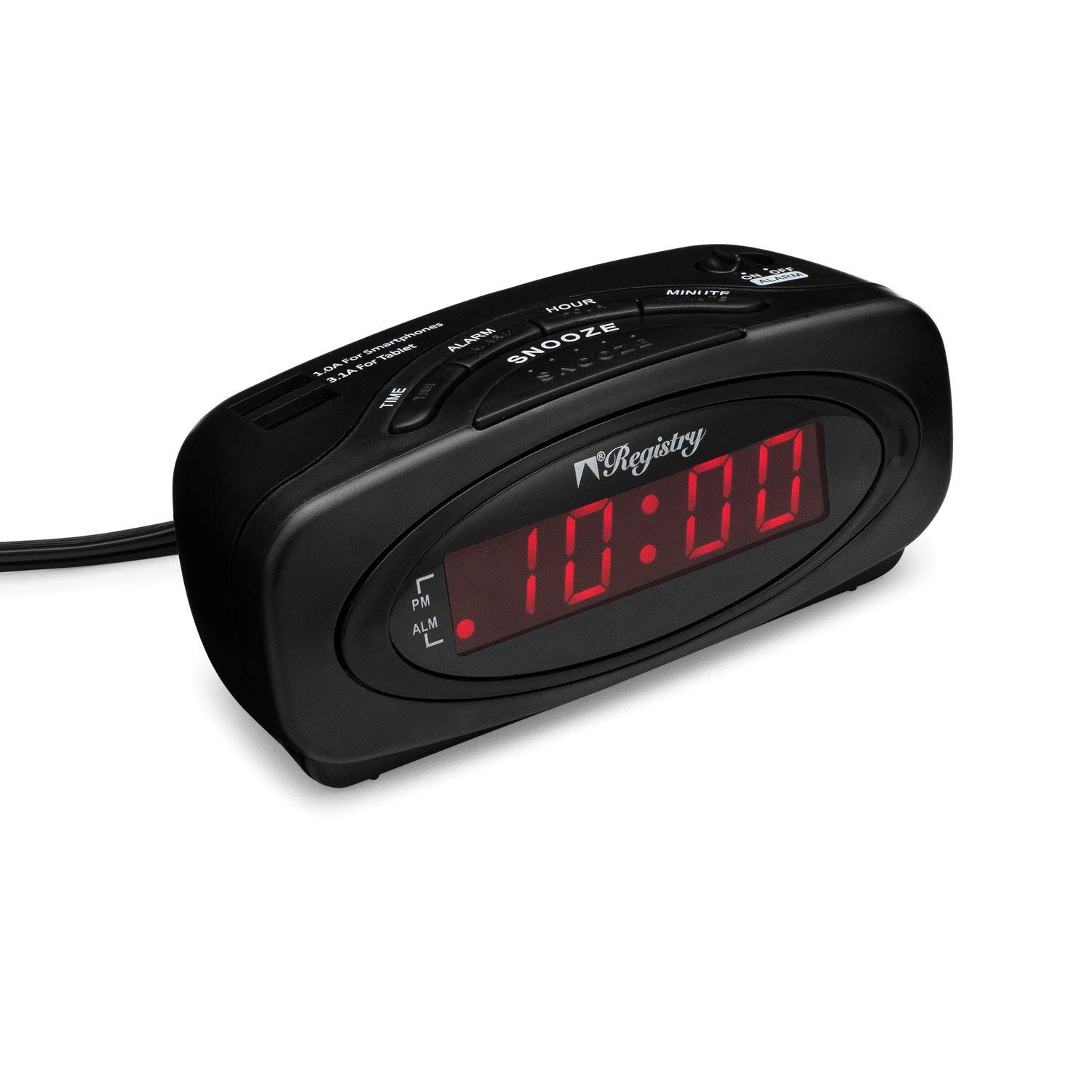
Тасвири 1: Пеш view of the Sonnet T-1949 Digital LED Alarm Clock. The clock features a matte black finish and a red LED display showing "10:00". Indicators for PM and ALM (alarm) are visible on the left side of the display.
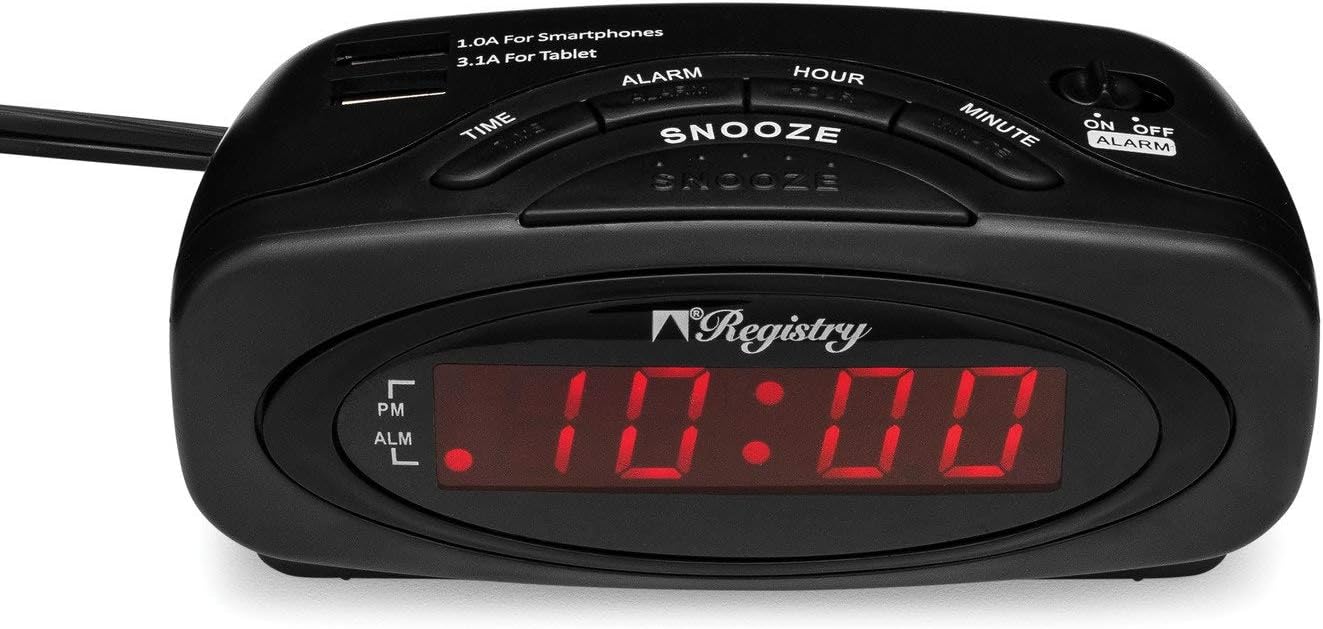
Тасвири 2: боло view of the Sonnet T-1949 Digital LED Alarm Clock. This image highlights the control buttons for TIME, ALARM, SNOOZE, HOUR, and MINUTE. Two USB charging ports are visible at the top, labeled "1.0A For Smartphones" and "3.1A For Tablet". An ON/OFF ALARM switch is located on the right side.

Тасвири 3: Бозгашт view of the Sonnet T-1949 Digital LED Alarm Clock. The battery compartment is open, revealing the slot for a button cell battery (CR2032, not included) for backup power. The power cord extends from the back of the unit.
Дастурҳои насб
- Пайвасти барқ: Plug the alarm clock into a standard 110-120 volt AC, 60 cycle electrical outlet. The LED display will illuminate.
- Нусхабардории батарея (ихтиёрӣ): For battery backup functionality, open the battery compartment on the back of the unit (refer to Image 3). Insert one CR2032 button cell battery (not included), ensuring correct polarity. This battery preserves time and alarm settings during a power outage.
- Муқаррар кардани вақт:
- -ро пахш карда нигоҳ доред ВАҚТ тугма.
- Ҳангоми нигоҳ доштан ВАҚТ, пахш кунед СОАТ тугмаи барои танзими соат. Нишондиҳандаи PM-ро барои танзими дурусти саҳар/PM риоя кунед.
- Ҳангоми нигоҳ доштан ВАҚТ, пахш кунед ДАКИКА тугма барои танзими дақиқа.
- -ро озод кунед ВАҚТ тугмаи барои таъин кардани вақти ҷорӣ.
- Танзими ҳушдор:
- -ро пахш карда нигоҳ доред БОНГОХ тугма.
- Ҳангоми нигоҳ доштан БОНГОХ, пахш кунед СОАТ тугма барои танзими соати ҳушдор.
- Ҳангоми нигоҳ доштан БОНГОХ, пахш кунед ДАКИКА тугма барои танзими дақиқаи ҳушдор.
- -ро озод кунед БОНГОХ button to set the alarm time. The ALM indicator on the display will light up, confirming the alarm is active.
Дастурҳои амалиётӣ
- Намоиши вақт: The .6-inch high LED display continuously shows the current time. The PM indicator illuminates when the time is in the PM hours.
- Фаъолсозӣ/хомӯш кардани ҳушдор: -ро истифода баред Ҳушдор даргир/хомӯш slide switch located on the top right of the clock (refer to Image 2) to turn the alarm function on or off. When the alarm is ON, the ALM indicator will be lit.
- Функсияи ҳифз: Вақте ки ҳушдор садо медиҳад, тугмаи калонро пахш кунед СНООЗ button to temporarily silence the alarm. The alarm will sound again after a short interval (typically 9 minutes).
- Қатъи ҳушдор: Барои пурра қатъ кардани ҳушдор пас аз садо додани он, тугмаро лағжонед Ҳушдор даргир/хомӯш ба ҳолати OFF гузаред.
- Портҳои пуркунии USB: The clock is equipped with two USB charging ports on the top surface (refer to Image 2):
- One 1.0A USB port for charging smartphones.
- One 2.1A USB port for charging tablets and other higher-power devices.
Нигоҳдорӣ
To maintain your Sonnet T-1949 alarm clock, wipe the exterior with a soft, dry cloth. Avoid using abrasive cleaners or solvents, as these can damage the finish. Ensure the unit is unplugged before cleaning. Keep the clock away from excessive moisture and direct sunlight.
If using the battery backup, check the CR2032 battery periodically and replace it as needed to ensure continuous timekeeping during power interruptions.
Мушкилкушо
| Мушкилот | Ҳалли имконпазир |
|---|---|
| Намоиши соат холӣ аст. | Ensure the power cord is securely plugged into a working electrical outlet. Check if the outlet has power. |
| Огоҳӣ садо намедиҳад. | Тасдиқ кунед, ки Ҳушдор даргир/хомӯш switch is in the ON position (ALM indicator lit). Confirm the alarm time is set correctly. |
| Танзимоти вақт/ҳушдор пас аз хомӯш кардани барқ гум мешавандtage. | The battery backup is not functioning. Install a new CR2032 button cell battery or ensure the existing battery is correctly installed and not depleted. |
| USB devices are not charging. | Ensure the clock is powered on. Check if the USB cable is properly connected to both the clock and the device. Verify the device is compatible with the charging port's amperage (1.0A for smartphones, 2.1A for tablets). |
Мушаххасоти
- Модели: Т-1949
- Бренд: Sonnet
- Навъи намоиш: Digital LED (0.6" high)
- Ранги: Сиёҳ
- Манбаи нерӯ: 110-120V AC, 60Hz (Corded Electric)
- Нусхаи батарея: 1 x CR2032 button cell battery (not included)
- Портҳои пуркунии USB:
- 1 x 1.0A (for smartphones)
- 1 x 2.1A (for tablets)
- Вижагиҳо: Alarm, Snooze, AM/PM indicator
- Мавод: Пластмасса
- Вазни ашё: 8.1 унция
- Андозаҳои баста: 5.63 x 3.9 x 2.64 инч
Кафолат ва дастгирӣ
Specific warranty information for the Sonnet T-1949 Digital LED Alarm Clock is typically provided with the product packaging or available on the manufacturer's official website. For technical support, service, or warranty claims, please refer to the contact information provided by Sonnet or your retailer.


