1. Муқаддима
This manual provides detailed instructions for the setup, operation, and maintenance of your Marathon Digital Desktop Clock, Model CL030050BK. This compact and versatile digital clock is designed for use on a desk or nightstand, offering time, date, day of the week, and temperature displays, along with a dual alarm function and a button-activated backlight.
2. Маҳсулот ба охир расидview

Расми 2.1: Пеш view of the Marathon Digital Desktop Clock CL030050BK, showing its large digital display with time, date, day, and temperature.
2.1 Хусусиятҳои асосӣ
- Large, High-Quality Display: Enhanced contrast for clear legibility.
- Nightowl Super Glow Backlight: Button-activated, gentle blue backlight that illuminates for approximately 10 seconds.
- Функсияи ҳушдор дугона: Separate alarm settings for weekdays (Monday-Friday) and weekends (Saturday-Sunday).
- Тугмаи боздорӣ: Conveniently located for temporary alarm suspension.
- Усулҳои чанд намоиш: Time in 12 or 24-hour format, temperature in Fahrenheit or Celsius.
- Multilingual Day of Week: Displays the day of the week in seven languages: English, Dutch, French, Spanish, Italian, Danish, and German.
- Тарҳрезии паймон ва сабук: Ideal for desktop, nightstand, or travel.
2.2 Мундариҷаи баста
- 1 x Marathon Digital Desktop Clock CL030050BK
- 3 x батареяҳои AAA (дохил)
- 1 x Дастури корбар
3. Танзимот
3.1 Насби батарея
- Сарпӯши батареяро дар қафои соат пайдо кунед.
- Сарпӯшро ба поён лағжонед, то қисмро кушоед.
- 3 батареяи нави AAA-ро ҷойгир кунед ва қутби дурустро (+ ва -), чунон ки дар дохили қутб нишон дода шудааст, таъмин намоед.
- Сарпӯши қисмати батареяро ба боло ғеҷонда, то он даме, ки клик дар ҷои худ ҷойгир шавад, иваз кунед.
3.2 Фаъолсозии ибтидоӣ
Upon successful battery installation, the clock display will activate, typically showing a default time and date. It is recommended to perform a reset after battery installation to ensure optimal performance.
3.3 Resetting the Clock
To reset the clock, use a thin, pointed object (like a paperclip) to press the recessed АЗ НАВОР КУНЕД button located on the back of the unit. This will clear all settings and return the clock to its factory defaults.
4. Дастурҳои истифодабарӣ
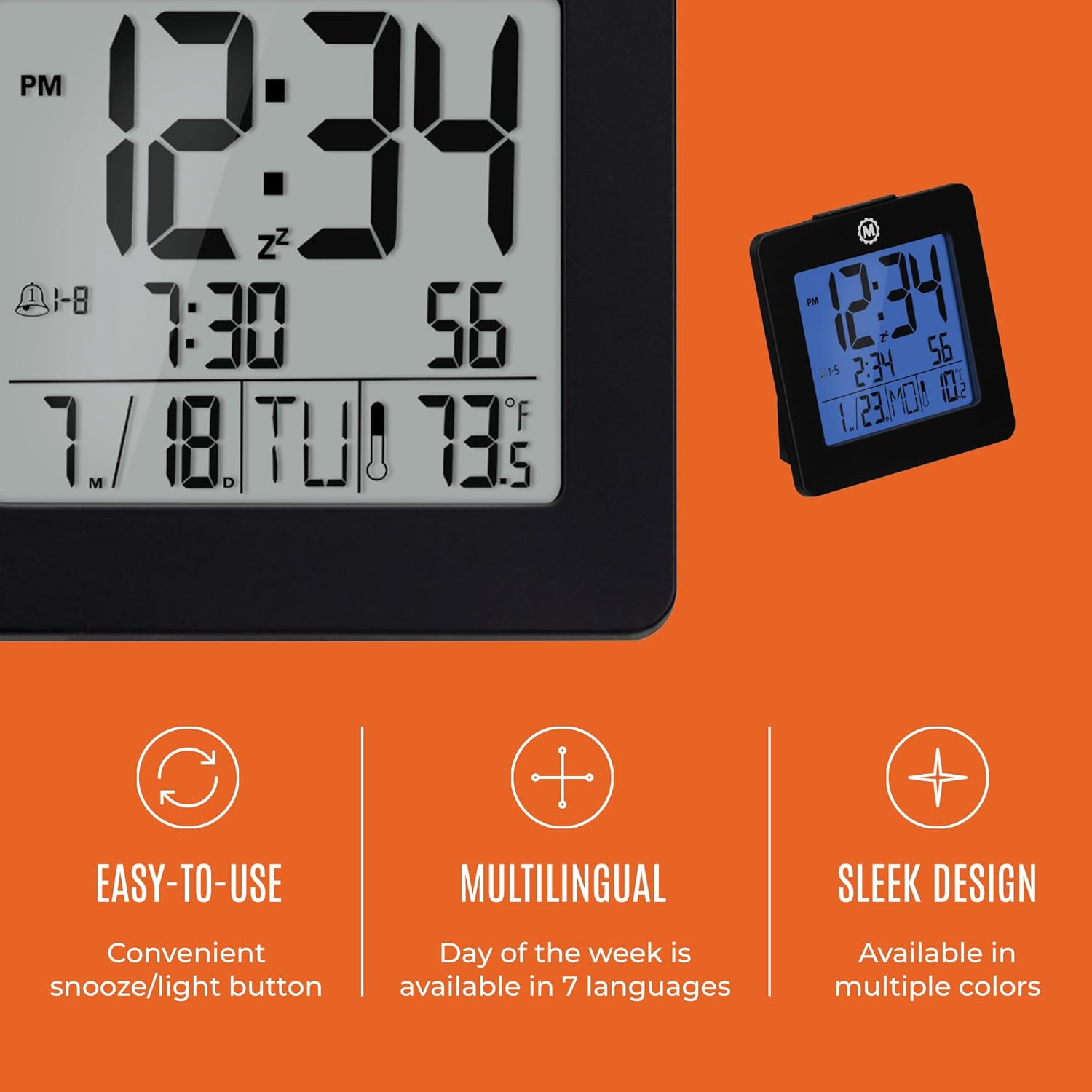
Расми 4.1: Зиёдview of key features and design elements.
4.1 Функсияҳои тугмаҳо
The clock features several buttons on the back for configuration:
- РЕЖМ: Toggles between Time, Alarm, and Timer display modes.
- Муқаррар: Enters setting mode for the currently displayed mode (Time, Alarm, Timer).
- UP / 12/24: In setting mode, increases the value. In time display mode, toggles between 12-hour and 24-hour format.
- DOWN / °C/°F: In setting mode, decreases the value. In time display mode, toggles between Celsius and Fahrenheit temperature units.
- LIGHT / SNOOZE: Activates the backlight for 10 seconds. When the alarm sounds, press to activate snooze.
- БАРҚАРОР кардан: Resets the clock to factory defaults (requires a pointed object).
4.2 Муқаррар кардани вақт ва сана
- -ро пахш кунед РЕЖИМ button until the time is displayed.
- -ро пахш карда нигоҳ доред САТ button for approximately 3 seconds until the year flashes.
- -ро истифода баред UP or ПОЁН тугмаҳо барои танзими сол.
- пахш кунед САТ to confirm and move to the month setting.
- Repeat steps 3 and 4 to set the month, day, 12/24-hour format, hour, and minute.
- After setting the minutes, press САТ to exit time/date setting mode.
4.3 Setting the Day of Week Language
While in time display mode, repeatedly press the UP or ПОЁН button to cycle through the 7 available languages for the day of the week display (English, Dutch, French, Spanish, Italian, Danish, German).
4.4 Setting the Temperature Unit
While in time display mode, press the DOWN / °C/°F button to toggle the temperature display between Celsius (°C) and Fahrenheit (°F).
4.5 Setting the Dual Alarm
- -ро пахш кунед РЕЖИМ button until the alarm time is displayed (indicated by an alarm icon).
- -ро пахш карда нигоҳ доред САТ button for approximately 3 seconds until the alarm hour flashes.
- -ро истифода баред UP or ПОЁН тугмаҳо барои танзими соати ҳушдор.
- пахш кунед САТ to confirm and move to the alarm minute setting.
- Repeat steps 3 and 4 to set the alarm minute.
- After setting the minutes, press САТ to select the alarm type: Weekday (1-5) or Weekend (6-7). Use UP or ПОЁН интихоб кардан.
- пахш кунед САТ барои тасдиқ ва баромадан аз ҳолати танзимоти ҳушдор.
- Барои фаъол/хомӯш кардани ҳушдор, -ро пахш кунед UP button while in alarm display mode. An alarm icon will appear/disappear on the screen.
4.6 Using the Snooze and Backlight
Калонгро пахш кунед НУР / СУНОЗ button on the top of the clock to activate the blue backlight. The backlight will remain illuminated for approximately 10 seconds. If the alarm is sounding, pressing this button will activate the snooze function, temporarily silencing the alarm for a short period before it sounds again.
5. Нигоҳдорӣ
- Тозакунӣ: Wipe the clock with a soft, dry cloth. Avoid using abrasive cleaners or solvents.
- Иваз кардани батарея: Replace all 3 AAA batteries when the display becomes dim or the clock functions erratically. Always replace with new batteries of the same type.
- Нигоҳдорӣ: Агар соатро муддати тӯлонӣ нигоҳ доред, барои пешгирӣ аз ихроҷ батареяҳоро хориҷ кунед.
6. Баррасии мушкилот
| Мушкилот | Сабаби эҳтимолӣ | Ҳалли |
|---|---|---|
| Дисплей холӣ ё хира аст. | Батареяҳои кам ё мурда. | Ҳамаи 3 батареяи AAA-ро иваз кунед. |
| Incorrect time/date displayed. | Settings were not saved or incorrect. | Perform a reset and re-enter time/date settings as per Section 4.2. |
| Огоҳӣ садо намедиҳад. | Огоҳӣ фаъол нашудааст ё нодуруст насб карда шудааст. | Ensure the alarm is activated (alarm icon visible) and the alarm time is correctly set (Section 4.5). |
| Нури паси кор намекунад. | Low batteries or button malfunction. | Replace batteries. If the issue persists, contact customer support. |
7. Мушаххасоти
- Рақами модел: CL030050BK
- Бренд: Марафон
- Навъи намоиш: Рақамӣ
- Ранги: Сиёҳ
- Андозаҳои маҳсулот: 3.7"W x 3.7"H
- Вазни ашё: 5.6 унция
- Манбаи нерӯ: Battery Powered (3 x AAA batteries included)
- Мавод: Пластмасса
- Навъи васлкунӣ: Мизи мизи корӣ
- Хусусияти махсус: Button-activated backlight, dual alarm, temperature display, multilingual day of week.
8. Кафолат ва дастгирӣ
8.1 Маълумот дар бораи кафолат
This Marathon Digital Desktop Clock CL030050BK comes with a Кафолати 1 сол аз санаи харид. Ин кафолат камбудиҳои истеҳсолӣ ва кориро ҳангоми истифодаи муқаррарӣ фаро мегирад. Он зарареро, ки дар натиҷаи истифодаи нодуруст, садамаҳо, тағйироти беиҷозат ё фарсудашавии муқаррарӣ ба вуҷуд омадааст, фаро намегирад.
8.2 Дастгирии муштариён
For technical assistance, troubleshooting, or warranty claims, please visit the official Marathon website or contact their customer service department. Please have your model number and proof of purchase ready when contacting support.


