1. Муқаддима
This manual provides essential information for setting up, operating, maintaining, and troubleshooting your Alienware 17 R3 laptop. This high-performance gaming laptop features an Intel Core i7-6820HK processor, a 17.3-inch UHD (3840x2160) IPS-Panel Anti-Glare Display, NVIDIA GeForce GTX 980M graphics with 8GB GDDR5, 32GB DDR4 RAM, and a dual storage solution with a 256GB PCIe SSD and a 1TB 7200rpm HDD. It comes pre-installed with Windows 10 (64Bit) English.
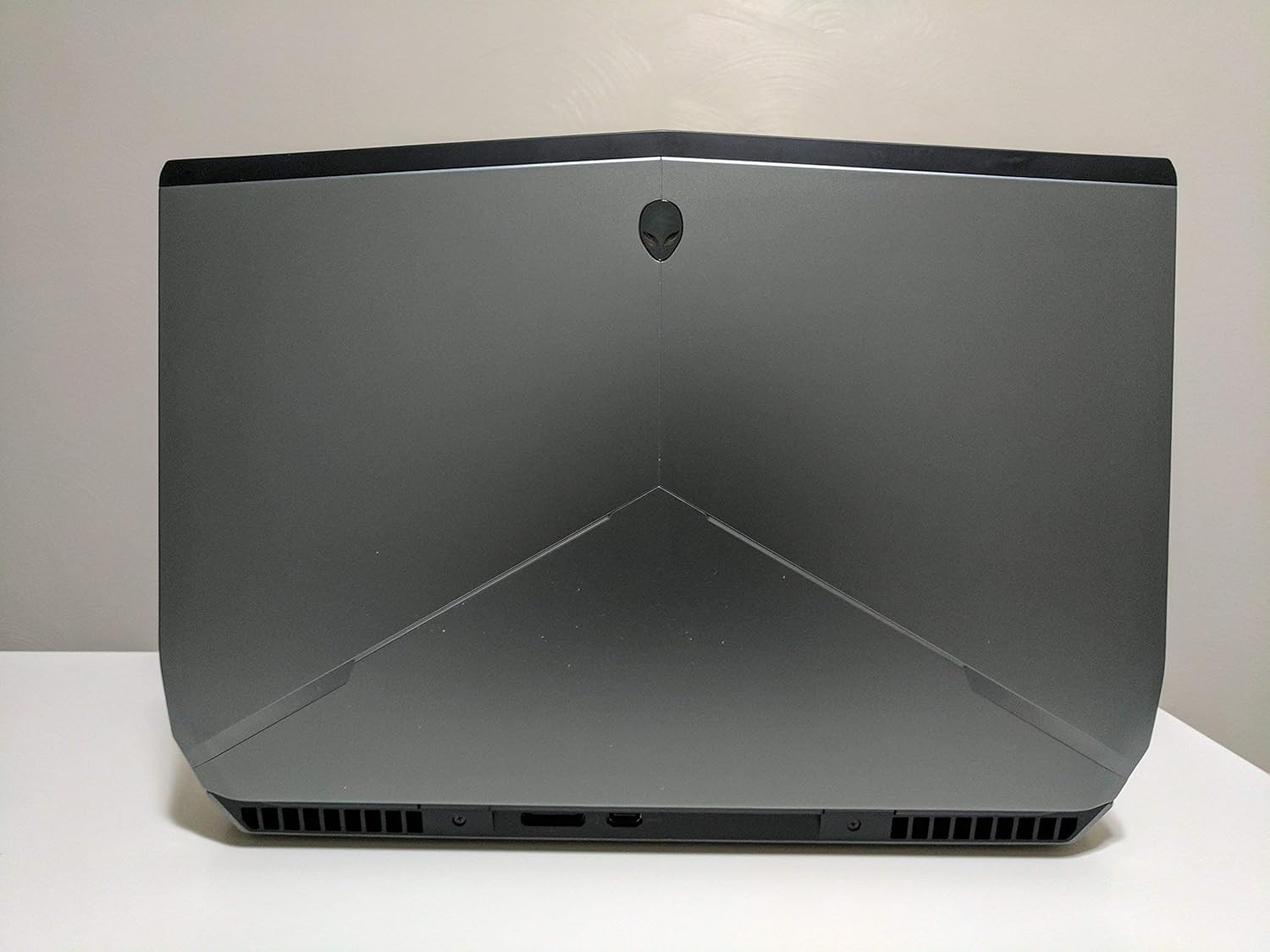
Расми 1: Қафо view of the Alienware 17 R3 laptop, highlighting its distinctive design and cooling vents.
2. Танзимот
2.1 Кушодани қуттӣ ва санҷиши ибтидоӣ
Carefully remove your Alienware 17 R3 laptop and its accessories from the packaging. Ensure all components listed below are present:
- Alienware 17 R3 Laptop
- Alienware 240W AC Adapter
- Сими барқ
- 8 Cell 92W Hour Battery (may be pre-installed)
- Ҳуҷҷатҳо (Роҳнамои зуд, Маълумот оид ба бехатарӣ)
2.2 Пайваст кардани адаптери барқ
Connect the Alienware 240W AC Adapter to the power input port on the laptop, typically located at the rear or side. Plug the power cord into the AC adapter and then into a grounded electrical outlet. The laptop can be operated on battery power, but it is recommended to connect the AC adapter for initial setup and optimal performance.

Расми 2: Пеш view of the Alienware 17 R3 laptop, ready for initial power-on.
2.3 Оғози ибтидоӣ ва насби Windows 10
Press the power button, usually located on the top right of the keyboard deck or a dedicated button. The laptop will power on and guide you through the Windows 10 initial setup process. Follow the on-screen instructions to configure language, region, network settings, and user accounts.
2.4 Пайвастшавӣ ба шабакаи бесим
During the Windows 10 setup, you will be prompted to connect to a Wi-Fi network. Select your desired network from the list and enter the password if required. The laptop features Killer 1535 802.11ac 2x2 WiFi for robust wireless connectivity.
3. Operating Your Alienware 17 R3
3.1 Клавиатура ва сенсорӣ
The Alienware 17 R3 features an English keyboard with Alienware's signature design and backlighting. It also includes 6 programmable Macro module keys, which can be customized for various functions using Alienware's software. The precision touchpad supports multi-touch gestures for intuitive navigation.
3.2 Танзимоти намоиш
Your laptop is equipped with a 17.3-inch UHD (3840x2160) IPS-Panel Anti-Glare Display. To adjust display settings such as resolution, brightness, and color profiles, right-click on the desktop and select 'Display settings' or access them via the Windows Settings menu.
3.3 Пайваст кардани дастгоҳҳои беруна
The Alienware 17 R3 offers various ports for connecting peripherals:
- Портҳои USB: For connecting external storage, mice, keyboards, and other USB devices.
- HDMI/DisplayPort: For connecting external monitors or projectors.
- Порти Ethernet: Барои пайвастҳои шабакаи симӣ.
- Ҷекҳои аудио: For headphones, microphones, or external speakers.

Figure 3: Left side of the Alienware 17 R3, illustrating available connectivity ports.

Figure 4: Right side of the Alienware 17 R3, showing additional connectivity options.
4. Нигоҳдорӣ
4.1 Тоза кардани ноутбуки шумо
To maintain optimal performance and appearance, regularly clean your laptop. Use a soft, lint-free cloth slightly dampened with water or a specialized screen cleaner for the display. For the chassis and keyboard, use a dry, soft cloth. Avoid harsh chemicals or abrasive materials.
4.2 Нигоҳубини батарея
The Alienware 17 R3 is equipped with an 8 Cell 92W Hour Battery. To prolong battery life, avoid extreme temperatures and allow the battery to discharge partially before recharging. For long-term storage, ensure the battery is charged to approximately 50%.
4.3 Навсозии нармафзор
Regularly update your Windows 10 operating system and device drivers to ensure security, stability, and optimal performance. Windows Update can be accessed through the Settings menu. Alienware Command Center or Dell SupportAssist can help manage driver updates.
4.4 Идоракунии нигаҳдорӣ
Your laptop features a 256GB PCIe SSD for fast boot times and application loading, complemented by a 1TB 7200rpm SATA HDD for mass storage. Regularly manage your files, uninstall unused programs, and consider disk cleanup tools to maintain storage efficiency.
5. Баррасии мушкилот
This section addresses common issues you might encounter with your Alienware 17 R3.
5.1 Масъалаҳои барқ
- Ноутбук фурӯзон намешавад: Боварӣ ҳосил кунед, ки адаптери AC ҳам ба ноутбук ва ҳам ба васлаки барқии корӣ боэътимод пайваст шудааст. Санҷед, ки васлаки барқ кор мекунад ё не. Васлаки дигари барқро санҷед.
- Батарея пур намешавад: Verify the AC adapter connection. Check the battery status in Windows. If the issue persists, contact support.
5.2 Мушкилоти намоиш
- Дар экран тасвир нест: Ensure the laptop is powered on. Try connecting an external monitor to check if the issue is with the laptop's display or the graphics card.
- Incorrect resolution or flickering: Драйверҳои графикаи худро навсозӣ кунед. Танзимоти намоишро дар Windows танзим кунед.
5.3 Масъалаҳои пайвастшавӣ ба шабака
- Ба Wi-Fi пайваст шуда наметавонад: Ensure Wi-Fi is enabled. Restart your router and modem. Check network adapter drivers.
- Суръати пасти интернет: Check your internet service provider. Ensure no other devices are consuming excessive bandwidth.
5.4 Масъалаҳои иҷроиш
- Ноутбук суст аст: Барномаҳои нолозимро пӯшед. Санҷед, ки равандҳои заминавӣ, ки CPU ё RAM-и зиёдро истеъмол мекунанд. Фазои кофӣ дар SSD-ро таъмин кунед.
- Аз ҳад зиёд гармшавӣ: Ensure ventilation grilles are not blocked. Clean dust from vents. Consider using a cooling pad.
6. Мушаххасоти
Detailed technical specifications for the Alienware 17 R3 (Model 6820HK):
| Хусусият | Мушаххасоти |
|---|---|
| Протсессор | Intel Core i7-6820HK (8M Cache, unlocked up to 4.10 GHz) |
| Намоиш | 17.3-inch UHD (3840x2160) IPS-Panel Anti-Glare Display |
| Графика | NVIDIA GeForce GTX 980M with 8GB GDDR5 |
| RAM | 32GB Dual Channel DDR4 2133MHz (2 x 16GB) |
| Нигоҳдорӣ | 256GB PCIe SSD + 1TB 7200rpm SATA 6Gb/s HDD |
| Низоми амал | Windows 10 (64Bit) English |
| Пайвасти бесим | Killer 1535 802.11ac 2x2 WiFi and Bluetooth 4.1 |
| Батарея | 8 Cell 92W Hour Battery |
| Таъмини нерӯ | Alienware 240W AC Adapter |
| Клавиатура | English Keyboard with 6 programmable Macro module keys |
| Вазни ашё | Тақрибан 15 фунт (6.8 кг) |
| Андозаҳо | Approximately 7.87 x 6.69 x 1.97 inches (20 x 17 x 5 cm) - Package Dimensions |
7. Кафолат ва дастгирӣ
7.1 Кафолати маҳдуд
Your Alienware 17 R3 comes with a Кафолати маҳдуди 1 сол. This warranty covers manufacturing defects and hardware failures under normal use conditions. Please refer to the warranty documentation included with your product for full terms and conditions.
7.2 Хизматрасонӣ ва дастгирӣ
Маҳсулот дар бар мегирад:
- In-Home Service after Remote Diagnosis: Parts and Labor On-Site Response, Initial Year.
- Dell Hardware Warranty Plus On-Site Service: Initial Year.
- Дастгирии кафолат: Initial Year.
For technical assistance, troubleshooting, or to initiate a warranty claim, please visit the official Alienware or Dell support website. You will typically need your service tag or express service code, found on a label on your laptop, to access personalized support resources.
Шарҳ: No official product videos were available in the provided data for embedding in this manual.


