Муқаддима
Thank you for choosing the neXtime 3148 Stripe Square Radio Controlled Wall Clock. This manual provides essential information for the proper setup, operation, and maintenance of your new timepiece. Please read these instructions carefully before use and retain them for future reference.
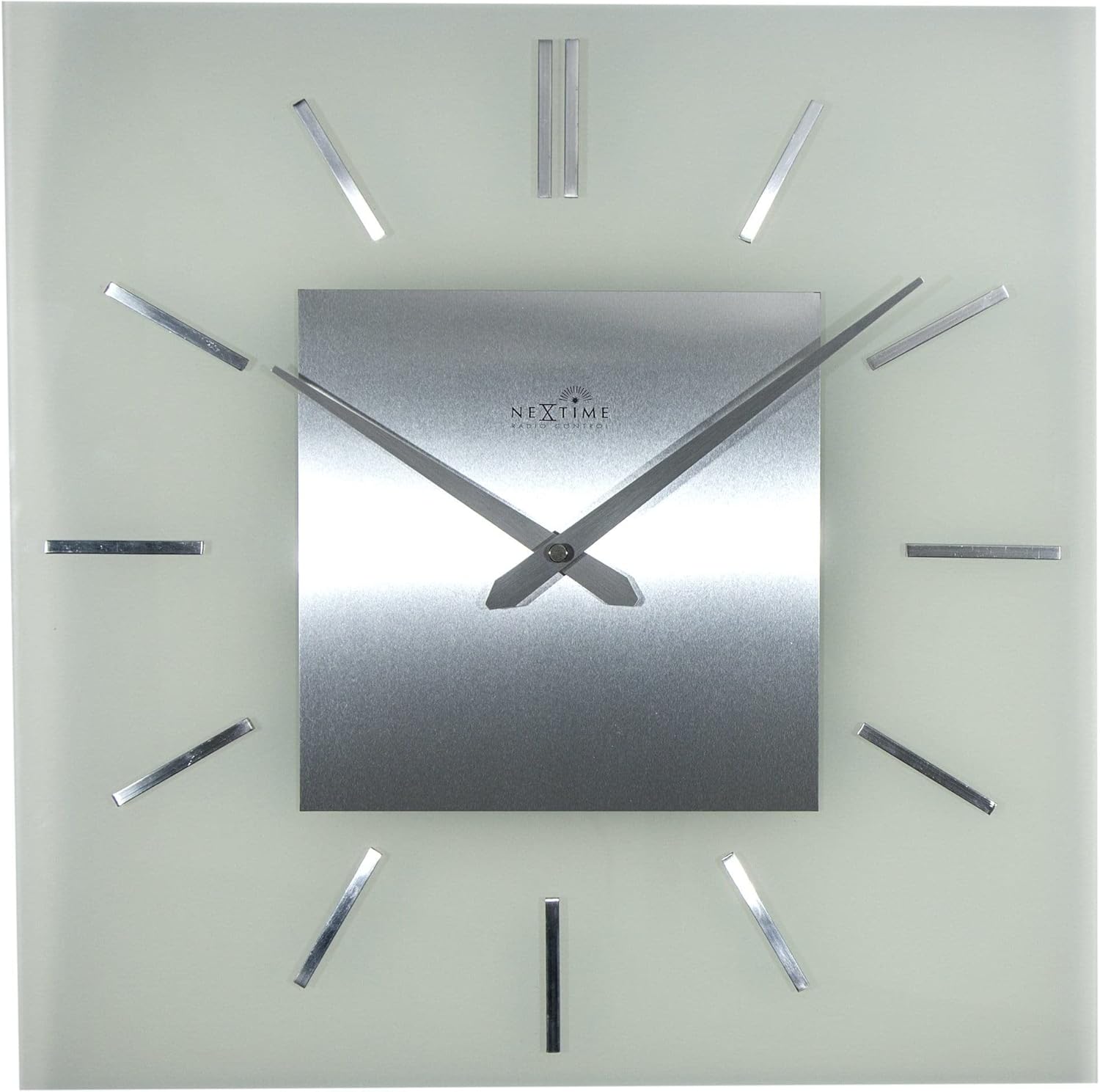
This clock features a classic and timeless design with frosted glass and metal elements, offering automatic time adjustment for precise timekeeping.
Маҳсулот ба охир расидview
Хусусиятҳои асосӣ:
- Radio Controlled: Automatically adjusts time for accuracy.
- Тарҳрезӣ: Classic and timeless aesthetic with frosted glass and metal.
- Андозаҳо: Approximately 40 x 40 cm (15.75 x 15.75 inches).
Компонентҳо:
The neXtime 3148 clock consists of a square glass face, a central metal dial with hour and minute hands, and twelve metallic stripe markers for hours. The back of the clock houses the movement mechanism and battery compartment.

Дастурҳои насб
1. Насби батарея:
- Locate the battery compartment on the back of the clock movement.
- Insert one (1) AA battery, ensuring the polarity (+/-) matches the indicators inside the compartment.
- Сарпӯши қисмати батареяро бехатар пӯшед.

2. Initial Signal Reception:
After battery installation, the clock will automatically attempt to receive the radio signal (DCF77 in Europe or WWVB in North America, depending on region). This process may take several minutes to several hours, depending on your location and environmental conditions.
- Place the clock near a window for optimal signal reception.
- Аз ҷойгир кардани соат дар наздикии дастгоҳҳои электронӣ, ки метавонанд халал расонанд, худдорӣ кунед.
- The hands will typically move to the 12 o'clock position and then begin searching for the signal. Once the signal is received, the clock will automatically set itself to the correct time.
3. Mounting the Clock:
The clock is designed for wall mounting. Use a suitable screw or hook (not included) in your desired location. Ensure the mounting point is secure enough to support the clock's weight (approximately 2.1 kg).
- Locate the hanging slot on the back of the clock movement.
- Hang the clock securely on the wall.
Дастурҳои амалиётӣ
Танзими худкори вақт:
Your neXtime 3148 clock is radio-controlled, meaning it automatically synchronizes with an atomic clock signal. This ensures precise timekeeping and automatic adjustment for Daylight Saving Time (DST).
- The clock will periodically search for the radio signal to maintain accuracy.
- If the clock loses signal, it will attempt to re-synchronize. During this process, the hands may move to 12:00 and then reset to the correct time once the signal is re-established.
Manual Time Adjustment (if necessary):
While the clock is primarily radio-controlled, some models may offer a manual override or time zone adjustment. Refer to the specific buttons or switches on the back of your clock's movement. Typically, a small button might be present to initiate a signal search or manually advance the time if the signal is consistently weak or unavailable.

Нигоҳдорӣ
Тозакунӣ:
- To clean the clock, gently wipe the glass and metal surfaces with a soft, dry, lint-free cloth.
- Аз тозакунандаҳои абразивӣ, ҳалкунандаҳо ё дорупошакҳои кимиёвӣ истифода набаред, зеро онҳо метавонанд ба анҷоми кор зарар расонанд.
Иваз кардани батарея:
When the clock hands stop moving or the time becomes inaccurate, it is likely time to replace the battery.
- Replace the AA battery as described in the "Battery Installation" section.
- Always use a fresh, high-quality AA alkaline battery for optimal performance.
- Батареяҳои истифодашударо мувофиқи қоидаҳои маҳаллӣ ба таври масъулиятнок партоянд.
Мушкилкушо
| Мушкилот | Сабаби эҳтимолӣ | Ҳалли |
|---|---|---|
| Соат ба таври худкор вақтро муқаррар намекунад. | Weak or no radio signal. Incorrect battery installation. | Ensure the battery is correctly installed. Move the clock to a location with better signal reception (e.g., near a window, away from electronics). Allow several hours for signal acquisition. |
| Clock hands are stuck or not moving. | Depleted battery. Obstruction to hands. | Replace the battery with a fresh AA alkaline battery. Check if anything is physically blocking the hands. |
| Time is incorrect after initial setup. | Incomplete signal reception. Incorrect time zone (if manual adjustment is available). | Allow more time for the clock to receive and process the radio signal. If your model has a time zone setting, ensure it is correctly configured. |
| Clock stops and restarts intermittently. | Low battery power. Intermittent signal interference. | Replace the battery. Try relocating the clock to a different position to avoid interference. |
Мушаххасоти
- Бренд: neXtime
- Рақами модел: 3148
- Андозаҳо (L x W x H): 40 x 3.81 x 40 см (15.75 x 1.5 x 15.75 инч)
- Вазн: Тақрибан 2.1 килограмм (4.63 фунт)
- Мавод: Шиша, металл
- Манбаи нерӯ: 1 x Батареяи AA (дохил карда нашудааст)
- Хусусияти махсус: Назорати радио
- Навъи намоиш: Аналогӣ
- Шакл: Майдон
- Ранги: Шиша (яхмосӣ)

Кафолат ва дастгирӣ
neXtime products are manufactured to high-quality standards. For specific warranty information, please refer to the warranty card included with your purchase or visit the official neXtime website. If you encounter any issues not covered in this troubleshooting guide, please contact neXtime customer support for assistance.
Истеҳсолкунанда: neXtime


